Best Task App in 2026: 8 Apps Compared

- Our pick for most people is Todoist, because it balances price, features and ease of use for the widest group of readers.
- Free plans are real here, but the limits matter: check what TickTick and Microsoft To Do actually include before you commit.
- Prices in this guide come from vendor pricing pages and current comparisons checked in October 2026, and they can change, so confirm the plan on the vendor site before you buy.
- The best choice depends on your budget, your experience level and how much support you want, not on which brand is most famous.
Quick comparison
| Product | Ideal for | Price from | Free version | |
|---|---|---|---|---|
 Todoist | Fast task capture with natural language | Free | Yes | Visit |
 TickTick | Tasks, calendar and habits in one app | Free | Yes | Visit |
 Microsoft To Do | Free tasks inside the Microsoft ecosystem | Free | Yes | Visit |
 Things 3 | Beautiful task management on Apple devices | See website | No | Visit |
 Any.do | Simple lists with daily planning nudges | Free | Yes | Visit |
 Google Tasks | Tasks inside Gmail and Google Calendar | Free | Yes | Visit |
 OmniFocus | Serious GTD for Mac and iOS power users | See website | Free trial | Visit |
 Notion | Tasks blended with notes and wikis | Free | Yes | Visit |
The best Task App in 2026
We compared official feature pages, pricing pages, app store listings, privacy policies and public reviews to build this list for best task app. Every option below exists and works today, and each one earns its place for a different kind of reader.
Todoist
Ideal for: Fast task capture with natural language
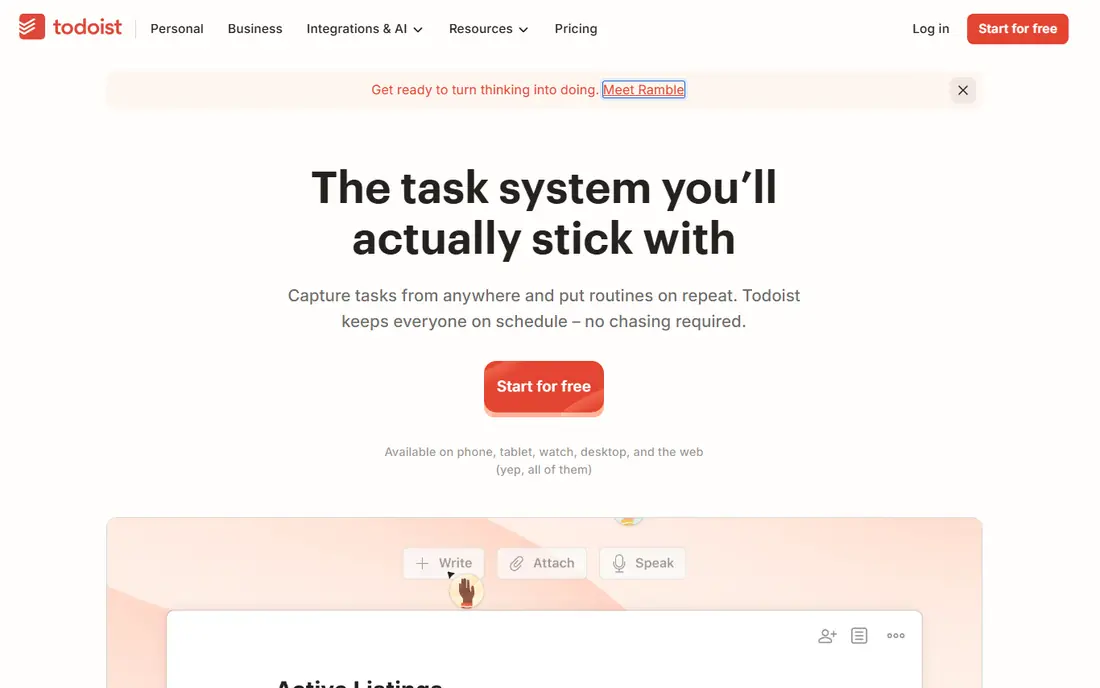
Here is the short version. Todoist is the default recommendation for individuals, because typing a task in plain language with a date just works, and the app stays out of your way. It fits readers who want fast task capture with natural language, and its published feature set matches that promise rather than trying to cover every possible use case at once. When we weighed it against the rest of this list, the balance of price, scope and support stood out for that group. The price picture is free, with a free plan status of yes. The free plan limits you to five projects, so heavy users need Pro, and the price rise means budget buyers should compare TickTick first. Before you sign up, check the current plan limits on the official site, because caps on users, usage or features are where most buyers get surprised after the first month.
- Natural language input
- Clean interface
- 150 plus integrations
- Teams support
- Free plan limits projects
- Pro price rose to 60 dollars a year
TickTick
Ideal for: Tasks, calendar and habits in one app

Start here if you want the safe default. TickTick is the value pick, because it replaces a task app, a habit app and a focus timer for one low price. It fits readers who want tasks, calendar and habits in one app, and its published feature set matches that promise rather than trying to cover every possible use case at once. When we weighed it against the rest of this list, the balance of price, scope and support stood out for that group. The price picture is free, with a free plan status of yes. The denser interface puts some people off, but if you think in a weekly calendar grid, that density is a feature, not a flaw. Before you sign up, check the current plan limits on the official site, because caps on users, usage or features are where most buyers get surprised after the first month.
- Built-in calendar, habit tracker and Pomodoro timer
- Generous free tier
- Lower price than Todoist
- Interface is denser than Todoist
- Fewer integrations
Microsoft To Do
Ideal for: Free tasks inside the Microsoft ecosystem
This one suits a specific kind of reader. Microsoft To Do is the obvious free choice for Outlook and Windows users, because tasks sync with email and calendar without extra setup. It fits readers who want free tasks inside the microsoft ecosystem, and its published feature set matches that promise rather than trying to cover every possible use case at once. When we weighed it against the rest of this list, the balance of price, scope and support stood out for that group. The price picture is free, with a free plan status of yes. Power users will miss smart filters and advanced views, but for simple lists it is hard to argue with free. Before you sign up, check the current plan limits on the official site, because caps on users, usage or features are where most buyers get surprised after the first month.
- Completely free
- Deep Outlook and Teams integration
- Simple shared lists
- Fewer power features than Todoist or TickTick
- No advanced filtering
Things 3
Ideal for: Beautiful task management on Apple devices
Consider this if the top picks do not fit. Things 3 is the crafted Apple choice, with a design that makes daily planning feel pleasant rather than administrative. It fits readers who want beautiful task management on apple devices, and its published feature set matches that promise rather than trying to cover every possible use case at once. When we weighed it against the rest of this list, the balance of price, scope and support stood out for that group. The price picture is see website, with a free plan status of no. Apple-only limits and per-device pricing add up, so Windows or Android users, and teams, should look elsewhere. Before you sign up, check the current plan limits on the official site, because caps on users, usage or features are where most buyers get surprised after the first month.
- Elegant design
- One-time purchase per device
- Strong GTD workflow
- Apple only
- Separate purchase per device
- No collaboration depth
Any.do
Ideal for: Simple lists with daily planning nudges
A strong option for a narrower need. Any.do suits people who forget to use task apps, because its daily planning prompt asks what matters today. It fits readers who want simple lists with daily planning nudges, and its published feature set matches that promise rather than trying to cover every possible use case at once. When we weighed it against the rest of this list, the balance of price, scope and support stood out for that group. The price picture is free, with a free plan status of yes. The simplicity that helps beginners can frustrate power users, who will miss the filtering and automation of Todoist or TickTick. Before you sign up, check the current plan limits on the official site, because caps on users, usage or features are where most buyers get surprised after the first month.
- Plan My Day feature
- Calendar integration
- Simple shared lists
- Premium features need a paid plan
- Fewer power tools than rivals
Google Tasks
Ideal for: Tasks inside Gmail and Google Calendar
Worth a close look before you decide. Google Tasks is the zero-friction pick for Gmail users, because it lives in the sidebar you already open. It fits readers who want tasks inside gmail and google calendar, and its published feature set matches that promise rather than trying to cover every possible use case at once. When we weighed it against the rest of this list, the balance of price, scope and support stood out for that group. The price picture is free, with a free plan status of yes. It is deliberately basic, so anyone with complex projects should choose a dedicated task app instead. Before you sign up, check the current plan limits on the official site, because caps on users, usage or features are where most buyers get surprised after the first month.
- Free
- Sidebar in Gmail and Calendar
- Simple and fast
- Very basic features
- No advanced projects or collaboration
OmniFocus
Ideal for: Serious GTD for Mac and iOS power users
This belongs on the shortlist for a reason. OmniFocus is the power tool for Getting Things Done devotees, with perspectives and forecasts that organise a complex life. It fits readers who want serious gtd for mac and ios power users, and its published feature set matches that promise rather than trying to cover every possible use case at once. When we weighed it against the rest of this list, the balance of price, scope and support stood out for that group. The price picture is see website, with a free plan status of free trial. The price and learning curve are real, and it is Apple only, so casual list makers should start with a simpler app. Before you sign up, check the current plan limits on the official site, because caps on users, usage or features are where most buyers get surprised after the first month.
- Deep GTD features
- Perspectives and forecasts
- Strong Apple integration
- Apple only
- Price and learning curve are high
- No free plan
Notion
Ideal for: Tasks blended with notes and wikis
Do not overlook this one. Notion suits people who want tasks mixed with notes and project docs in one workspace. It fits readers who want tasks blended with notes and wikis, and its published feature set matches that promise rather than trying to cover every possible use case at once. When we weighed it against the rest of this list, the balance of price, scope and support stood out for that group. The price picture is free, with a free plan status of yes. Quick capture is slower than Todoist, so if speed of entry is your top need, a dedicated task app wins. Before you sign up, check the current plan limits on the official site, because caps on users, usage or features are where most buyers get surprised after the first month.
- Tasks beside notes, docs and databases
- Flexible views
- Generous free tier
- Task features are less focused than dedicated apps
- Can feel slow for quick capture
How we picked these
We started from official feature pages and pricing pages, then checked app store listings, privacy policies and public reviews to confirm each product still works and still fits the topic. Products that could not be verified, or that only partly matched the topic, were left out, even when they were well known. We favoured a mix of established leaders and strong smaller options, and we weighted price transparency, a usable free tier or trial, and honest limits more heavily than marketing claims. No product on this list paid for its place, and our pick for most people is the one we would suggest to a friend with ordinary needs and an ordinary budget.
How to choose a task app you will open every day
Start with capture speed, because a task app you do not open is useless. Type a task the way you think it, with a date, and see how fast it lands in the right list. Next, check your devices: an Apple-only app is a problem if you also work on Windows, and a web-only app is a problem if you plan on a phone. Then look at the free tier honestly: project limits, collaborator limits and reminder limits decide whether free is enough or whether you will pay within a month. Finally, match the app to your method: simple lists need a simple app, while a GTD system needs perspectives and filters. Trial one app for two weeks with real tasks, not test items, and watch whether you check it daily. If you keep falling back to paper or memory, the app is wrong, not you. The best task app is the simplest one that holds your whole day without friction.
Frequently asked questions
What is the best task app?
Todoist leads for most people, TickTick leads on value thanks to its calendar and habits, and Microsoft To Do leads for free Microsoft users. Things 3 leads for Apple-only users who want design.
What is the best free to-do app?
Microsoft To Do and Google Tasks are completely free, while Todoist and TickTick offer generous free tiers. TickTick free covers unlimited tasks and nine lists, while Todoist free covers five projects.
Is Todoist or TickTick better?
Todoist wins on natural language input and integrations, while TickTick wins on built-in calendar, habits and price. Choose Todoist for clean capture and TickTick for an all-in-one daily planner.
What is the best to-do app for teams?
Todoist Business and Notion suit small teams, while Trello suits visual kanban teams. Check collaborator limits on free tiers before rolling a tool out to a team.
Can a task app replace a calendar?
TickTick comes closest, because its calendar view shows tasks beside events. Most task apps work best beside a calendar, not instead of one.