Best Text Analytics Software in 2026: 8 Tools Compared

- 1
 MonkeyLearnNo-code text analysisVisit
- 2
 LexalyticsEnterprise text analyticsVisit
- 3
 MeaningCloudMultilingual text analysisVisit
- 4
 IBM Watson Natural Language UnderstandingEnterprise NLP APIVisit
- 5
 Google Cloud Natural LanguageGoogle Cloud NLP APIVisit
- MonkeyLearn, Thematic, and Lexalytics suit teams that want no-code text analysis of surveys, reviews, and support tickets.
- Google Cloud Natural Language, Amazon Comprehend, and IBM Watson suit developers who need text analytics inside an application via API.
- MeaningCloud and RapidMiner bridge the gap, offering both ready-made analysis and deeper data science workflows.
- Text analytics quality depends on training data and language coverage, so test with your own text, not vendor samples, before buying.
Quick comparison
| Product | Ideal for | Price from | Free version | |
|---|---|---|---|---|
| MonkeyLearn | No-code text analysis | See website | Free trial | Visit |
| Lexalytics | Enterprise text analytics | See website | No | Visit |
| MeaningCloud | Multilingual text analysis | See website | Free trial | Visit |
| IBM Watson Natural Language Understanding | Enterprise NLP API | See website | Free trial | Visit |
| Google Cloud Natural Language | Google Cloud NLP API | See website | Free trial | Visit |
 Amazon Comprehend | AWS text analysis API | See website | Free trial | Visit |
 RapidMiner | Data science text mining | See website | Free trial | Visit |
 Thematic | Feedback theme analysis | See website | Free trial | Visit |
The best text analytics software
Text analytics software reads unstructured text, such as survey answers, reviews, support tickets, and social posts, and turns it into themes, sentiment, entities, and trends. The tools split into no-code platforms for analysts and APIs for developers, and the right choice depends on who will use it. We compared official documentation, pricing pages, and public reviews, focusing on sentiment, theme extraction, language support, and ease of use.
MonkeyLearn
Ideal for: No-code text analysis
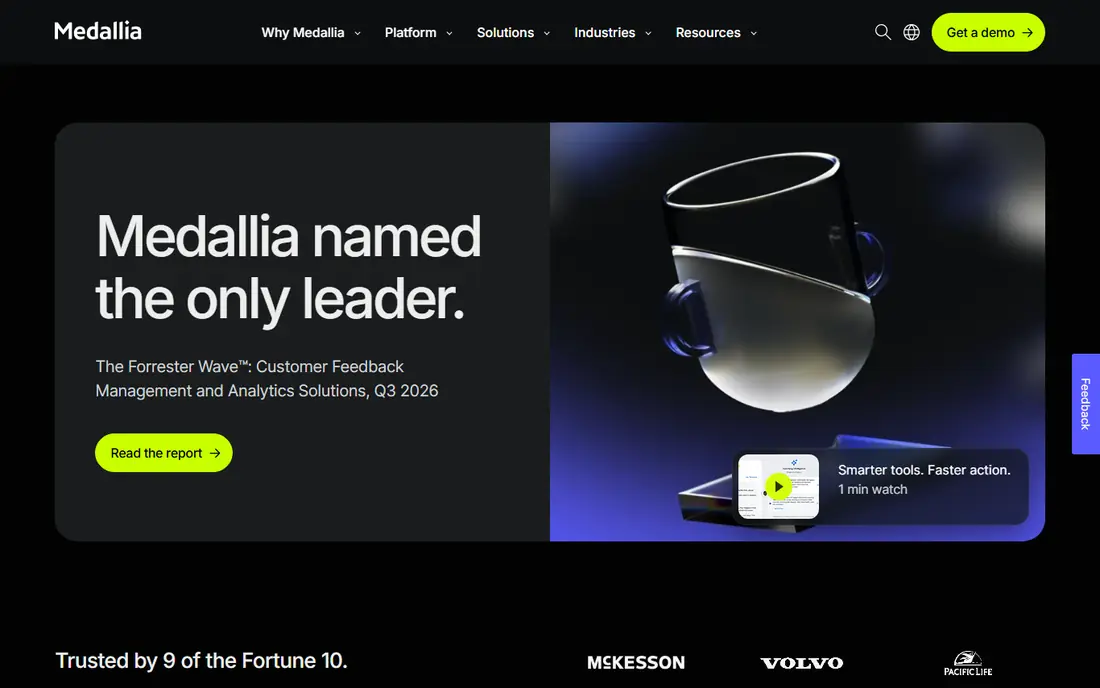
MonkeyLearn lets non-technical teams build text classifiers and extractors without code: upload survey answers or reviews, label examples, and train a model to tag sentiment, topics, or entities. Integrations with spreadsheets, forms, and support tools mean analyzed results can flow into dashboards and workflows. For customer experience teams, that no-code path is the main appeal.
Training a good model still needs labeled examples and review, and usage-based pricing should be modeled at full data volume. For teams that want text analytics without hiring data scientists, MonkeyLearn is our pick for ease of use.
- No-code classifiers and extractors
- Good for surveys and reviews
- Integrations with common tools
- Custom model training takes example data
- Usage-based pricing needs monitoring
Lexalytics
Ideal for: Enterprise text analytics
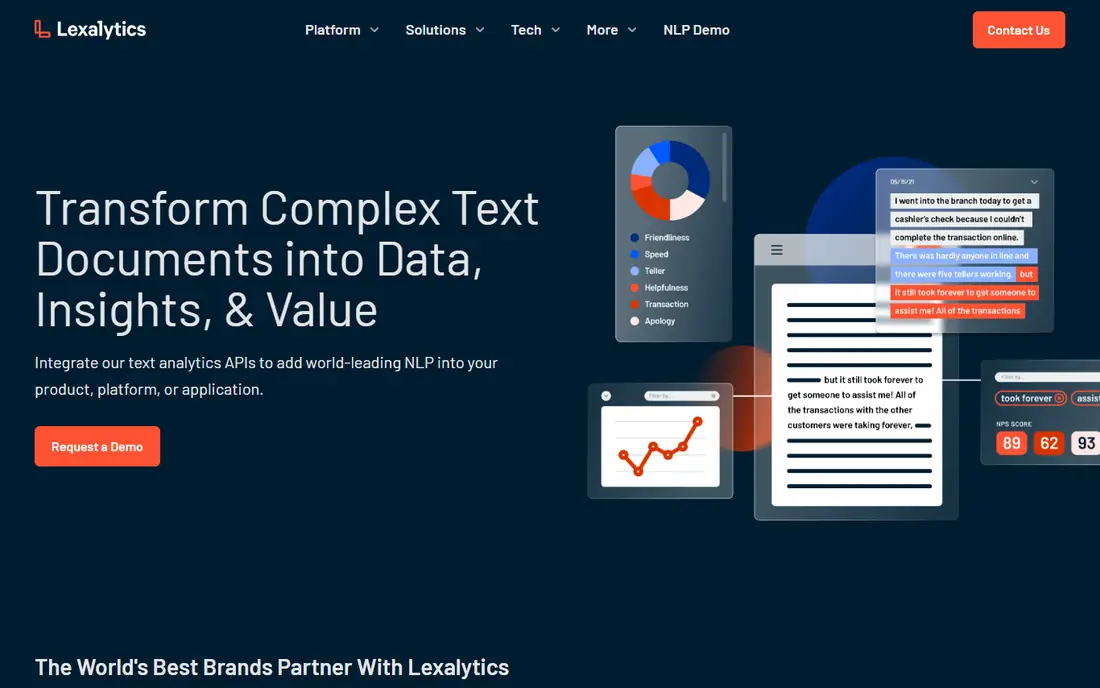
Lexalytics, part of InMoment, offers Semantria and related text analytics for enterprises that analyze large volumes of surveys, reviews, and social data. Its sentiment, theme, and entity analysis is tuned for business feedback, and deployment options include cloud and on-premises for organizations with data control needs. That depth suits large customer experience programs.
Pricing is enterprise and quote-based, and large deployments need tuning and integration work. Smaller teams may prefer MonkeyLearn or Thematic. For enterprise-scale text analytics, Lexalytics is a proven choice.
- Deep sentiment and theme analysis
- Strong for large document volumes
- On-premises and cloud options
- Enterprise pricing
- Setup and tuning for large deployments
MeaningCloud
Ideal for: Multilingual text analysis
MeaningCloud provides text analytics APIs for sentiment, topic extraction, entity recognition, and classification, with strong support for many languages. That multilingual coverage is a real advantage for global brands analyzing feedback in several languages, since many tools work best only in English. API access is straightforward for developers.
The product is API-first, so non-technical teams will need a developer or an integration to use it fully. Community resources are also smaller than for Google or AWS. For multilingual API text analysis, MeaningCloud is a strong pick.
- Strong multilingual support
- Sentiment, topics, and entity APIs
- Easy API access
- Interface is API-first
- Smaller community than cloud giants
IBM Watson Natural Language Understanding
Ideal for: Enterprise NLP API
IBM Watson Natural Language Understanding analyzes text for sentiment, emotion, entities, keywords, concepts, and categories, and it suits enterprises already using IBM Cloud. Its feature range goes beyond basic sentiment, helping analysts understand tone and themes in feedback, research, and documents. Enterprise support and compliance options are part of the appeal for regulated sectors.
Plan structure and pricing can be complex, and teams outside IBM Cloud should compare Google and AWS equivalents. For IBM shops needing rich NLP, Watson NLU is a capable choice.
- Rich NLP features including emotion and concepts
- Enterprise support
- IBM Cloud integration
- Pricing and plan structure can be complex
- Best for IBM Cloud users
Google Cloud Natural Language
Ideal for: Google Cloud NLP API
Google Cloud Natural Language API offers sentiment analysis, entity recognition, syntax analysis, and content classification, with straightforward integration for teams already on Google Cloud. Pricing is usage-based, which suits applications that analyze text on demand, and the API scales without infrastructure work. Documentation and examples are strong.
It is API-first, so business analysts need a developer or a tool built on top of it. Language coverage also varies by feature, so check your languages before committing. For Google Cloud teams, this API is a natural pick.
- Accurate sentiment and entity analysis
- Easy Google Cloud integration
- Scalable API pricing
- API-first, needs developers
- Language coverage varies by feature
Amazon Comprehend
Ideal for: AWS text analysis API
Amazon Comprehend provides sentiment, entity, key phrase, language, and topic analysis on AWS, with custom classifiers and entity recognizers for domain-specific text. Pay-as-you-go pricing suits variable workloads, and integration with other AWS services, such as storage and dashboards, keeps pipelines simple for AWS teams. That combination makes it a default choice inside AWS estates.
Teams outside AWS may prefer Google or MeaningCloud, and custom models need labeled training data to perform well. For AWS-based text analytics, Comprehend is a strong and practical option.
- Sentiment, entities, and topic modeling on AWS
- Custom classifiers
- Pay-as-you-go pricing
- AWS-focused
- Custom model training needs labeled data
RapidMiner
Ideal for: Data science text mining
RapidMiner is a data science platform with visual workflows for text mining, including tokenization, sentiment, topic modeling, and classification, alongside general analytics. That suits analysts who want text analysis as part of a wider data project, such as combining survey text with sales data, without writing full code. Visual workflows make experiments repeatable and shareable.
Because RapidMiner is a general platform, text-only teams may find it broader than needed, and advanced workflows still take learning. For data teams doing text mining alongside other analytics, RapidMiner is a flexible choice.
- Visual data science workflows
- Text mining operators
- Good for analysts who code lightly
- Broader data science tool, not text-only
- Learning curve for advanced workflows
Thematic
Ideal for: Feedback theme analysis
Thematic is built to turn customer feedback, surveys, reviews, and support tickets into themes, sentiment, and trends, with visualizations that CX teams can share with stakeholders. Its AI models are tuned for feedback language, which helps surface themes such as pricing, delivery, or product quality without manual coding. That focus makes results easier to act on than generic NLP output.
Thematic is less suited to developers building custom NLP applications, and pricing is quote-based. For CX and research teams analyzing feedback at scale, Thematic is a strong, focused pick.
- Built for survey and review themes
- Clear theme visualizations
- Good for CX teams
- Feedback-focused, less suited to general NLP development
- Pricing by quote
How we picked these
We compared official documentation, pricing pages, and public reviews for software that analyzes unstructured text for sentiment, themes, entities, or classification. We included both no-code platforms and developer APIs, since buyers differ, and we checked language support and integration options. Generic business intelligence tools without text-specific analysis were left out.
What to check before you choose text analytics software
Start with your own text. Run a trial on a sample of your surveys, reviews, or tickets, and judge theme accuracy and sentiment in your domain, since models trained on general text can miss industry language. Check language coverage if you analyze feedback in several languages, and check how the tool handles sarcasm, negation, and mixed sentiment, which are common failure points.
Next, check the workflow after analysis. Results should reach dashboards, tickets, or reports where teams act on them, not sit in a separate console. Finally, confirm data handling: text analytics tools process potentially sensitive feedback, so read privacy terms, retention, and whether data trains shared models. For regulated sectors, on-premises or private deployment options may matter. Also check how the tool handles mixed or multilingual feedback, since a single survey can contain several languages and tones. Ask whether themes can be customized to your product vocabulary, rather than relying only on generic categories. A tool that lets you rename, merge, and track themes over time will produce reports that stakeholders actually understand and act on.
Frequently asked questions
What is text analytics software?
Text analytics software analyzes unstructured text, such as survey answers and reviews, to find sentiment, themes, entities, and trends. It helps teams understand what customers are saying at scale, without reading every message manually.
What is the difference between text analytics and text mining?
The terms overlap, but text mining often refers to discovering patterns in large text collections, while text analytics often refers to applying analysis, such as sentiment and themes, to business feedback. Many tools in this list do both, so focus on features rather than labels.
Can text analytics tools handle multiple languages?
Some can, with MeaningCloud offering broad language support and cloud APIs covering many languages, though feature depth varies by language. Always test with your actual languages, since sentiment accuracy can drop for less common languages.
Do I need to code to use text analytics software?
No, tools such as MonkeyLearn and Thematic offer no-code analysis for analysts, while cloud APIs from Google, Amazon, and IBM need developers. Choose based on who will run the analysis day to day.
How accurate is sentiment analysis?
Accuracy varies by domain, language, and text type, and it is lower for sarcasm, irony, and mixed feelings. Use sentiment as a trend signal alongside theme analysis and human review of samples, rather than as a precise score for individual messages.