Comparing 7 Text to Speech App for PDF Tools in 2026

- 1
 BalabolkaFree offline Windows readingVisit
- 2
 Read AloudFree browser readingVisit
- 3
 ElevenReaderMost realistic voicesVisit
- 4
 Murf AIVoiceover creation from PDFsVisit
- 5
 SpeechifyAll-in-one PDF readingVisit
- Number one here is Balabolka, a fit for free offline Windows reading.
- ElevenReader has the lowest monthly starting price in this list: $8.25 per month.
- Free plans are common here: 6 of 7 tools have one, including Balabolka, Read Aloud, ElevenReader and Murf AI.
- Before buying Murf AI, weigh this: very restricted free plan at 10 minutes with no downloads.
Direct answer
If you need free offline Windows reading, Balabolka is the first tool to look at here. Read Aloud is the stronger choice for free browser reading, while ElevenReader suits most realistic voices. The full list of 7 tools follows, with prices and free plan facts.
Quick comparison
| Product | Ideal for | Price from | Free version | |
|---|---|---|---|---|
| Balabolka | Free offline Windows reading | $0 | Yes | Visit |
| Read Aloud | Free browser reading | $0 | Yes | Visit |
| ElevenReader | Most realistic voices | $8.25 a month | Yes | Visit |
| Murf AI | Voiceover creation from PDFs | $19 a month | Yes | Visit |
| Speechify | All-in-one PDF reading | $139 per year | Yes | Visit |
 NaturalReader | Scanned PDFs and desktop use | $99 a year | Yes | Visit |
 Voice Dream Reader | Accessibility and offline reading | $14.99 one-time | Free trial | Visit |
Every option for text to speech app for PDF explained
Choosing text to speech app for PDF usually comes down to price, fit and limits. This Ainotely guide sets 7 tools side by side on those three points, with the facts kept short and checkable.
Balabolka
Ideal for: Free offline Windows reading

For free offline Windows reading, Balabolka is a natural candidate. The interface is dated.
It supports plenty of file formats, batch conversion to audio files, and configurable speed, pitch, and pronunciation rules. On top of that, there is no subscription and no account needed. Balabolka pricing: $0. A free plan is available with Balabolka.
Best features of Balabolka: Fully free; Supports plenty of file formats.
Honest limits: Windows only; Interface is dated.
- Offline Windows use
- Customizable voices and speed
- Uses system voices, so quality varies
Read Aloud
Ideal for: Free browser reading

Read Aloud is built with free browser reading in mind. Controls are fewer than Speechify or NaturalReader.
Read Aloud is a free browser extension that reads web pages and PDFs straight in the browser, with straightforward playback controls and a light design. It works in the browser only, with no dedicated mobile app, and voice quality is entry-level compared to premium tools. Read Aloud starts at: $0. Read Aloud includes a free tier.
Watch-outs: Voice quality is entry-level; Fewer controls than premium readers.
- Straightforward and light
- Reads web pages and PDFs in the browser
- No dedicated mobile app
ElevenReader
Ideal for: Most realistic voices
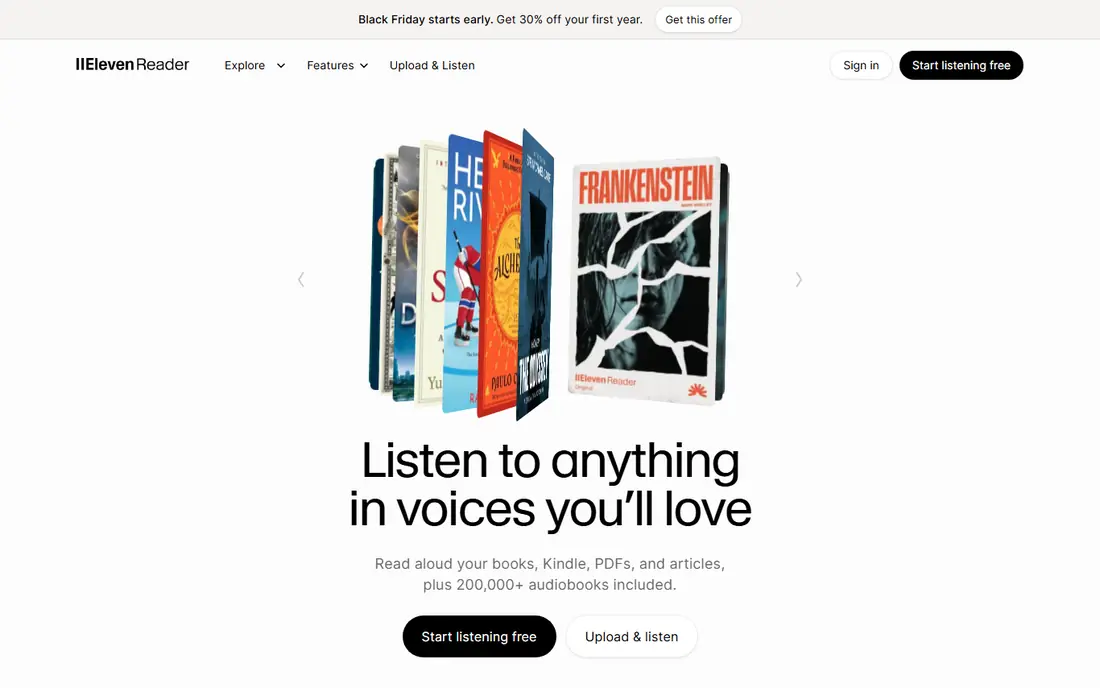
ElevenReader is a good fit for most realistic voices. ElevenReader, from ElevenLabs, gives you ultra-realistic AI voices that lead blind quality tests, with an ample free level of 10 hours a month with premium voices. On top of that, the reading app manages PDFs and documents with natural narration that sounds closer to a human audiobook than most rivals.
Limits to weigh: No desktop app.
Beyond that, there is no desktop app, and advanced controls may feel overwhelming for some users. In practice, premium Ultra plans start at $8.25 a month billed yearly for heavier listening. What you pay to start with ElevenReader: $8.25 per month. A free plan is available with ElevenReader.
- Clean reading app
- Ultra-realistic AI voices
- Advanced controls may feel overwhelming
Murf AI
Ideal for: Voiceover creation from PDFs
Murf AI was built for voiceover creation from PDFs. Murf AI is a voiceover product that turns PDF scripts and documents into studio-quality narration for presentations, training videos, and e-learning.
Murf fits creators, not casual readers. Murf AI starts at: $19 per month. Murf AI includes a free tier.
Where it falls short: Quality falling behind ElevenLabs.
- A decent match for turning documents into presentations
- Studio-grade voice customization
- Creator focus, not casual reading
Speechify
Ideal for: All-in-one PDF reading
Where Speechify fits: all-in-one PDF reading. Premium plans open up over 200 high-quality voices in 60 plus languages, offline MP3 downloads, up to 5x playback speed, and AI summaries and chats. Premium costs $29 month-to-month or $139 a year, which works out to $11.58 a month on annual billing.
More specifically, Speechify fits students, professionals, and speed-listeners who read PDFs across plenty of devices and want the most refined experience. Mobile OCR scans printed pages and image-based PDFs into readable text. The free level handles entry-level listening with 10 robotic voices at up to 1.5x speed. Entry price for Speechify: $139 per year. Speechify includes a free tier.
Trade-offs to know: Free level restricted to robotic voices at 1.5x.
- OCR scan-to-audio on mobile
- Natural voices across devices
- Trial auto-charges after 3 days in some listings
NaturalReader
Ideal for: Scanned PDFs and desktop use
NaturalReader works best for Scanned PDFs and desktop use. Desktop apps for Windows and Mac suit users who work primarily at a computer. The personal plan contains AI tools for example podcast generation, recaps, and screenshot reading.
Where it is weaker: Higher monthly price at $49 in some listings.
Annual pricing is around $99 a year, or $9.92 a month billed yearly in some listings, whereas monthly pricing reaches $49 in others, so confirm at checkout. As for the details, NaturalReader wins on languages and file format support, with over 100 languages and solid OCR that deals with scanned PDFs and images well. The free version comes with entry-level voices with 20 minutes per day of premium voices. Entry price for NaturalReader: $99 per year. Free access exists with NaturalReader.
- Desktop apps for Windows and Mac
- Solid OCR for scanned documents
- Voice quality a little trails Speechify
Voice Dream Reader
Ideal for: Accessibility and offline reading
Voice Dream Reader is aimed squarely at accessibility and offline reading. It manages PDFs, Word documents, ePub, web pages, and Bookshare and DAISY formats, and reading margins can skip headers and footnotes on the page.
Voice Dream Reader pricing: $14.99 one-time. Free access: Free trial.
Points against: Extras raise the total cost.
What Voice Dream Reader does well: Synchronized word highlighting; One-time purchase.
- Bookshare formats
- Offline reading
- Voices are older and less natural
How we compared the tools
For each of the 7 tools we noted price, free plan or trial, fit for text to speech app for PDF and the main limit, using vendor pages and documentation. Figures are shown as the vendors publish them. Billing terms, seat minimums and add-ons can change the real cost. Position on the page reflects fit for a typical buyer first, with price clarity and free access breaking ties. Treat it as a guide, not a ruling.
Questions to settle before buying
- Confirm the entry price on the vendor page: ElevenReader starts at $8.25 per month, but seat counts and billing terms change the total.
- Look at free plan limits closely: Balabolka, Read Aloud, ElevenReader and others have one, and the caps decide whether it is usable for real work.
- Use real work to test the free trial from Voice Dream Reader, rather than a demo project.
- Read the limits listed for Balabolka first: Windows only.
- Check whether Read Aloud bills monthly or annually, and what cancelling early costs.
- List the apps you already depend on and check that Balabolka supports each one on the plan you would buy.
Frequently asked questions
How are the tools for text to speech app for PDF ordered?
Balabolka sits first and Voice Dream Reader last because the order follows typical fit for text to speech app for PDF, then price clarity and free access. It is a judgement call, so read each profile for fit and limits.
Can I try these tools before paying?
Often, yes. Balabolka, Read Aloud, ElevenReader and others have a free plan and Voice Dream Reader offers a free trial. Use your own data and a real task during the test, and check what the free tier or trial limits before you rely on it.
What is the cheapest option for text to speech app for PDF in this list?
On published monthly entry prices, ElevenReader is the lowest here at $8.25 per month. Entry price is only part of the cost, because seats, add-ons and billing terms can change the total.
Is Balabolka the right pick for everyone comparing text to speech app for PDF?
No single tool suits every team. Balabolka comes first because it fits free offline Windows reading, while Read Aloud suits free browser reading and ElevenReader suits most realistic voices. Match the tool to your own size, budget and workflow before deciding.
Can I listen to PDFs offline?
Yes, with Speechify Premium, Voice Dream Reader, and Balabolka, which all support offline reading or audio downloads. On top of that, ElevenReader and Read Aloud need an internet connection for most features.