6 Strong Time Tracking Software for Consultants in 2026

- 1
 AvazaSmall consulting practices that want projects, time, and invoices in one appVisit
- 2
 TimelyConsultants who chronically forget to start timersVisit
- 3
 BigTimeConsulting businesses that run on QuickBooksVisit
- 4
 HarvestConsultants who invoice for every tracked hourVisit
- 5
 EverhourConsultants who run work in Asana, ClickUp, Trello, or JiraVisit
- Avaza sits first on this list: small consulting practices that want projects, time, and invoices in one app.
- What to know about Harvest first: per-seat price is high for bigger teams.
- Only 4 of the 6 tools have a free plan (Avaza, Harvest, Everhour, Clockify), so check the caps.
- For the cheapest start, look at Clockify: $3.99 per user/month.
- Clockify is the one to check for consulting teams that refuse to pay for tracking.
Direct answer
Our first pick is Avaza, best for small consulting practices that want projects, time, and invoices in one app. Timely is better for consultants who chronically forget to start timers, and BigTime is better for consulting businesses that run on QuickBooks. Prices, free plans and limits for all 6 tools follow.
Quick comparison
| Product | Ideal for | Price from | Free version | |
|---|---|---|---|---|
| Avaza | Small consulting practices that want projects, time, and invoices in one app | $11.95 per month | Yes | Visit |
| Timely | Consultants who chronically forget to start timers | $9 per user/month | Free trial (14 days) | Visit |
| BigTime | Consulting businesses that run on QuickBooks | See website | Free trial | Visit |
| Harvest | Consultants who invoice for every tracked hour | $9 per user/month (billed yearly) | Yes | Visit |
| Everhour | Consultants who run work in Asana, ClickUp, Trello, or Jira | $8.50 per user/month (billed yearly) | Yes | Visit |
 Clockify | Consulting teams that refuse to pay for tracking | $3.99 per user/month (billed annually) | Yes | Visit |
Our 6 time tracking software for consultants
This Ainotely guide covers 6 time tracking software for consultants. Each profile lists a starting price, free plan details, strengths and drawbacks, so you can drop poor fits quickly.
Avaza
Ideal for: Small consulting practices that want projects, time, and invoices in one app
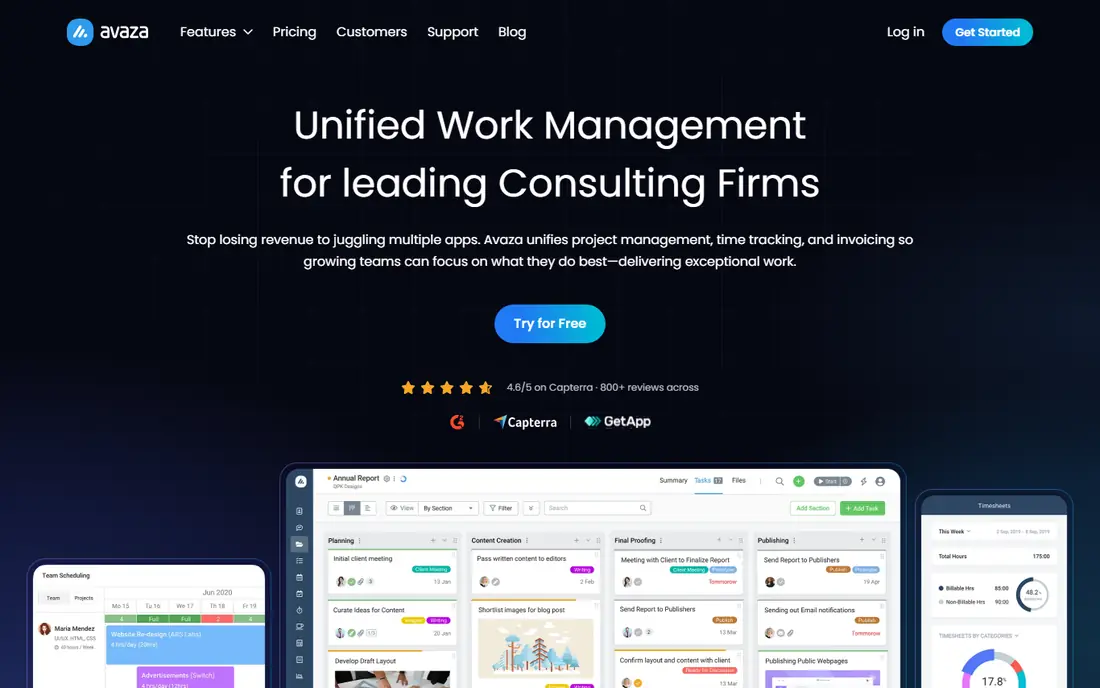
Avaza is designed for small consulting practices that want projects, time, and invoices in one app. The flat monthly pricing is unusual in this category: the Startup plan is $11.95 per month total, not per user, which makes it dramatically less expensive than per-seat tools once your team passes a handful of people.
Watch-outs: Time tracking depth is shallower than dedicated tools.
As for the details, one subscription spans project management with kanban and Gantt views, timesheets with adaptable per-project rates, expense tracking, quotes, invoices, and even team chat. Price to start with Avaza: $11.95 per month. You can start on Avaza without paying.
- Built-in team chat and resource scheduling cut app juggling
- Time tracking, expenses, quotes
- The interface packs a lot into small screens
Timely
Ideal for: Consultants who chronically forget to start timers
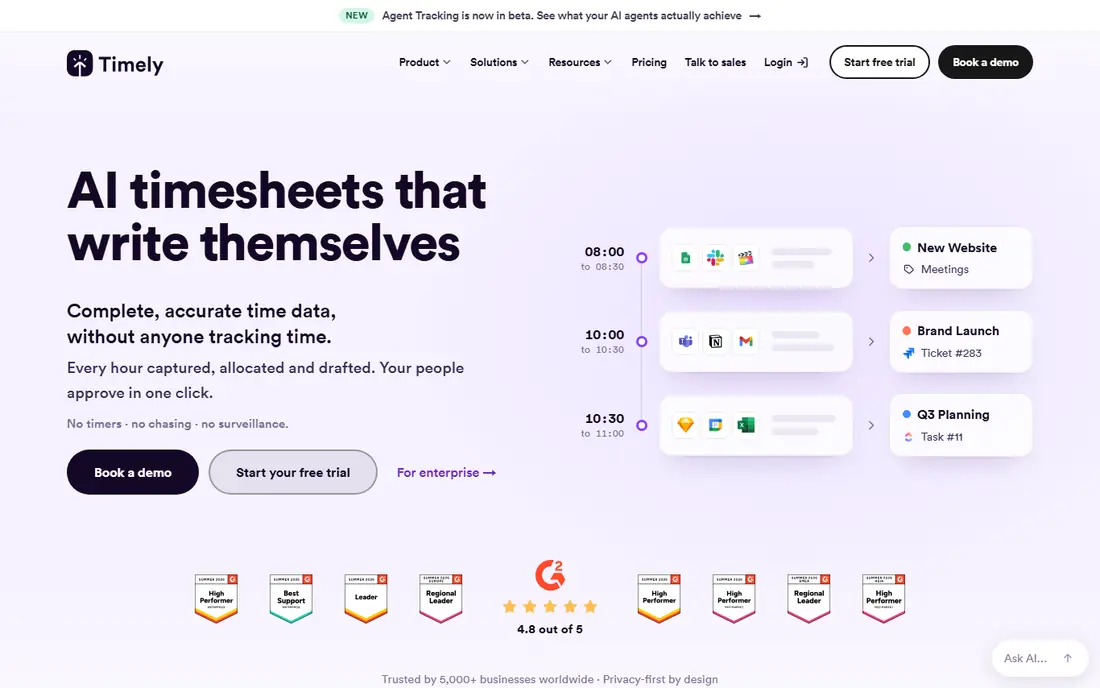
Choose Timely for consultants who chronically forget to start timers. You review, adjust, and approve in minutes rather than reconstructing a week from calendar invites and sent-mail folders. More specifically, the downside is that there is no free forever level, only a 14-day trial.
Where it falls short: No permanent free plan, so it costs from day one.
The AI categorization occasionally misassigns work to the wrong client, so a weekly review habit is still mandatory. Also, for consultants whose billable work scatters across email, research, calls, and documents, the captured-hours math alone can justify the $9 a seat. Starting cost for Timely: $9 per user/month. Free plan details: Free trial (14 days).
- Private timelines that only the user can see until approved
- Solid project health and utilization reporting on higher levels
- The Starter plan caps projects at 20
BigTime
Ideal for: Consulting businesses that run on QuickBooks
BigTime was built for consulting businesses that run on QuickBooks. BigTime is not a time tracker with billing bolted on.
It is professional services automation where time tracking is one piece of a quote-to-cash system. In daily use, the honest catch is weight. Check the vendor site for BigTime pricing; none is listed in this comparison. Free access: Free trial.
What BigTime does well: project budgets; Designed for professional services billing.
Trade-offs to know: Implementation takes real configuration work.
- Profitability reporting in one place
- Deep QuickBooks Desktop and Online integration with GL mapping
- Pricing is quote-based and sits above light tools
Harvest
Ideal for: Consultants who invoice for every tracked hour
Choose Harvest for consultants who invoice for every tracked hour. You set an hour or money budget per project, and Harvest flags it before you blow past it, not after.
What to check first: Profitability reporting is restricted on lower levels.
What you pay to start with Harvest: $9 per user/month. A free plan is available with Harvest. Highlights: or task.
- Multi-tiered billable rates by person, project
- Budget alerts warn before projects run over
- Per-seat price is high for bigger teams
Everhour
Ideal for: Consultants who run work in Asana, ClickUp, Trello, or Jira
Think of Everhour for consultants who handle work in Asana, ClickUp, Trello, or Jira. Its browser extension puts start and stop buttons straight on Asana tasks, ClickUp items, Trello cards, and Notion pages.
Everhour starts at: $8.50 per user/month. A free plan is available with Everhour.
Downsides: Single premium plan with a 5-user minimum, so tiny teams pay for seats they don't use.
- Live budget tracking and alerts
- Client invoicing from approved timesheets
- Standalone use is fine but the magic is in the integrations
Clockify
Ideal for: Consulting teams that refuse to pay for tracking
Clockify serves consulting teams that refuse to pay for tracking. Clockify is the budget answer to the whole category.
As for the details, the free plan genuinely includes unlimited users and projects. So a consulting firm can track every hour across the entire practice for $0 and only upgrade when it needs invoicing, approvals, or billable-rate controls. The starting price for Clockify: $3.99 per user/month. Clockify offers a free plan.
The main drawbacks: Activity-based automatic tracking is limited. What Clockify does well: Contains invoicing, approvals.
- Premium plans are the cheapest in this category
- Time-off tracking on Standard and up
- Advanced budgeting and approvals need premium levels
Selection criteria
Selection started from tools commonly considered for time tracking software for consultants, then narrowed to 6 that have clear pricing information or a clear quote process. Plan names, prices and limits change often. Treat the figures here as a starting point and verify them with the vendor. The order reflects how well each tool fits the most common buying scenario for time tracking software for consultants, then price clarity, then free plan access. It is a starting point, not a verdict.
Before you commit
- Get a written quote from BigTime; the list shows no starting price for them.
- Look at free plan limits closely: Avaza, Harvest, Everhour and Clockify have one, and the caps decide whether it is usable for real work.
- Run a trial of Timely and BigTime with real work before paying for a year; your own workflow is the best test.
- Read the limits listed for Avaza first: time tracking depth is shallower than dedicated tools.
- Pick one real project and run it in Harvest first; a small pilot shows fit faster than a checklist.
- Check the support hours and onboarding help Everhour offers; smaller vendors vary a lot here.
Frequently asked questions
Do these tools publish their prices?
Not all of them. BigTime publishes no starting price, so expect a quote request for it. The rest, Avaza included, show a starting price, though seats and billing terms still change the final cost.
How are the tools for time tracking software for consultants ordered?
Avaza sits first and Clockify last because the order follows typical fit for time tracking software for consultants, then price clarity and free access. It is a judgement call, so read each profile for fit and limits.
How much should a consultant pay for time tracking software?
For a solo consultant, $0 to $10 per month includes most needs with the free levels above. The real cost is uncaptured hours, not the subscription.
What is the cheapest option for time tracking software for consultants in this list?
On published monthly entry prices, Clockify is the lowest here at $3.99 per user/month. Entry price is only part of the cost, because seats, add-ons and billing terms can change the total.
How do consultants track billable hours accurately?
The most accurate method is capturing time as work happens: one-click timers, in-task tracking buttons, or automatic background capture. End-of-day or end-of-week reconstruction consistently undercounts by 5 to 10 percent.
What is the best time clock app for construction or field consultants?
For most readers this guide would start with Avaza, built for small consulting practices that want projects, time, and invoices in one app. Timely is the alternative for consultants who chronically forget to start timers, and BigTime for consulting businesses that run on QuickBooks. The right answer depends on budget and workflow.