8 Best To-Do List Apps for Task Management

- Todoist and Any.do are the strongest all-round picks, with full cross-platform apps, shared projects and subscriptions under $5 per user each month.
- Microsoft To Do and Google Tasks cost nothing and work well when your lists already live inside Microsoft 365 or Google Workspace.
- Things 3 and OmniFocus suit Apple-only users who want a one-time purchase or a deep review system, but neither runs on Windows or Android.
- Free plans vary a lot: TickTick gives a permanent free tier with 9 lists, while Todoist Beginner caps you at 5 personal projects.
- Check the platform list first: the best task app runs on every device you use each day.
Quick comparison
| Product | Ideal for | Price from | Free version | |
|---|---|---|---|---|
 Todoist | Cross-platform daily planning | $5 per user/month (billed annually) | Yes | Visit |
 TickTick | Habit tracking plus tasks | $49.99 per year | Yes | Visit |
 Microsoft To Do | Microsoft 365 users | $0 | Yes | Visit |
 Things 3 | Apple users who like a one-time purchase | $9.99 one-time (iPhone and Apple Watch) | Free trial (15 days) | Visit |
 Any.do | Shared family and team lists | $4.99 per user/month (billed annually) | Yes | Visit |
 Google Tasks | Google Workspace users | $0 | Yes | Visit |
 Remember The Milk | Simple lists with smart lists | $49.99 per year | Yes | Visit |
 OmniFocus | Deep planning and weekly reviews | $9.99 per month | Free trial (14 days) | Visit |
The best to-do list apps for task management
Todoist
Ideal for: Cross-platform daily planning
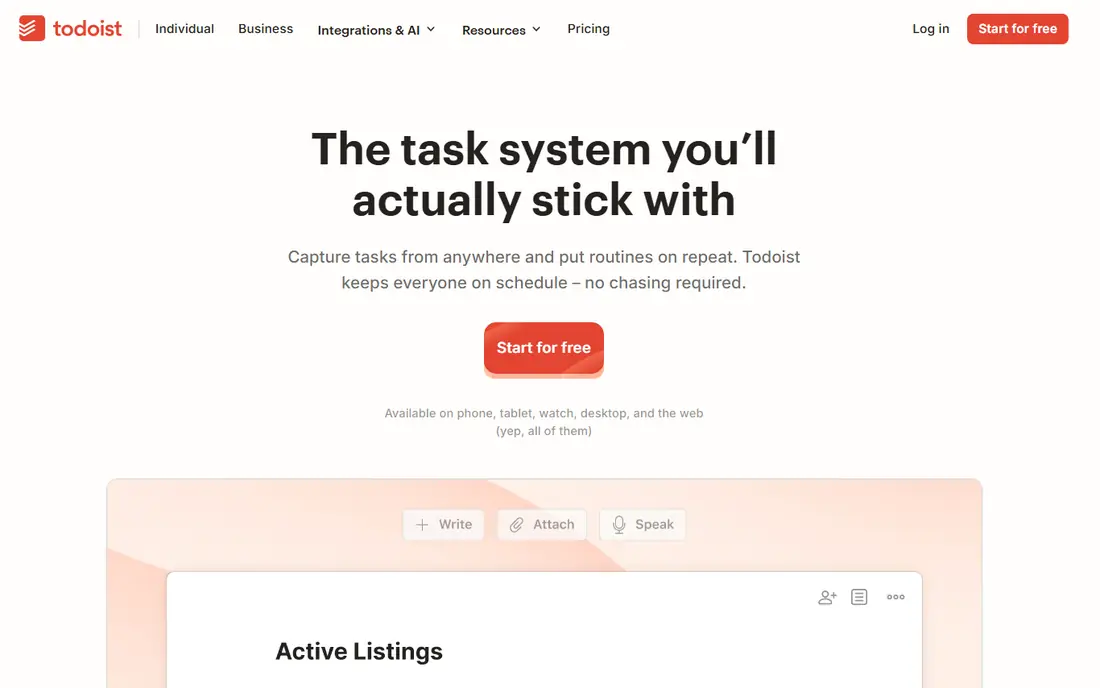
Todoist is the most balanced to-do app in this list, and it suits people who want one list that works the same on a phone, a laptop and the web. You can type a task such as "call the dentist tomorrow at 9am" and Todoist turns the words into a dated, scheduled task without extra taps. Projects, labels and filters let you slice the same list by client, by energy level or by deadline.
Beginner costs nothing and covers simple personal lists, but its limits show up fast: 5 personal projects, 3 filter views, and activity history of only 1 week. Pro costs $5 per user each month on annual billing, or $7 month to month, and adds unlimited projects, calendar layout, custom reminders and longer history. Business adds team admin controls at $8 per user each month on annual billing. Prices and plan limits were read on the Todoist pricing page on 12 Nov 2026.
- Runs on every major platform with fast sync
- Natural language dates and strong filters
- Beginner plan caps you at 5 personal projects and 1 week of activity history
- Calendar layout needs Pro
TickTick
Ideal for: Habit tracking plus tasks
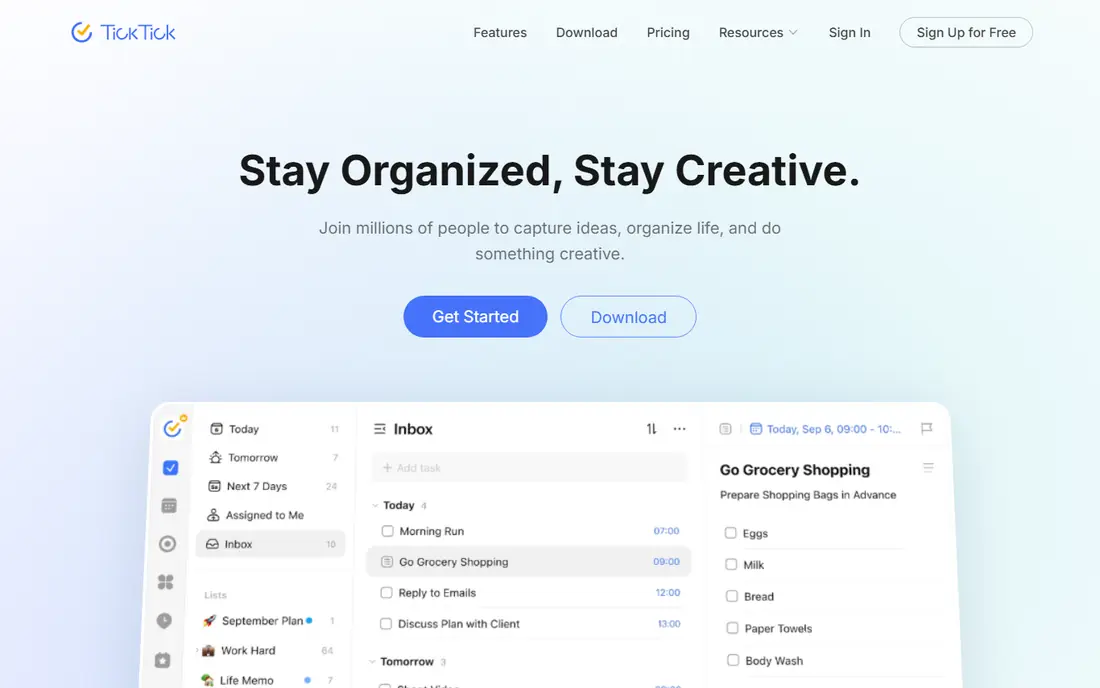
TickTick packs more into one app than any other tool here. Tasks, a calendar, a Pomodoro focus timer, habit tracking and a notes section all live in the same place, so you can plan a day, time a work session and tick off a daily habit without opening a second app. The Eisenhower Matrix view sorts tasks by urgency and importance.
The free tier is permanent and suits a single user with a modest list count, but it caps you at 9 lists and 99 tasks per list, with only 2 reminders per task. Premium costs $49.99 per year, shown on the vendor upgrade page as less than $4.17 per month averaged, and billed once a year. It adds multiple calendar views, task duration, email reminders and more lists, with no monthly price advertised on the web page. Prices were read on the TickTick upgrade page on 12 Nov 2026.
- Built-in Pomodoro timer, habit tracker and calendar in one app
- Permanent free tier
- Free plan caps you at 9 lists, 99 tasks per list and 2 reminders per task
- No monthly billing option on the web page
Microsoft To Do
Ideal for: Microsoft 365 users
Microsoft To Do is the quiet, free option for anyone already living in Outlook and Microsoft 365. It keeps a simple shape: lists, due dates, reminders, file attachments and a "My Day" view that asks you to pick the tasks that matter today. Anything you flag in Outlook shows up as a task, and tasks you add in To Do sync back to Outlook, so email and lists stay in step.
There is no subscription tier for To Do itself, so the price is $0 with a personal Microsoft account. The limit is on the work side: work or school accounts need a supported Microsoft 365 licence and an Exchange Online mailbox, so availability depends on the subscription your employer or school holds. The app also has fewer views and less filtering power than Todoist or TickTick. The homepage loaded on 12 Nov 2026 and the free status comes from Microsoft Support pages, since no vendor pricing page exists for a free product.
- Free with a personal Microsoft account
- Syncs with Outlook tasks and Microsoft 365
- Work or school accounts need a supported Microsoft 365 licence and an Exchange Online mailbox
- Fewer views and filters than Todoist
Things 3
Ideal for: Apple users who like a one-time purchase
Things 3 is the calmest app in this list. It opens on a Today view, asks what you want to finish, and keeps everything else one tap away in Upcoming, Anytime and Someday lists. You can plan tomorrow evening, set a deadline separate from a start date, and check off repeating tasks. The design won an Apple Design Award, and the app stays out of the way and lets the list itself carry the day.
The catch is platform lock-in. Things 3 runs on Apple devices only, with no Windows, Android or web version, so it is the wrong pick for a mixed-device household or a team on PCs. Pricing is a one-time purchase per platform: $9.99 for iPhone and Apple Watch, $19.99 for iPad, $49.99 for Mac and $29.99 for Vision Pro, with no bundle, so all four cost $109.96 together. There is a 15-day free trial for the Mac app only. The vendor pricing page opened on 12 Nov 2026 lists the four editions but shows no dollar amounts, so the dollar figures here come from App Store listings as reported in Oct 2026 and need a fresh check before you buy.
- One-time purchase with no subscription
- Clean design with a strong Today view and evening planning
- Apple only, with no Windows, Android or web version
- Each platform is a separate purchase with no bundle
Any.do
Ideal for: Shared family and team lists
Any.do is built around shared lists, which makes it a strong pick for a household or a small team. You can share a grocery list with a partner, assign tasks to a colleague, and set location reminders that ping when you arrive at the shop. The built-in calendar shows tasks next to meetings, and the daily planner view asks each morning what you want to finish. WhatsApp reminders suit people who live in chat apps, and the app runs on iOS, Android, web, Mac and Windows.
The Personal plan costs nothing and is free forever, but it is single-user, so sharing needs the Family plan at $8.33 per month for 4 members on annual billing, or Teams. Premium costs $4.99 per user each month on annual billing, or $7.99 month to month, and adds recurring tasks, location reminders, color tags and AI features. A Premium trial exists, though the vendor pricing page does not state its length, and the Teams trial is 14 days. Prices and plan limits were read on the Any.do pricing page on 12 Nov 2026.
- Shared lists, WhatsApp reminders and a built-in calendar
- Free Personal plan is free forever
- Recurring tasks, location reminders and AI features are Premium only
- Personal is single-user, sharing needs Family or Teams
Google Tasks
Ideal for: Google Workspace users
Google Tasks is the simplest app here, and that is the point. It lives in the side panel of Gmail and Google Calendar, so you can turn an email into a task with one click and see your tasks next to your calendar without opening another tab. You can make lists, add subtasks, set dates and times, and check things off, and it works on the web at tasks.google.com and in the Google Tasks mobile app.
The price is $0 with a Google account, and there is no subscription tier for Tasks itself. The limits are real, though: there is no native desktop app, only the web and the mobile app, and there is no direct list sharing with another person. Assigning tasks from Google Docs is a feature on some Workspace plans, and Workspace Business Starter costs $7 per user each month with a 1-year commitment per a third-party read of Google pricing. The vendor product page opened on 12 Nov 2026 but its extract stated no price, so the $0 figure comes from the Google Play listing and Workspace page reads in Oct 2026.
- Free with a Google account
- Sits inside Gmail and Google Calendar as a side panel
- No native desktop app and no direct list sharing
- Task assignment from Google Docs needs an eligible Workspace plan
Remember The Milk
Ideal for: Simple lists with smart lists
Remember The Milk is one of the oldest task apps still running, and its smart lists remain its best feature. A smart list is a saved search, so you can build a view of every task due this week that is tagged "home" and takes less than 15 minutes, and it updates itself as you add tasks. It syncs with Gmail, Google Calendar and Outlook, and works on web, iOS, Android, Mac and Windows.
The Basic plan costs nothing, but its limits are tight: subtasks, mobile reminders, widgets, the Apple Watch app and offline web access are Pro only, the completed-task archive keeps only 7 days, and you can share a list with just 2 other people. Pro costs $49.99 per year, about $4.17 per month averaged, with no monthly option shown. Prices and plan limits were read on the Remember The Milk upgrade page on 12 Nov 2026, and there is no Pro free trial according to the vendor help pages as reported in Oct 2026.
- Smart lists that filter by any rule
- Syncs with Gmail, Google Calendar and Outlook
- Subtasks, mobile reminders and offline web access are Pro only
- Basic archive is 7 days and list sharing is limited to 2 others
OmniFocus
Ideal for: Deep planning and weekly reviews
OmniFocus is the most powerful task manager in this list, and it is aimed at people who run a weekly review. You can defer tasks until a start date, set up custom perspectives that show only the tasks matching your current context, and use the Review mode to walk through every project on a schedule you set. Automation through Shortcuts and AppleScript files tasks without touching the app.
The price is a subscription of $9.99 per month or $99.99 per year for Mac, iOS and Web on the Pro plan, with a 14-day free trial. OmniFocus for the Web is an add-on at $4.99 per month or $49.99 per year for existing licence owners only, and it is not standalone: it needs an existing OmniFocus database set up on Mac or iOS, and some native features such as the Review perspective are not available on the web. One-time v4 licence prices of $74.99 Standard and $149.99 Pro were reported in Sep-Oct 2026 reads but were not on the pages opened on 12 Nov 2026, since the vendor pricing URL failed to load, so check the vendor site before you buy.
- Custom perspectives, a built-in Review mode and strong automation for Apple users
- OmniFocus for the Web is not standalone and needs an existing database on Mac or iOS
- Custom perspectives are Pro only
How we chose
We compared vendor pricing pages, product pages and help docs for each app, and we checked the price and plan limits on the vendor site on 12 Nov 2026 where the page loaded. We looked at the lowest subscription or purchase price, the free plan limits, the platforms each app runs on, and the features that stay locked behind a higher plan. We did not run hands-on tests, and we did not count review scores or user counts. Where a vendor page did not render a price, we said so and dated the figure to its last vendor-page read.
| Your setup | First pick | Why | Yearly cost | | One person, any device | Todoist Pro | Works everywhere, fast sync, strong filters | $60 per user | | One person, Apple only | Things 3 | One-time purchase, calm Today view | $9.99 once for iPhone | | Google inbox and calendar | Google Tasks | Free, inside Gmail and Calendar | $0 | | Microsoft mail and calendar | Microsoft To Do | Free, syncs with Outlook tasks | $0 | | Family sharing lists | Any.do Premium | Shared lists, location and WhatsApp reminders | $59.88 per user | | Habits plus tasks in one app | TickTick Premium | Pomodoro timer, habit tracker, calendar | $49.99 | | Rule-based smart lists | Remember The Milk Pro | Smart lists, Gmail and Outlook sync | $49.99 | | Weekly review system | OmniFocus Pro | Review mode, custom perspectives, automation | $99.99 |
What to check before you buy
Check the platform list first. Things 3 and OmniFocus run on Apple devices only, so they are the wrong pick if anyone on your team uses Windows or Android. Todoist, TickTick, Any.do and Remember The Milk run on all major platforms.
Check the free plan limits against your real list count. Todoist Beginner caps you at 5 personal projects, TickTick free caps you at 9 lists and 99 tasks per list, and Remember The Milk Basic keeps only 7 days of completed tasks. If your lists are bigger, budget for the subscription from the start.
Check what the subscription actually adds. Calendar layout and custom reminders need Todoist Pro, recurring tasks and location reminders need Any.do Premium, and custom perspectives need OmniFocus Pro. Read the plan table on the vendor pricing page before you pay, and confirm the trial length: Todoist Pro 7 days, Things 3 Mac 15 days, OmniFocus 14 days, Any.do Teams 14 days.
Check the billing basis. Todoist Pro is $5 per user each month on annual billing and $7 month to month, Any.do Premium is $4.99 on annual billing and $7.99 month to month, and TickTick and Remember The Milk charge once a year with no monthly option. Compare the annual total, not the headline monthly figure.
Frequently asked questions
Which to-do list app is best for most people?
Todoist is the best pick for most people, because it runs on every major platform, syncs fast, and handles projects, labels and filters well. The free Beginner plan covers simple lists, and Pro costs $5 per user each month on annual billing. Google Tasks or Microsoft To Do cost nothing and may fit better if you live in those services.
Is there a good free to-do list app?
Yes. Google Tasks and Microsoft To Do are free and work well inside their parent services. Todoist Beginner, TickTick free and Any.do Personal are free too, but each caps projects, lists or sharing. Check the free plan limits before you commit, since the caps decide whether the free tier lasts.
Which to-do app is best for Apple users?
Things 3 is the best pick for Apple users who want a one-time purchase and a calm design, with iPhone at $9.99, iPad at $19.99 and Mac at $49.99. OmniFocus is better for a deep review system, at $9.99 per month. Both are Apple only, so pick Todoist or TickTick if you also use Windows or Android.
Do I need to pay for a to-do list app?
No, not always. Google Tasks and Microsoft To Do are free, and Todoist, TickTick, Any.do and Remember The Milk all have free tiers. You need a subscription when you hit a free plan limit, such as 5 projects in Todoist or 9 lists in TickTick, or when you need calendar layout, recurring tasks or custom reminders.
Can I share lists with family or a team?
Yes. Any.do is the strongest pick for shared lists, with Family sharing for 4 members at $8.33 per month on annual billing. Todoist Business, TickTick Premium and Remember The Milk Pro also support shared lists, but check the sharing limits first, since free tiers limit or block sharing.