Best Tool to Colorize Photos Online in 2026: 7 Tools Compared

- 1
 Palette.fmRealistic color with controlVisit
- 2
 ImageColorizerOld photo restorationVisit
- 3
 Colorize.ccProfessional resultsVisit
- 4
 VanceAIAll-round enhancementVisit
- 5
 DeepAI ColorizerQuick free tryVisit
- Palette.fm suits realistic color with control, with 21-plus color filters, 6.6 million users, a 4.9 rating, 54 million photos colorized, and full-resolution colorization up to 5000 by 5000 pixels.
- ImageColorizer suits old photo restoration, with AI colorization, scratch repair, enhancement and portrait retouching, starting with free credits.
- Colorize.cc suits professional results, with more than 3 million photos processed, 500,000 users, 10-plus AI models, free previews and 4K premium colorization with pay-once credits valid for a year.
- VanceAI suits all-round enhancement, with colorize, denoise, enhance, restore, sharpen and upscale tools, uploads deleted within 24 hours, and 9.8 million users.
- DeepAI Colorizer suits a quick free try, with a simple colorizer for old family photos and historic images at $0 shown on its page.
- MyHeritage In Color suits family history, with colorization and restoration for historical photos inside a genealogy platform.
- Hotpot suits AI image work alongside colorization, with an AI image and video platform for reimagining photos and graphics.
- Note: AI colorization guesses colors from patterns in training data, so results are plausible rather than exact. Skin tones, clothing and scenery may differ from the original scene, so treat colorized photos as interpretations, not records.
Quick comparison
| Product | Ideal for | Price from | Free version | |
|---|---|---|---|---|
| Palette.fm | Realistic color with control | Free | Yes | Visit |
| ImageColorizer | Old photo restoration | Free credits | Yes | Visit |
| Colorize.cc | Professional results | Free preview | Yes | Visit |
| VanceAI | All-round enhancement | See website | See website | Visit |
| DeepAI Colorizer | Quick free try | $0 | Yes | Visit |
 MyHeritage In Color | Family history | See website | See website | Visit |
 Hotpot | AI image work | See website | See website | Visit |
The best tools to colorize photos online
Colorizing a black-and-white photo online means uploading a scan and letting AI predict plausible colors for skin, clothing, nature and objects. Tools differ in realism, filter control, restoration and price, and we checked each tool's official homepage before listing it. For best results, start with a high-quality scan, since colorization cannot recover detail that is not in the original.
Palette.fm
Ideal for: Realistic color with control
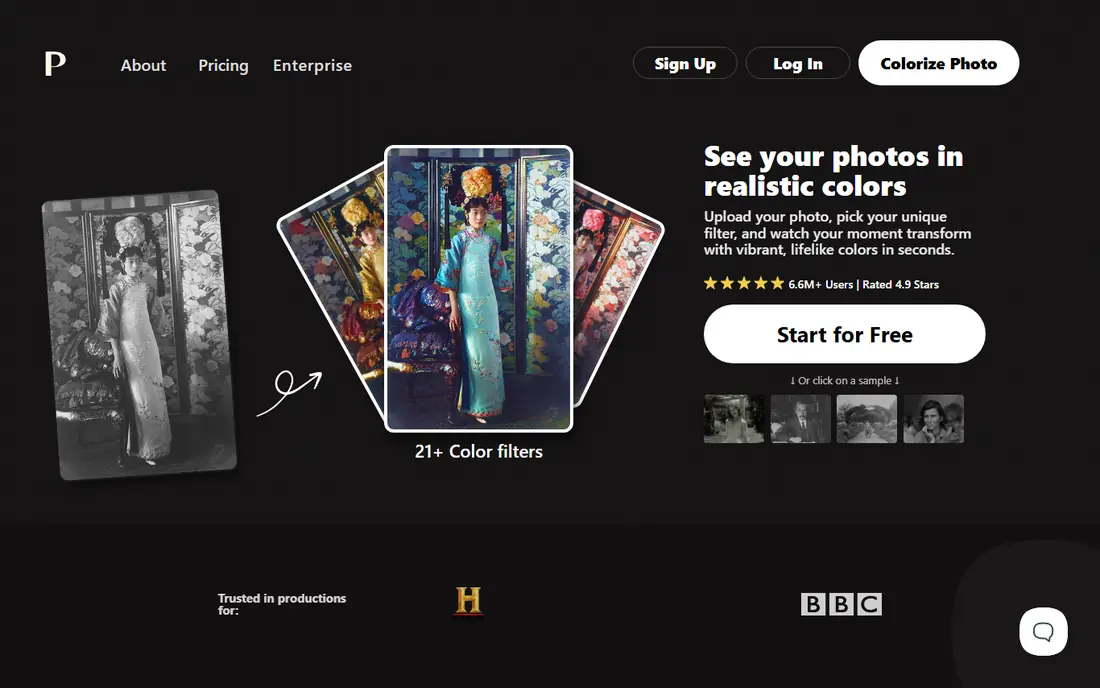
Palette.fm lets users upload a photo, pick a unique filter and watch the moment transform with vibrant, lifelike colors in seconds. Its homepage highlights 21-plus color filters, realistic colors, simple and powerful customization, attention to small details such as hands and lips, and lively, natural light. Pricing works on credits, with one photo equal to one credit for a logo-free, high-resolution result, plus a free try, an annual subscription and a pay-once option.
Palette.fm suits users who want realistic color with control, since filters and keyword adjustments let you steer the result rather than accept a single automatic guess. Its large user base and photo count signal a well-tested tool. For restoration alongside colorization, ImageColorizer or Colorize.cc add repair tools, but for color quality and control Palette.fm leads.
- 21-plus color filters for unique looks
- Realistic, lifelike colors in seconds
- Upload multiple images at once
- Customize colors by adjusting keywords
- 6.6 million users with a 4.9 rating
- 54 million photos already colorized
- Watermark-free full-resolution colorization up to 5000 by 5000 pixels with credits
- One-time payment options
- Annual plan at $72 per year, $0.15 per credit
- Pay-once option at $49, $0.65 per credit
- Full-resolution, watermark-free results need credits
- Filter choice can change the look significantly, so compare filters before downloading
ImageColorizer
Ideal for: Old photo restoration
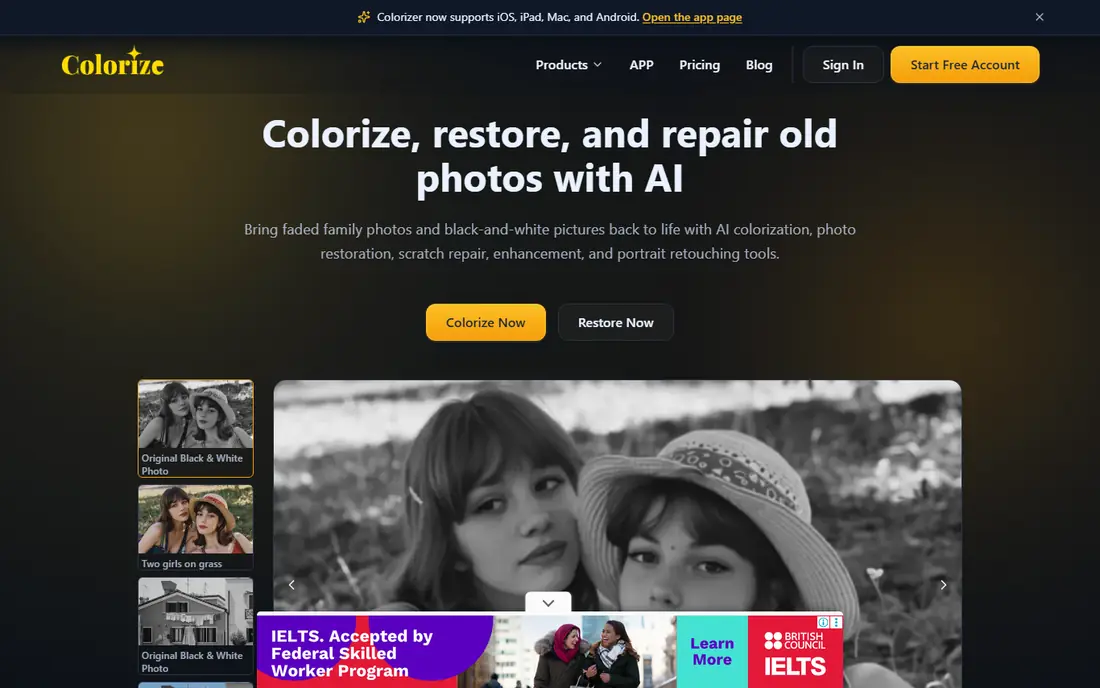
ImageColorizer colorizes, restores and repairs old photos with AI, bringing faded family photos and black-and-white pictures back to life. Its homepage highlights an AI colorizer that recovers natural skin tones, clothing, scenery and background details, plus restoration for faded detail, enhancement for blurry images, retouching for portraits and repair for scratches, tears, stains and creases. Users start with free credits, then upgrade for higher volume or premium processing.
ImageColorizer suits family archivists who need colorization plus repair in one workspace, since old photos often need scratch removal and sharpening as well as color. Its guided workflow suits beginners, and its desktop option suits larger batches. For the most realistic single-photo color, Palette.fm may edge ahead, but for full restoration ImageColorizer is a strong pick.
- AI image colorizer for black-and-white photos with realistic color and preserved mood
- Restore faded details, enhance blurry images, retouch portraits and repair scratches, tears and stains
- Start with free credits
- Paid plans add monthly credits, higher limits, batch processing and an ad-free workflow
- Works on Windows and Mac with a web app and desktop software
- Restoration usually takes a few minutes
- Paid plans needed for higher volume and premium processing
- Results depend on scan quality
Colorize.cc
Ideal for: Professional results
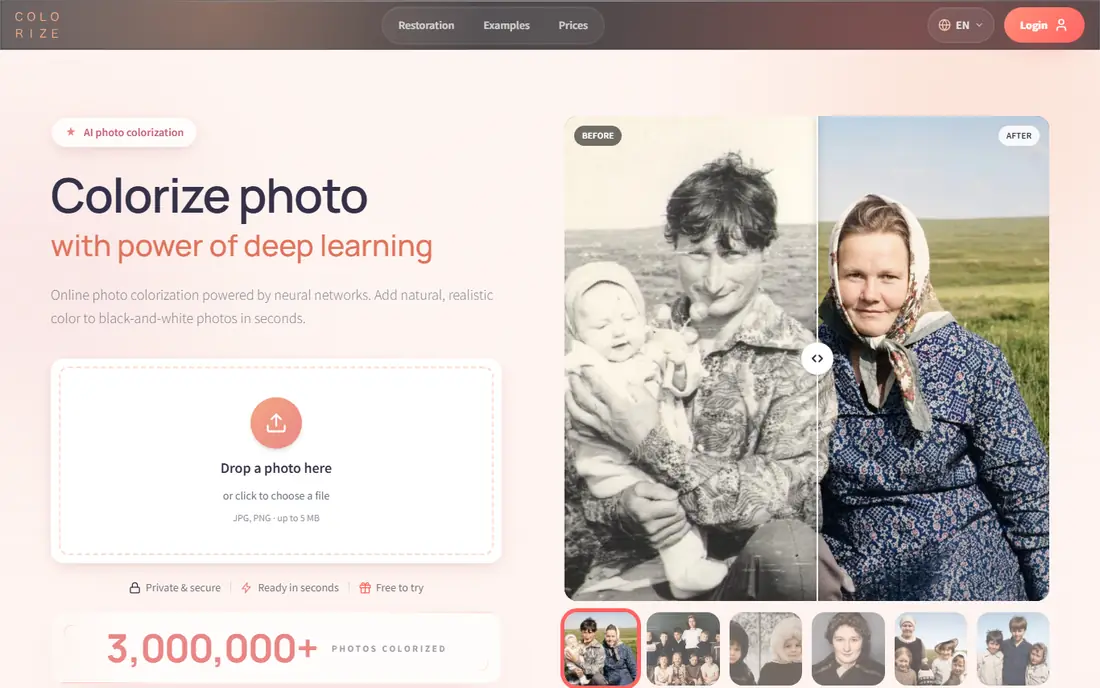
Colorize.cc adds natural, historically plausible color to black-and-white photos online, with several colorization neural networks from a fast free version to V8 High with face-likeness preservation, restoration, processing instructions and premium quality. Its homepage highlights identity preservation, damage repair, high quality at 4K resolution and beyond, and simple credits that last a year, with model costs from 1 credit for V2, V4 and V5 to 6 credits for V7. It notes more than 3 million photos processed, more than 500,000 users and work since 2018.
Colorize.cc suits users who want professional-grade colorization with face preservation and restoration, especially for portraits and family archives. Its pay-once credits suit occasional use without a subscription. For filter control, Palette.fm offers more styling choice, but for realistic, high-resolution results Colorize.cc is excellent.
- Realistic color with preserved faces and crisp detail, from a free preview to full 4K
- Damage repair for scratches, stains, tears and noise
- Several neural networks from a fast free version to V8 High with face-likeness preservation
- Pay-once credits valid for 365 days, no subscription pressure
- More than 3 million photos processed since 2018
- More than 500,000 users
- More than 10,000 paid customers
- JPG, JPEG and PNG supported
- Photos never stored or shared without permission
- Full-quality models spend credits per photo, with V8 Studio at 2 to 4 credits per edit
- Free processing is simplified quality
VanceAI
Ideal for: All-round enhancement
VanceAI transforms images instantly online or offline, with tools to animate, cartoonize, colorize, denoise, enhance, restore, sharpen and upscale. Its homepage highlights proprietary models powered by deep convolutional neural networks, AI-native processing that analyzes every pixel for what it actually is, and privacy by default, with uploads encrypted in transit and deleted within 24 hours. A PC app offers batch processing locally with every image and video model included.
VanceAI suits users who want colorization plus enhancement in one suite, such as upscaling a colorized photo for print or denoising a noisy scan first. Its privacy policy suits sensitive family photos. For dedicated colorization filters, Palette.fm offers more control, but for an all-round photo toolkit VanceAI is a solid choice.
- AI photo tools including colorize, denoise, enhance, restore, sharpen and upscale, online or on PC
- Models built on deep convolutional neural networks trained on millions of photos
- AI-native processing that treats skin, fabric, foliage and metal differently
- Uploads encrypted in transit and permanently deleted within 24 hours
- Batch processing locally on PC
- Trusted by 9.8 million users worldwide
- Colorize is one tool among many, so dedicated colorizers may offer more filter control
- Pricing details need a plans page visit
DeepAI Colorizer
Ideal for: Quick free try
DeepAI Colorizer adds color to old family photos and historic images, or brings an old film back to life with colorization. Its page is simple, with a $0 price shown and options to select image editing tools including enhance, background removal, animation and editing. That simplicity suits a quick test before committing to a paid tool.
DeepAI Colorizer suits users who want a fast, free first colorization to see how AI color looks on their photo. Its lack of filters and restoration limits it for serious archiving, but as a free starting point it is convenient. For polished results, move to Palette.fm, ImageColorizer or Colorize.cc after testing.
- Simple image colorizer for old family photos and historic images
- Adds color to photos or brings old film back to life with colorization
- Price shown as $0 on its page
- No complex workflow, just upload and colorize
- Part of DeepAI's image editing tools alongside enhance, background removal and animation
- Feature detail on the page is brief
- No filter or restoration depth compared with dedicated tools
MyHeritage In Color
Ideal for: Family history
MyHeritage In Color is described on its page as the world's best technology for colorizing and restoring the colors in historical photos, within the MyHeritage genealogy platform. Its homepage notes login and signup options, premium upgrades and a help center, reflecting its place inside a larger family history service. Colorized photos can be shared with relatives and attached to family history research.
MyHeritage In Color suits genealogy researchers who already use MyHeritage for family trees, since colorized ancestor photos enrich that research. Its historical focus fits portraits and archive photos. For general colorization with filters, Palette.fm suits better, but for family history MyHeritage In Color is a natural fit.
- MyHeritage In Color technology for colorizing and restoring colors in historical photos
- Built into a genealogy platform, so colorized photos sit alongside family trees and records
- Suits historical and ancestor portraits
- Premium options for full access
- Page content is limited without login, so pricing and limits need an account
- Genealogy focus means it is less suited to general photo editing
Hotpot
Ideal for: AI image work
Hotpot helps users reimagine themselves and the world through images and videos, with AI image generation, AI video generation, AI headshots and fantasy hero portraits. Its homepage frames AI as amplified imagination, putting creative power in more hands, and notes that professional graphics and photos are too expensive for millions of people, which Hotpot aims to make easier and more affordable. Its image tools sit alongside generation and editing features for creative projects.
Hotpot suits creators who want colorization as part of broader AI image work, such as generating, editing and animating photos in one platform. Its creative tools suit social and marketing use. For dedicated photo colorization, Palette.fm, ImageColorizer or Colorize.cc give more focused control, but for AI image creativity Hotpot is a versatile pick.
- AI image and video platform for reimagining photos and graphics
- AI image generation from words, AI characters, logos and anime
- AI video generation from images and ideas
- Fantasy hero portraits and headshots
- Mission to make graphic design and media creation easier and more affordable
- Homepage focuses on image generation and video, so colorization is one capability among many rather than the core product
- Pricing details need a plans page visit
How we picked these
We compared official homepages, colorization realism, filter control, restoration tools, resolution, privacy and price, favoring tools that actively colorize photos online in 2026. We covered dedicated colorizers, restoration suites and broader AI image platforms, because the best tool depends on whether you want a single photo colored, an archive restored or creative image work. We checked each tool's own site before listing it. AI colors are plausible guesses, not exact records of the original scene.
How to choose a tool to colorize photos online
Start with your photo type. For portraits, choose a tool with face preservation, such as Colorize.cc V8 High or Palette.fm, and compare filters before downloading. For damaged photos, choose ImageColorizer or Colorize.cc, which repair scratches and noise alongside color. For a quick test, start free with DeepAI Colorizer or Palette.fm's free try, then pay only for photos you want at full resolution.
Next, check resolution and privacy. Confirm the output size for printing, since Palette.fm offers up to 5000 by 5000 pixels and Colorize.cc offers 4K, while free previews may be lower resolution. For sensitive family photos, check deletion policies, such as VanceAI's 24-hour deletion, and avoid uploading photos you do not have rights to share. Keep your original scan untouched and save colorized versions as new files.
Finally, set expectations for color accuracy. AI predicts colors from patterns, so a dress, wall or sky color may differ from the original. If historical accuracy matters, research the period, compare multiple tools, and note that the colorized version is an interpretation. For museum or publication use, label colorized photos as AI-colorized so viewers understand the color is added, not original.
Frequently asked questions
What is the best tool to colorize photos online?
Palette.fm suits most users for realistic color with filter control, while Colorize.cc suits professional results with face preservation and 4K output. ImageColorizer suits restoration alongside colorization, and DeepAI Colorizer suits a quick free try.
Are AI colorized photos accurate?
AI colorization predicts plausible colors from training patterns, so results look natural but may differ from the original scene's true colors. Treat colorized photos as interpretations, not exact records, and label them as AI-colorized for historical use.
Can I colorize photos online for free?
Yes, Palette.fm offers a free try, ImageColorizer starts with free credits, Colorize.cc offers a free preview, and DeepAI Colorizer shows a $0 price. Full-resolution, watermark-free results usually need credits or a paid plan.
What resolution can I get for colorized photos?
Palette.fm offers full-resolution colorization up to 5000 by 5000 pixels with credits, and Colorize.cc offers 4K premium colorization. Free previews are usually lower resolution, so check output size before printing.
Do I need to scan my photos before colorizing?
Yes, start with a high-quality scan of your black-and-white photo, since colorization cannot recover detail missing from a poor scan. Scan at a high resolution, keep the original file untouched, and save colorized versions separately.
Are my photos private when I colorize them online?
Privacy varies by tool. VanceAI deletes uploads within 24 hours, and Colorize.cc states photos are never stored or shared without permission. Check each tool's privacy policy before uploading sensitive family photos.