Best Trust Accounting Software in 2026: 7 Tools Compared

- 1
 ClioFull practice management with trustVisit
- 2
 CosmoLexBuilt-in legal accountingVisit
- 3
 TrustBooksSimple trust accounting for small firmsVisit
- 4
 ActionstepMidsize firms and workflowsVisit
- 5
 LEAPAll-in-one legal practice softwareVisit
- Trust accounting software must keep client funds separate, track every client ledger, and support three-way reconciliation between bank, book, and client balances.
- Tools built for law firms, such as CosmoLex and TrustBooks, treat trust work as a core feature rather than an add-on to general accounting.
- All-in-one practice tools such as Clio, MyCase, and LEAP suit firms that want billing, cases, and trust balances in one place.
- Our pick for most small firms is a tool with clear client ledgers and simple reconciliation, with a trial period to test daily workflows first.
Quick comparison
| Product | Ideal for | Price from | Free version | |
|---|---|---|---|---|
| Clio | Full practice management with trust | See website | Free trial | Visit |
| CosmoLex | Built-in legal accounting | See website | Free trial | Visit |
| TrustBooks | Simple trust accounting for small firms | $59 per month | Free trial | Visit |
| Actionstep | Midsize firms and workflows | See website | Free trial | Visit |
| LEAP | All-in-one legal practice software | See website | No | Visit |
 Smokeball | People-law firms and billing | See website | No | Visit |
 MyCase | All-in-one case and billing hub | See website | Free trial | Visit |
The best trust accounting software
Trust accounting is one of the least forgiving jobs in a law firm. Client money must stay separate from firm money, every deposit and payment must hit the right client ledger, and the books must reconcile across the bank account, the firm records, and the individual client balances. A mistake can create a bar complaint, so the software matters as much as the process around it.
We compared official feature and pricing pages for tools that handle trust accounting as a named feature, looking at client ledgers, reconciliation, billing links, and how each system fits firms of different sizes. The list below favors law-firm tools over general accounting software, because trust rules, IOLTA accounts, and matter-based billing need specialist handling.
Clio
Ideal for: Full practice management with trust

Clio combines practice management, billing, and accounting, with trust accounting handled alongside matters and client work. That matters because trust transactions usually start from a case: a retainer comes in, costs are paid out, and the remaining balance must stay tied to that client. Keeping those records in one system reduces the chance of a payment landing in the wrong ledger or a balance drifting from the bank statement.
The catch is breadth. Clio does a great deal beyond trust accounting, including intake, document work, and AI features, so a solo lawyer who only needs clean trust books may find the full platform more than required. Firms that already run cases and billing in Clio, or plan to, will get the most value, because trust data stays connected to the work that created it.
- Matters, billing, and accounting in one system
- Large integration list
- Widely used by US firms
- Trust features sit inside a larger platform
- Pricing needs a quote for full plans
- Smaller firms may pay for features they rarely use
CosmoLex
Ideal for: Built-in legal accounting
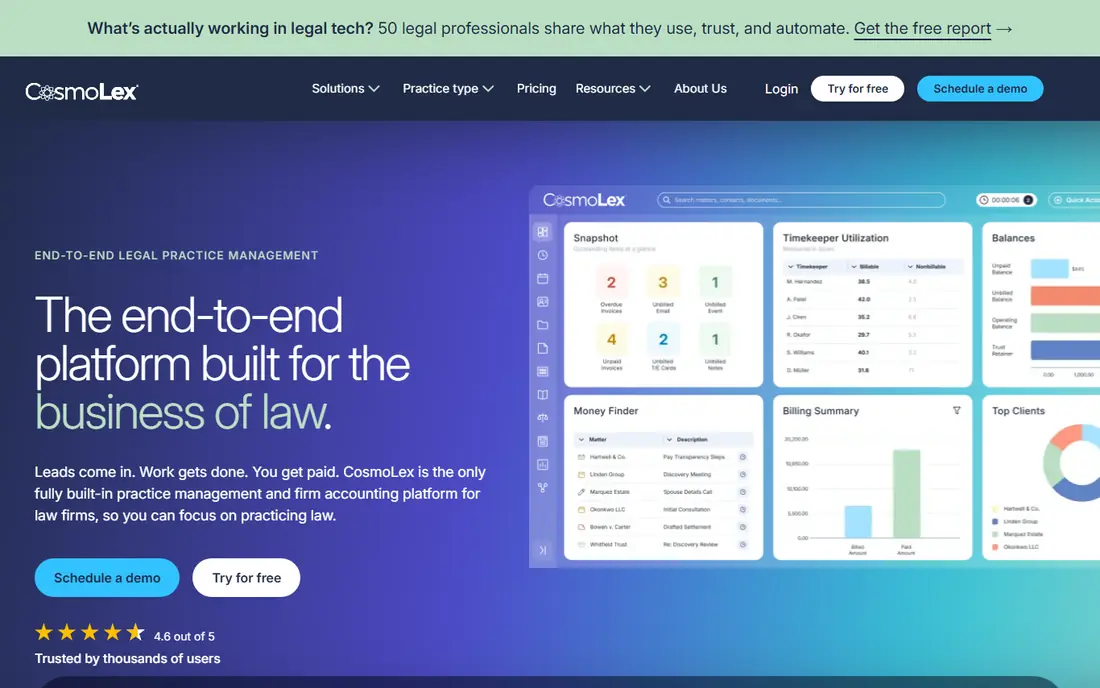
CosmoLex presents itself as a practice system with accounting built in, rather than a case tool with accounting added later. That design shows in trust work: time, billing, payments, and trust balances share the same matter records, and the system supports the reconciliation checks firms need to stay compliant. For small and midsize firms, the practical benefit is fewer tools and fewer transfers between systems.
The trade-off is commitment. Moving accounting into CosmoLex means learning its chart of accounts, reports, and reconciliation flow, and firms with complex existing books should plan migration time. CosmoLex offers a free trial, which is worth using with real sample matters before switching. Firms that want one system for cases and money will find this a strong shortlist option.
- Accounting built into the practice system
- Three-way reconciliation support
- No separate QuickBooks needed for many firms
- Pricing varies by firm needs
- Learning curve for firms new to legal accounting
- Some firms may still need an outside accountant
TrustBooks
Ideal for: Simple trust accounting for small firms

TrustBooks is the most focused tool on this list, built for law firm accounting with trust compliance at the center. Its homepage lists a trust accounting tier at $59 per month, a firm and trust tier at $79 per month, and a tier with bank reconciliation help at $249 per month, with a 14-day trial. That clear, narrow scope suits solos and small firms that want to fix trust books without buying a full practice platform.
The limit is scope in the other direction. TrustBooks does not try to run intake, documents, and case workflows the way Clio or MyCase do, so firms that want one system for everything will still need other tools. For a firm whose main pain is trust compliance, though, that focus is a strength: fewer features to learn, and workflows shaped around client ledgers and reconciliations.
- Built only for law firm accounting
- Clear tier pricing on its site
- 14-day trial stated on its homepage
- Narrower than full practice systems
- Larger firms may need more reporting
- Bank reconciliation service costs extra at higher tier
Actionstep
Ideal for: Midsize firms and workflows
Actionstep is a practice platform for midsize firms that combines matter management, document automation, billing, and trust and client accounting. Its strength for trust work is workflow: firms can standardize how matters open, how funds move, and how reports are produced, which reduces reliance on memory and spreadsheets. Multi-currency ledgers and financial reporting also help firms with varied client work.
The catch is scale and setup. Actionstep is built for firms with enough volume to benefit from custom workflows, and a solo practice may not need that depth. Firms should also budget time to design workflows and train staff, because a powerful system used badly can still produce messy books. For growing firms that want control over process, it is a serious option.
- Strong workflow automation
- Trust and client accounting included
- Matter, billing, and document tools in one place
- Aimed at midsize firms, so it may suit solos less well
- Setup and workflow design take time
- Pricing by quote
LEAP
Ideal for: All-in-one legal practice software
LEAP combines case management, document automation, legal accounting, billing, and payments in a single cloud platform. For trust accounting, the benefit is the same as with other all-in-one tools: client funds, invoices, and matter activity stay linked, and the system includes state-specific matter types and forms for US firms. LEAP also offers mobile access, which helps lawyers check matters and balances outside the office.
The main drawback is trial access. LEAP offers demonstrations rather than a stated free trial, so firms should use the demo to test trust workflows with their own example matters. Per-user pricing also means costs grow with headcount, so firms should get a written quote for their team size. Firms that want a single system and US-focused forms should shortlist LEAP.
- Case, document, accounting, and billing in one system
- State-specific matter types and forms
- Cloud and mobile access
- No free trial stated, with demos offered instead
- Per-user pricing can add up
- Implementation may need planning
Smokeball
Ideal for: People-law firms and billing
Smokeball is built for people-law firms, covering intake, matters, documents, billing, and trust accounting in one platform. Automatic time tracking is a useful trust-related feature, because fees taken from trust often depend on accurate time records, and missed time can mean missed revenue or disputes. The platform also offers practice-area workflows, which help firms standardize common matter types.
The trade-off is pricing and fit. Smokeball prices by plan, firm size, and needs, so buyers need a personalized quote rather than a public starting price. Firms outside people-law practice areas should check whether the workflows match their work. For family, personal injury, and similar firms that want billing and trust together, Smokeball is a natural fit.
- Automatic time tracking
- Trust accounting and billing in one platform
- Practice-area workflows for people-law firms
- Pricing is personalized by quote
- Focus on people-law may suit some practices less
- Setup needs care for existing books
MyCase
Ideal for: All-in-one case and billing hub
MyCase brings cases, clients, documents, billing, and payments together, with a client portal and messaging that cut down on back-and-forth. For trust work, the payment side matters: MyCase supports IOLTA-compliant card, eCheck, and mobile wallet payments through its payment partner, which helps firms take retainers without mixing funds. Financial reporting also gives partners a view of firm health alongside case work.
The catch is that all-in-one ease can hide accounting detail. Firms with complex trust histories should test reconciliation reports and ledger views during the trial, and confirm that their state rules are covered. For firms that want a single hub for cases, clients, and money, with strong client contact tools, MyCase is a practical choice.
- Cases, billing, payments, and client portal in one place
- IOLTA-compliant payment options
- Strong client communication tools
- Trust depth depends on plan and setup
- Firms with complex accounting may need extra review
- AI features vary by plan
How we picked these
We compared official feature pages, pricing statements, and trial terms for each product, and favored tools that name trust accounting, client ledgers, and reconciliation as features. We excluded general accounting software without legal trust workflows, because trust rules need matter-linked ledgers and audit trails. We also mixed focused tools such as TrustBooks with full practice platforms, so firms can choose between fixing trust books alone and moving cases and money into one system.
We did not test these tools with live client funds, and we did not review any firm's bar compliance position. Pricing and trial terms can change, so check the vendor site and your state bar rules before buying, and consider a short trial with sample data first.
What to check before you choose
Start with reconciliation, not with dashboards. Ask each vendor to show three-way reconciliation, a client ledger, and an audit trail for a sample matter, and check how the system flags a negative client balance. If a tool cannot show those steps clearly, it is not a trust tool, whatever its marketing says.
Next, check migration and support. Moving trust balances from spreadsheets or another system is sensitive work, and a vendor that offers onboarding help, data checks, and training will reduce risk. Ask how long migration takes, what reports you should keep from the old system, and who to contact if a reconciliation fails.
Finally, match the tool to firm size and growth. A solo lawyer may do best with a focused, low-cost tool, while a growing firm may save time with an all-in-one platform. The cheapest tool that handles reconciliation well beats an expensive platform that staff avoid using, because trust compliance depends on daily habits, not only on software features.
Frequently asked questions
What is trust accounting software?
Trust accounting software tracks client funds held by a law firm, keeping each client ledger separate and supporting reconciliation between bank balances, firm books, and client balances. It helps firms follow bar rules on IOLTA accounts and client money.
What is three-way reconciliation?
Three-way reconciliation compares the bank account balance, the firm's trust book balance, and the total of all individual client ledgers. All three should agree, and any gap points to an error, a missing entry, or an outstanding item that needs review.
Can QuickBooks handle trust accounting for a law firm?
General accounting tools can record transactions, but they are not built around client ledgers, IOLTA rules, and matter-linked trust reports. Many firms find a legal-specific tool safer, because it is designed for the checks and reports bar rules require.
Do I still need an accountant if I use trust software?
Software helps with records and reports, but it does not replace professional advice. Firms should still work with an accountant or bookkeeper familiar with legal trust rules, especially during setup, migration, and audits.
How much does trust accounting software cost?
Prices vary by firm size and features. TrustBooks lists a trust tier at $59 per month on its homepage, while larger practice platforms usually price by quote. Always ask for the total cost, including users, payments, and support.