Best Typing Software in 2026: 7 Tools Compared

- 1
 TypingClubLearners who want structured free lessonsVisit
- 2
 MonkeytypeTypists who want speed tests and practiceVisit
- 3
 Typing.comSchools and beginners who want a full curriculumVisit
- 4
 KeybrLearners who want adaptive practiceVisit
- 5
 RatatypeLearners who want certificates and groupsVisit
- Our pick for most people is TypingClub, which stands out for learners who want structured free lessons.
- Monkeytype is the strongest alternative if you want typists who want speed tests and practice, and it is worth comparing side by side with our top pick.
- 6 of the 7 options here offer a free plan, so you can test the core features before paying anything.
- Prices vary widely, and several options use quote based pricing, so check the official pricing page for your team size before you decide.
- The right choice depends on your budget, your must have features, and how much setup time you can spare, so use the buying guide below to narrow the list to two or three finalists.
Quick comparison
| Product | Ideal for | Price from | Free version | |
|---|---|---|---|---|
| TypingClub | Learners who want structured free lessons | Free | Yes | Visit |
| Monkeytype | Typists who want speed tests and practice | Free | Yes | Visit |
| Typing.com | Schools and beginners who want a full curriculum | Free | Yes | Visit |
| Keybr | Learners who want adaptive practice | Free | Yes | Visit |
| Ratatype | Learners who want certificates and groups | Free | Yes | Visit |
 Typesy | Families and schools that want a full program | See website | No | Visit |
 TypingTest.com | Users who want a quick speed check | Free | Yes | Visit |
The best typing software
We compared 7 options for best typing software, looking at features, pricing, free plans, and honest weaknesses, so you can choose with confidence. The list below mixes well known leaders with smaller options that punch above their weight, and every product block sets out who it fits best and where it falls short.
TypingClub
Ideal for: Learners who want structured free lessons

TypingClub offers structured, free touch typing lessons that build from home row basics to full speed practice. Progress tracking shows accuracy and speed, and the school edition helps teachers manage classes.
The free version includes ads, and advanced features need a paid plan. For structured learning at no cost, TypingClub is the best starting point.
Before you commit to TypingClub, weigh the trade offs in the pros and cons above against your own priorities, and use the free plan to test it with a real task. Free access makes it easy to check the core experience, but watch for the limits that matter to you, such as the drawbacks noted above, before you build a routine around it.
- Structured free lessons
- Progress tracking
- School friendly
- Ads on free version
- Advanced features need a paid plan
Monkeytype
Ideal for: Typists who want speed tests and practice
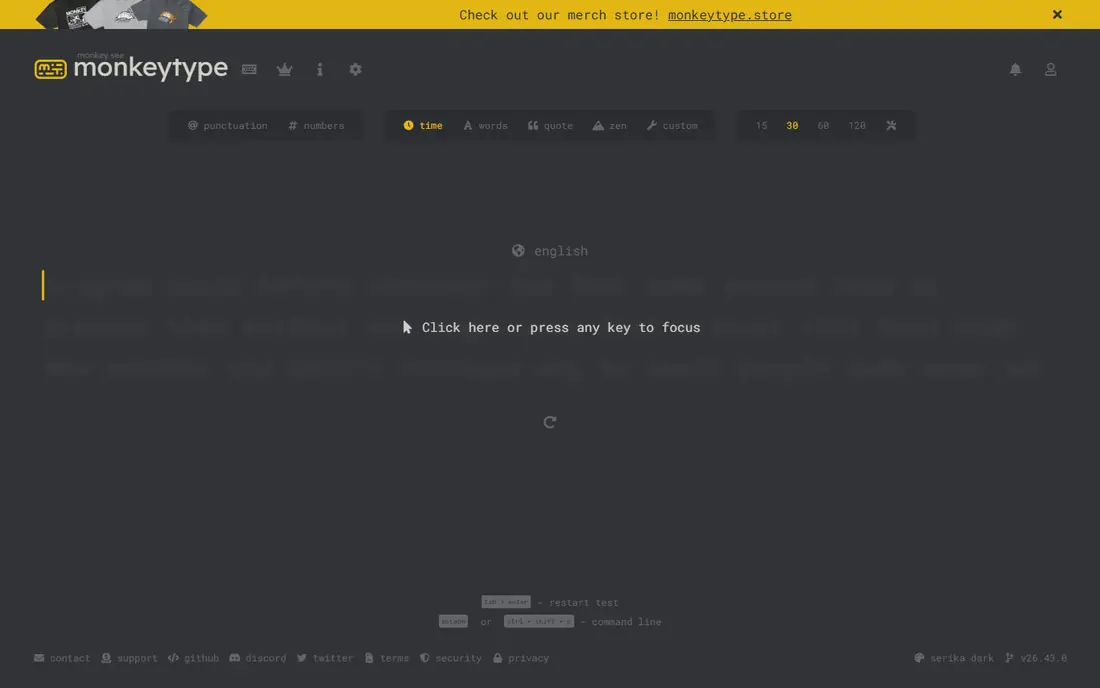
Monkeytype is a clean, free typing test and practice tool loved by keyboard enthusiasts. Customizable tests, detailed stats, and a distraction free design make practice enjoyable.
It offers no structured lessons, so complete beginners should start with TypingClub. For speed practice and testing, Monkeytype is superb.
Before you commit to Monkeytype, weigh the trade offs in the pros and cons above against your own priorities, and use the free plan to test it with a real task. Free access makes it easy to check the core experience, but watch for the limits that matter to you, such as the drawbacks noted above, before you build a routine around it.
- Clean speed tests
- Customizable practice
- Free and open source
- No structured lessons
- Minimal guidance for beginners
Typing.com
Ideal for: Schools and beginners who want a full curriculum
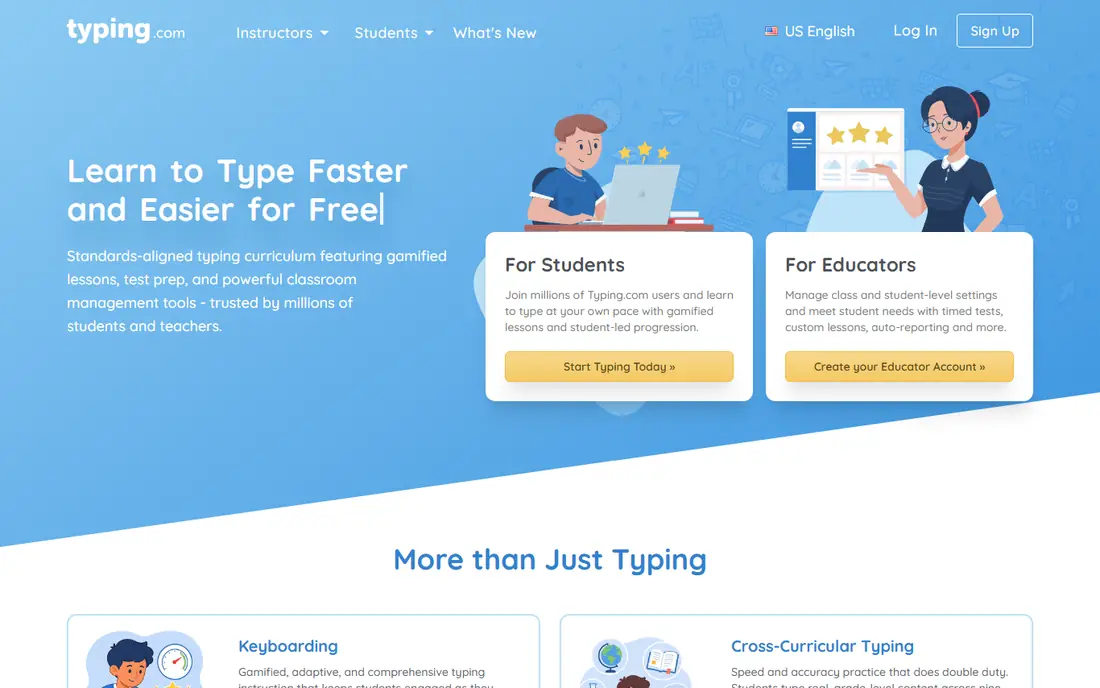
Typing.com provides a full typing curriculum with teacher dashboards, making it popular in schools. Lessons cover basics through advanced skills, with tests and games to keep learners engaged.
The free version includes ads, and the design is functional rather than beautiful. For schools and structured learners, it is a solid free choice.
Before you commit to Typing.com, weigh the trade offs in the pros and cons above against your own priorities, and use the free plan to test it with a real task. Free access makes it easy to check the core experience, but watch for the limits that matter to you, such as the drawbacks noted above, before you build a routine around it.
- Full typing curriculum
- Teacher dashboards
- Free core access
- Ads on free version
- Design is functional
Keybr
Ideal for: Learners who want adaptive practice
Keybr generates adaptive practice that focuses on your weakest keys, using an algorithm to build lessons around what you get wrong. The interface is simple, and practice is free.
There are no accounts or structured curriculum, so progress tracking is minimal. For focused practice on weak keys, Keybr is clever and effective.
Before you commit to Keybr, weigh the trade offs in the pros and cons above against your own priorities, and use the free plan to test it with a real task. Free access makes it easy to check the core experience, but watch for the limits that matter to you, such as the drawbacks noted above, before you build a routine around it.
- Adaptive lessons focus on weak keys
- Simple interface
- Free
- No accounts or structured curriculum
- Minimal features
Ratatype
Ideal for: Learners who want certificates and groups
Ratatype offers free typing lessons, tests, and certificates, with group features for classes and teams. Learners can track progress and earn a certificate for their speed.
The interface is basic, and some features need a paid plan. For free lessons with a certificate at the end, Ratatype is a good option.
Before you commit to Ratatype, weigh the trade offs in the pros and cons above against your own priorities, and use the free plan to test it with a real task. Free access makes it easy to check the core experience, but watch for the limits that matter to you, such as the drawbacks noted above, before you build a routine around it.
- Free lessons and tests
- Certificates
- Group features
- Interface is basic
- Some features need a paid plan
Typesy
Ideal for: Families and schools that want a full program
Typesy is a full typing program with curriculum, games, and progress reports for families and schools. It covers touch typing systematically, with adaptive lessons.
It is paid software, which is hard to justify when strong free options exist. Families that want a complete paid program with support will find it thorough.
Before you commit to Typesy, weigh the trade offs in the pros and cons above against your own priorities, and ask for a demo or a clear quote for your size. With no free plan, the sales conversation matters more, so pin down the total cost, the setup help included, and the contract terms before you sign.
- Full curriculum with games
- Family and school plans
- Progress reports
- Paid software
- Less popular than free rivals
TypingTest.com
Ideal for: Users who want a quick speed check
TypingTest.com offers quick, free typing speed tests without signup. It is useful for a fast check of words per minute before a job application or after practice.
It provides no lessons or tracking, so it is a test tool, not a learning tool. For a quick speed check, it does the job.
Before you commit to TypingTest.com, weigh the trade offs in the pros and cons above against your own priorities, and use the free plan to test it with a real task. Free access makes it easy to check the core experience, but watch for the limits that matter to you, such as the drawbacks noted above, before you build a routine around it.
- Quick free speed tests
- Simple practice
- No signup needed
- No lessons or tracking
- Test only focus
How we picked these
We compared official feature pages, pricing pages, app store listings, privacy policies, and public reviews for each option, and we checked that every product website listed here loads and belongs to that product. We did not claim hands-on testing we did not do, and we favored products that are clearly available now, with pricing or free plan details we could verify or honestly mark as quote based.
We also weighed fit for the topic over raw popularity. A famous product that only partly covers the need lost ground to a smaller option built for the job, and we kept an eye on pricing at realistic team or household sizes rather than headline discounts that few buyers actually get.
How to pick typing software that builds speed
Start with your must have features
Write down the three features you cannot do without, then score each finalist against that short list. A long feature list looks impressive, but most buyers use a small set of features daily, and the product that nails those three will serve you better than a broader tool with a weak core. Check the free plan or trial limits against your real workload, not a demo, so you learn about caps before you commit.
Compare total cost, not just the headline price
Look at the price at your actual size, including per user fees, add ons, and payment or transaction charges. A free plan can be the cheapest start, but it can also cost time if it lacks a feature you need every week. Ask what happens when you grow: does the next tier jump sharply, and does the product still fit at that size?
Test before you commit
Run a short trial with a real task from your daily work, not a sample project. Invite the people who will use the product every day, and watch where they get stuck. A tool that feels easy in a sales demo but confusing in daily use will cost you adoption, so trust the trial more than the brochure.
Check support and the exit route
Look at how you get help when something breaks: live chat, email, phone, or community forums, and whether support hours match your working hours. Also check how you export your data if you leave, since a tool that locks your work inside is a long term risk. A clear export path and responsive support are worth more than a small price difference.
Frequently asked questions
What is the best typing software?
For free practice, Monkeytype and TypingClub are excellent starts. TypingClub suits structured learning, while Monkeytype suits speed testing and practice. Schools often use Typing.com for classroom management. The best tool depends on whether you learn, practice, or test.
Can typing software really increase speed?
Yes, with regular practice. Structured lessons build accuracy first, then speed follows. Ten to fifteen minutes daily beats occasional long sessions. Track words per minute and accuracy, and focus on accuracy before chasing speed.
Is typing software free?
Many strong options are free, including TypingClub, Monkeytype, and Typing.com. Paid tools add classroom management, advanced lessons, or ad free use. Individual learners rarely need to pay.
How long does it take to learn touch typing?
Most learners see real progress in a few weeks of daily practice, with solid touch typing in two to three months. Consistency matters more than total hours. Avoid looking at the keyboard, even when it feels slow at first.
Which typing software is best for kids?
TypingClub and Typing.com suit kids well, with game like lessons and progress tracking. Schools value classroom dashboards. Keep sessions short and fun for younger learners.