Best Value for Money in Cloud AI Services in 2026: 8 Services Compared

- 1
 Together AILow-cost open model APIsVisit
- 2
 DeepInfraCheapest open model inferenceVisit
- 3
 Lambda LabsAffordable GPU cloudVisit
- 4
 PaperspaceBudget GPU notebooksVisit
- 5
 ModalPay-only-for-use GPU computeVisit
- Our pick for most people is Together AI, because it covers low-cost open model apis with the fewest trade-offs in this group.
- If you want to start without paying, Together AI is the strongest free option here, though its paid tier adds the deeper features.
- DeepInfra is the best second look when Together AI does not fit, since it serves cheapest open model inference rather than the same audience.
- Prices and plan limits change often, so confirm the current terms on each vendor site and read the fine print on limits, renewals and cancellation.
Quick comparison
| Product | Ideal for | Price from | Free version | |
|---|---|---|---|---|
| Together AI | Low-cost open model APIs | See website | Yes | Visit |
| DeepInfra | Cheapest open model inference | See website | Yes | Visit |
| Lambda Labs | Affordable GPU cloud | See website | No | Visit |
| Paperspace | Budget GPU notebooks | See website | Free trial | Visit |
| Modal | Pay-only-for-use GPU compute | See website | Yes | Visit |
 Google Cloud | Value through TPUs and credits | See website | Yes | Visit |
 AWS | Value through spot and scale | See website | Yes | Visit |
 CoreWeave | Value at large GPU scale | See website | No | Visit |
The best value for money cloud AI services
Choosing among options for best value for money in cloud ai services comes down to fit, not fame. We compared official feature pages, pricing pages, app store listings, privacy policies and public reviews for each option below, and we weighed what you actually get on the entry plan against what stays behind a paywall. Together AI leads this list because it handles low-cost open model apis well for the widest range of readers, but the right choice depends on your budget, your team size and how much hand-holding you want. Read the shortlist with your own situation in mind. A cheaper tool that you actually use beats a powerful one that sits untouched, and a plan that looks cheap on the monthly line can cost more once add-ons and limits are counted. Take notes as you read, and shortlist two or three options to test before you decide.
Together AI
Ideal for: Low-cost open model APIs
Together AI gives strong value for open model APIs, with low per-token prices and fast inference for production apps. Its model library lets teams pick a cheaper open model that still meets their quality bar. For readers focused on low-cost open model apis, the appeal is low prices for open models. That strength matters in daily use, because it is the part you will notice every week, not a feature you open once and forget. Compare it against the rest of the list on that one point first, then look at price, platform support and how the company handles your data. The honest weakness is free tier has limits. support varies by plan Try it on a real task before you pay, and check whether the entry plan covers the feature you actually need.
- Low prices for open models
- Fast inference
- Fine-tuning options
- Free tier has limits
- Support varies by plan
DeepInfra
Ideal for: Cheapest open model inference
DeepInfra competes hardest on price, offering open model inference at some of the lowest per-token rates available. Its simplicity suits high-volume apps where the inference bill is the main cost. For readers focused on cheapest open model inference, the appeal is very low per-token prices. That strength matters in daily use, because it is the part you will notice every week, not a feature you open once and forget. Compare it against the rest of the list on that one point first, then look at price, platform support and how the company handles your data. Watch out for smaller company. scale and support less proven If you can live with that limit, the rest of the package is easy to recommend for its audience.
- Very low per-token prices
- Simple API
- Good model coverage
- Smaller company
- Scale and support less proven
Lambda Labs
Ideal for: Affordable GPU cloud
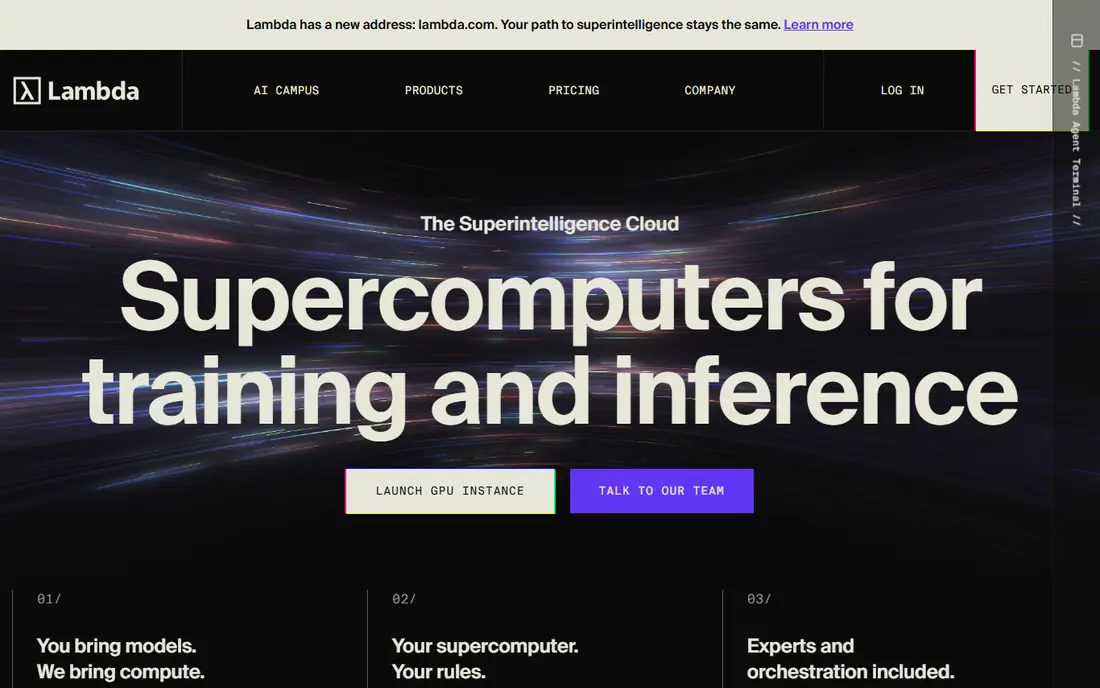
Lambda Labs offers affordable GPU cloud pricing for training and inference, without hyperscaler complexity. Its straightforward pricing helps small teams predict a monthly bill. For readers focused on affordable gpu cloud, the appeal is simple GPU pricing. That strength matters in daily use, because it is the part you will notice every week, not a feature you open once and forget. Compare it against the rest of the list on that one point first, then look at price, platform support and how the company handles your data. The catch is service range is narrower than hyperscalers. capacity varies If that trade-off is acceptable for how you work, this is a solid choice, and a short trial will tell you more than any review can.
- Simple GPU pricing
- AI-focused cloud
- Fast setup
- Service range is narrower than hyperscalers
- Capacity varies
Paperspace
Ideal for: Budget GPU notebooks
Paperspace gives budget-conscious researchers and developers low-cost GPU notebooks with simple pricing. Its low friction suits learning, prototyping and small training jobs. For readers focused on budget gpu notebooks, the appeal is low-cost GPU notebooks. That strength matters in daily use, because it is the part you will notice every week, not a feature you open once and forget. Compare it against the rest of the list on that one point first, then look at price, platform support and how the company handles your data. The honest weakness is scale is smaller. some features are basic Try it on a real task before you pay, and check whether the entry plan covers the feature you actually need.
- Low-cost GPU notebooks
- Simple pricing
- DigitalOcean backing
- Scale is smaller
- Some features are basic
Modal
Ideal for: Pay-only-for-use GPU compute
Modal offers strong value for bursty workloads, since serverless GPUs scale to zero and you pay only for run time. Its model suits batch jobs and experiments that do not run around the clock. For readers focused on pay-only-for-use gpu compute, the appeal is serverless GPUs that scale to zero. That strength matters in daily use, because it is the part you will notice every week, not a feature you open once and forget. Compare it against the rest of the list on that one point first, then look at price, platform support and how the company handles your data. Watch out for python-focused. less suited to other stacks If you can live with that limit, the rest of the package is easy to recommend for its audience.
- Serverless GPUs that scale to zero
- Python-first
- No idle costs
- Python-focused
- Less suited to other stacks
Google Cloud
Ideal for: Value through TPUs and credits
Google Cloud can offer strong value through efficient TPUs, research credits and a free tier for new users. Its Vertex AI tooling reduces engineering time, which is part of the true cost of any AI service. For readers focused on value through tpus and credits, the appeal is tPU efficiency. That strength matters in daily use, because it is the part you will notice every week, not a feature you open once and forget. Compare it against the rest of the list on that one point first, then look at price, platform support and how the company handles your data. The catch is pricing complexity. TPU access varies If that trade-off is acceptable for how you work, this is a solid choice, and a short trial will tell you more than any review can.
- TPU efficiency
- Research credits
- Vertex AI tooling
- Pricing complexity
- TPU access varies
AWS
Ideal for: Value through spot and scale
AWS offers value through spot instances, which can cut GPU costs sharply for flexible training jobs. Its range means one bill can cover training, inference, storage and deployment. For readers focused on value through spot and scale, the appeal is spot instances cut costs sharply. That strength matters in daily use, because it is the part you will notice every week, not a feature you open once and forget. Compare it against the rest of the list on that one point first, then look at price, platform support and how the company handles your data. The honest weakness is pricing complexity. costs need active management Try it on a real task before you pay, and check whether the entry plan covers the feature you actually need.
- Spot instances cut costs sharply
- Huge service range
- SageMaker
- Pricing complexity
- Costs need active management
CoreWeave
Ideal for: Value at large GPU scale
CoreWeave offers competitive pricing for large-scale GPU work, with networking built for multi-GPU training. Its value shows most clearly on big training jobs where utilization stays high. For readers focused on value at large gpu scale, the appeal is competitive large-scale GPU pricing. That strength matters in daily use, because it is the part you will notice every week, not a feature you open once and forget. Compare it against the rest of the list on that one point first, then look at price, platform support and how the company handles your data. Watch out for enterprise focus. small teams may find access limited If you can live with that limit, the rest of the package is easy to recommend for its audience.
- Competitive large-scale GPU pricing
- High-performance networking
- AI focus
- Enterprise focus
- Small teams may find access limited
How we picked these
We started from the topic itself and kept only products that exist and work today and truly fit it. For each one we checked the official homepage, the pricing page and the free tier, and we read app store listings, privacy policies and public reviews where they were relevant. Products with a homepage we could not verify were left out, and prices we could not verify are shown as See website rather than guessed. We favored a mix of well-known leaders and strong smaller options, and we weighed entry price, free tier, platform coverage and honest weaknesses. No product here paid for its place, and we did not claim hands-on testing we did not do. What follows is a comparison of published facts, so you can check any claim on the vendor site before you buy.
Getting the most AI for your cloud budget
Start by measuring your real workload: tokens per month for APIs, or GPU hours for training, and price that exact workload on two platforms. Headline per-token or per-hour rates mislead when utilization, storage and transfer are ignored. Next, test quality at the cheaper tier, since a low price means little if the model fails your task. Compare two finalists on total monthly cost at your volume, including support and engineering time.
Frequently asked questions
What is the cheapest way to run AI in the cloud?
For APIs, DeepInfra and Together AI price open models lowest, while for training, spot instances on AWS or simple GPU pricing from Lambda Labs often win. The cheapest option depends on your workload shape.
Are open models cheaper than proprietary models?
Usually yes, since open models avoid high per-token fees from proprietary providers, though quality varies by task. Test an open model on your exact task before assuming it matches.
How can I cut AI cloud costs?
Use spot instances, right-size GPUs, cache repeated prompts, batch jobs and scale to zero when idle. Track per-token and per-hour costs weekly, since small leaks add up fast.
Is serverless GPU cheaper?
For bursty or batch work, serverless options such as Modal cost less because you pay only for run time. For steady 24-hour workloads, reserved or dedicated GPUs usually cost less.
Do cloud credits matter for value?
Yes, research and startup credits can cover months of early work, so check each provider's program before paying. Credits change the value ranking for new teams greatly.