Best Value Inventory Management Software Pricing in 2026: 8 Tools Compared

- 1
 Zoho InventorySmall firm valueVisit
- 2
 inFlow InventorySimple stock controlVisit
- 3
 SortlyVisual item trackingVisit
- 4
 KatanaMakers and productionVisit
- 5
 OdooInventory inside ERPVisit
- Zoho Inventory and inFlow offer strong value for small firms that need core stock control.
- Sortly and Katana suit visual teams and makers who track items and production simply.
- Odoo and Cin7 fit firms that want inventory inside a wider business system.
- Fishbowl and QuickBooks Commerce suit firms tied to QuickBooks or growing multichannel sales.
- Compare per-user, per-location, and order limits, since headline prices hide real costs.
Quick comparison
| Product | Ideal for | Price from | Free version | |
|---|---|---|---|---|
| Zoho Inventory | Small firm value | See website | Yes | Visit |
| inFlow Inventory | Simple stock control | See website | Free trial | Visit |
| Sortly | Visual item tracking | See website | Yes | Visit |
| Katana | Makers and production | See website | Free trial | Visit |
| Odoo | Inventory inside ERP | See website | Yes | Visit |
 Cin7 | Multichannel inventory | See website | No | Visit |
 Fishbowl | QuickBooks-linked inventory | See website | No | Visit |
 QuickBooks Commerce | QuickBooks multichannel sales | See website | Free trial | Visit |
The best value inventory management software pricing
We compared official feature pages, pricing pages, and public reviews for eight inventory tools, judging value by what each plan includes, not just the lowest price. A cheap plan that lacks barcode scanning, locations, or order limits you need is poor value, while a pricier plan that replaces several tools can be good value.
Zoho Inventory
Ideal for: Small firm value
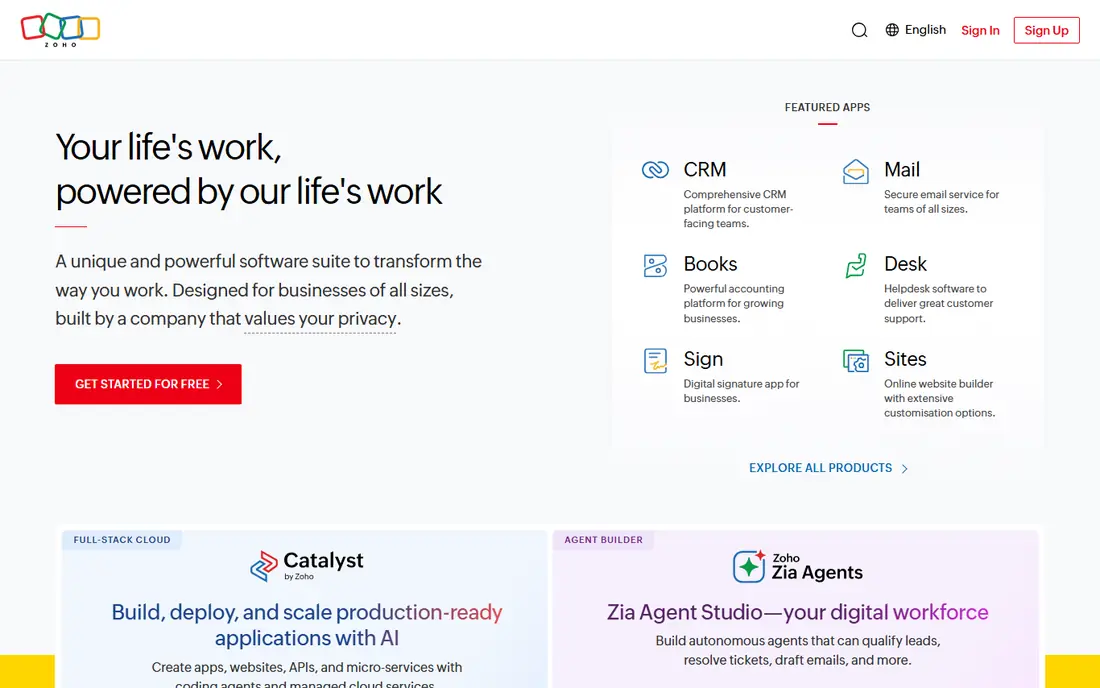
Zoho Inventory gives small firms order management, stock tracking, and shipping links at a low entry cost, with a free plan for limited use. The tool integrates with Zoho Books, CRM, and Commerce, which suits firms already in the Zoho ecosystem. Barcode scanning and multi-warehouse features sit on higher plans.
Larger firms with complex warehousing may need a pricier tier or another tool. For a small firm that wants solid inventory value without a large monthly bill, Zoho Inventory is a top pick. Check order and user limits on the free and entry plans.
- Free plan for small firms
- Order and stock tracking
- Zoho app links
- Advanced warehousing needs higher plans
- Support varies by plan
inFlow Inventory
Ideal for: Simple stock control
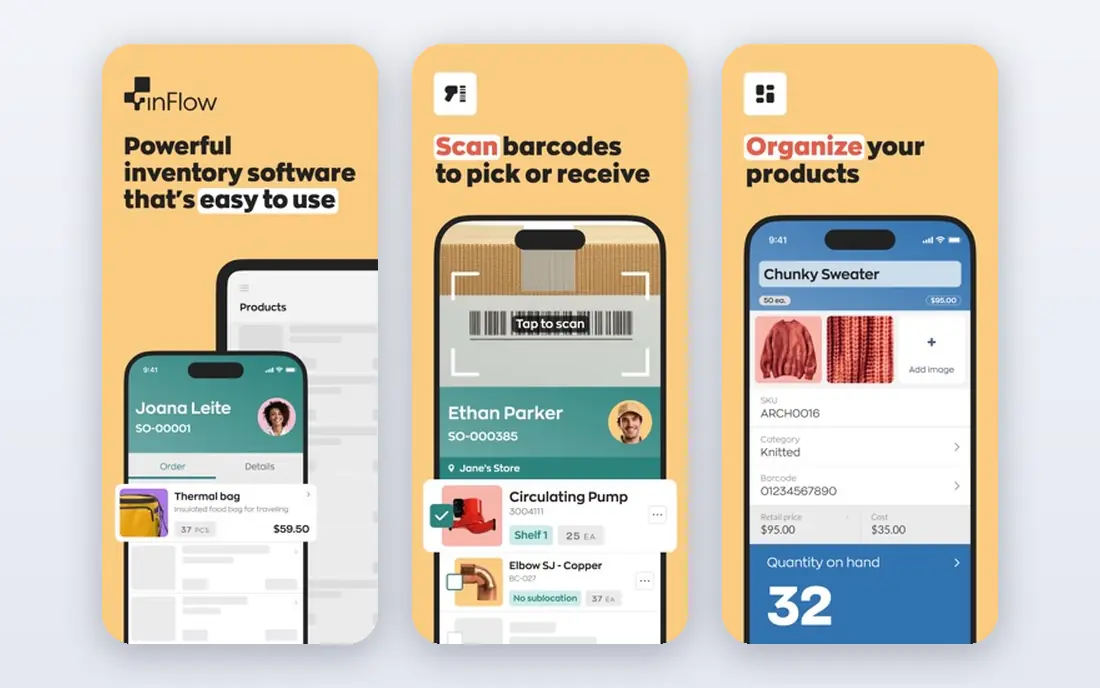
inFlow Inventory focuses on straightforward stock control, purchasing, and sales orders. Small firms can track items, locations, and stock levels without learning a full ERP. Barcode scanning and reporting cover daily warehouse work, and pricing tiers are clear about users and features.
Manufacturing and advanced warehousing are lighter than Cin7 or Fishbowl. For a small firm that needs reliable stock control at a fair price, inFlow offers good value. Test barcode and reorder workflows during the trial.
- Simple stock and order flow
- Barcode support
- Clear pricing tiers
- Manufacturing features are lighter
- Integrations are narrower
Sortly
Ideal for: Visual item tracking

Sortly suits teams that track equipment, supplies, or products visually, with photos, QR codes, and folders. Staff can scan items on a phone, update quantities, and find stock fast. Setup is quick, which helps small teams that do not want a long implementation.
Order and purchasing depth is lighter than Zoho or inFlow. For visual tracking of items across locations, Sortly offers strong value, especially on lower plans. Check entry limits for items and users before committing.
- Visual item catalog with photos
- Simple mobile scanning
- Easy setup
- Order management is lighter
- Pricing rises with users
Katana
Ideal for: Makers and production
Katana, now Katana Cloud Inventory, links inventory with production planning for makers and small manufacturers. Teams track raw materials, work orders, and finished goods, with sales orders feeding production. That combination suits firms that make products to order.
Pricing rises with users and features, and accounting needs an integration such as QuickBooks or Xero. For a maker that needs production plus stock control, Katana offers good value against a full ERP. Test material planning with a real product during the trial.
- Production and inventory together
- Material planning
- Sales order links
- Pricing rises with users
- Accounting needs integrations
Odoo
Ideal for: Inventory inside ERP
Odoo offers inventory as part of a modular business system, with sales, purchasing, manufacturing, and accounting apps that share data. Firms can start with inventory and add modules as they grow. The open-source Community edition gives a free path for firms with technical help.
Setup and customization take time, and support quality varies by implementation partner. For a firm that wants inventory inside a wider system at modular cost, Odoo offers strong long-term value. Budget for setup time, not just the monthly fee.
- Inventory plus sales, purchasing, and accounting
- Modular pricing
- Open-source option
- Setup and customization take time
- Support varies by partner
Cin7
Ideal for: Multichannel inventory
Cin7, including Cin7 Core, manages inventory across online stores, marketplaces, and B2B channels, with warehouse and purchasing features. Firms selling on several channels value the single stock view, which prevents overselling. B2B ordering and reporting suit growing wholesale firms.
Pricing is quoted, and implementation needs planning for channel and accounting links. Smaller firms may find Cin7 costly. For multichannel sellers that need reliable stock control, Cin7 offers value through fewer stockouts and less manual reconciliation.
- Multichannel sales and inventory
- Warehouse features
- B2B ordering
- Pricing is quoted
- Implementation takes effort
Fishbowl
Ideal for: QuickBooks-linked inventory
Fishbowl is built to extend QuickBooks with inventory, manufacturing, and warehouse management. Firms that run QuickBooks for accounting get stock, work orders, and shipping without switching accounting systems. Barcode and location features support warehouse teams.
Pricing is quoted, and the interface feels dated next to cloud-native rivals. For a QuickBooks firm that needs serious inventory depth, Fishbowl offers value by keeping accounting and stock linked. Confirm QuickBooks version compatibility before buying.
- Deep QuickBooks integration
- Manufacturing and warehouse tools
- Barcode support
- Pricing is quoted
- Interface feels dated to some users
QuickBooks Commerce
Ideal for: QuickBooks multichannel sales
QuickBooks Commerce, formerly TradeGecko, links multichannel inventory and orders to QuickBooks accounting. Firms selling online can sync stock, orders, and accounting data, reducing manual entry. The tool suits QuickBooks users who sell across stores and marketplaces.
Plan availability varies, and advanced warehousing is lighter than Fishbowl or Cin7. For a QuickBooks firm with multichannel sales, Commerce offers convenient value. Check current plans and channel support, since the product has changed names and tiers over time.
- Multichannel inventory linked to QuickBooks
- Order management
- Reporting
- Availability and plans vary
- Advanced warehousing is limited
How we picked these
We compared official feature pages, pricing pages, and public reviews for inventory tools in October 2026. We judged value by plan contents, including users, locations, orders, barcode support, and integrations, not by headline price alone. We did not claim hands-on testing, and we list prices as shown on vendor sites, using See website where pricing is quoted or tiered.
What to check before you buy
Start by listing your real limits: users, locations, SKUs, monthly orders, and sales channels. Then compare plans on those limits, since overage fees and forced upgrades change value fast. Check barcode scanning, reorder points, and stock alerts, which save time daily.
Next, test accounting and sales channel integrations with your exact tools, since broken sync creates manual work. Confirm data import from spreadsheets or an older system, and check support hours for warehouse problems. Finally, run a trial with real SKUs and orders, and compare total monthly cost, including users, add-ons, and payment fees, before signing.
A final check before you commit
Trials reveal more than demos when they use real work, so set aside time to run a genuine task through each finalist before deciding. Invite the staff who will use the tool daily, not only the person buying it, and collect notes on speed, clarity, and frustration points. A tool that the daily team resists will sit unused, even if managers like its reports, so adoption signals from a trial carry real weight. Keep the trial short and focused, with two or three tasks that mirror a normal week.
When two tools tie on features, choose the one with clearer reporting and simpler admin, since those qualities compound over time. Managers need reports they can read without help, and admins need permission settings they can adjust without vendor support for every change. A tool that is easy to administer stays correct as staff join and leave, while a tool that needs expert help for routine changes slowly drifts out of date. Simplicity in admin is a feature, not a compromise, and it pays off across the whole life of the system.
Finally, confirm the practical details that demos often skip: how users are added and removed, how data is backed up, what happens during an outage, and how billing handles mid-month changes. These details rarely appear in marketing material, yet they shape daily admin work and incident response, so ask for written answers and keep them with the contract. A vendor that answers plainly about outages and billing builds confidence, while vague answers suggest problems that will surface later. Spend twenty minutes on these questions now, and you will save hours of confusion when a real incident or billing dispute arrives.
Frequently asked questions
What is the cheapest good inventory software?
Zoho Inventory and Sortly offer free plans for small use, while inFlow offers affordable paid tiers. The best value depends on your order volume, users, and locations.
Does inventory software connect to QuickBooks?
Yes. Fishbowl and QuickBooks Commerce link deeply with QuickBooks, while Zoho, Katana, and Cin7 offer integrations. Confirm your QuickBooks version before buying.
Can inventory software handle multiple warehouses?
Many tools do, but location limits vary by plan. Zoho, Cin7, and Fishbowl support multiple locations, while entry plans on simpler tools may limit them.
How do I judge value beyond price?
Check users, locations, orders, barcode support, integrations, and support included in each plan. A low price with tight limits can cost more after upgrades and manual work.
Is free inventory software enough for a small firm?
For very small firms with few SKUs and orders, free plans from Zoho or Sortly can work. Growing firms usually need paid plans for users, locations, and order volume.