Best Vibe Coding Tools in 2026: 8 Tools Compared

- Non-coders should start with Lovable, Bolt or Replit, while working developers get more from Cursor, Claude Code or GitHub Copilot.
- Most paid plans start around $20 per month, but credit and usage limits matter more than the headline price.
- Prompt-to-app builders are best for prototypes and MVPs, while AI editors are better for code you plan to maintain long term.
- Our pick for beginners is Lovable, and our pick for developers is Cursor, with Claude Code as the choice for large repo work.
- Always check who owns the generated code and how easily you can export it before building something important.
Quick comparison
| Product | Ideal for | Price from | Free version | |
|---|---|---|---|---|
 Lovable | Non-coders building full apps | $20 per month | Yes | Visit |
 Bolt | Fast browser-based prototypes | $20 per month | Yes | Visit |
 Cursor | Professional developers | $20 per month | Yes | Visit |
 Claude Code | Large repo and terminal work | $20 per month | No | Visit |
 Replit | Collaborative prototyping | $20 per month | Yes | Visit |
 v0 | Polished React interfaces | $20 per month | Yes | Visit |
 GitHub Copilot | Teams already on GitHub | $10 per month | Yes | Visit |
 Windsurf | Agent-led editing | $15 per month | Yes | Visit |
The best vibe coding tools
Vibe coding means describing what you want in plain language and letting an AI tool generate, edit and fix code. The tools below fall into two groups: prompt-to-app builders for people who do not code, and AI editors and agents for people who do. We compared official pricing pages, feature lists, documentation and public reviews.
Lovable
Ideal for: Non-coders building full apps

Lovable is our pick for a non-coder who wants a working web app, not just a demo page. You describe the app in chat, and Lovable builds the interface, data tables and login flows, with a live preview you can click through. For a founder testing an idea, that speed from prompt to shareable app is hard to beat.
The limit is what happens after launch. Credit-based pricing means heavy iteration costs money, and a complex app with payments, permissions and edge cases will still need a developer to review the code and fix problems. Treat Lovable as a fast route to a real MVP, and budget for technical help before you scale.
- Full-stack apps from chat prompts
- Built-in database and auth options
- Live preview and deploy
- Credit limits cap heavy use
- Complex apps still need a developer to harden them
Bolt
Ideal for: Fast browser-based prototypes

Bolt suits the moment when you want to show an idea the same day. It runs entirely in the browser, generates a React app from your prompt, and deploys it quickly. For landing pages, demos, internal tools and hackathon projects, that low friction is the whole point.
For a large, long-lived product, Bolt is less comfortable. Long build sessions can run into token limits, and backend work beyond the basics often needs manual effort or a move to another tool. Use Bolt to prove an idea fast, then decide whether the prototype should grow or be rebuilt.
- No install, runs in the browser
- One-click deploys
- Quick React prototypes
- Better for prototypes than large production apps
- Token limits affect long sessions
Cursor
Ideal for: Professional developers
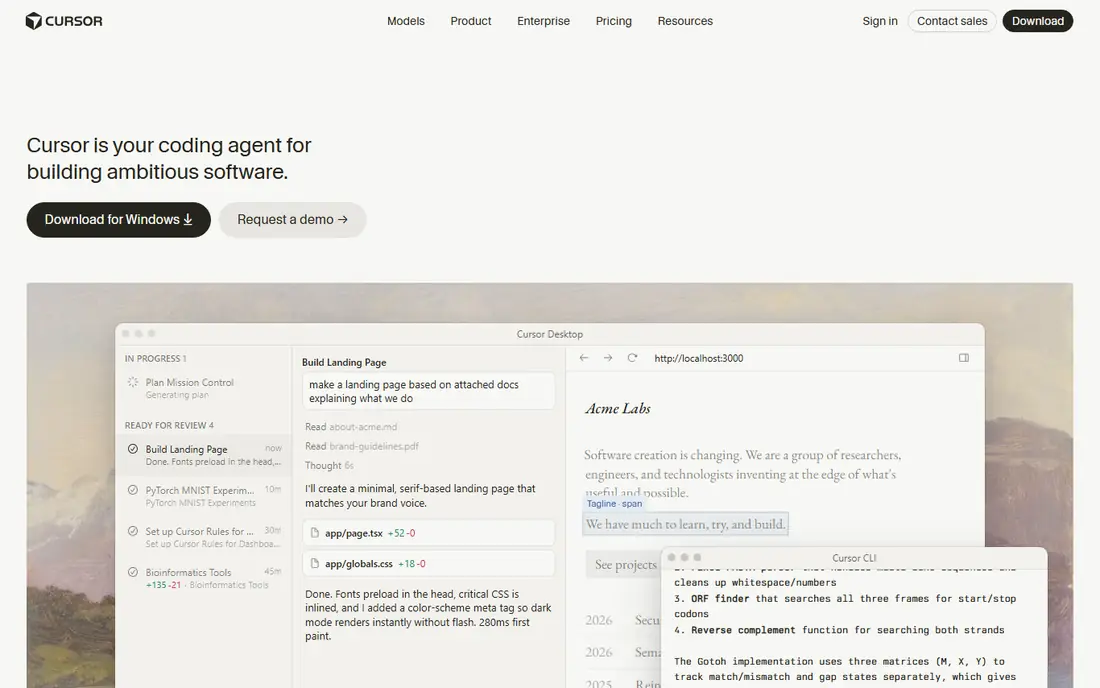
Cursor is our pick for developers because it keeps the AI inside a real editor workflow. You can ask it to change code across several files, review a pull request, or run an agent task in the background, then inspect and edit the result like normal code. That control is what separates a tool for shipping software from a tool for demos.
The catch is cost control. Heavy agent use can consume usage allowances faster than simple autocomplete, so teams should watch usage in the first month. Cursor also assumes you can read the code it writes, so non-coders will get less from it than from Lovable or Bolt.
- Multi-file edits and agent mode
- Familiar editor workflow
- Strong for daily coding work
- Usage-based costs can rise with agent sessions
- Best value needs coding skill
Claude Code
Ideal for: Large repo and terminal work
Claude Code is the choice for engineers who work in the terminal and need an agent that can plan across a large codebase. It can explore a repo, propose a plan, make changes, run checks and report back, which suits refactoring, migrations and multi-step tasks that simple autocomplete cannot handle. Teams that already use Claude plans often add it with little friction.
It is not a beginner tool. The terminal-first workflow, the need to review agent changes carefully, and the lack of a free tier make it a poor first pick for a non-coder. For a senior developer on a big repo, though, it is one of the most capable agents in this list.
- Strong planning and autonomous execution
- Handles large repos
- Terminal and automation friendly
- No free tier on the standard plan path
- Terminal workflow suits developers only
Replit
Ideal for: Collaborative prototyping
Replit is a good middle ground for students, small teams and beginners who want to build and share without setting up a local environment. The browser IDE, built-in hosting and multiplayer editing mean two people can work on the same project from anywhere. Its agent can scaffold an app from a prompt, and the result is already online.
The trade-off is control and cost. Hosting, always-on projects and agent usage are billed separately from the base plan, so a popular project can cost more than expected. Developers who want full control over deployment and tooling will usually prefer Cursor plus their own hosting.
- Browser IDE with hosting built in
- Multiplayer editing
- Agent-assisted builds
- Hosting and usage costs add up
- Less control than a local editor setup
v0
Ideal for: Polished React interfaces
v0 by Vercel is the pick when the interface is the hard part. It generates polished React components and pages from prompts or images, and it iterates quickly on layout variations. Designers and frontend developers use it to explore options fast, then export the code into a real project.
It is not a full-stack builder. Database work, auth and business logic still need another tool or manual code, so v0 works best paired with an editor like Cursor or a backend service. If you need a complete app from one prompt, Lovable or Replit will cover more ground.
- High-quality React and Tailwind output
- Fast UI variations
- Vercel deployment
- Focused on frontend, not full-stack apps
- Best results need React knowledge
GitHub Copilot
Ideal for: Teams already on GitHub
GitHub Copilot is the easiest AI coding tool to adopt for a team already using GitHub. It offers inline suggestions in the editor, chat help, and agent features that tie into pull requests and repos. The entry price is the lowest in this list, and the free tier makes it easy to try.
It is less of a hands-off agent than Claude Code or Cursor's agent mode on large, multi-file tasks. Copilot shines as a daily accelerator for a developer who stays in control, rather than as a tool that builds an app while you watch. For teams on GitHub, that is often exactly what they want.
- Low entry price
- Deep GitHub integration
- Inline suggestions plus agents
- Less autonomous than Claude Code on large tasks
- Quality varies by codebase
Windsurf
Ideal for: Agent-led editing
Windsurf, now associated with Devin Desktop, offers an agent-led editor at a slightly lower entry price than Cursor. Its Cascade agent works across the project, can run terminal commands, and handles multi-step edits. For a developer who likes agent workflows but wants a cheaper entry point, it is worth testing.
The honest catch is change. The product went through branding and ownership changes during 2026, so buyers should confirm the current plan names, pricing and support terms on the official site before committing. Test it on a real project alongside Cursor before choosing it as a team standard.
- Cascade agent across the project
- Terminal automation
- Competitive entry price
- Product direction changed during 2026, so check current branding and plans
- Smaller ecosystem than Cursor
How we picked these
We compared official pricing pages, feature lists and documentation, plus public reviews, for vibe coding tools that were live in October 2026. We favored tools with a free tier or trial, clear code ownership or export options, and a real user base. We left out tools we could not verify as live products with a working official homepage.
What to check before you build
Start with the end, not the prompt. Ask where the code lives, whether you can export it to GitHub, and what happens if you stop paying. A prototype you cannot export is a demo, not an asset, and a production app locked to one platform will cost more to move later.
Match the tool to the job
Use a prompt-to-app builder for a prototype, a landing page or an MVP you want to test with real users. Use an AI editor or agent for code you plan to maintain, review and scale. Many builders use both: Lovable or Bolt for the first version, then Cursor for hardening, tests and long-term changes.
Watch credits, not just the monthly price
Most tools in this list combine a monthly price with credits or usage limits. A $20 plan that runs out of credits mid-project costs more than a $25 plan that lasts the month. Track your first month of usage closely, and check what happens when credits run out before you build on a deadline.
Frequently asked questions
What is the best vibe coding tool for someone who cannot code?
Lovable is our pick for non-coders building a full web app, because it handles interface, database and login flows from chat prompts. Bolt is a good alternative when you only need a fast prototype or landing page.
Can vibe coding tools build a production app?
They can build a real, working app, but production quality still needs review, testing and security checks. Treat AI output as a strong first draft, and have a developer review auth, payments and data handling before real users depend on it.
Do I own the code these tools generate?
Most tools in this list let you export or own the generated code, but terms differ, so check the current terms on the vendor site. Export the code to your own GitHub repo early, so you are not locked to one platform.
How much do vibe coding tools cost?
Most paid plans start around $20 per month, with GitHub Copilot from $10 and Windsurf from $15. Credit and usage limits often matter more than the base price, so measure a month of real use before judging cost.
Should I use one tool or several?
Most productive users combine tools: a prompt-to-app builder for the first version, then an AI editor for hardening and maintenance. Start with one, learn its limits, and add a second only when a real job needs it.