Best Video Editing Apps for Affiliate Marketing in 2026: 7 Apps Compared

- 1
 CapCutShort-form affiliate promosVisit
- 2
 Adobe Premiere ProFull-time affiliate creatorsVisit
- 3
 Final Cut ProMac-based creatorsVisit
- 4
 DaVinci ResolveCreators wanting pro tools freeVisit
- 5
 FilmoraTemplate-driven affiliate creatorsVisit
- CapCut is the fastest route to short-form affiliate promos, but read its asset license before using templates in paid ads.
- DaVinci Resolve gives you a professional desktop editor free, if your computer can handle it and you accept a learning curve.
- Filmora is the middle ground for creators who want templates, captions and 4K exports without a pro subscription.
- Premiere Pro and Final Cut Pro suit creators who already earn from affiliate content and need reliable, high-volume output.
Quick comparison
| Product | Ideal for | Price from | Free version | |
|---|---|---|---|---|
| CapCut | Short-form affiliate promos | $19.99 per month | Yes | Visit |
| Adobe Premiere Pro | Full-time affiliate creators | $22.99 per month | Free trial | Visit |
| Final Cut Pro | Mac-based creators | $299.99 one-time | Free trial | Visit |
| DaVinci Resolve | Creators wanting pro tools free | Free | Yes | Visit |
| Filmora | Template-driven affiliate creators | $49.99 per year | Yes | Visit |
 Canva | Creators who also design promos | Free | Yes | Visit |
 Clipchamp | Windows creators and beginners | Free | Yes | Visit |
The best video editing apps for affiliate marketing
Affiliate videos live or die on speed and clarity. You need clean captions, a strong hook in the first seconds, and exports sized for each platform, all without spending a day per video. The apps below cover that range, from phone-first editors for short-form promos to desktop tools for longer review videos. We weighed export quality, caption tools, templates and price.
CapCut
Ideal for: Short-form affiliate promos

CapCut is built for the pace of short-form affiliate content. Its templates, auto captions and trending effects let a creator turn a product clip into a finished promo in minutes, and the same project can move between phone and desktop. For TikTok, Reels and Shorts, it is the quickest path from idea to published video.
The free version covers a lot, but 4K export and the full AI toolkit need Pro at $19.99 per month. Creators running paid ads should also read the license terms for templates and music, since commercial use rules can differ from personal use. If you publish daily short videos, the speed is worth it; if you only post occasionally, the free tier may be enough.
For readers focused on short-form affiliate promos, CapCut is worth a trial before deciding, since the free tier or trial shows its real feel fast. Check the current plan details on the vendor site, since prices and limits change, and confirm that the version you need works on your devices.
- Fast templates and auto captions
- Phone, desktop and web versions
- Strong trend effects
- Pro features sit behind a subscription
- Check asset licenses for paid ads
Adobe Premiere Pro
Ideal for: Full-time affiliate creators
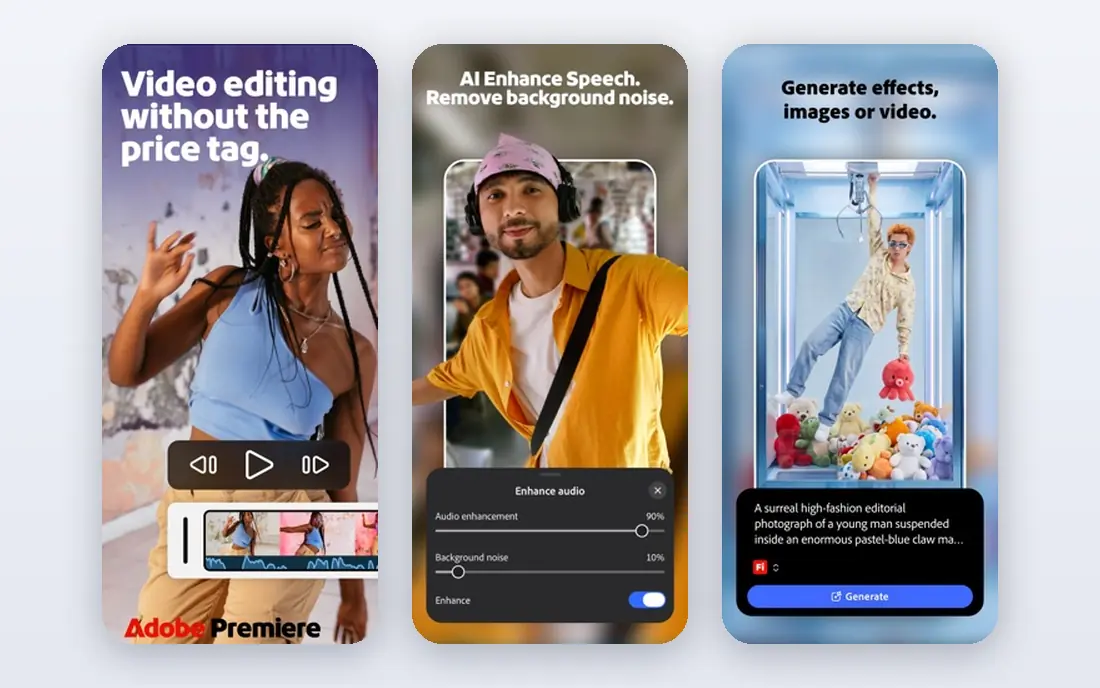
Premiere Pro is the workhorse for creators who treat affiliate video as a business. Its timeline handles long reviews, multicam demos and precise audio cleanup, and its caption workflow keeps videos watchable with the sound off. It also plays well with other Adobe tools if you already use them for thumbnails or graphics.
The subscription is a real monthly cost, and the app rewards a decent computer, so older laptops will feel slow on larger projects. Beginners may also find the interface dense at first. It makes sense once affiliate income covers the fee and you need dependable output several times a week.
We would shortlist Adobe Premiere Pro for full-time affiliate creators, and compare it directly with the two options nearest it in price before paying. Check the current plan details on the vendor site, since prices and limits change, and confirm that the version you need works on your devices.
- Industry-standard timeline
- Strong caption and audio tools
- Broad format support
- Subscription cost adds up
- Needs a capable computer
Final Cut Pro
Ideal for: Mac-based creators

Final Cut Pro appeals to Mac creators who dislike subscriptions. The one-time purchase of $299.99, or the Apple Creator Studio subscription at $12.99 per month, buys a fast editor that runs well on Apple silicon and exports quickly. Its magnetic timeline makes assembling review videos feel quick once you learn its logic.
The Mac-only limit is the main drawback, and its template and plugin world is smaller than Premiere Pro. Collaboration with Windows-based editors can also be awkward. For a solo Mac creator publishing regular affiliate videos, though, the speed and one-time price are a strong combination.
If mac-based creators is your main need, Final Cut Pro deserves a place on a shortlist, provided you test the catch described above first. Check the current plan details on the vendor site, since prices and limits change, and confirm that the version you need works on your devices.
- One-time purchase option
- Fast on Apple silicon
- Magnetic timeline
- Mac only
- Smaller template ecosystem than rivals
DaVinci Resolve
Ideal for: Creators wanting pro tools free
DaVinci Resolve is the most generous free editor available. The free version includes professional editing, color grading, effects and audio tools, which is far beyond what most free apps offer. Affiliate creators who want polished review videos without a monthly fee will find little else that matches it.
The cost is time and hardware. Resolve asks more of your computer than simpler editors, and its depth can slow down a beginner who only needs quick promos. Start with it if you enjoy learning an editor properly and your machine meets the requirements; otherwise a simpler tool will get videos out faster.
Our view is that DaVinci Resolve earns its place here for creators wanting pro tools free, even with the limits noted above. Check the current plan details on the vendor site, since prices and limits change, and confirm that the version you need works on your devices.
- Full editor, color and audio tools free
- Studio is a one-time $295
- Steep learning curve
- Demanding on hardware
Filmora
Ideal for: Template-driven affiliate creators
Filmora sits between phone editors and pro tools, and that middle ground suits many affiliate creators. Its templates, AI captions and effects speed up product promos, while the desktop timeline handles longer reviews better than a phone app. Paid plans start at $49.99 per year, which is modest next to pro subscriptions.
Free exports include a watermark, so publishing affiliate videos really needs a paid plan. Its color and audio tools are also lighter than Resolve or Premiere Pro, which matters if you grade footage carefully. For creators who want fast, good-looking videos without learning a pro editor, Filmora is a sensible pick.
For readers focused on template-driven affiliate creators, Filmora is worth a trial before deciding, since the free tier or trial shows its real feel fast. Check the current plan details on the vendor site, since prices and limits change, and confirm that the version you need works on your devices.
- Large template and effects library
- AI captions and cutout tools
- Easy timeline
- Free exports carry a watermark
- Advanced color tools are limited
Canva
Ideal for: Creators who also design promos
Canva is useful for affiliate creators who make a lot of visual promos alongside video. Its templates, brand kits and text tools make product announcements, sale graphics and short video ads fast to produce, and the same account covers thumbnails and social posts. Teams can share brand assets and keep promos consistent.
Canva is not a full video editor. Its timeline is simple, and longer review videos with layered audio and precise cuts will frustrate you. Use it for short promos, ads and graphics, and pair it with a real editor when a video needs more control. The free plan covers many promo needs.
We would shortlist Canva for creators who also design promos, and compare it directly with the two options nearest it in price before paying. Check the current plan details on the vendor site, since prices and limits change, and confirm that the version you need works on your devices.
- Huge template library
- Easy text and brand kits
- Quick social exports
- Video timeline is basic
- Advanced editing needs another tool
Clipchamp
Ideal for: Windows creators and beginners
Clipchamp is Microsoft's browser-based editor, and its appeal is simplicity. You can record, cut, caption and export HD video without installing software, and its AI voiceover and subtitle tools help affiliate creators who do not want to record narration every time. Free exports carry no watermark, which is rare.
The premium tier sits inside Microsoft 365, so the full feature set costs more than the free version suggests, and some stock assets are reserved for paid users. It also lacks the depth of desktop pro editors. For Windows creators making straightforward affiliate promos, though, it is a fast and free starting point.
If windows creators and beginners is your main need, Clipchamp deserves a place on a shortlist, provided you test the catch described above first. Check the current plan details on the vendor site, since prices and limits change, and confirm that the version you need works on your devices.
- Runs in the browser
- AI voiceovers and captions
- Free HD exports
- Premium features need a Microsoft 365 subscription
- Some stock assets are paid
How we picked these
We compared official feature pages, pricing pages, app store listings, privacy policies and public reviews for each option below. We checked that each product is still available and that its stated plans match what the vendor publishes. We did not run hands-on tests, so our picks rest on documented features, pricing and the fit for the reader described in each section, not on lab results. Where a price could not be confirmed on the vendor site at the time of writing, we wrote See website rather than guessing. We also looked at how each option handles the everyday details that decide whether a tool gets used: setup time, device support, what happens when you cancel or downgrade, and whether help is available when something breaks. A product that looks strong on a feature list but is hard to set up, hard to leave, or poorly supported will cost more in time than it saves, so we weighed those practical points alongside price and features. Where reviewers or users reported a recurring problem, we noted it in the honest catch for that product, rather than leaving it out because the vendor page did not mention it.
How to choose an editor for affiliate content
Match the editor to the video you actually make. Short vertical promos need templates, auto captions and fast phone exports, while longer review videos need a real timeline, clean audio and color tools. Check the license on templates, music and stock clips before running paid ads, since free assets sometimes exclude commercial use. Test the free version on a real video first, and time the export, because a slow editor quietly eats the margin on every post.
A final check before you commit
Run a short trial on a real task before you pay for a year or move a whole team. Use the free plan or trial to complete one full job, from setup to export or delivery, and note where you got stuck. Check the cancellation path too: can you leave and keep your data, or does leaving mean starting over? Read the pricing page for renewal rates, not just the first-year offer, and confirm what support you get on the plan you will actually buy. Finally, ask one current user about the worst part of the product, since that answer tells you more than any feature list. If the trial feels good on a real task and the exit path is clear, the choice is much safer.
Frequently asked questions
Which video editor is best for affiliate marketing beginners?
CapCut or Filmora are the easiest starting points. CapCut is fastest for short-form phone videos, while Filmora adds a fuller desktop timeline and templates. Both offer free versions, so you can learn the basics before paying.
Can I use free video editors for commercial affiliate videos?
Yes, but check the license for each asset you use. Some free templates, music tracks and stock clips are limited to personal use, and that matters once a video carries an affiliate link or runs as an ad.
Do I need a desktop editor for affiliate marketing?
Not at first. Phone editors handle short promos well. A desktop editor becomes worth it when you publish longer reviews, need precise audio cleanup, or produce several videos a week and want faster batch exports.
What matters most in an affiliate video?
A clear hook, readable captions and an honest product demo matter more than fancy effects. Viewers decide fast, so put the benefit first, show the product in use, and keep the affiliate disclosure visible.
Is DaVinci Resolve really free?
Yes, the standard version of DaVinci Resolve is free and covers editing, color and audio. The paid Studio version adds advanced tools, but most affiliate creators can work with the free version for a long time.