Our first pick is Riverside, best for high-quality recorded interview footage. Listed starting prices: Riverside from $24 per month. Alternatives: Cisco Webex Meetings for AI-assisted collaboration with meeting devices, and Zoom Workplace for all-around remote interview meetings. The full list of 5 tools follows, with prices and free plan facts.
Short on time? The summary and table above give the quick view of 5 video meeting software for remote interviews, and the profiles that follow give the detail behind each entry.
Key takeaways
Number one here is Riverside, a fit for high-quality recorded interview footage.
Microsoft Teams is the one to check for organizations already using Microsoft tools.
A free plan is available from 2 of the 5 tools: Riverside, Cisco Webex Meetings.
Whereby comes with a trade-off: less of a full collaboration suite.
Where Riverside fits: high-quality recorded interview footage. Riverside is an online studio for high-quality podcast and video recording and editing, powered by AI and described as designed for human conversations.
Watch-outs: Editing workflow brings steps.
From a buyer's view, choose it when recording quality matters more than a full meeting and collaboration suite. From a buyer's view, the editing workflow layers on steps after the conversation ends. Starting cost for Riverside: $24 per month. Riverside offers a free plan.
Best for: AI-assisted collaboration with meeting devices
Pick Cisco Webex Meetings if this describes you: AI-assisted collaboration with meeting devices. Cisco Webex Meetings is part of a broader collaboration system that the vendor describes as AI-powered, spanning customer experience, devices and system options. For everyday use, enterprise teams with IT support and formal procurement processes are the usual audience.
Where it is weaker: Feature depth can overwhelm straightforward interviews.
In practice, configuring devices and workspace settings can need IT involvement. Smaller teams or those without Cisco infrastructure may prefer a more straightforward meeting product with fewer moving parts. For interviews, it suits organizations that want meeting software and room devices from a single vendor, or that already run Cisco infrastructure. No starting price is listed for Cisco Webex Meetings here; confirm pricing on the vendor site. Cisco Webex Meetings offers a free plan.
Zoom Workplace is a good fit for all-around remote interview meetings. If your organization already standardizes on another collaboration suite, staying with that ecosystem may be more straightforward than adding a second system.
Worth adding: Zoom Workplace is a collaboration product built around video meetings, with chat, VoIP phone, webinars, whiteboard, contact center and events described on its homepage. This comparison lists no price for Zoom Workplace; ask the vendor. Trial and free access: Not stated.
Watch-outs: Add-on modules can complicate setup. Where it shines: Well suited to guest interview links.
Whereby serves fast calls and embedded video. Embedding calls into your own product needs developer resources and planning. In daily use, Teams that want an all-in-one workspace should weigh a broader suite instead.
Worth adding: for interviews it fits teams that want quick, link-based conversations, and product firms that want interview video built into their own hiring application. Beyond that, Whereby describes itself as secure, configurable and steady WebRTC video calling, offering fast instant meetings and the choice to embed video calls into a product through its API and SDK. Pricing for Whereby is not stated here, so ask the vendor for current figures. On free options: Not stated.
Drawbacks to consider: Less of a full collaboration suite.
Best for: Organizations already using Microsoft tools
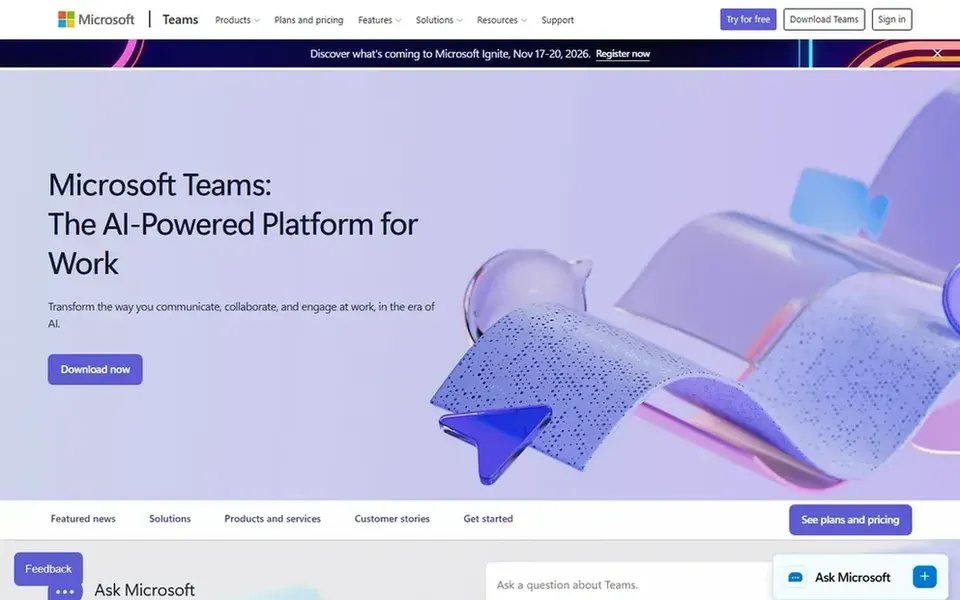
Microsoft Teams works best for organizations already using Microsoft tools. Microsoft Teams is a collaboration hub where meetings, calling and group chat sit alongside shared files, as described on its homepage. Beyond that, occasional interview guests can also find the interface busy compared to a straightforward meeting link.
Upsides: Natural fit for Microsoft-centric workplaces.
More specifically, for remote interviews it does well when the hiring team already lives in Microsoft tools: interview notes, shared documents and panel conversations can stay in the same workspace as the call. For everyday use, if your priority is a light call for a fast screening, a focused meeting tool may be simpler to manage. Pricing for Microsoft Teams is not stated here, so ask the vendor for current figures. On free options: Not stated.
Honest limits: Best experience relies on the wider suite.
Get a written quote from Cisco Webex Meetings, Zoom Workplace, Whereby and Microsoft Teams; the list shows no starting price for them.
Look at free plan limits closely: Riverside and Cisco Webex Meetings have one, and the caps decide whether it is usable for real work.
Read the limits listed for Riverside first: built around recording instead of routine meetings.
Total up the real monthly cost of Whereby, including add-ons, extra users and usage-based fees.
Check whether the features you need in Cisco Webex Meetings sit on the entry plan or only on higher tiers.
How we picked
For each of the 5 tools we noted price, free plan or trial, fit for video meeting software for remote interviews and the main limit, using vendor pages and documentation. Where a vendor does not publish a price, the entry says quote. Where a price depends on seats or billing term, the entry says so. The ranking is editorial: typical fit first, then clear pricing, then free access. If your needs are unusual, read the profiles rather than relying on position.
Every price and plan detail on this page comes from the vendors’ own websites. We did not run hands-on tests unless the text says so, and we do not publish star ratings or review scores. See how we score and our disclosure.
Keep your shortlist in one place
Paste prices, trial dates and notes from this guide into Ainotely, our AI note app. It files them into a topic and pulls out tasks like “cancel trial by Friday”. Free 7-day trial, no card needed.
Not all of them. Cisco Webex Meetings, Zoom Workplace, Whereby and Microsoft Teams publish no starting price, so expect a quote request for those. The rest, Riverside included, show a starting price, though seats and billing terms still change the final cost.
Is Riverside the right pick for everyone comparing video meeting software for remote interviews?
No single tool suits every team. Riverside comes first because it fits high-quality recorded interview footage, while Cisco Webex Meetings suits AI-assisted collaboration with meeting devices and Zoom Workplace suits all-around remote interview meetings. Match the tool to your own size, budget and workflow before deciding.
Can I try these tools before paying?
Often, yes. Riverside and Cisco Webex Meetings have a free plan. Use your own data and a real task during the test, and check what the free tier or trial limits before you rely on it.
How should I handle recording during a remote interview?
Confirm recording choices in the tool before the interview and decide who controls recording and where files are stored. Always check consent requirements in your location.
What is the cheapest option for video meeting software for remote interviews in this list?
On published monthly entry prices, Riverside is the lowest here at $24 per month. Entry price is only part of the cost, because seats, add-ons and billing terms can change the total. The 5 tool cards above repeat this per product for video meeting software for remote interviews, with the listed price or "pricing on request".