Best Video on Demand Platforms in 2026: 8 Platforms Compared

- No single video on demand platform covers everything, so most viewers subscribe to two or three services that match their tastes.
- Netflix has the broadest original catalog, Disney+ leads for family and franchise content, and Max stands out for prestige drama and films.
- Price, ad-supported tiers, and password-sharing rules now differ sharply between services, so check current terms before subscribing.
- Apple TV+ offers strong quality at a lower price point, while Prime Video adds value for existing Amazon Prime members.
- Our pick for most viewers is Netflix for breadth, with Disney+ as the best second subscription for families.
Quick comparison
| Product | Ideal for | Price from | Free version | |
|---|---|---|---|---|
 Netflix | Broadest original catalog | See website | No | Visit |
 Disney+ | Family and franchise content | See website | No | Visit |
 Max | Prestige drama and films | See website | No | Visit |
 Hulu | TV shows and next-day episodes | See website | No | Visit |
 Peacock | NBCUniversal shows and sports | See website | No | Visit |
 Paramount+ | CBS shows and live sports | See website | No | Visit |
 Apple TV+ | High-quality originals | See website | Free trial | Visit |
 Prime Video | Value for Prime members | See website | Free trial | Visit |
The best video on demand platforms
Video on demand now means a crowded field of subscription services, each with its own originals, back catalog, and pricing tiers. The platforms below were compared on catalog breadth, original quality, price, device support, and how well each one fits different households.
Netflix
Ideal for: Broadest original catalog
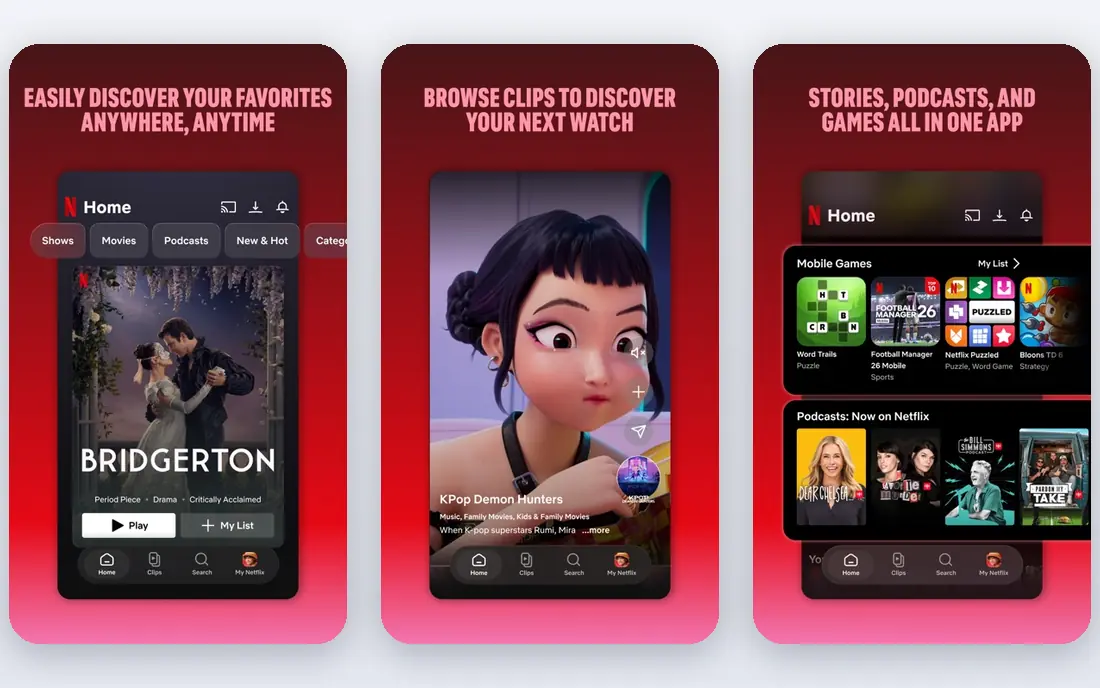
Netflix remains the largest subscription video service, with an original catalog that spans drama, comedy, documentaries, reality, and international titles. Its recommendation system is still the best at surfacing something watchable quickly, and it works on nearly every device, from phones to smart TVs. For a household that wants one service with the widest choice, Netflix is the default.
Pricing has risen, and its paid sharing rules mean households cannot freely share one account across homes. Those costs are real, but the breadth of originals and the steady release schedule keep Netflix the strongest single subscription for most viewers.
- Largest original programming library
- Strong recommendation system
- Wide device support
- Higher price than some rivals
- Password-sharing rules limit account sharing
Disney+
Ideal for: Family and franchise content
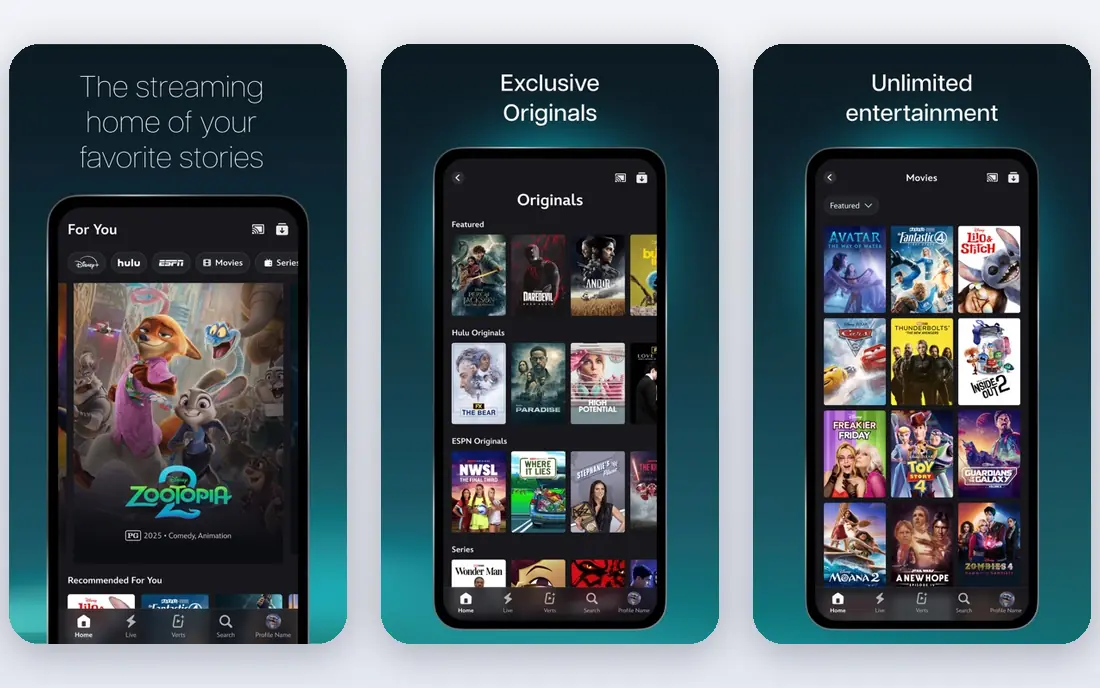
Disney+ is the home of Disney, Pixar, Marvel, Star Wars, and National Geographic, which makes it the strongest family service and a must-have for franchise fans. Its catalog suits households with children, while Marvel and Star Wars series give adults plenty to watch too. Bundle options with Hulu and ESPN add value for US viewers who want more than one service.
Its adult drama and comedy originals are thinner than Netflix, and catalog details vary by country. For families and franchise fans, though, Disney+ delivers a catalog no rival can match, at a price that undercuts several competitors.
- Disney, Pixar, Marvel, and Star Wars catalogs
- Strong family content
- Bundle options with Hulu and ESPN
- Adult-oriented originals are thinner than Netflix
- Catalog varies by region
Max
Ideal for: Prestige drama and films
Max, home to HBO originals and Warner Bros. films, is the service for viewers who prioritize prestige drama and quality filmmaking. Its catalog includes acclaimed series, documentaries, and a strong film library, with new Warner Bros. releases arriving after theatrical runs. For viewers who care more about quality than quantity, Max is hard to beat.
Pricing sits at the higher end, and its app experience has drawn mixed reviews on some devices. Viewers who watch a few excellent series rather than browsing endlessly will find Max worth the price, especially as a complement to a broader service.
- HBO originals and Warner Bros. films
- Strong drama catalog
- High production quality
- Price is on the higher side
- App experience varies by device
Hulu
Ideal for: TV shows and next-day episodes
Hulu stands out for television: many network shows arrive the day after broadcast, and its back catalog covers comedies, dramas, and reality series that other services lack. That TV focus makes it the best complement to a film-heavy service, and its bundles with Disney+ and ESPN offer good value for US households.
Hulu is US-only, so international viewers cannot use it, and its cheaper tier includes ads. Viewers who follow current TV seasons closely will find Hulu the most practical way to keep up without cable.
- Next-day episodes from major networks
- Strong TV back catalog
- Bundle options
- US-only service
- Ad-supported tier shows ads unless you pay more
Peacock
Ideal for: NBCUniversal shows and sports
Peacock, from NBCUniversal, offers NBC shows, Universal films, and live sports, including major events that draw viewers beyond its scripted catalog. Its price undercuts several rivals, which makes it an easy second or third subscription. Sports fans in particular get value that scripted-only services do not provide.
Its original programming is smaller than Netflix or Max, so it works better as a complement than a sole service. For viewers who want NBC content and live sports at a modest price, Peacock is a sensible addition.
- NBC shows and Universal films
- Live sports including major events
- Lower price than rivals
- Original catalog is smaller than leaders
- Some content needs higher tiers
Paramount+
Ideal for: CBS shows and live sports
Paramount+ combines CBS programming, Paramount films, live sports, and news, with franchise draws like Star Trek. Its sports coverage, including NFL games and other live events, gives it an edge for sports fans, and its news and reality content broadens its household appeal. Pricing is competitive with other major services.
Its original catalog is thinner than Netflix or Max, and its interface feels less polished than the leaders. For households that follow CBS shows, Star Trek, or live sports, Paramount+ earns its place in the rotation.
- CBS shows and Paramount films
- Live sports and news
- Star Trek and franchise content
- Original catalog is thinner than leaders
- Interface is less polished
Apple TV+
Ideal for: High-quality originals
Apple TV+ takes a quality-over-quantity approach, with a smaller catalog of well-made original series and films. Its shows regularly earn critical praise, and its streaming quality, including 4K HDR support, is excellent. Pricing is lower than several rivals, and Apple device owners often get trial offers.
The catalog is smaller, with no deep back catalog of licensed shows to browse for hours. Viewers who prefer a few excellent series over endless choice will like Apple TV+, especially at its price, while heavy browsers may want it alongside a broader service.
- High-quality original series
- Lower price than rivals
- Excellent streaming quality
- Smaller catalog than Netflix
- No large back catalog of licensed shows
Prime Video
Ideal for: Value for Prime members
Prime Video is included with an Amazon Prime membership, which makes it the best value service for the many households that already pay for Prime shipping. Its original catalog has grown steadily, with well-known series and films, and add-on channels let viewers subscribe to other services through one app. For Prime members, it costs nothing extra.
Its interface mixes included titles with rentals and purchases, which can frustrate browsing, and its catalog depth trails Netflix. As a bonus on top of Prime, though, it is excellent value, and as a standalone service it remains competitively priced.
- Included with Amazon Prime
- Growing original catalog
- Add-on channels available
- Interface is cluttered
- Catalog mixes included titles with rentals
How we picked these
We compared official service pages, catalog information, and pricing pages for major video on demand platforms available to US viewers, focusing on catalog breadth, original quality, price, sports and family content, and device support. We favored services with substantial, current catalogs and noted where regional availability or ad tiers change the value.
What to check before you subscribe
Check current pricing and tiers first, since ad-supported and ad-free prices, plus password-sharing rules, change often. Confirm the service carries the shows and sports you actually watch, rather than subscribing for a catalog you rarely open. Also check device support for your TV, phone, and tablet, and whether the service offers offline downloads for travel.
Consider rotating subscriptions: subscribe to one or two services at a time, watch what you want, then switch. That habit cuts the total monthly cost while still covering the shows that matter to you.
One more factor worth weighing is how the option you choose will feel after the first month, not just on day one. A tool or service that looks strong in a demo can become a burden if setup is fiddly, support is slow, or everyday tasks take more clicks than they should. That is why we suggest using a trial with your real workload, your real data, and the people who will actually use it every day. Watch for friction in the first week, since that friction rarely disappears on its own. Also consider what happens when your needs change: can you upgrade, downgrade, or leave without losing your work? A flexible option that grows with you is usually worth more than a slightly cheaper one that locks you into a plan you will outgrow. Finally, talk to at least one current user if you can, since a short honest conversation often reveals more than a polished sales page.
Frequently asked questions
Which video on demand platform is best overall?
Netflix is the best overall choice for most viewers because of its broad original catalog and recommendation quality. Disney+ is best for families, Max for prestige drama, and Prime Video for the best value if you already have Prime.
Can I get all major shows on one platform?
No. Originals are exclusive to their services, so major shows are spread across Netflix, Disney+, Max, and others. Most viewers subscribe to two or three services or rotate between them.
Are ad-supported tiers worth it?
They can be, if you watch casually and do not mind ads. Ad-supported plans cost less, but ad-free tiers give uninterrupted viewing. Compare the price difference against how much you watch before choosing.
Do these services work on all devices?
Most work on major smart TVs, streaming sticks, phones, tablets, and browsers. Check the service's supported device page for your specific TV model if you use an older set.
How can I save money on streaming subscriptions?
Rotate subscriptions, use bundles where available, and drop services you have not opened in a month. Annual plans also save money on some services if you plan to stay subscribed all year.
What is the first step when choosing best video on demand platform?
Start by writing down what you need the product or service to do, how many people will use it, and what budget you can sustain for a year. That short brief makes comparisons far easier, since you can test each option against the same requirements instead of being swayed by the longest feature list. Then run a trial of your top two or three choices with real tasks, and pick the one your team actually enjoys using, since adoption matters as much as features.