6 Top Video Podcast Recording Software Options Compared (2026)

- Descript is the opening pick, best for AI editing for video podcasts.
- One limit worth knowing about SquadCast: now tied to the Descript ecosystem.
- 5 of 6 tools offer a free plan: Descript, Riverside, OBS Studio, Zencastr, Restream.
- Restream is the one to check for multistreaming video podcasts.
Direct answer
Start with Descript if you need AI editing for video podcasts. Look at SquadCast for recording plus Descript editing, and at Riverside for studio-quality remote recording. All 6 tools are compared below on price, free plan and limits.
Quick comparison
| Product | Ideal for | Price from | Free version | |
|---|---|---|---|---|
 Descript | AI editing for video podcasts | See website | Yes | Visit |
 SquadCast | Recording plus Descript editing | See website | No | Visit |
 Riverside | Studio-quality remote recording | See website | Yes | Visit |
 OBS Studio | Free live production | Free | Yes | Visit |
 Zencastr | Straightforward record-to-publish podcasting | See website | Yes | Visit |
 Restream | Multistreaming video podcasts | See website | Yes | Visit |
The full video podcast recording software list
If you are comparing video podcast recording software, this page covers 6 tools in one place: what each is best for, what it costs to start, whether it has a free plan, and the main limit to know about.
Descript
Ideal for: AI editing for video podcasts
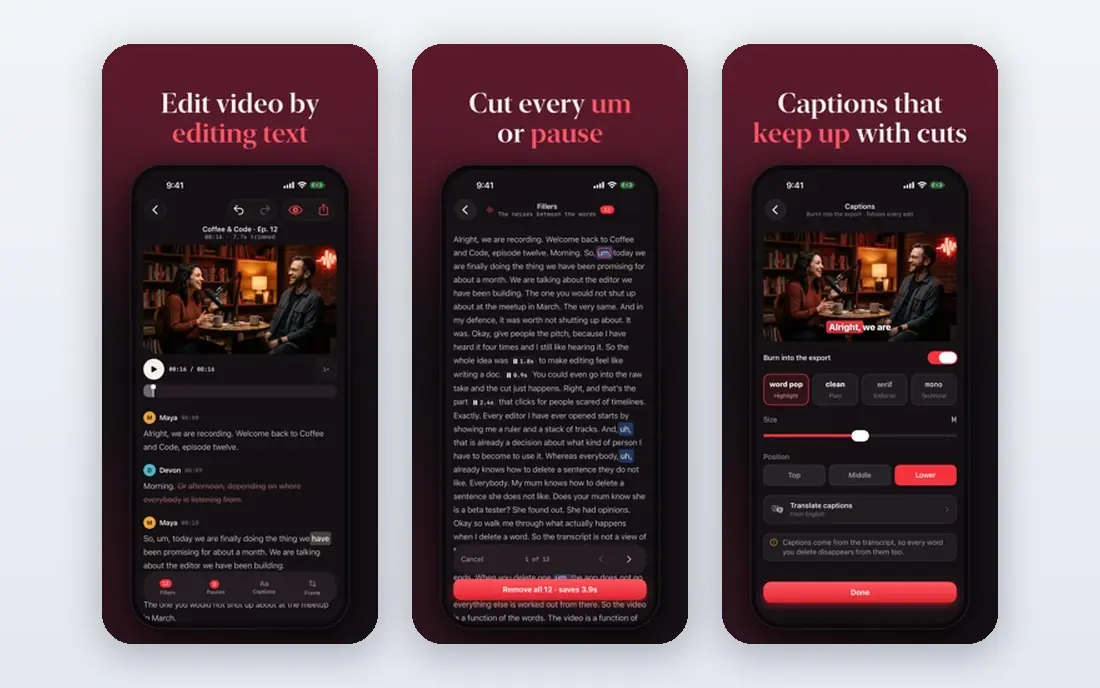
Descript makes the most sense for AI editing for video podcasts. AI features remove filler words, enhance audio and even produce voice clones.
Limits to weigh: Transcription errors need checking.
For everyday use, editors who think in words instead of waveforms find it transformative; traditional video editors may chafe at the abstraction. No starting price is listed for Descript here; confirm pricing on the vendor site. Descript offers a free plan.
- SquadCast recording built in
- AI voices and filler removal
- Heavy AI reliance
SquadCast
Ideal for: Recording plus Descript editing
SquadCast makes the most sense for recording plus Descript editing. SquadCast, acquired by Descript, records remote conversations in studio quality and hands the files straight into Descript's AI editing workflow. Record in SquadCast, edit by editing the transcript in Descript, publish everywhere.
Limits to weigh: No meaningful free level.
If you already edit in Descript, the pairing is natural. In daily use, the integration is the pitch: the fastest path from raw conversation to finished episode for Descript users. SquadCast shows no starting price here, so confirm the cost on the vendor site. SquadCast has no free tier.
- Deep Descript integration
- Simple guest experience
- Less live-streaming focus
Riverside
Ideal for: Studio-quality remote recording
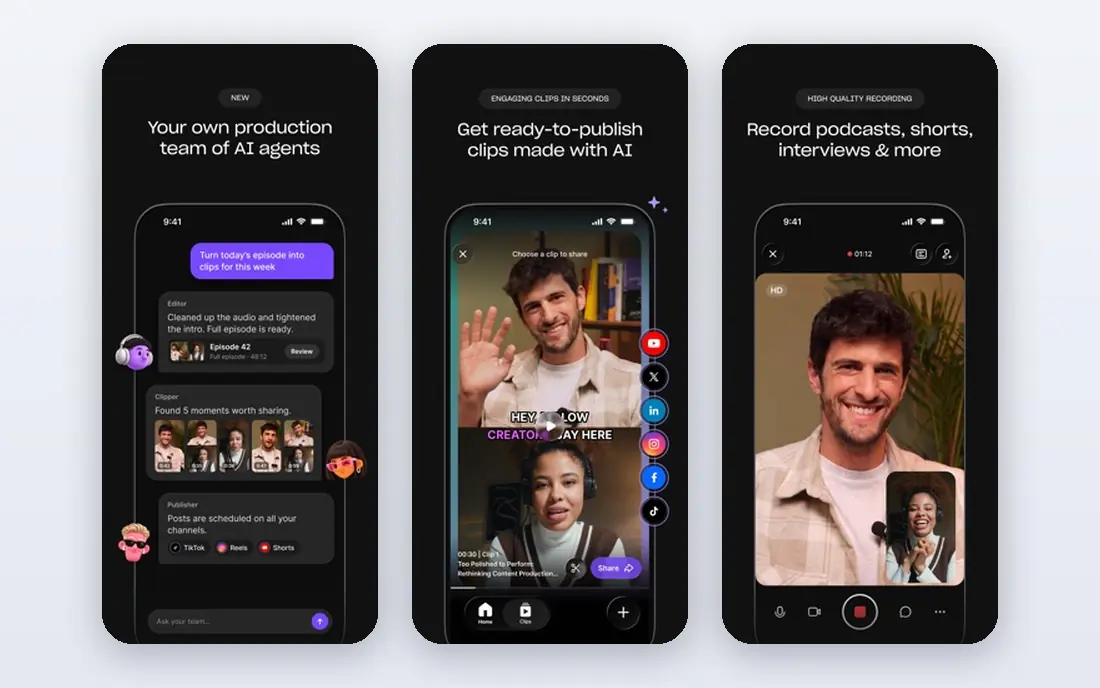
In short, Riverside is for studio-quality remote recording. Riverside records each participant locally in up to 4K video and uncompressed audio, uploading progressively so internet hiccups never ruin a take. In daily use, guests join from a browser with no install, and producers get separate tracks for editing.
What to check first: Pricing per hour on some levels.
It became the default for professional video podcasts since the quality difference is audible and visible. For interview displays where quality is the brand, it is worth it. No starting price is listed for Riverside here; confirm pricing on the vendor site. Free access exists with Riverside.
- Separate audio and video tracks
- Local 4K recording per guest
- Premium plans needed for serious use
OBS Studio
Ideal for: Free live production
Pick OBS Studio if this describes you: free live production. If you enjoy technical control and have time to learn, nothing free comes close. Creators combine it with tools like Riverside for guests or use plugins.
What to check first: You are the engineer.
the main limit is expertise: OBS does not invite remote guests by link or record isolated tracks natively. Countless podcasts and streams run on it at zero software cost. From a buyer's view, OBS Studio is free, open-source software for video recording and live streaming with professional-grade scene composition, mixing and encoding. OBS Studio pricing: Free. Free access exists with OBS Studio.
- Huge plugin ecosystem
- Very capable
- Steep ramp-up time
Zencastr
Ideal for: Straightforward record-to-publish podcasting
Zencastr is aimed squarely at straightforward record-to-publish podcasting. Zencastr handles the entire podcast lifecycle: record remote guests in the browser, edit lightly, host the present and distribute to Spotify and Apple Podcasts. From a buyer's view, expanding displays commonly graduate to Riverside for recording whereas keeping Zencastr-style hosting elsewhere.
From a buyer's view, video recording exists but is less refined than Riverside's. In practice, the free level lets new podcasters start without spending. Zencastr shows no starting price here, so confirm the cost on the vendor site. Zencastr includes a free tier.
Trade-offs to know: Video features trail Riverside.
- Simple all-in-one workflow
- Free level to start
- Free level limits recording time
Restream
Ideal for: Multistreaming video podcasts
Restream makes the most sense for multistreaming video podcasts. Restream's strength is distribution: broadcast one display to YouTube, Twitch, Facebook, LinkedIn and dozens more simultaneously, with unified chat across systems. Recording exists but is not the focus; pair it with a dedicated recorder for studio-quality archives.
Reasons to shortlist it: Stream to 30 plus systems.
Also, the browser studio deals with guests and entry-level production. Also, for presents whose strategy is maximum live reach, Restream's multistreaming is unmatched. Restream does not show a starting price in this comparison, so check the vendor site for current pricing. You can start on Restream without paying. Where it is weaker: Recording is secondary; Studio features thinner than StreamYard.
- Solid free level
- Chat aggregation
- Premium levels for full HD
A closer look at video podcast recording software
The tools here record separate tracks per participant, deal with remote guests through a browser link, and range from pure recorders to full live-streaming studios. For everyday use, the category has converged on browser-based remote recording as the core workflow.
How the list was put together
Ainotely looked at what each vendor publishes: pricing, plan limits, feature coverage for video podcast recording software and stated drawbacks. No hands-on testing is claimed. Prices and plan limits come from vendor pages and can change, so confirm them on the vendor site before you buy. Tools are placed by general fit for video podcast recording software, with price clarity and free access as tie-breakers. A different team can reasonably rank them differently.
Before you commit
- Ask Descript, SquadCast, Riverside and others for a written quote, since no starting price is shown.
- Look at free plan limits closely: Descript, Riverside, OBS Studio and others have one, and the caps decide whether it is usable for real work.
- Before choosing Descript, weigh its main limit: transcription errors need checking.
- Before you load data into Zencastr, check what an export looks like and who can run it.
- Check the integration list for OBS Studio against the tools you run today, and note which ones need a higher plan.
Frequently asked questions
Is Descript the right pick for everyone comparing video podcast recording software?
No single tool suits every team. Descript comes first because it fits AI editing for video podcasts, while SquadCast suits recording plus Descript editing and Riverside suits studio-quality remote recording. Match the tool to your own size, budget and workflow before deciding.
How are the tools for video podcast recording software ordered?
The order follows typical fit for video podcast recording software, with Descript first and Restream last, then price clarity and free access. It is editorial judgement, not a score, so another team could rank the tools differently.
What microphone should I use for video podcasting?
An USB condenser or dynamic microphone from a reputable brand, positioned close to your mouth. Software cannot fix a bad microphone.
Do these tools publish their prices?
Not all of them. Descript, SquadCast, Riverside and others publish no starting price, so expect a quote request for those. The rest, OBS Studio included, show a starting price, though seats and billing terms still change the final cost.
What internet speed do I need for remote recording?
Since tools like Riverside record locally, even modest connections work for the session; uploads happen progressively. Aim for a minimum of 10 Mbps upload for smooth guest experience.
Should I live stream or pre-record my podcast?
Pre-recorded hands editing control and lower stress; live builds community and urgency. Plenty of displays pre-record the central episode and go live occasionally for Q and A sessions.