Best Voice to Text Apps in 2026: 8 Apps Compared

- 1
 Wispr FlowDictating into any appVisit
- 2
 OtterMeeting notes and recordingsVisit
- 3
 Google Docs voice typingFree dictation in documentsVisit
- 4
 SuperwhisperOffline dictation on Mac and WindowsVisit
- 5
 TurboScribeBulk audio and video filesVisit
- Voice to text splits into two jobs: dictation (talking while you type) and transcription (turning recordings into text). Pick the app for the job you do most.
- Wispr Flow is our pick for dictation in any app, with free plans on Mac, Windows, iOS and Android and Pro at $12 per month on annual billing.
- Otter and TurboScribe are our picks for recordings, and both have free plans with daily or monthly caps.
- Google Docs voice typing is the best free option if you write in Docs, and Speechnotes is a free browser notepad in Chrome or Edge.
- Rev is the only app here that lists human transcription, at $1.99 per minute.
Quick comparison
| Product | Ideal for | Price from | Free version | |
|---|---|---|---|---|
| Wispr Flow | Dictating into any app | Free | Yes | Visit |
| Otter | Meeting notes and recordings | Free | Yes | Visit |
| Google Docs voice typing | Free dictation in documents | Free | Yes | Visit |
| Superwhisper | Offline dictation on Mac and Windows | See website | Yes | Visit |
| TurboScribe | Bulk audio and video files | Free | Yes | Visit |
 Notta | Meetings and multilingual notes | Free | Yes | Visit |
 Rev | AI plus human transcripts | Free | Yes | Visit |
 Speechnotes | Free browser dictation | Free | Yes | Visit |
The best voice to text apps
Voice to text apps range from a microphone button in a document to full meeting recorders. The eight below cover both dictation and audio transcription, with free options in each group.
Wispr Flow
Ideal for: Dictating into any app

Wispr Flow is built for talking instead of typing in whatever app is open. Its pricing page lists dictation on Mac, Windows, iOS and Android, and a notetaker feature that currently runs only on Mac and Windows, with mobile on the roadmap.
The free plan is $0, with desktop dictation capped at 2,000 words per week and limited weekly use on mobile. Pro is $15 per user per month billed monthly, or $12 billed annually, and removes the dictation limits. A weekly cap on the free plan means heavy users will hit it quickly.
It is the one we would try first for emails, chat messages and documents. Check the privacy policy before dictating anything sensitive, since dictation tools need to process what you say.
- Works on Mac, Windows, iOS and Android
- Free plan with weekly dictation allowance
- Pro is $12 per month on annual billing
- Free desktop dictation is capped weekly
- Notetaker is limited to Mac and Windows
Otter
Ideal for: Meeting notes and recordings

Otter is a meeting transcriber with a free plan that is worth testing. Its pricing page lists a free Basic plan with 300 transcription minutes a month, 300 minutes of file imports with 3 lifetime imports, up to 30 minutes per conversation, and 25 recent conversations of history. Pro allows 90 minutes per conversation and 1,200 monthly minutes, and Business allows up to 4 hours per conversation.
Pricing needs a careful read. The page lists Pro at $16.99 on monthly billing and $8.33 per month billed annually, with discounted figures marked by an asterisk and no explanation. Business is $30 on the list price and $19.99 on annual billing. Check the checkout screen for the real rate.
Otter suits people who join many calls. Remember that recording laws differ by state, and some require everyone's consent.
- Free Basic plan with 300 minutes a month
- Imports files as well as recording live
- Higher tiers raise per-conversation limits
- Free conversations are limited to 30 minutes
- Pro and Business prices show several promotional figures
Google Docs voice typing
Ideal for: Free dictation in documents
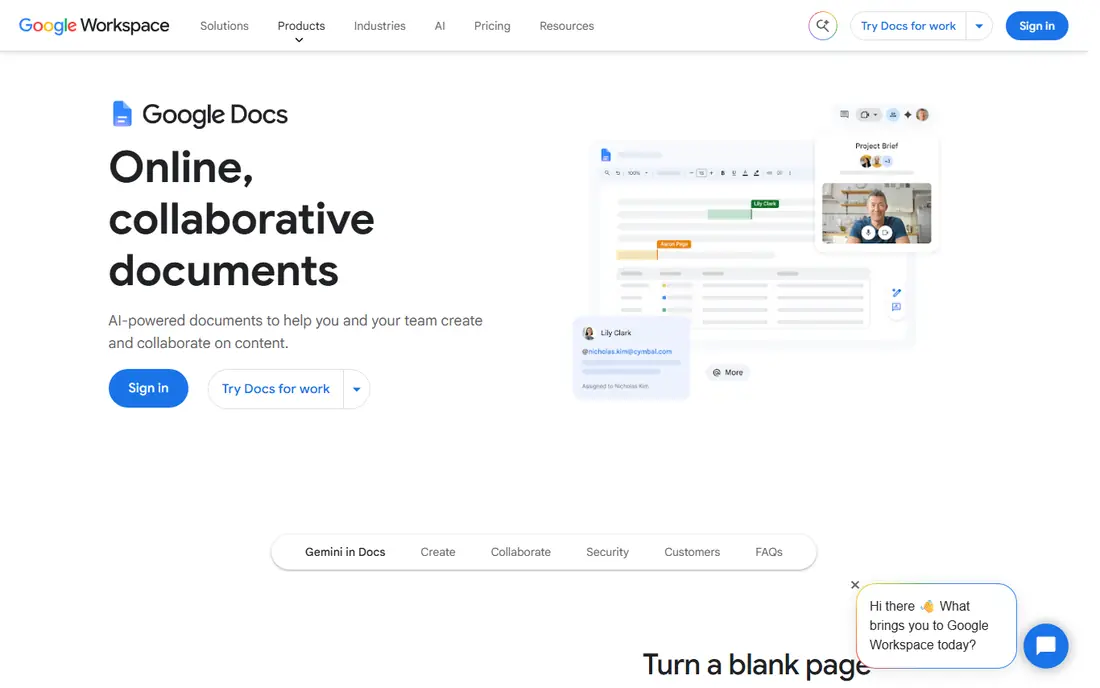
Google Docs voice typing is the simplest free route. Google Docs is free with a Google account, and Google's help page says you go to Tools, then Voice typing, click the microphone and start talking. It works with the latest Chrome, Edge and Safari, and it supports many languages and accents, including English variants, Spanish, French, German, Japanese and Korean.
You can say punctuation such as period or new paragraph, and use commands to select, bold, insert a table or move around the page. Google notes that voice commands are available only in English, that the browser controls the speech-to-text service, and that an administrator may switch the feature off for your organization.
It is a good pick if Docs is where you already write. It will not transcribe an existing audio file.
- Built into Google Docs with no extra install
- Supports many languages and accents
- Voice commands for editing and formatting
- Voice commands work only in English
- Browser supplies the speech service
Superwhisper
Ideal for: Offline dictation on Mac and Windows

Superwhisper is a dictation tool that can run without an internet connection. Its site lists apps for Mac, Windows, iOS and Android, and says it works offline. The free plan includes voice-to-text in any app, Meetings on Mac only, 100+ languages and unlimited Whisper models.
Pro adds unlimited cloud and local AI models, file transcription, translation to English, your own AI API keys and priority support. The site offers a Pro trial of 3,000 words and a 30-day refund policy, with monthly, yearly and lifetime toggles, but the price text on the page was ambiguous, so check the live figure.
It is a good fit when privacy or a weak connection matters. The site notes that offline models run well only on Apple Silicon Macs.
- Works offline, per the site
- Free plan includes voice-to-text in any app and 100+ languages
- Modes for tone and formatting
- Pro price was not clear on the page we checked
- Offline models run best on Apple Silicon Macs
TurboScribe
Ideal for: Bulk audio and video files
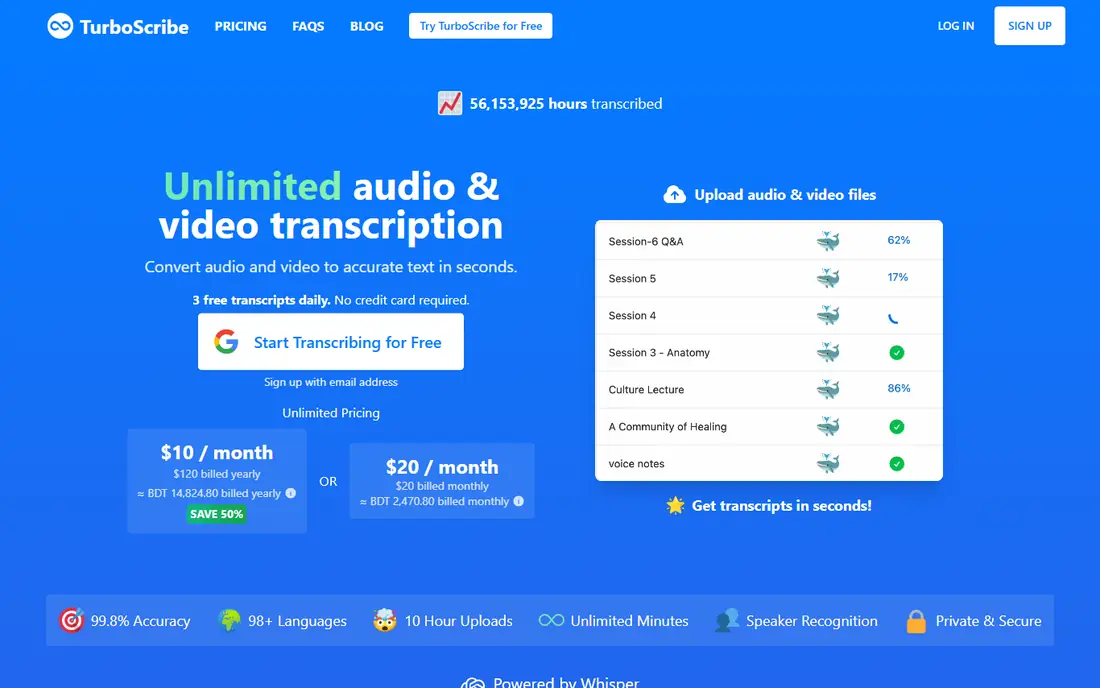
TurboScribe is made for files, not live dictation. Its pricing page, as reported in search results, lists a free plan with 3 transcripts a day, each up to 30 minutes, uploaded one at a time with lower priority. The Unlimited plan is $10 per month billed annually ($120) or $20 per month billed monthly, with files up to 10 hours or 5 GB, 50 files at once and translation to 134+ languages.
A competitor's review claims a monthly cap of 720 hours on the Unlimited plan, which we could not confirm against TurboScribe's own terms. For normal use, the limit will not matter.
It is a strong choice for lectures, interviews and podcast backlogs. It is less useful if you want live dictation or meeting recording.
- Free plan allows 3 files a day of up to 30 minutes each
- Unlimited plan accepts files up to 10 hours or 5 GB
- Translation to 134+ languages
- Free files get lower priority
- Monthly billing is double the annual rate
Notta
Ideal for: Meetings and multilingual notes

Notta is a meeting and audio transcriber with tiers that scale clearly. The pricing page lists Free with 120 minutes a month, 50 file uploads, 10 AI summaries and a 3-minute limit per recording. Pro is $8.17 per month billed annually ($97.99), with 1,800 minutes a month, 5 hours per recording, 100 uploads, export, translation and custom vocabulary.
Business is $16.67 per month billed annually ($199.99), with unlimited transcription, video recording of web meetings, a usage report and CRM and Zapier integrations. The page does not list monthly prices for Pro or Business, so annual billing is the only price we can quote.
The 3-minute free limit makes the free plan a demo. If you need long recordings, plan on paying for Pro.
- Free plan with 120 minutes a month
- Pro is $8.17 per month billed annually
- Recordings up to 5 hours on paid plans
- Free recordings are limited to 3 minutes
- Monthly prices were not shown on the page
Rev
Ideal for: AI plus human transcripts

Rev stands apart because it lists human transcription alongside AI. Its pricing page lists human transcripts at $1.99 per minute with 99%-plus accuracy and delivery in 12 hours or less. AI plans start with Free at $0, which includes 45 AI minutes a month, one user, 5 files at once and English only.
Essentials is $29.99 per month or $25.49 billed annually, with 5,000 AI minutes per user per month, English and Spanish and 3 users. Pro is $59.99 per month or $47.99 billed annually, with 10,000 minutes, 37-plus languages and 5 users. The page also noted a temporary issue with its payment system when we looked.
Rev makes sense when a transcript must be near perfect or needs a legal format. For casual notes, a cheaper app will do.
- Offers human transcription at $1.99 per minute
- Free plan includes 45 AI minutes a month
- Annual billing equals two months free
- Free plan is English only
- Subscriptions cost more than most rivals here
Speechnotes
Ideal for: Free browser dictation

Speechnotes is a plain dictation notepad with an upsell for file transcription. Its site says the free notepad runs in Chrome with no install or registration, and that recognition is handled by the browser (Chrome or Edge). The free version shows ads, and Premium at $1.9 per month removes them.
For recorded audio, the site lists pay-as-you-go transcription at $0.10 per minute, with timestamps, speaker labels in English, subtitle export and an API. It says recordings are deleted from its servers once transcription finishes, and that notes are stored locally on your device. It claims English accuracy can reach 95% for good audio, which is the company's own figure.
It is a good emergency tool when you need a transcript now and want no account. For daily work, a full app is smoother.
- Free notepad that runs in Chrome with no install
- Premium is $1.9 per month and removes ads
- Pay-as-you-go transcription at $0.10 per minute
- Free version shows ads
- Dictation relies on Chrome or Edge
How we picked these
We reviewed official pricing pages, help pages and product sites, and we did not run hands-on tests. For each app we recorded platforms, free-plan limits, US prices where the page showed them, and what the vendor says about processing and privacy. Accuracy figures in this article are the vendors' own claims, not our measurements.
We aimed for a spread of dictation tools and transcription tools, and for a mix of famous names and smaller options. Where a price was unclear or only visible through search results, we said so.
How to choose a voice to text app
Start by deciding if you want to speak and see words appear, or upload a recording and get a transcript back.
Dictation or transcription
For dictation, look at Wispr Flow, Superwhisper, Google Docs voice typing and Speechnotes. For recordings and meetings, look at Otter, Notta, TurboScribe and Rev. Several apps do both, but each usually does one far better.
Check limits before you pay
Free plans cap minutes, file length, daily files or weekly words. Notta's free plan limits a recording to 3 minutes, Otter's to 30 minutes, and Wispr Flow's free desktop plan has a weekly cap. Match the cap to your real use.
Think about privacy and consent
Your voice is personal data. Read how each app handles audio, if recordings are deleted, and if you can opt out of training. If you record other people, check your state's consent rules, since some require all parties to agree. Do not dictate passwords, card numbers or medical details into any app you have not reviewed.
Frequently asked questions
What is the best voice to text app?
For dictation we would start with Wispr Flow, and for recordings with Otter or TurboScribe. If you want something free in a document, Google Docs voice typing is easy to try.
What is the best free speech to text app?
Google Docs voice typing and Speechnotes are free to use, and Wispr Flow, Otter, TurboScribe, Notta and Rev all list free plans. Expect caps on minutes, file length or weekly words.
What is the best talk to text app for Mac and Windows?
Wispr Flow and Superwhisper both list Mac and Windows apps, and both have free plans. Superwhisper also says it works offline, though offline models run best on Apple Silicon Macs.
What is the best audio to text app for long recordings?
TurboScribe lists files up to 10 hours or 5 GB on its Unlimited plan, and Notta lists recordings up to 5 hours on Pro. Rev offers human transcripts if you need very high accuracy.
How accurate are speech to text apps?
Accuracy depends on audio quality, accents, background noise and vocabulary. Vendors publish figures such as Speechnotes' 95% claim for good audio, but we did not test them, so try a real sample on the free plan.