Best VPS Services in 2026: 8 Services Compared

- 1
 DigitalOceanSimple cloud VPS for developers and startupsVisit
- 2
 Linode by AkamaiDeveloper-friendly VPS with global data centresVisit
- 3
 VultrFlexible VPS with many locations and plansVisit
- 4
 HostingerBudget VPS for small sites and projectsVisit
- 5
 OVHcloudEuropean VPS with strong infrastructureVisit
- Our pick for most people is DigitalOcean, because it balances price, features and ease of use for the widest group of readers.
- Free plans and trials are real here, but the limits matter: check what Linode by Akamai and Vultr actually include before you commit.
- Prices in this guide come from vendor pricing pages and current comparisons checked in October 2026, and they can change, so confirm the plan on the vendor site before you buy.
- The best choice depends on your budget, your experience level and how much support you want, not on which brand is most famous.
Quick comparison
| Product | Ideal for | Price from | Free version | |
|---|---|---|---|---|
| DigitalOcean | Simple cloud VPS for developers and startups | See website | Free trial | Visit |
| Linode by Akamai | Developer-friendly VPS with global data centres | See website | Free trial | Visit |
| Vultr | Flexible VPS with many locations and plans | See website | Free trial | Visit |
| Hostinger | Budget VPS for small sites and projects | See website | Free trial | Visit |
| OVHcloud | European VPS with strong infrastructure | See website | No | Visit |
 Kamatera | Customisable cloud VPS for growing workloads | See website | Free trial | Visit |
 A2 Hosting | Managed VPS for site owners who want help | See website | Free trial | Visit |
 Liquid Web | Fully managed VPS for businesses | See website | No | Visit |
The best VPS Services in 2026
We compared official feature pages, pricing pages, app store listings, privacy policies and public reviews to build this list for best vps services. Every option below exists and works today, and each one earns its place for a different kind of reader.
DigitalOcean
Ideal for: Simple cloud VPS for developers and startups
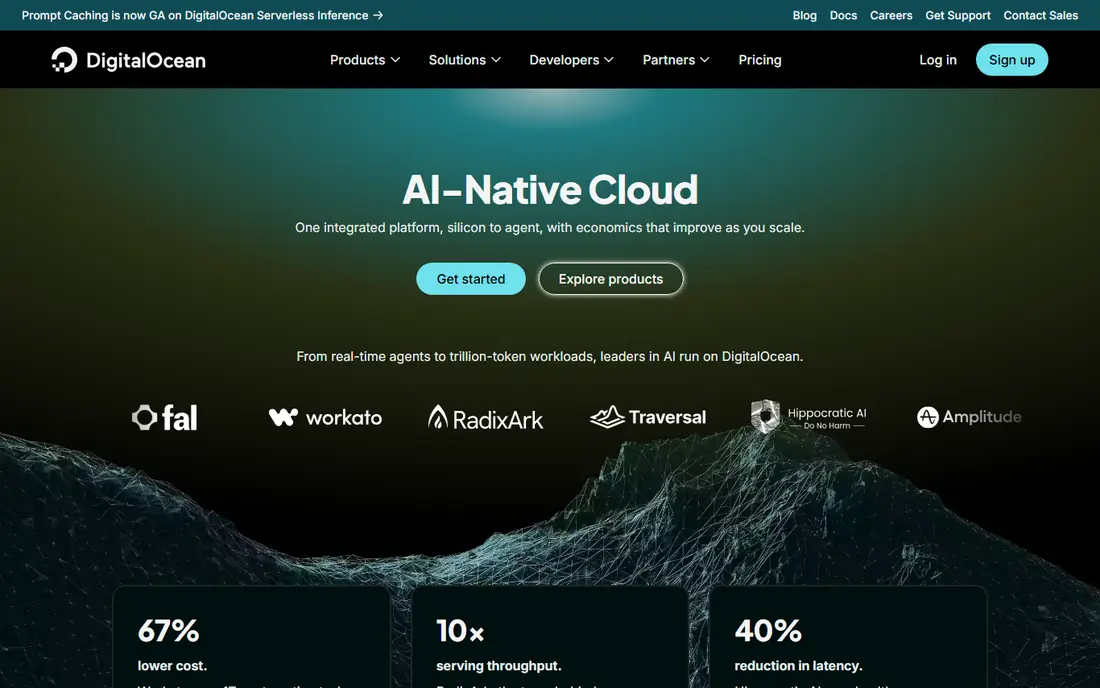
Here is the short version. DigitalOcean is known for simple, predictable VPS pricing and fast setup, with Droplets that developers can launch in minutes. Its documentation and tutorials help smaller teams run servers without a large operations staff. It fits readers who want simple cloud vps for developers and startups, and its published feature set matches that promise rather than trying to cover every possible use case at once. The price picture is see website, with a free plan status of free trial. Managed support costs extra, so teams that want hands-on help should factor that into the comparison. Before you sign up, check the current plan limits on the official site, because caps on users, usage or features are where most buyers get surprised after the first month. Before you commit, read the current plan page in full and check the limits that apply to your size, your volume and your location. Caps on users, usage, storage or support hours are the details that cause most surprises after the first month, and they vary a lot from one provider to the next.
- Simple pricing
- Fast Droplet setup
- Good documentation
- Managed support is an add-on
- Larger enterprise features are limited
Linode by Akamai
Ideal for: Developer-friendly VPS with global data centres

Start here if you want a safe default. Linode, now part of Akamai, offers developer-friendly VPS plans with a wide choice of data centres and clear pricing. Its guides and community resources make it a strong choice for teams comfortable managing a server themselves. It fits readers who want developer-friendly vps with global data centres, and its published feature set matches that promise rather than trying to cover every possible use case at once. The price picture is see website, with a free plan status of free trial. The interface assumes some server knowledge, so beginners may prefer a managed host until their skills grow. Before you sign up, check the current plan limits on the official site, because caps on users, usage or features are where most buyers get surprised after the first month. A short trial or a demo call will tell you more than a feature page can. Use it with a real task from your own work, note where you get stuck, and compare how quickly support answers when you ask a plain question about pricing or limits.
- Competitive pricing
- Wide data centre choice
- Strong community guides
- Support tiers cost extra
- Interface is developer focused
Vultr
Ideal for: Flexible VPS with many locations and plans

This one suits a specific kind of reader. Vultr offers flexible VPS plans with hourly billing and data centres in many locations, which suits projects that need a specific region or short-term capacity. Bare metal and storage options sit alongside standard VPS plans. It fits readers who want flexible vps with many locations and plans, and its published feature set matches that promise rather than trying to cover every possible use case at once. The price picture is see website, with a free plan status of free trial. Managed services are limited, so teams that want a provider to run the server for them should look elsewhere. Before you sign up, check the current plan limits on the official site, because caps on users, usage or features are where most buyers get surprised after the first month. Ask about contract length, renewal terms and what happens if you need to leave. A low starting price can hide a long term, a setup fee or a charge for extra users, so get the full first year cost in writing before you sign anything.
- Many locations
- Hourly billing
- Bare metal and storage options
- Managed services are limited
- Support is mainly ticket based
Hostinger
Ideal for: Budget VPS for small sites and projects
Consider this if the top picks do not fit your needs. Hostinger offers low-cost VPS plans with an easy control panel, which suits small sites, side projects and learners. Its global data centres and simple setup keep the barrier to running a server low. It fits readers who want budget vps for small sites and projects, and its published feature set matches that promise rather than trying to cover every possible use case at once. The price picture is see website, with a free plan status of free trial. The cheapest plans have tight resources, so check CPU, memory and bandwidth against your real traffic before you buy. Before you sign up, check the current plan limits on the official site, because caps on users, usage or features are where most buyers get surprised after the first month. Check who actually provides support and how fast they reply on the plan you would buy. Support that is excellent on an enterprise plan can be slow on a starter plan, and that difference matters more than a small price gap when something breaks.
- Low entry prices
- Easy panel
- Global data centres
- Support quality varies
- Resource limits on cheapest plans
OVHcloud
Ideal for: European VPS with strong infrastructure
A strong option for a narrower need. OVHcloud runs large infrastructure with European data centres and a wide range of VPS and dedicated options. It suits European businesses and teams that want infrastructure scale at competitive prices. It fits readers who want european vps with strong infrastructure, and its published feature set matches that promise rather than trying to cover every possible use case at once. The price picture is see website, with a free plan status of no. Basic support can be slow, and the interface assumes technical users, so factor support tier into the price. Before you sign up, check the current plan limits on the official site, because caps on users, usage or features are where most buyers get surprised after the first month. Look for recent public reviews that mention your exact use case, not just the overall score. A product can be excellent for one kind of buyer and a poor fit for another, and the complaints usually point to the same limit again and again.
- Large infrastructure
- European data centres
- Dedicated options
- Support can be slow on basic plans
- Interface is technical
Kamatera
Ideal for: Customisable cloud VPS for growing workloads
Worth a close look before you decide. Kamatera lets buyers customise CPU, memory and storage precisely, with hourly or monthly billing across global regions. That flexibility suits workloads that do not fit a standard plan size. It fits readers who want customisable cloud vps for growing workloads, and its published feature set matches that promise rather than trying to cover every possible use case at once. The price picture is see website, with a free plan status of free trial. Custom specs can push the price up quickly, so model the full configuration cost, not just the starting plan. Before you sign up, check the current plan limits on the official site, because caps on users, usage or features are where most buyers get surprised after the first month. Confirm that the product still covers your region, your language or your compliance needs before you pay. Coverage pages change, and a service that works well in one country or state may offer a thinner version somewhere else.
- Highly customisable servers
- Hourly and monthly billing
- Global regions
- Managed support is an add-on
- Pricing can rise with custom specs
A2 Hosting
Ideal for: Managed VPS for site owners who want help
This belongs on the shortlist for a reason. A2 Hosting offers both managed and unmanaged VPS plans, which suits site owners who want help with server tasks. Its speed-focused plans and US data centres appeal to businesses serving North American visitors. It fits readers who want managed vps for site owners who want help, and its published feature set matches that promise rather than trying to cover every possible use case at once. The price picture is see website, with a free plan status of free trial. Managed plans cost notably more than unmanaged ones, so compare the managed price, not the unmanaged headline, if you want support. Before you sign up, check the current plan limits on the official site, because caps on users, usage or features are where most buyers get surprised after the first month. Compare the total cost for a full year, including add-ons you will actually use. The cheapest headline price is rarely the cheapest year, once you add seats, storage, support or the tier that removes the limit you hit first.
- Managed VPS options
- Speed-focused plans
- US data centres
- Managed plans cost more
- Unmanaged plans need server skills
Liquid Web
Ideal for: Fully managed VPS for businesses
Do not overlook this one. Liquid Web focuses on fully managed VPS hosting, with support that handles server tasks for busy businesses. Companies that want to outsource server management rather than learn it will value the hands-on service. It fits readers who want fully managed vps for businesses, and its published feature set matches that promise rather than trying to cover every possible use case at once. The price picture is see website, with a free plan status of no. Prices are higher than unmanaged rivals, so it is a poor fit for hobby projects but a strong fit for revenue-generating sites. Before you sign up, check the current plan limits on the official site, because caps on users, usage or features are where most buyers get surprised after the first month. Talk to the vendor about onboarding and migration if you are switching from another tool. A clear migration path, a named contact and a realistic timeline will save more time than any single feature on the comparison page.
- Fully managed support
- High uptime focus
- US data centres
- Higher prices
- Fewer budget plans
How we picked these
We started from official feature pages and pricing pages, then checked app store listings, privacy policies and public reviews to confirm each product still works and still fits the topic. Products that could not be verified, or that only partly matched the topic, were left out, even when they were well known. We favoured a mix of established leaders and strong smaller options, and we weighted price transparency, a usable free tier or trial, and honest limits more heavily than marketing claims. No product on this list paid for its place, and our pick for most people is the one we would suggest to a friend with ordinary needs and an ordinary budget.
How to pick a VPS that fits your traffic and skills
Start with the outcome you need from best vps services, not with the longest feature list. Write down the one result that would make the purchase worth it, the budget you can defend for a full year, and the level of support you expect when something goes wrong. That short list will remove half of this comparison at once, because many strong products are built for a buyer with different needs from yours. Then trial the top two with a real task, not a demo task. Watch how long setup takes, how clear the pricing page is, and how support responds to an awkward question. If a vendor cannot answer a plain question about limits, renewal or cancellation, treat that as a finding, not as a detail to sort out later. The right choice for best vps services is the one that still looks good after that test, at the price you will actually pay.
Frequently asked questions
What is the best option for best vps services?
There is no single best option, because the right choice depends on your budget, your experience and the size of the job. DigitalOcean is our pick for most people, while Linode by Akamai and Vultr suit readers with different priorities. Compare the free plan or trial terms before you decide.
How much do best vps services cost?
Costs vary widely across this list, from free tiers to enterprise pricing that is quoted on request. The table above shows the starting price for each option, but the full year cost depends on seats, usage and add-ons. Always confirm the current price on the vendor site before you buy.
Is there a free option for best vps services?
Some options in this list offer a free plan or a free trial, while others are paid from the start. DigitalOcean and several others are worth checking first if budget is tight, but read the limits on the free tier, because caps on users or usage are common.
How do I choose between these options for best vps services?
Start from your must-have features, then filter by price, support and the limits that matter to you. Trial the top two with a real task, check contract and renewal terms, and pick the option that still fits after a week of real use.