Best Warranty Management Software in 2026: 8 Tools Compared

- 1
 Tavant WarrantyManufacturers that want end-to-end warranty controlVisit
- 2
 PTC ServigisticsService parts and warranty planning at scaleVisit
- 3
 Syncron WarrantyManufacturers focused on warranty and service profitabilityVisit
- 4
 ServiceMaxField service teams handling warranty repairsVisit
- 5
 IFSManufacturers that want warranty inside ERP and serviceVisit
- Tavant Warranty stands out for manufacturers that want end-to-end warranty control, which makes it a strong starting point for that need.
- PTC Servigistics stands out for service parts and warranty planning at scale, which makes it a strong starting point for that need.
- Syncron Warranty stands out for manufacturers focused on warranty and service profitability, which makes it a strong starting point for that need.
- ServiceMax stands out for field service teams handling warranty repairs, which makes it a strong starting point for that need.
- Prices and free plans vary widely across this list, so check the vendor pricing page for your team size or usage before you commit.
Please note: This article is for general information only and is not insurance advice. Warranty terms, coverage, and obligations vary by product and contract, so speak to a qualified professional before you decide.
Quick comparison
| Product | Ideal for | Price from | Free version | |
|---|---|---|---|---|
| Tavant Warranty | Manufacturers that want end-to-end warranty control | See website | No | Visit |
| PTC Servigistics | Service parts and warranty planning at scale | See website | No | Visit |
| Syncron Warranty | Manufacturers focused on warranty and service profitability | See website | No | Visit |
| ServiceMax | Field service teams handling warranty repairs | See website | No | Visit |
| IFS | Manufacturers that want warranty inside ERP and service | See website | No | Visit |
 SAP Service Cloud | Large enterprises already running SAP | See website | No | Visit |
 Oracle Warranty | Enterprises that need warranty inside Oracle systems | See website | No | Visit |
 Salesforce Field Service | Companies that manage warranty on Salesforce | See website | No | Visit |
The best warranty management software
We compared official feature pages, pricing pages, app store listings, privacy policies, and public reviews to build this list, and we focused on tools that truly fit best warranty management software rather than general tools with a passing connection. The eight options below cover different budgets, team sizes, and priorities, so start with the best-for notes and read the full write-up for any tool that matches your situation.
Tavant Warranty
Ideal for: Manufacturers that want end-to-end warranty control

Tavant Warranty covers the full warranty cycle, from claim intake and adjudication to supplier recovery and parts tracking. That breadth suits manufacturers that process high claim volumes and need to recover costs from suppliers. Automated checks flag incomplete or duplicate claims before they reach an adjuster.
The catch is scale and setup. Tavant is an enterprise platform, so smaller companies may find it heavy and quote-based pricing makes quick budget comparisons hard. For large manufacturers, though, the supplier recovery tools alone can justify the effort.
Before you commit, check the current pricing page and trial terms for your team size, since plans change and the right tier depends on how many people will actually use the tool daily.
- Claims processing, supplier recovery, and parts management in one platform
- AI-assisted claim checks
- Enterprise pricing is quote-based
- Implementation takes planning
PTC Servigistics
Ideal for: Service parts and warranty planning at scale
PTC Servigistics focuses on the service side of warranty work, especially parts planning and availability. When a warranty repair needs a part, the system helps make sure it is in stock at the right depot, which cuts repair time and repeat visits. Warranty and service contract data sit alongside parts forecasts.
We see it as a strong pick for manufacturers where parts availability drives warranty cost. It is enterprise software with quote-based pricing, so expect a longer evaluation. Smaller firms that only need claim tracking may find simpler tools a better fit.
Before you buy, run a short trial with your real data and your real workflow, since a demo with sample data hides the friction points that matter once the whole team is involved.
- Strong service parts optimization
- Warranty and service contract support
- Deep analytics
- Part of a large enterprise suite
- Pricing requires a quote
Syncron Warranty
Ideal for: Manufacturers focused on warranty and service profitability
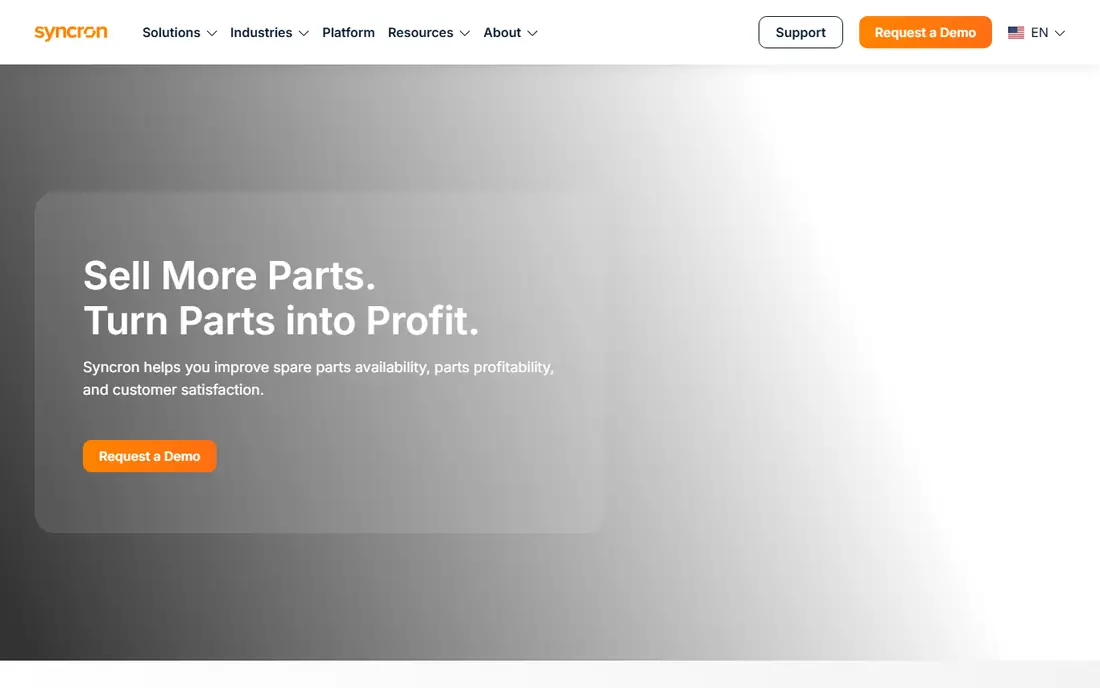
Syncron Warranty brings claims, contracts, and supplier recovery together with analytics that show where warranty money goes. Manufacturers can spot failure patterns by product, supplier, or region, which turns warranty data into product improvement work rather than just cost. Contract and entitlement checks happen automatically at claim intake.
The platform is aimed at mid-size and larger manufacturers, so small firms may find it more than they need. Pricing requires a quote, and results depend on clean product and supplier data. For companies serious about cutting warranty cost, the analytics depth stands out.
Before you decide, confirm integration with the tools you already use and check what support hours and onboarding help are included, since those details matter more than a feature list once you are live.
- Warranty claims, contracts, and supplier recovery
- Strong analytics on warranty cost
- Quote-based pricing
- Best for mid-size and large manufacturers
ServiceMax
Ideal for: Field service teams handling warranty repairs
ServiceMax connects warranty entitlements to field service, so a technician arriving for a repair already knows what is covered and what is not. Scheduling, dispatch, and mobile job tools sit in one system, which reduces denied claims caused by uncovered work. It suits companies where warranty work is done by field teams.
The trade-off is that ServiceMax is a field service platform first, so companies that only need back-office claim processing may not use its full depth. Pricing is quote-based. For service-led manufacturers, the link between entitlement and dispatch is the key benefit.
Before you commit, ask for a quote that covers every user, module, and add-on you need, and compare that total against at least one other tool on this list for the same scope.
- Field service scheduling and warranty entitlement checks
- Mobile tools for technicians
- Enterprise pricing
- Works best inside a wider service operation
IFS
Ideal for: Manufacturers that want warranty inside ERP and service
IFS bundles warranty management with ERP and field service, which suits manufacturers of complex equipment with long service lives. Warranty claims, service history, and parts inventory share one data model, so a claim can be traced from product build to repair. That traceability matters for regulated or high-value equipment.
IFS is a major enterprise commitment, with implementation to match. It is not the right pick for a company that only wants standalone claim tracking. For manufacturers already running IFS or planning a wider system change, warranty inside the same platform is a strong advantage.
Before you commit, check the current pricing page and trial terms for your team size, since plans change and the right tier depends on how many people will actually use the tool daily.
- Warranty, service, and ERP in one system
- Strong for complex equipment
- Large enterprise platform
- Implementation is a major project
SAP Service Cloud
Ideal for: Large enterprises already running SAP
SAP Service Cloud handles warranty and service for companies already invested in SAP. Claims, contracts, and service history connect to finance and supply chain data, which helps large manufacturers manage warranty cost globally. The analytics draw on the same data as the rest of the business.
The obvious catch is that it works best inside SAP. Companies without SAP face a steep setup, and pricing is enterprise-level. For SAP shops, though, keeping warranty in the same system avoids integrations and data gaps that standalone tools create.
Before you buy, run a short trial with your real data and your real workflow, since a demo with sample data hides the friction points that matter once the whole team is involved.
- Warranty and service tightly linked to SAP ERP
- Global scale
- Strong analytics
- Requires SAP expertise
- Pricing and setup are enterprise-grade
Oracle Warranty
Ideal for: Enterprises that need warranty inside Oracle systems
Oracle warranty tools sit within its wider supply chain and service offerings, giving large firms claims, entitlement, and supplier recovery connected to ERP data. That link helps finance teams track warranty accruals and supplier chargebacks without reconciling separate systems. Global companies benefit from one standard process.
Like SAP, Oracle warranty makes most sense for firms already on Oracle. Standalone buyers will find setup heavy and pricing opaque. For Oracle enterprises, the integration depth and global scale are the reasons to choose it.
Before you decide, confirm integration with the tools you already use and check what support hours and onboarding help are included, since those details matter more than a feature list once you are live.
- Warranty claims and supplier recovery linked to Oracle ERP
- Strong for global firms
- Enterprise pricing
- Setup needs Oracle expertise
Salesforce Field Service
Ideal for: Companies that manage warranty on Salesforce
Salesforce Field Service lets companies run warranty cases, scheduling, and technician work on the Salesforce platform many already use for sales and support. Entitlement rules can be built into case workflows, and the system is highly customizable for different warranty programs. Mobile tools keep technicians connected to case history.
The catch is that customization needs Salesforce skills, and licensing across a large field team adds up. For companies already on Salesforce, though, warranty inside the same platform keeps customer and product history together, which improves both service and claim decisions.
Before you commit, ask for a quote that covers every user, module, and add-on you need, and compare that total against at least one other tool on this list for the same scope.
- Warranty and service cases on the Salesforce platform
- Strong customization
- Needs Salesforce admin skill
- Licensing costs add up
How we picked these
We started from the topic itself and looked for products that genuinely serve it, not tools that mention it in passing. For each candidate we checked the vendor's own feature and pricing pages, app store listings where relevant, privacy and security pages, and public user reviews, and we dropped any product we could not verify as real and available in October 2026.
We then compared the remaining tools on fit for the stated need, pricing transparency, free or trial options, ease of adoption, and honest weaknesses. Every list below mixes well-known leaders with strong smaller options, and every write-up names a real trade-off, since no tool is best for every team.
How to choose warranty software
Start by mapping your claim journey from first report to payment and supplier recovery. Count your monthly claims, list your warranty programs, and note where delays or denied claims happen today. That map shows whether you need full lifecycle software or just better claim tracking.
Then check entitlement and parts data. Warranty software only works when product, serial, contract, and parts records are accurate, so ask vendors how they handle dirty data and what integrations they support. A demo with your real product and failure codes tells you more than a generic walkthrough.
Finally, weigh supplier recovery and analytics, not just claim entry. Recovery tools and failure analytics are where warranty software pays for itself, so ask vendors to show recovery rates and reporting from similar customers. Compare total implementation cost, not just license fees, before you decide.
Frequently asked questions
What does warranty management software actually do?
It handles warranty registration, claim intake, entitlement checks, adjudication, supplier recovery, and reporting. The goal is to pay valid claims fast, reject invalid ones fairly, and recover costs from suppliers where they are responsible.
How does supplier recovery work?
The system tracks which supplier parts caused failures and builds recovery claims against those suppliers. That requires clean parts and failure data, so data quality matters as much as the software itself.
Can small manufacturers use these tools?
Yes, but enterprise platforms like IFS or SAP may be too heavy. Smaller firms should look at focused claim tools or the warranty features inside their service platform, and scale up as claim volume grows.
What is the difference between warranty and service contract management?
Warranty covers defects for a set period after sale, while service contracts are paid coverage beyond that. Good platforms handle both, with entitlement checks that tell staff exactly what is covered at claim time.
How long does implementation take?
Enterprise warranty platforms often take months, including data cleanup and rule setup. Budget time for mapping your claim rules and supplier agreements, since those decisions drive how well the system works.