6 Way to Manage Contacts Across Platforms Ranked for 2026

- 1
 MeshFounders and executives managing a large relationship networkVisit
- 2
 Contacts SyncIPhone owners who require Google or Outlook contacts on their phoneVisit
- 3
 EvercontactTeams whose CRM contacts decay quicker than anyone updates themVisit
- 4
 DexProfessionals whose network centers on LinkedInVisit
- 5
 CovveNetworkers who collect contacts at events and want follow-up remindersVisit
- Mesh takes the first slot, best suited to founders and executives managing a large relationship network.
- ContactsPlus is the one to check for people whose contacts are split across Google, iCloud and Outlook.
- A free plan is available from 5 of the 6 tools: Mesh, Contacts Sync, Dex, Covve, ContactsPlus.
- The lowest published monthly entry price here is $12/month, from Dex.
- Contacts Sync comes with a trade-off: IPhone-only, so Android and desktop users are out.
Direct answer
Mesh comes first here, mainly for founders and executives managing a large relationship network. For a different need, Contacts Sync covers iPhone owners who require Google or Outlook contacts on their phone and Evercontact covers teams whose CRM contacts decay quicker than anyone updates them. Prices, free plans and limits for all 6 tools follow.
Quick comparison
| Product | Ideal for | Price from | Free version | |
|---|---|---|---|---|
| Mesh | Founders and executives managing a large relationship network | See website | Yes | Visit |
| Contacts Sync | IPhone owners who require Google or Outlook contacts on their phone | See website (app purchase tiers) | Yes | Visit |
| Evercontact | Teams whose CRM contacts decay quicker than anyone updates them | $149/year (Solo, 10 emails analyzed per day) | Free trial (14 days) | Visit |
| Dex | Professionals whose network centers on LinkedIn | $12/month (Premium, billed yearly) | Yes | Visit |
| Covve | Networkers who collect contacts at events and want follow-up reminders | $12.99/month | Yes | Visit |
 ContactsPlus | People whose contacts are split across Google, iCloud and Outlook | See website (Premium adds 5 accounts and continuous sync) | Yes | Visit |
Our 6 way to manage contacts across platforms
If you are comparing way to manage contacts across platforms, this page covers 6 tools in one place: what each is best for, what it costs to start, whether it has a free plan, and the main limit to know about.
Mesh
Ideal for: Founders and executives managing a large relationship network
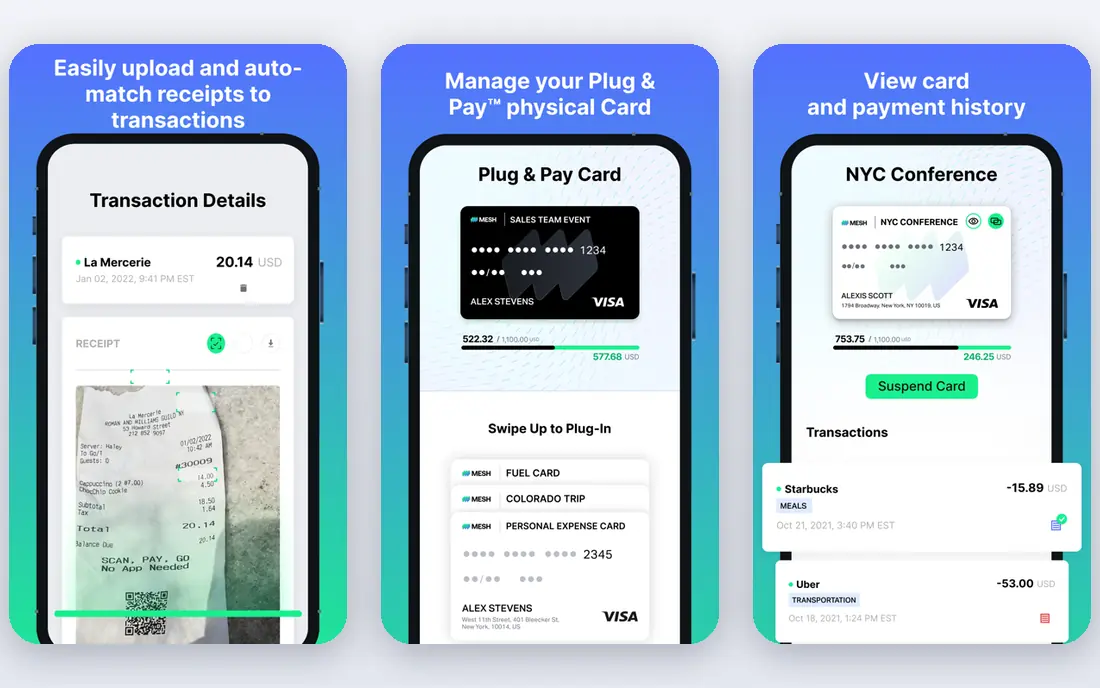
Mesh is aimed squarely at founders and executives managing a large relationship network. Mesh is the current name for what longtime users know as Clay. It pulls together email, meetings, LinkedIn, WhatsApp and social connections into one searchable relationship graph, keeps contact details current automatically, and prompts you when it is time to reconnect or when a contact changes jobs.
Worth adding: the team level turns individual networks into shared intelligence: see who knows whom and never miss a warm introduction. More specifically, the honest catch is the rebrand. Beyond that, functionally it is the same product, now with heavier team and AI positioning. As for the details, pricing is not published, so expect a sales conversation for team plans. Check the vendor site for Mesh pricing; none is listed in this comparison. You can start on Mesh without paying.
Honest limits: Pricing is not published on the homepage.
- Tracks job changes and news without manual checking
- Team features for shared relationship intelligence
- Rebranded from Clay, so older reviews and guides reference the old name
Contacts Sync
Ideal for: IPhone owners who require Google or Outlook contacts on their phone
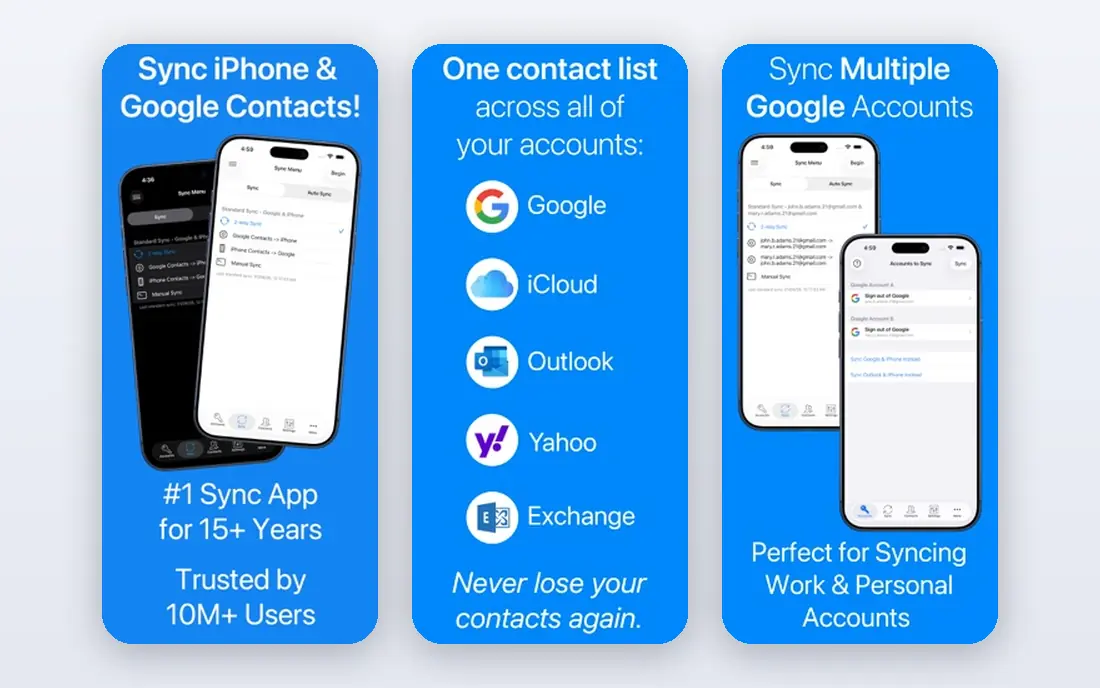
Where Contacts Sync fits: iPhone owners who need Google or Outlook contacts on their phone. Contacts Sync by Playa Apps is the veteran iPhone answer to the Google/iCloud split. It syncs Google contacts or Outlook contacts with the iPhone in both directions, merges matching contacts on the first run, and keeps Google labels and Outlook categories aligned with iPhone groups so group emails and messages work.
The honest catch is scope. This is a sync utility, not a contact manager: there is no web dashboard, no CRM features, no enrichment. But for the very typical case of "my work contacts are in Google, my phone is an iPhone, make them match," it is less expensive and more straightforward than a subscription system. On top of that, review changes before syncing if you are nervous about the first merge. This comparison lists no price for Contacts Sync; ask the vendor. A free plan is available with Contacts Sync.
Watch-outs: IPhone-only, so Android and desktop users are out.
- Custom labels and social profiles
- Syncs all fields including photos
- Centred on phone sync instead of full contact management
Evercontact
Ideal for: Teams whose CRM contacts decay quicker than anyone updates them
Evercontact is a good fit for teams whose CRM contacts decay quicker than anyone updates them. Evercontact treats your inbox as the source of truth. Its models read signatures, bodies and threads, extract names, titles, phones and firms, dedupe them, and push clean records into your CRM and address books continuously.
Points against: Made for Google Workspace and Microsoft 365, so personal iCloud-only users get less.
On top of that, the honest catch is that it is inbox-centric. But for sales and partnerships teams where every new contact arrives via email first, it removes the manual CRM entry that nobody does. The company is explicit that it never trains on customer data and never sells contact data, which matters when the tool reads your mail. Also, the Solo plan at $149 a year includes one person. Pro at $199 a year raises the daily email analysis limit and brings CSV export; Team at $249 a year is designed for 50-plus users. Starting cost for Evercontact: $149/year. Free access: Free trial (14 days).
- Writes clean records back to Salesforce, HubSpot
- Extracts contacts from email signatures automatically across 30+ languages
- Per-email daily limits on lower levels
Dex
Ideal for: Professionals whose network centers on LinkedIn
Dex works best for professionals whose network centers on LinkedIn. Link LinkedIn, Gmail, WhatsApp, iMessage and calendars, and it consolidates everyone into one place with notes, reminders and custom fields. Worth adding: the honest catch is the LinkedIn cap.
In daily use, for founders, investors and operators whose network is their net worth, it is the most refined LinkedIn-centric choice here. Beyond that, the Premium plan at $12 a month annual comes with two-way contact sync and the browser extension. Price to start with Dex: $12/month. Free access exists with Dex.
Trade-offs to know: The Professional level at $20 a month is needed for Outlook integration and API access.
Strengths: Browser extension plus iOS, Android.
- Keep-in-touch reminders with full interaction history
- LinkedIn sync that auto-updates job titles
- LinkedIn sync caps at 2,500 connections on Premium
Covve
Ideal for: Networkers who collect contacts at events and want follow-up reminders
For Networkers who collect contacts at events and want follow-up reminders, Covve is a natural candidate. It nudges you to follow up, surfaces news about your contacts as a reason to reach out, and keeps everything searchable.
From a buyer's view, the underlying app still does the relationship work, and at $12.99 per month with a free version it remains one of the cheaper dedicated choices. Covve cost at the entry level: $12.99/month. Covve has a free plan.
Downsides: Per-month pricing brings up against free alternatives.
- Smart follow-up reminders and contact news alerts
- Mobile-first design
- The homepage now leads with lead capture, so the personal CRM positioning is less prominent than it once was
ContactsPlus
Ideal for: People whose contacts are split across Google, iCloud and Outlook
ContactsPlus targets people whose contacts are split across Google, iCloud and Outlook. The honest catch is the free level.
Points against: Heavy first syncs on big lists can take a whereas to settle.
ContactsPlus shows no starting price here, so confirm the cost on the vendor site. ContactsPlus offers a free plan.
- Native iCloud sync with no external bridge, which most competitors cannot do
- Per-account sync direction (pull in, push out, or two-way)
- Only one account on the free plan, so multi-platform setups need Premium
How these tools were picked
Pricing pages, product documentation and feature lists were the main sources, and every entry carries at least one honest drawback. Seat minimums, billing terms and add-ons can move the real cost, so the starting prices here are a guide and not a quote. We ordered the tools by general fit, then by how clearly pricing is shown, then by free access. A buyer with unusual needs may reorder them.
Things to verify first
- Get a written quote from Mesh, Contacts Sync and ContactsPlus; the list shows no starting price for them.
- Read the fine print on the free plans from Mesh, Contacts Sync, Dex and others; seat, project and feature caps differ.
- Use real work to test the free trial from Evercontact, rather than a demo project.
- Read the limits listed for Mesh first: rebranded from Clay, so older reviews and guides reference the old name.
- Total up the real monthly cost of Mesh, including add-ons, extra users and usage-based fees.
- Pick one real project and run it in Dex first; a small pilot shows fit faster than a checklist.
Frequently asked questions
Can I try these options before paying?
Often, yes. Mesh, Contacts Sync, Dex and others have a free plan and Evercontact offers a free trial. Use your own data and a real task during the test, and check what the free tier or trial limits before you rely on it.
Is Mesh the right pick for everyone comparing way to manage contacts across platforms?
No single tool suits every team. Mesh comes first because it fits founders and executives managing a large relationship network, while Contacts Sync suits iPhone owners who need Google or Outlook contacts on their phone and Evercontact suits teams whose CRM contacts decay faster than anyone updates them. Match the tool to your own size, budget and workflow before deciding.
What is the best way to sync iCloud and Google Contacts?
Start with Mesh if you need founders and executives managing a large relationship network. Contacts Sync is the better match for iPhone owners who require Google or Outlook contacts on their phone, and Evercontact for teams whose CRM contacts decay quicker than anyone updates them. The best choice depends on budget, team size and workflow.
Do these tools publish their prices?
Not all of them. Mesh, Contacts Sync and ContactsPlus publish no starting price, so expect a quote request for those. The rest, Evercontact included, show a starting price, though seats and billing terms still change the final cost.
What is the cheapest option for way to manage contacts across platforms in this list?
On published monthly entry prices, Dex is the lowest here at $12/month. Entry price is only part of the cost, because seats, add-ons and billing terms can change the total.
How does Evercontact keep contacts updated?
It reads email signatures and threads, extracts names, titles, phones and businesses, dedupes them against existing records, and pushes clean data to your CRM and address books.