Our first pick is Microsoft Azure Web Application Firewall, best for Azure-hosted application protection. Listed starting prices: Cloudflare Web Application Firewall from $7 per month. For a different need, Fortinet FortiWeb covers appliance-style WAF and API defense and Cloudflare Web Application Firewall covers edge-based protection with low false positives. All 6 tools are compared below on price, free plan and limits.
Choosing web application firewall security usually comes down to price, fit and limits. This Ainotely guide sets 6 tools side by side on those three points, with the facts kept short and checkable.
Key takeaways
Microsoft Azure Web Application Firewall sits first on this list: Azure-hosted application protection.
For AWS-native web and API protection, AWS WAF is worth a look.
Only Cloudflare Web Application Firewall offers a free plan among these 6 tools.
Cloudflare Web Application Firewall is the lowest-priced starter here at $7 per month.
In short, Microsoft Azure Web Application Firewall is for Azure-hosted application protection. Its value is most solid within Azure, so multi-cloud or on-premises estates may need extra coverage.
Microsoft Azure Web Application Firewall does not show a starting price in this comparison, so check the vendor site for current pricing. Trial and free access: Not stated.
Think of Fortinet FortiWeb for appliance-style WAF and API defense. It is a decent match for organizations standardizing on Fortinet security infrastructure or wanting an appliance-oriented WAF they handle straight.
Fortinet FortiWeb shows no starting price here, so confirm the cost on the vendor site. As for free access: Not stated.
Drawbacks to consider: Appliance management required.
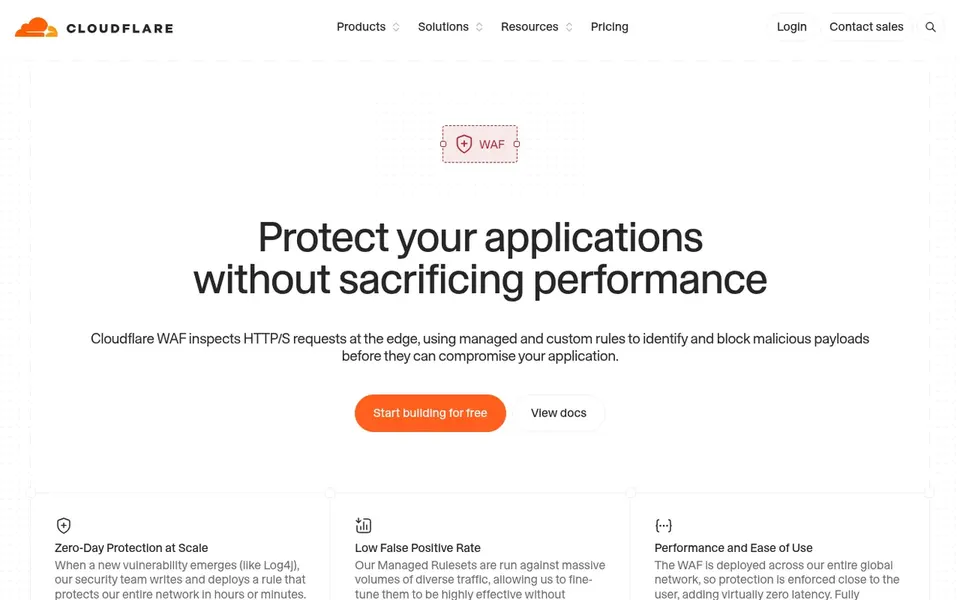
Best for: Edge-based protection with low false positives
In short, Cloudflare Web Application Firewall is for edge-based protection with low false positives. Since it lives at the edge, the experience is tied to Cloudflare's network and configuration model, so teams with multi-vendor or on-prem requirements may prefer a standalone appliance.
The main drawbacks: Best value inside Cloudflare ecosystem.
Also, consider alternatives if you need deep host-level inspection or a purely self-managed deployment. Starting cost for Cloudflare Web Application Firewall: $7 per month. Cloudflare Web Application Firewall offers a free plan.
Google Cloud Armor serves DDoS and WAF defense on Google Cloud. Google Cloud Armor is a network security service that provides defenses against DDoS and application attacks and provides a rich set of WAF rules, based on the vendor.
Limits to weigh: Tied to Google Cloud.
Also, teams wanting one WAF across plenty of clouds may prefer a vendor-neutral choice. Beyond that, because it is a Google Cloud service, its benefits are concentrated for workloads on that system, and other environments would need separate protection. Google Cloud Armor does not show a starting price in this comparison, so check the vendor site for current pricing. Free access: Not stated.
Imperva Web Application Firewall is aimed squarely at adaptable cloud and on-prem WAF. Teams wanting a purely managed edge service with minimal infrastructure may prefer Cloudflare or a cloud-native WAF instead. Imperva Web Application Firewall guards web applications and is described by the vendor as adaptable, feature-rich and trusted across cloud and on-prem environments.
That dual deployment story appeals to organizations with hybrid estates or regulatory reasons to keep inspection on premises whereas still protecting cloud-hosted apps. Running the on-premises choice means you own more of the operational burden, from hardware to patching. This comparison lists no price for Imperva Web Application Firewall; ask the vendor. Free plan details: Not stated.
The main drawbacks: Feature set varies by deployment.
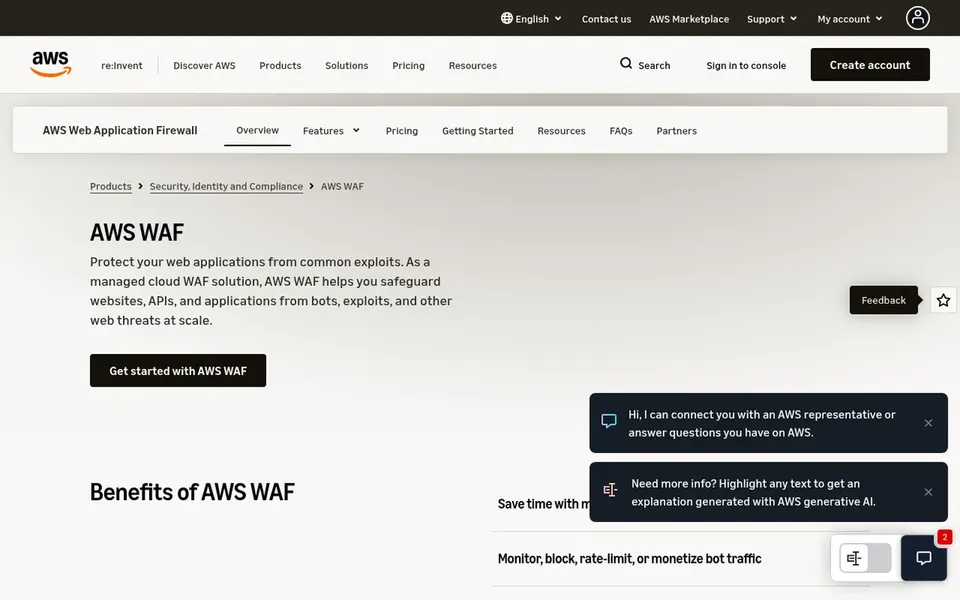
AWS WAF was built for AWS-native web and API protection. AWS WAF is a managed cloud web application firewall that guards websites, APIs and applications from bots, exploits and layer 7 attacks, per the vendor. It is meant to scale with global protection, which fits organizations already running workloads on AWS and wanting WAF controls close to their cloud resources and delivery services.
Downsides: Rule tuning needs effort.
Where it shines: Includes websites.
From a buyer's view, the service is most comfortable for teams fluent in AWS tooling, and rule authoring can take time to tune against false positives. On top of that, if your estate is spread across several clouds or on-premises data centers, a vendor-neutral or appliance-based WAF may fit better. No starting price is listed for AWS WAF here; confirm pricing on the vendor site. Free access: Not stated.
Confirm the entry price on the vendor page. For Microsoft Azure Web Application Firewall, Fortinet FortiWeb, Google Cloud Armor and others that means a quote rather than a fixed price.
Test the free plan from Cloudflare Web Application Firewall against your real workload before relying on it.
Read the limits listed for Microsoft Azure Web Application Firewall first: most natural inside Azure.
A short pilot of Microsoft Azure Web Application Firewall with your real workflow tells you more than a feature table.
List the apps you already depend on and check that Google Cloud Armor supports each one on the plan you would buy.
How we picked
Ainotely looked at what each vendor publishes: pricing, plan limits, feature coverage for web application firewall security and stated drawbacks. No hands-on testing is claimed. Treat prices as a snapshot: vendors change plans often, so check the vendor site for the figure that applies today. The order reflects how well each tool fits the most common buying scenario for web application firewall security, then price clarity, then free plan access. It is a starting point, not a verdict.
Every price and plan detail on this page comes from the vendors’ own websites. We did not run hands-on tests unless the text says so, and we do not publish star ratings or review scores. See how we score and our disclosure.
Keep your shortlist in one place
Paste prices, trial dates and notes from this guide into Ainotely, our AI note app. It files them into a topic and pulls out tasks like “cancel trial by Friday”. Free 7-day trial, no card needed.
What does a web application firewall actually protect against?
A WAF filters HTTP and HTTPS traffic to block typical attacks for example SQL injection, cross-site scripting and bot activity. The exact protections vary by vendor, so check the documented rule sets.
What is the cheapest option for web application firewall security in this list?
On published monthly entry prices, Cloudflare Web Application Firewall is the lowest here at $7 per month. Entry price is only part of the cost, because seats, add-ons and billing terms can change the total.
Which options for web application firewall security have a free plan?
Cloudflare Web Application Firewall is the only tool in this list with a free plan. Free plans usually cap users, projects or features, so check the limits on the vendor page. For the full picture, the cards above cover all 6 entries of this web application firewall security list, including price, free plan and limits.
Can one WAF include several clouds?
Some WAFs, including Imperva and Akamai, are positioned for wide or hybrid estates, whereas AWS WAF, Azure WAF and Google Cloud Armor are most solid inside their own products.
Can I try these tools before paying?
Often, yes. Cloudflare Web Application Firewall has a free plan. Use your own data and a real task during the test, and check what the free tier or trial limits before you rely on it. Pricing, free plan details and limits for all 6 tools in this web application firewall security roundup sit on the individual cards above.
How are the tools for web application firewall security ordered?
Microsoft Azure Web Application Firewall sits first and AWS WAF last because the order follows typical fit for web application firewall security, then price clarity and free access. It is a judgement call, so read each profile for fit and limits.