Best web design software in 2026: 8 Compared

- 1
 WebflowDesigner controlVisit
- 2
 WixSmall business sitesVisit
- 3
 SquarespacePolished templatesVisit
- 4
 WordPress.comFlexible CMS sitesVisit
- 5
 FramerMarketing sitesVisit
- Webflow is our pick for designers who want visual design with real code output and CMS control.
- Wix suits small businesses that want a fast, guided website without learning design tools.
- Framer is best for marketing sites that need to look polished quickly and publish fast.
- WordPress remains the most flexible choice for large sites, blogs and stores, thanks to its plugin ecosystem.
Quick comparison
| Product | Ideal for | Price from | Free version | |
|---|---|---|---|---|
| Webflow | Designer control | See website | Yes | Visit |
| Wix | Small business sites | See website | Yes | Visit |
| Squarespace | Polished templates | See website | No | Visit |
| WordPress.com | Flexible CMS sites | Free | Yes | Visit |
| Framer | Marketing sites | Free | Yes | Visit |
 Adobe Dreamweaver | Code-based design | See website | No | Visit |
 Figma | Design before building | Free | Yes | Visit |
 Elementor | WordPress page building | See website | Yes | Visit |
The best web design software
We compared official feature pages, pricing pages, app store listings, privacy policies and public reviews to build this list, focusing on products that fit the topic closely and are still available in October 2026.
Webflow
Ideal for: Designer control

For buyers who want a clear fit, Webflow is aimed at designers. Webflow lets designers build sites visually while producing real HTML and CSS. Its CMS and hosting suit professional sites that need control without hand-coding. In practice, that means the product earns its place by doing one job well for that audience, rather than trying to cover every possible use case at once. We compared its official feature page, pricing and public reviews against the other options here, and its best-for label reflects where it looked strongest, not where its marketing claims are loudest.
The trade-off is worth naming plainly. The learning curve is real, and site plans are paid. On price, the starting point listed above is not published clearly, so check the vendor site, and the free plan entry is Yes. If that combination fits your budget and your main use case, Webflow is a sensible shortlist choice. If the catch above is a deal breaker, move to another entry in this list whose strength matches your priority instead.
- Visual design with code output
- CMS
- Hosting included
- Learning curve
- Paid site plans
Wix
Ideal for: Small business sites
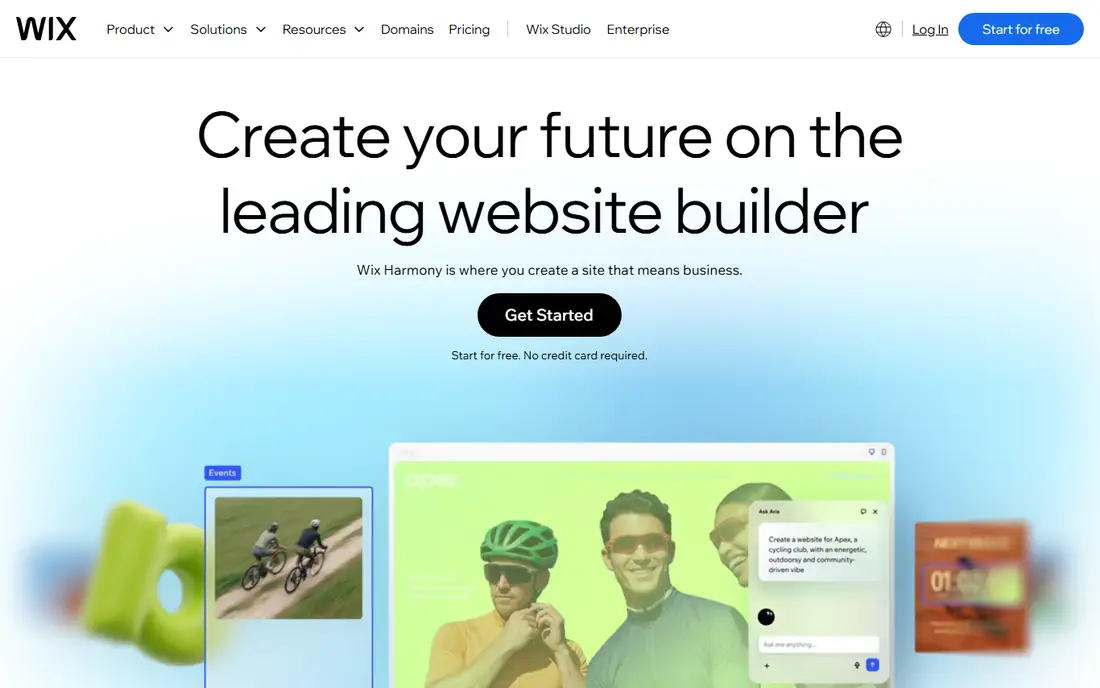
If that use case sounds familiar, Wix is aimed at small businesses. Wix guides small businesses from template to published site with little design knowledge. Its app market adds booking, stores and forms without code. In practice, that means the product earns its place by doing one job well for that audience, rather than trying to cover every possible use case at once. We compared its official feature page, pricing and public reviews against the other options here, and its best-for label reflects where it looked strongest, not where its marketing claims are loudest.
On the other side of that strength, Design freedom is less than Webflow, and moving a Wix site elsewhere is hard. On price, the starting point listed above is not published clearly, so check the vendor site, and the free plan entry is Yes. If that combination fits your budget and your main use case, Wix is a sensible shortlist choice. If the catch above is a deal breaker, move to another entry in this list whose strength matches your priority instead.
- Guided setup
- Many templates
- App market
- Less design freedom than Webflow
- Moving sites is hard
Squarespace
Ideal for: Polished templates

Among the options here, Squarespace is aimed at creatives and small stores. Squarespace is known for polished templates for portfolios, blogs and small stores. Its all-in-one hosting and design suit creatives who want a clean result fast. In practice, that means the product earns its place by doing one job well for that audience, rather than trying to cover every possible use case at once. We compared its official feature page, pricing and public reviews against the other options here, and its best-for label reflects where it looked strongest, not where its marketing claims are loudest.
Before you commit, weigh this part. It has fewer plugins than WordPress, and templates set some limits. On price, the starting point listed above is not published clearly, so check the vendor site, and the free plan entry is No. If that combination fits your budget and your main use case, Squarespace is a sensible shortlist choice. If the catch above is a deal breaker, move to another entry in this list whose strength matches your priority instead.
- Polished templates
- Blogging and commerce
- Hosting
- Fewer plugins than WordPress
- Template limits
WordPress.com
Ideal for: Flexible CMS sites
For a team or household weighing this choice, WordPress.com is aimed at bloggers and growing sites. WordPress powers a huge share of the web, with themes and plugins for almost any site type. Its blogging and SEO tools suit content sites that plan to grow. In practice, that means the product earns its place by doing one job well for that audience, rather than trying to cover every possible use case at once. We compared its official feature page, pricing and public reviews against the other options here, and its best-for label reflects where it looked strongest, not where its marketing claims are loudest.
The honest catch comes next. Self-hosted setup can be complex, and plugin quality varies, so maintenance matters. On price, the starting point listed above is free, and the free plan entry is Yes. If that combination fits your budget and your main use case, WordPress.com is a sensible shortlist choice. If the catch above is a deal breaker, move to another entry in this list whose strength matches your priority instead.
- Huge plugin and theme ecosystem
- Blogging strength
- Scale
- Self-hosted setup can be complex
- Plugin quality varies
Framer
Ideal for: Marketing sites
When the main need is the one above, Framer is aimed at marketers and startups. Framer builds and publishes marketing sites fast, with templates and interactions. Startups can launch a polished site without a developer. In practice, that means the product earns its place by doing one job well for that audience, rather than trying to cover every possible use case at once. We compared its official feature page, pricing and public reviews against the other options here, and its best-for label reflects where it looked strongest, not where its marketing claims are loudest.
Pricing and limits deserve a second look. Publishing costs rise with scale, and it is less suited to large CMS sites. On price, the starting point listed above is free, and the free plan entry is Yes. If that combination fits your budget and your main use case, Framer is a sensible shortlist choice. If the catch above is a deal breaker, move to another entry in this list whose strength matches your priority instead.
- Fast publishing
- Strong templates
- Interactions
- Publishing costs rise
- Less suited to large CMS sites
Adobe Dreamweaver
Ideal for: Code-based design
For readers who put this factor first, Adobe Dreamweaver is aimed at developers in Adobe workflow. Dreamweaver combines code editing with visual tools for hand-built sites. Developers inside Adobe workflow may value its integration and FTP tools. In practice, that means the product earns its place by doing one job well for that audience, rather than trying to cover every possible use case at once. We compared its official feature page, pricing and public reviews against the other options here, and its best-for label reflects where it looked strongest, not where its marketing claims are loudest.
A smaller drawback can still matter. It feels dated beside modern builders, and it needs a Creative Cloud subscription. On price, the starting point listed above is not published clearly, so check the vendor site, and the free plan entry is No. If that combination fits your budget and your main use case, Adobe Dreamweaver is a sensible shortlist choice. If the catch above is a deal breaker, move to another entry in this list whose strength matches your priority instead.
- Code and visual editing
- Adobe integration
- FTP tools
- Dated feel versus modern builders
- Subscription
Figma
Ideal for: Design before building
In a crowded field, Figma is aimed at design teams. Figma is where many websites are designed and prototyped before building. Teams can collaborate, test flows and hand specs to developers. In practice, that means the product earns its place by doing one job well for that audience, rather than trying to cover every possible use case at once. We compared its official feature page, pricing and public reviews against the other options here, and its best-for label reflects where it looked strongest, not where its marketing claims are loudest.
What to check before paying is simple. It is not a website builder alone, so a build step in Webflow or code is still needed. On price, the starting point listed above is free, and the free plan entry is Yes. If that combination fits your budget and your main use case, Figma is a sensible shortlist choice. If the catch above is a deal breaker, move to another entry in this list whose strength matches your priority instead.
- Collaborative design
- Prototyping
- Handoff
- Not a website builder alone
- Needs a build step
Elementor
Ideal for: WordPress page building
For a first purchase in this category, Elementor is aimed at WordPress site owners. Elementor is a visual page builder for WordPress, with templates and widgets. WordPress owners can design pages without code, inside a familiar CMS. In practice, that means the product earns its place by doing one job well for that audience, rather than trying to cover every possible use case at once. We compared its official feature page, pricing and public reviews against the other options here, and its best-for label reflects where it looked strongest, not where its marketing claims are loudest.
The limit to keep in mind is this. It needs WordPress hosting, and full features need the Pro plan. On price, the starting point listed above is not published clearly, so check the vendor site, and the free plan entry is Yes. If that combination fits your budget and your main use case, Elementor is a sensible shortlist choice. If the catch above is a deal breaker, move to another entry in this list whose strength matches your priority instead.
- Visual WordPress builder
- Many templates
- Widgets
- Needs WordPress hosting
- Pro for full features
How we picked these
We compared official feature pages, pricing pages, app store listings, privacy policies and public reviews for each product, and we kept only products that are still available in October 2026 and that fit the topic closely. Where a vendor did not publish a clear starting price on its own site, we wrote See website rather than guessing. Prices can change, so check the vendor page linked in each product block before you buy.
Choosing web design software that matches your skills
Start with who will maintain the site. A no-code builder suits a business owner who needs to edit text and images alone. A visual tool such as Webflow suits a designer who wants control without hand-coding every page. A CMS such as WordPress suits a team that needs plugins, blogs and stores. Check hosting, SEO tools and export options before you commit, since moving a site later can be painful.
Frequently asked questions
What is the best web design software for beginners?
Wix and Squarespace are easiest for beginners, with guided setup and templates. Webflow is more powerful but takes longer to learn.
Is Webflow better than WordPress?
Webflow gives designers visual control and clean hosting, while WordPress offers more plugins and flexibility for large sites. The best choice depends on the site type and who maintains it.
Can I design a website without coding?
Yes, Wix, Squarespace and Framer let you build sites visually. Webflow also works visually, though understanding basic web concepts helps.
What is the best software for professional web designers?
Webflow and Figma are strong for professionals, with Figma for design and Webflow for building. WordPress with Elementor also suits agencies.
Do I need to pay for hosting separately?
Wix, Squarespace, Webflow and Framer include hosting in their plans. WordPress sites usually need separate hosting, though WordPress.com includes it.