Best Website Builder Software Pricing in 2026: 8 Builders Compared

- 1
 WixSmall businesses that want flexible builder plansVisit
- 2
 SquarespaceCreators who want polished design plansVisit
- 3
 ShopifyStores that want ecommerce focused plansVisit
- 4
 WordPress.comBloggers and businesses that want WordPress plansVisit
- 5
 WebflowDesigners who want advanced builder plansVisit
- Wix stands out for small businesses that want flexible builder plans, which makes it a strong starting point for that need.
- Squarespace stands out for creators who want polished design plans, which makes it a strong starting point for that need.
- Shopify stands out for stores that want ecommerce focused plans, which makes it a strong starting point for that need.
- WordPress.com stands out for bloggers and businesses that want wordpress plans, which makes it a strong starting point for that need.
- Prices and free plans vary widely across this list, so check the vendor pricing page for your team size or usage before you commit.
Quick comparison
| Product | Ideal for | Price from | Free version | |
|---|---|---|---|---|
| Wix | Small businesses that want flexible builder plans | See website | Yes | Visit |
| Squarespace | Creators who want polished design plans | See website | No | Visit |
| Shopify | Stores that want ecommerce focused plans | See website | No | Visit |
| WordPress.com | Bloggers and businesses that want WordPress plans | See website | Yes | Visit |
| Webflow | Designers who want advanced builder plans | See website | Yes | Visit |
 Weebly | Small businesses that want a simple builder | See website | Yes | Visit |
 GoDaddy Website Builder | Small businesses that want fast setup plus domain | See website | No | Visit |
 Framer | Designers and startups that want modern sites fast | See website | Yes | Visit |
The best website builder software by pricing
We compared official feature pages, pricing pages, app store listings, privacy policies, and public reviews for this roundup. The products below cover different budgets and needs, so the best choice depends on how you will actually use it day to day. Our pick for most people is Wix, because it covers the core need well, but read the full list before you decide, since a smaller or cheaper option may fit your situation better.
Wix
Ideal for: Small businesses that want flexible builder plans

Wix offers website builder plans from a free tier to business and ecommerce plans. It suits small businesses that want design flexibility with many templates.
When we compared Wix with the rest of this list, its strengths were clear: flexible builder plans; templates; app market On the other side, buyers should weigh this catch: free plan shows wix branding; ecommerce needs higher plans That trade off matters most if you plan to use the product every day, so check the pricing page and the free plan terms, and trial it with real work before you commit. For many buyers, Wix earns its place here because it handles the core job well, even though no product on this list is perfect for every need.
- Flexible builder plans
- Templates
- App market
- Free plan shows Wix branding
- Ecommerce needs higher plans
Squarespace
Ideal for: Creators who want polished design plans
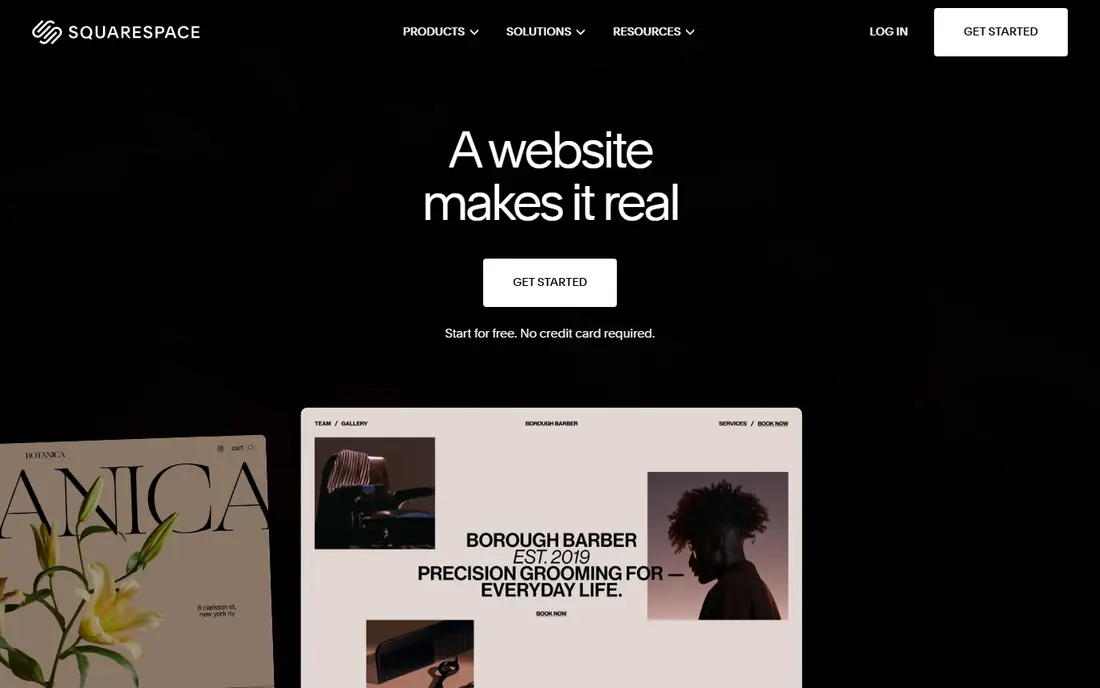
Squarespace provides polished website plans with ecommerce and marketing tools. It fits creators and small businesses that value design quality.
When we compared Squarespace with the rest of this list, its strengths were clear: polished templates; ecommerce plans; marketing tools On the other side, buyers should weigh this catch: no free plan, only a trial; pricing is higher than some rivals That trade off matters most if you plan to use the product every day, so check the pricing page and the free plan terms, and trial it with real work before you commit. For many buyers, Squarespace earns its place here because it handles the core job well, even though no product on this list is perfect for every need.
- Polished templates
- Ecommerce plans
- Marketing tools
- No free plan, only a trial
- Pricing is higher than some rivals
Shopify
Ideal for: Stores that want ecommerce focused plans

Shopify offers ecommerce plans for online stores, with an app store for extra features. It suits sellers who need a full online store, not just a brochure site.
When we compared Shopify with the rest of this list, its strengths were clear: ecommerce focused plans; app store; payment tools On the other side, buyers should weigh this catch: monthly cost plus transaction fees can add up; design needs apps for some features That trade off matters most if you plan to use the product every day, so check the pricing page and the free plan terms, and trial it with real work before you commit. For many buyers, Shopify earns its place here because it handles the core job well, even though no product on this list is perfect for every need.
- Ecommerce focused plans
- App store
- Payment tools
- Monthly cost plus transaction fees can add up
- Design needs apps for some features
WordPress.com
Ideal for: Bloggers and businesses that want WordPress plans
WordPress.com hosts WordPress sites with plans from free to business and ecommerce. It fits bloggers and businesses that want WordPress without managing hosting.
When we compared WordPress.com with the rest of this list, its strengths were clear: wordpress hosting plans; free tier; plugin options on higher plans On the other side, buyers should weigh this catch: free plan limits are strong; plugins need higher plans That trade off matters most if you plan to use the product every day, so check the pricing page and the free plan terms, and trial it with real work before you commit. For many buyers, WordPress.com earns its place here because it handles the core job well, even though no product on this list is perfect for every need.
- WordPress hosting plans
- Free tier
- Plugin options on higher plans
- Free plan limits are strong
- Plugins need higher plans
Webflow
Ideal for: Designers who want advanced builder plans
Webflow offers advanced website design with CMS and ecommerce plans. It suits designers who want detailed control over layout and interactions.
When we compared Webflow with the rest of this list, its strengths were clear: advanced design control; cms plans; ecommerce options On the other side, buyers should weigh this catch: learning curve is steep; pricing has site and workspace parts That trade off matters most if you plan to use the product every day, so check the pricing page and the free plan terms, and trial it with real work before you commit. For many buyers, Webflow earns its place here because it handles the core job well, even though no product on this list is perfect for every need.
- Advanced design control
- CMS plans
- Ecommerce options
- Learning curve is steep
- Pricing has site and workspace parts
Weebly
Ideal for: Small businesses that want a simple builder
Weebly provides a simple website builder with a free tier and ecommerce on higher plans. It fits small businesses that want a simple site without complexity.
When we compared Weebly with the rest of this list, its strengths were clear: simple builder; free tier; ecommerce on higher plans On the other side, buyers should weigh this catch: feature range is narrower than wix or squarespace; brand now sits with square That trade off matters most if you plan to use the product every day, so check the pricing page and the free plan terms, and trial it with real work before you commit. For many buyers, Weebly earns its place here because it handles the core job well, even though no product on this list is perfect for every need.
- Simple builder
- Free tier
- Ecommerce on higher plans
- Feature range is narrower than Wix or Squarespace
- Brand now sits with Square
GoDaddy Website Builder
Ideal for: Small businesses that want fast setup plus domain
GoDaddy Website Builder offers fast setup with domain, hosting, and marketing tools. It suits small businesses that want a site live quickly with domain help.
When we compared GoDaddy Website Builder with the rest of this list, its strengths were clear: fast setup; domain and hosting in one place; marketing tools On the other side, buyers should weigh this catch: design flexibility is limited; pricing varies by plan That trade off matters most if you plan to use the product every day, so check the pricing page and the free plan terms, and trial it with real work before you commit. For many buyers, GoDaddy Website Builder earns its place here because it handles the core job well, even though no product on this list is perfect for every need.
- Fast setup
- Domain and hosting in one place
- Marketing tools
- Design flexibility is limited
- Pricing varies by plan
Framer
Ideal for: Designers and startups that want modern sites fast
Framer offers modern website design and fast publishing, with a free tier. It fits designers and startups that want a modern site published quickly.
When we compared Framer with the rest of this list, its strengths were clear: modern design tools; fast publishing; free tier On the other side, buyers should weigh this catch: ecommerce features are lighter; pricing scales with sites That trade off matters most if you plan to use the product every day, so check the pricing page and the free plan terms, and trial it with real work before you commit. For many buyers, Framer earns its place here because it handles the core job well, even though no product on this list is perfect for every need.
- Modern design tools
- Fast publishing
- Free tier
- Ecommerce features are lighter
- Pricing scales with sites
How we picked these
We started with products and services that exist and work in October 2026 and truly fit the topic, then we compared their official feature pages, pricing pages, app store listings, privacy policies, and public reviews. We looked for a mix of well known leaders and strong smaller options, and we favored products with clear pricing, clear privacy practices, and honest limits. We did not claim hands-on testing that did not happen, and where a price could not be verified from the vendor site, we wrote See website rather than guessing a number.
How to compare website builder pricing
Compare the total yearly cost, including domain renewal, plan renewal, and paid apps, not just the first year price. Check what each plan actually includes, such as storage, ecommerce, and custom domain support, and test the builder with your real content. A cheap plan that limits key features can cost more later than a mid priced plan that covers your needs. Before you pay, list your must have features, your budget, and the tools the new product must work with. A short trial with real tasks will tell you more than a feature list alone, and it will show whether support replies quickly when something goes wrong. Check contract length, renewal terms, and how easy it is to export your data or cancel, since those details matter long after the first month.
Frequently asked questions
How much does a website builder cost?
Costs vary from free tiers to monthly plans for business and ecommerce, plus domain and app costs, so compare total yearly cost.
Is a free website builder plan enough?
Free plans suit testing and simple sites, but they often show branding, limit storage, and block custom domains.
Do website builders include a domain?
Some plans include a free domain for a year, while others charge separately, so check domain terms before you commit.
Can I sell online with a website builder?
Yes, but ecommerce features, transaction fees, and product limits vary by plan, so check the ecommerce plan details.
Can I move my site away from a builder later?
Moving a site can be hard, since design and some content may not export cleanly, so check export options first.