Best website company for small business in 2026: 7 Options Compared

- Wix and Squarespace suit owners who want to build and manage the site themselves.
- GoDaddy and Web.com suit owners who want a done for you site with support.
- Hibu suits owners who want marketing plus a website from one provider.
- Duda and Webflow suit owners who work with a designer or agency.
Quick comparison
| Product | Ideal for | Price from | Free version | |
|---|---|---|---|---|
 Wix | owners who want to build it themselves | See website | Free trial | Visit |
 Squarespace | owners who want polished DIY design | See website | Free trial | Visit |
 GoDaddy | owners who want a done for you option | See website | Free trial | Visit |
 Web.com | owners who want a managed website | See website | No | Visit |
 Hibu | owners who want website plus marketing | See website | No | Visit |
 Duda | owners who work with a designer | See website | Free trial | Visit |
 Webflow | owners who want a distinctive designer site | See website | Yes | Visit |
The best website company for small business
A website company for a small business can either give you a builder to do it yourself or build and manage the site for you. We compared official company pages, service lists, pricing pages and public reviews, focusing on design quality, support, ecommerce, local marketing and pricing model. Prices vary by service level, so we note the model rather than quoting a figure we could not confirm.
Wix
Ideal for: owners who want to build it themselves
Wix gives small business owners a builder, templates and business tools for bookings, stores and contact forms, so an owner can build and update the site without a designer. That control suits owners who want to change text, photos and prices themselves at any time. Its guided setup shortens the first build.
Before you pay, check the limits that apply to your own use, including seats, storage, monthly usage and support hours. A plan that looks generous on the headline page can still cap the one feature you rely on most, so read the plan comparison page rather than the marketing summary. A trial or free tier is the safest way to test this, and it also shows whether support answers promptly when you need help.
The trade off is that you do the design work, and professional design help is limited unless you hire separately. If design quality matters most, compare a done for you service before choosing a builder.
- Builder plus templates
- Many business tools
- Easy updates
- You do the work
- Design help is limited
Squarespace
Ideal for: owners who want polished DIY design
Squarespace suits owners who want a polished site they build themselves, with clean templates, strong image handling and built-in commerce. Its editor keeps design tidy, which helps a site look professional without design skill. Blogging, scheduling and email tools sit in one account.
The price on the headline page is only part of the cost, so check renewal pricing, per-seat charges and any paid add-ons before you commit. Free tiers help for light use, but they often cap the features that matter once work grows, and trials end on a fixed date whether you have finished testing or not. Set a reminder before a trial ends, and confirm cancellation steps in advance so you are not locked into a plan you no longer need.
It is a do it yourself model, so owners who want a team to build and manage the site should look at GoDaddy, Web.com or Hibu. Check template fit for your industry, and test the editor on a real page before committing.
- Polished templates
- Strong images
- Built-in commerce
- DIY model
- Custom features are limited
GoDaddy
Ideal for: owners who want a done for you option
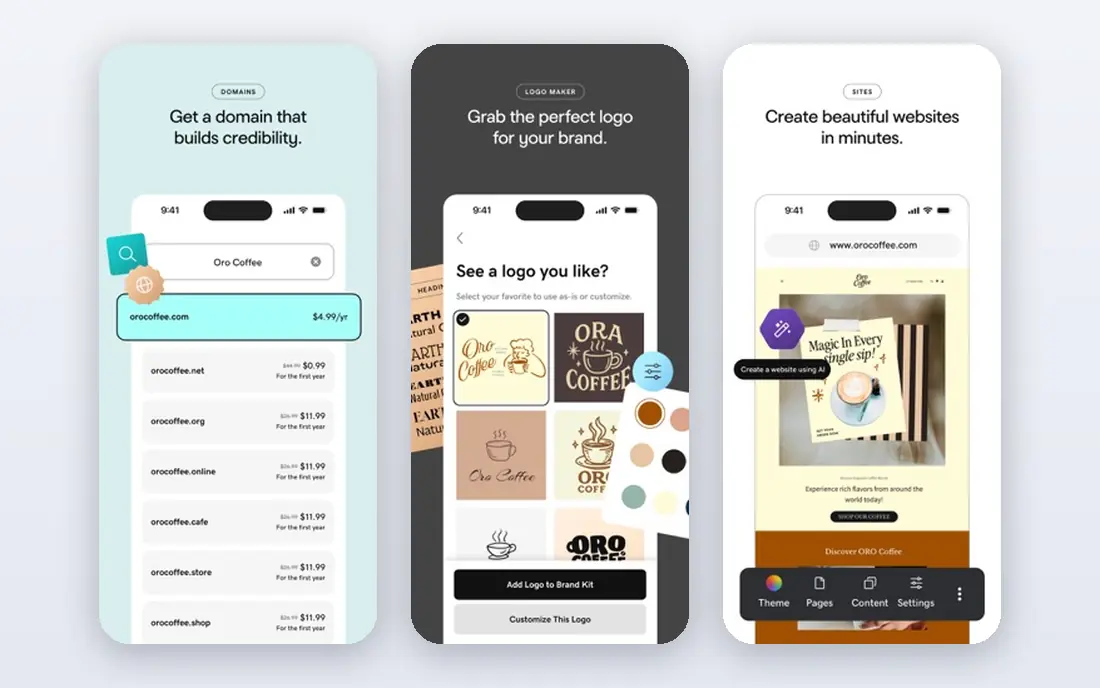
GoDaddy offers both a builder for owners and a done for you website service where its team builds the site, plus domain, hosting and support in one account. That choice suits owners who want help getting live quickly but may later take over updates themselves. Phone support helps owners who prefer talking to a person.
Pricing is where many readers get caught out, so look past the headline figure and check what the plan actually includes for your level of use. Seats, usage limits, add-ons and renewal terms can change the real monthly cost, and a cheaper plan that lacks one feature you need is not a saving. If a free tier or trial is offered, use it for real work before paying, and confirm how cancellation works while you still have time to change your mind.
Design depth varies by service tier, and checkout can present add-ons that raise the price. Review the service scope, revision terms and renewal prices before signing, and confirm who owns the content.
- Builder plus done for you services
- Domain and hosting
- Support
- Design depth varies
- Upsells need checking
Web.com
Ideal for: owners who want a managed website
Web.com offers done for you website design, hosting and marketing add-ons for small businesses, with a team that builds and maintains the site. That suits owners who do not want to learn a builder and who prefer a managed service. Its packages can include local marketing and search optimisation.
Before you pay, check the limits that apply to your own use, including seats, storage, monthly usage and support hours. A plan that looks generous on the headline page can still cap the one feature you rely on most, so read the plan comparison page rather than the marketing summary. A trial or free tier is the safest way to test this, and it also shows whether support answers promptly when you need help.
Monthly service fees apply, and design revision terms need checking, since changes may be limited per month. Confirm the scope, revision allowance, contract length and who owns the domain and content.
- Done for you websites
- Hosting
- Marketing add-ons
- Monthly service fees
- Design revisions are limited
Hibu
Ideal for: owners who want website plus marketing
Hibu combines website design with local marketing, listings management, reviews and advertising for small businesses. That bundle suits owners who want one provider for visibility as well as a website, especially local service firms. Its team manages the site and campaigns on an ongoing basis.
The price on the headline page is only part of the cost, so check renewal pricing, per-seat charges and any paid add-ons before you commit. Free tiers help for light use, but they often cap the features that matter once work grows, and trials end on a fixed date whether you have finished testing or not. Set a reminder before a trial ends, and confirm cancellation steps in advance so you are not locked into a plan you no longer need.
Monthly fees apply, and packages vary, so compare what is included in website, listings and advertising separately. Ask for reporting on leads and calls, and confirm contract terms and ownership of the site and listings.
- Website plus local marketing
- Listings
- Advertising
- Monthly fees
- Packages need careful comparison
Duda
Ideal for: owners who work with a designer
Duda is a platform used by designers and agencies to build fast, mobile friendly sites for small business clients, with client management and feedback tools. An owner working with a Duda designer benefits from a streamlined build and handover. Sites are modern by default and load quickly.
Pricing is where many readers get caught out, so look past the headline figure and check what the plan actually includes for your level of use. Seats, usage limits, add-ons and renewal terms can change the real monthly cost, and a cheaper plan that lacks one feature you need is not a saving. If a free tier or trial is offered, use it for real work before paying, and confirm how cancellation works while you still have time to change your mind.
Duda is less familiar to owners directly, so you will usually work through a designer or agency rather than building alone. Agree ownership, update responsibility and ongoing costs in writing before the build starts.
- Designer friendly platform
- Client tools
- Fast sites
- Less familiar to owners
- Needs a designer partner
Webflow
Ideal for: owners who want a distinctive designer site
Webflow gives designers precise visual control and a content system, producing distinctive sites that do not look like templates. An owner who hires a Webflow designer gets a custom site with hosting included. That suits brands where design quality is a competitive advantage.
Before you pay, check the limits that apply to your own use, including seats, storage, monthly usage and support hours. A plan that looks generous on the headline page can still cap the one feature you rely on most, so read the plan comparison page rather than the marketing summary. A trial or free tier is the safest way to test this, and it also shows whether support answers promptly when you need help.
It needs designer skill, so an owner building alone faces a learning curve. If you hire a designer, confirm who maintains the site, how content updates work, and what happens if you change designer.
- Precise design control
- CMS
- Professional results
- Needs designer skill
- Learning curve for owners
How we picked these
We compared official feature pages, pricing pages, app store listings, privacy policies and public reviews for each option in this guide. We kept only products that exist and work in October 2026 and that fit the topic directly, and we checked that each official homepage loads and belongs to the product named. Prices and free tiers are taken from the vendor site where we could verify them, and we wrote See website where a price could not be confirmed, rather than guessing. Our pick in each guide reflects fit for ordinary readers, not a claim of hands-on testing, and we note the honest limits of each option alongside its strengths.
How to choose a website company for a small business
Decide first whether you want to build the site yourself or pay a team to build and manage it. A builder suits owners who update often and want control, while a done for you service suits owners who want to focus on running the business. Compare total yearly cost, including domain, hosting, service fees and marketing, rather than only the setup price.
Check design examples for businesses like yours, revision terms, ownership of domain and content, and how updates are handled. Ask who answers support questions and how quickly, and get the scope in writing before paying. A website company that reports on calls, bookings or sales, not just traffic, is easier to judge over time.
Frequently asked questions
What is the best website company for a small business?
Wix and Squarespace suit DIY owners, GoDaddy and Web.com suit done for you sites, and Hibu suits website plus marketing. Duda and Webflow suit owners who work with a designer. Choose by whether you want control or a managed service.
Should I build my own website or hire a company?
Build it yourself if you update often, have time to learn a builder, and want low cost control. Hire a company if design quality, speed and ongoing management matter more than cost, or if you lack time. Many owners start with a builder and hire help later.
How much does a small business website cost?
Builder plans are monthly plus domain and apps, while done for you services add a setup and monthly management fee. Compare the yearly total, including renewal pricing and marketing add-ons, rather than only the first month offer.
Who owns my website if a company builds it?
Ownership varies, so confirm in writing who owns the domain, content, design files and data before signing. Keep the domain in your name where possible, and ask how you can take over the site if you change provider.
Do I need marketing with my website?
A website alone does not bring visitors, so local listings, search optimisation, reviews and advertising matter for many small businesses. Hibu and similar providers bundle marketing, while builder owners can add those services separately. Measure leads and calls, not just visits.