Best Website Monitoring Tool in 2026: 8 Options Compared

- 1
 DatadogFull observability including website monitoringVisit
- 2
 PingdomFocused uptime and performance monitoringVisit
- 3
 UptimeRobotFree basic uptime monitoringVisit
- 4
 StatusCakeAffordable uptime plus status pagesVisit
- 5
 Better StackModern uptime monitoring with status pagesVisit
- Datadog and Pingdom lead for uptime and performance monitoring.
- UptimeRobot suits small sites that want free basic monitoring.
- StatusCake and Better Stack offer affordable uptime plus status pages.
- Check check frequency, locations, and alert options before choosing.
Quick comparison
| Product | Ideal for | Price from | Free version | |
|---|---|---|---|---|
| Datadog | Full observability including website monitoring | See website | Free trial | Visit |
| Pingdom | Focused uptime and performance monitoring | See website | Free trial | Visit |
| UptimeRobot | Free basic uptime monitoring | Free | Yes | Visit |
| StatusCake | Affordable uptime plus status pages | See website | Yes | Visit |
| Better Stack | Modern uptime monitoring with status pages | See website | Free trial | Visit |
 Site24x7 | Broad monitoring including websites | See website | Free trial | Visit |
 Freshping | Simple uptime monitoring from Freshworks | See website | Yes | Visit |
 Oh Dear | Monitoring for developers and agencies | See website | Free trial | Visit |
The best best website monitoring tool
Website monitoring tools check uptime, speed, and errors, then alert you before visitors complain. The tools below range from free uptime checkers to full observability platforms.
Datadog
Ideal for: Full observability including website monitoring
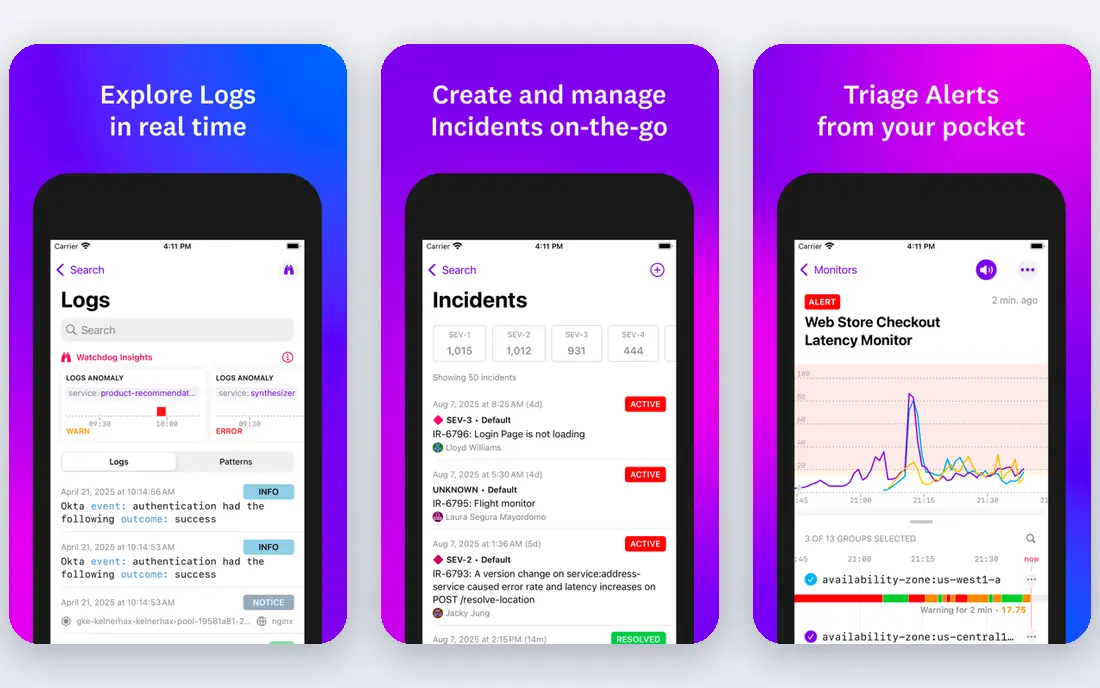
Datadog offers synthetic website monitoring inside a full observability platform, with dashboards, alerting, and deep infrastructure data. It suits teams that already monitor servers and apps. The synthetic checks cover uptime and transactions.
Pricing scales with usage, and complexity may overwhelm small sites. For full observability, Datadog is our pick.
- Full observability
- Synthetic monitoring
- Alerting and dashboards
- Pricing scales with usage
- Complexity for small sites
Pingdom
Ideal for: Focused uptime and performance monitoring
Pingdom, from SolarWinds, focuses on uptime and page speed monitoring from global locations, with clear alerting. It suits teams that want reliable website monitoring without full observability complexity. Reports are easy to read.
Pricing scales with checks, and transaction monitoring costs more. For focused monitoring, Pingdom is a strong choice.
- Uptime and page speed checks
- Global locations
- Alerting
- Pricing per check
- Transaction monitoring costs more
UptimeRobot
Ideal for: Free basic uptime monitoring
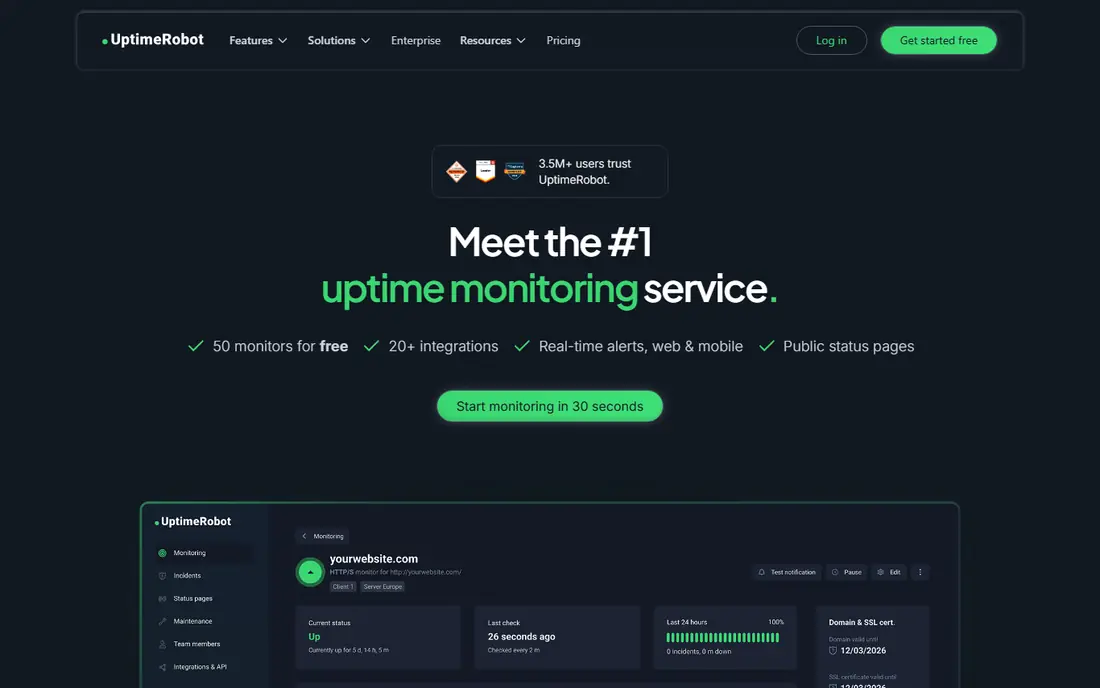
UptimeRobot offers free uptime monitoring for many monitors with simple setup and alerting. It suits small sites and hobby projects that need basic coverage. The free tier is generous.
Free checks run every five minutes, and advanced features need paid plans. For free basic monitoring, UptimeRobot is the standard.
- Free tier with many monitors
- Simple setup
- Alerting
- Free checks are every five minutes
- Advanced features cost more
StatusCake
Ideal for: Affordable uptime plus status pages
StatusCake offers affordable uptime monitoring with status pages, speed checks, and alerting. It suits small businesses that want monitoring plus customer updates. The free tier covers basics.
Advanced analytics are thinner than Datadog, and the interface is simpler. For affordable monitoring with status pages, StatusCake is good.
- Affordable plans
- Status pages
- Uptime and speed checks
- Advanced analytics are thinner
- Interface is simpler
Better Stack
Ideal for: Modern uptime monitoring with status pages
Better Stack offers modern uptime monitoring with status pages, incident management, and a clean interface. It suits teams that want a fresh, affordable monitoring tool. Setup is quick.
Pricing scales with monitors, and it is newer than Pingdom. For modern monitoring, Better Stack is a strong pick.
- Modern interface
- Status pages
- Incident management
- Pricing scales with monitors
- Newer than Pingdom
Site24x7
Ideal for: Broad monitoring including websites
Site24x7 covers website, server, network, and cloud monitoring from global locations, with alerting and reporting. It suits IT teams that want broad coverage in one tool. The feature range is wide.
Pricing scales with monitors, and the interface is dense. For broad IT monitoring, Site24x7 is capable.
- Broad monitoring coverage
- Global locations
- Alerting
- Pricing scales
- Interface is dense
Freshping
Ideal for: Simple uptime monitoring from Freshworks
Freshping, from Freshworks, offers simple website monitoring with status pages and alerting. It suits Freshworks users and small teams that want easy uptime checks. Setup takes minutes.
Feature depth is limited compared with Pingdom, and check intervals vary by plan. For simple monitoring, Freshping is easy.
- Simple setup
- Status pages
- Freshworks integration
- Feature depth is limited
- Check intervals vary
Oh Dear
Ideal for: Monitoring for developers and agencies
Oh Dear monitors uptime, speed, broken links, and certificates, with status pages and simple pricing. It suits developers and agencies managing many sites. The interface is clean.
It is a smaller vendor with a focused feature range. For developer friendly monitoring, Oh Dear is a good choice.
- Uptime, speed, and certificate checks
- Status pages
- Simple pricing
- Smaller vendor
- Feature range is focused
How we picked these
We compared official feature pages, pricing, and documentation for each tool, checking check types, intervals, locations, and alert channels. We favored tools that state their check intervals and locations plainly. We did not claim hands-on testing; our comparison rests on published features and public reviews.
We also checked whether each option is still offered and supported, and we left out products with unclear pricing, broken pages, or a poor fit for the topic. Where a price or free tier could not be confirmed from the vendor site, we wrote See website rather than guessing. Readers should still check the vendor page before buying, since prices and plans change.
How to choose a website monitoring tool
Start with what you need to catch. Simple uptime checks suit brochure sites, while transaction monitoring suits stores and SaaS apps where a broken checkout costs money. Match check types to the failures that hurt you most.
Check frequency and locations. More frequent checks catch short outages, and checks from multiple locations distinguish a real outage from a regional issue. Free plans often check every five minutes, while paid plans check every 30 seconds or faster.
Test alerts before an outage. Alerts should reach you by email, SMS, or chat tools such as Slack, with escalation if no one responds. A monitoring tool that alerts too often gets ignored, so tune thresholds during setup.
Add a status page if visitors need updates. Tools such as Better Stack and StatusCake include status pages that keep customers informed during outages. A clear status page reduces support tickets during incidents.
Before you pay, confirm the total cost for the first year, including any add ons, renewal prices, and fees that only appear at checkout. A low starting price can hide a higher renewal rate, and a free tier can limit the feature you need most. Write down the features you will use weekly, and pay only for those.
After you choose, give the option a fair trial with your real workload, not just a quick tour. Set a reminder to review it after two to four weeks, and note what worked, what annoyed you, and what you never used. That review tells you whether to keep, upgrade, or switch before a renewal locks you in.
If the option disappoints, switch sooner rather than later. Export your data first, check whether you can keep your account history or settings, and confirm any cancellation terms. A good provider makes leaving straightforward, and a difficult exit is itself useful information about the service.
Talk to people who already use the option before you commit, especially for a business purchase. A short conversation with a current user reveals support quality, setup effort, and daily friction that marketing pages omit. Ask what surprised them after the first month, since early impressions often differ from longer use.
Keep a simple record of why you chose the option, including the price you were quoted and the features that mattered. That note makes renewal talks easier and helps a colleague or future you understand the decision. If the price rises or a key feature changes, the note shows whether the original reasons still hold.
Finally, plan the first week of use before you pay. List the setup steps, the data you need to move, and the people who need access. A clear first week plan turns a promising choice into a working routine, and it exposes missing features while you can still change your mind.
Save the vendor support page and the cancellation instructions in the same place as your receipt. When something goes wrong, you will want support details at hand rather than searching for them under pressure. A tidy record saves time and keeps a small problem from becoming a long one.
Keep notes on the first month of use, including any issues and how support handled them. Those notes give you clear evidence if you need a refund, an upgrade, or a switch, and they help you advise a friend or colleague who asks about the same choice later.
Frequently asked questions
What is the best website monitoring tool?
Datadog is our pick for full observability, while Pingdom suits teams that want focused uptime and performance monitoring. UptimeRobot is best for free basic checks. Better Stack is a good affordable option with status pages.
What does website monitoring check?
It checks whether your site responds, how fast it loads, and whether key pages or transactions work. Some tools also monitor SSL certificates, domain expiry, and server resources. Alerts notify you when checks fail.
How often should monitoring check my site?
Every minute is a good baseline for business sites, with faster checks for critical services. Free plans often check every five minutes, which misses short outages. Balance check frequency against cost and alert noise.
Do I need monitoring for a small site?
Yes, even small sites benefit from free uptime checks, since downtime loses visitors and search visibility. UptimeRobot free covers basic needs. Larger sites should add performance and transaction monitoring.
What is the difference between uptime and performance monitoring?
Uptime monitoring checks whether a site responds at all, while performance monitoring measures speed and user experience, such as page load times. Both matter: a slow site can lose visitors even when it is technically up.
How often should I review my choice?
Review it at least once a year, and sooner if your needs, budget, or team size change. Prices, features, and policies shift over time, and a better fit may appear. A short yearly check, comparing your current option with two alternatives, keeps you from paying for features you no longer use.