Best Wedding Budget Apps in 2026: 9 Apps Compared

- Zola is our pick for most couples: its free tools include a budget tracker with allocation suggestions based on your total and automatic payment reminders.
- The Knot, WeddingWire, Bridebook and Wedsly are free wedding planners with budget tools built in, so you do not need to pay to track vendor costs.
- YNAB ($14.99 per month or $109 per year) and Goodbudget are general budgeting apps that fit couples who want to budget the whole household around the wedding.
- Honeydue is a free app for couples that tracks balances and monthly spending limits, which helps when wedding costs sit next to everyday bills.
- This is general information, not financial advice. Set a total you can afford without borrowing and track every deposit.
Quick comparison
| Product | Ideal for | Price from | Free version | |
|---|---|---|---|---|
 Zola | A free budget tracker with reminders | Free | Yes | Visit |
 The Knot | An all-in-one planner with a huge user base | Free | Yes | Visit |
 WeddingWire | Budget plus vendor search and reviews | Free | Yes | Visit |
 Bridebook | A guided budget breakdown | Free | Yes | Visit |
 Wedsly | An ad-free planner with unlimited budget items | Free | Yes | Visit |
 MyWed | Syncing a budget and vendors with your partner | See website | Yes | Visit |
 Goodbudget | Envelope budgeting for wedding savings | See website | Yes | Visit |
 Honeydue | Couples sharing everyday money and limits | Free | Yes | Visit |
 YNAB | Planning every dollar around the wedding | $14.99 per month | Free trial (34 days) | Visit |
The best wedding budget apps
A wedding budget app does two jobs: it keeps vendor costs and deposits in one place, and it shows how much you have left. Some are wedding planners with a budget tab, while others are general money apps that handle the wedding as one big goal.
Zola
Ideal for: A free budget tracker with reminders

Zola is a full wedding planning platform, and its budget tool is one of the easier ones to start with. The App Store listing says you can skip the spreadsheet, track expenses in one place, get allocation suggestions based on your overall budget and receive automatic payment reminders.
Around the budget it adds a guest list with RSVP tracking, a seating chart you can export as a PDF, a wedding website and a registry with zero-fee cash funds. The listing describes its tools as free, and the iOS app has a 4.9 rating from more than 98,000 ratings.
Expect to pay for printed invitations and similar paper goods, since those are products. The planning tools themselves are the draw, and the budget tracker is a good place to begin.
- Budget tracker with allocation suggestions
- Automatic payment reminders
- Seating chart and guest list in the same app
- Invitations and paper are sold separately
- Built for weddings only
The Knot
Ideal for: An all-in-one planner with a huge user base
The Knot is the best-known wedding planning app, with a 4.9 rating from more than 220,000 ratings on the App Store. Its listing calls it a 100% free planner and lists a countdown, registry, guest list and RSVPs, venue and vendor search, invitations, a seating chart and budget tools.
It also lists a Peace of Mind program: if an eligible vendor cancels close to your wedding date, The Knot says its support team helps you rebook and covers up to $500 of any price difference. That is a vendor protection program, not a budget feature, but it matters if you are putting down deposits.
The trade-off is that the app wants you to browse vendors and products. If you only want a clean budget list, a simpler tool may feel calmer.
- Free planner with budget, seating chart and guest list
- Local vendor search and messaging
- Very large user base on the App Store
- Heavy focus on vendors and shopping
- Budget tools are one part of a large app
WeddingWire
Ideal for: Budget plus vendor search and reviews
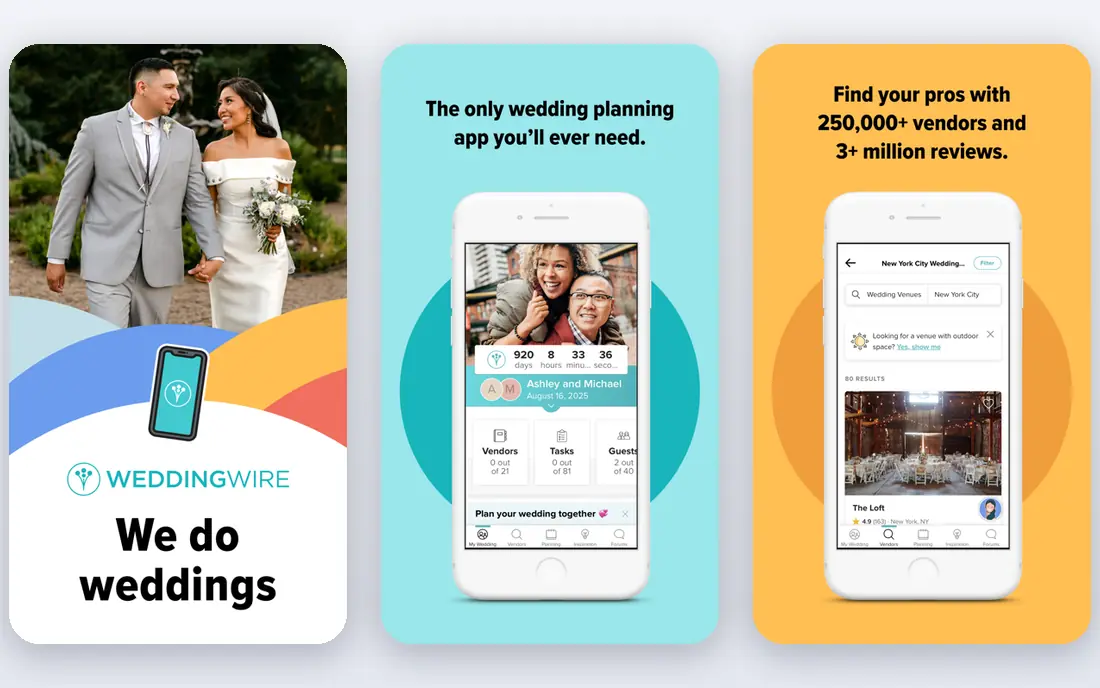
Wedding Planner by WeddingWire is another free, all-in-one option. Its listing describes a budget where you keep track of how much you are spending on your venue, wedding dress, flowers, caterer and cake, alongside a checklist built from your wedding date and a guest list with meal selections.
What sets it apart is the vendor side. The listing claims more than 250,000 local wedding professionals and over 3 million reviews, plus 360-degree virtual venue tours. That can help you compare vendor prices before you enter them in your budget.
It has a 4.8 rating from about 46,000 App Store ratings. As with The Knot, the budget feature exists to support a larger planning platform, so it is simpler than a dedicated finance app.
- Free app with a budget for venue, dress, flowers and more
- Search of over 250,000 local pros with 3 million reviews
- Checklist, guest list and registry in one place
- Budget is one tool among many
- Vendor search and shopping take up much of the app
Bridebook
Ideal for: A guided budget breakdown

Bridebook calls itself a free online wedding planner. Its App Store listing says you get a budget breakdown for your wedding and can track spending with its Budget Planner, as well as manage a checklist and guest list with RSVPs, plus-ones and dietary needs.
A Collaborator feature links your account with your partner so you plan together. The listing also mentions a venue search that covers destinations around the world, which helps if your wedding is abroad.
The iOS app shows a 4.7 rating but only about 229 ratings, far fewer than the big US planners. The homepage lists the United States among the places you can plan a wedding, though we could not confirm detailed US coverage from the page.
- Free planner with budget, checklist and guest list
- Link your account with your partner
- Searches venues around the world
- Few ratings in the US App Store
- US coverage not detailed on its homepage
Wedsly
Ideal for: An ad-free planner with unlimited budget items

Wedsly's homepage says the app is completely free to download and use on iOS and Android, and describes it as free and ad-free. The budget tool gives an overview of paid expenses, planned costs and the remaining amount.
The App Store listing says the free plan includes unlimited budget items, checklists and guests, plus chat and gift registry features. A premium wedding plan adds party-planning features for guests, such as bachelor and bachelorette organizing.
It shows a 4.6 rating from about 207 ratings. This is the pick if you dislike ads and just want a tidy checklist, guest list and budget.
- Completely free and ad-free, per its site
- Budget shows paid expenses, planned costs and what remains
- IOS and Android
- Small rating base
- Its listing mentions no vendor directory
MyWed
Ideal for: Syncing a budget and vendors with your partner

MyWed is a wedding planner that treats the budget as a running list of payments. The App Store listing says you can control all expenses and always understand when and what you have to pay, and you can add vendors, link them to expenses and track payments from the app.
Data syncs across devices and you can invite your partner, with reminders for upcoming tasks, payments and events. The listing says the app has been translated into 11 languages and claims it is used by more than 3 million couples, which is the company's own figure.
The app has a 4.9 rating from about 340 ratings. The listing is free to download, but we could not confirm what any paid features cost, so check the site before relying on it.
- Budget, vendors and guest list sync across devices
- Link vendors to expenses and track payments
- Available in 11 languages
- Premium pricing not stated in the listing
- Fewer ratings than the big planners
Goodbudget
Ideal for: Envelope budgeting for wedding savings

Goodbudget uses envelope budgeting, the digital version of splitting cash into labeled envelopes. For a wedding, that means one envelope for the venue, one for catering, one for photography, and so on, with a monthly amount going into each.
The App Store listing says the ad-free free version includes 10 regular and 10 annual envelopes, and that your budget can be shared across phones and the web. Subscribers get unlimited envelopes and accounts, automatic bank sync, five devices for sharing and seven years of history. We could not confirm the subscription price from a page we could open.
It has a 4.6 rating from about 13,500 ratings. Choose it if you want to save toward the wedding month by month rather than just record vendor quotes.
- Free version has 10 regular and 10 annual envelopes
- Shared budgets across devices and the web
- Ad-free
- Free plan has a limited envelope count
- Not wedding-specific
Honeydue
Ideal for: Couples sharing everyday money and limits

Honeydue is a money app for couples rather than a wedding planner. Its listing says you can see account balances in one place, set monthly household spending limits on each category, get bill reminders and split expenses.
That matters if you want to keep wedding spending from crowding out rent, groceries and other bills. You decide how much of your finances your partner can see. The App Store listing also mentions encryption in storage and in transit, passcode and multi-factor authentication.
It supports most banks in the US and shows a 4.5 rating from about 10,000 ratings. Because it links bank accounts, it fits couples comfortable with that. Use a wedding planner alongside it for vendor details.
- Free per its App Store listing
- Choose how much you share with your partner
- Spending limits and bill reminders
- Built around linking bank accounts
- Not a wedding-specific vendor tracker
YNAB
Ideal for: Planning every dollar around the wedding
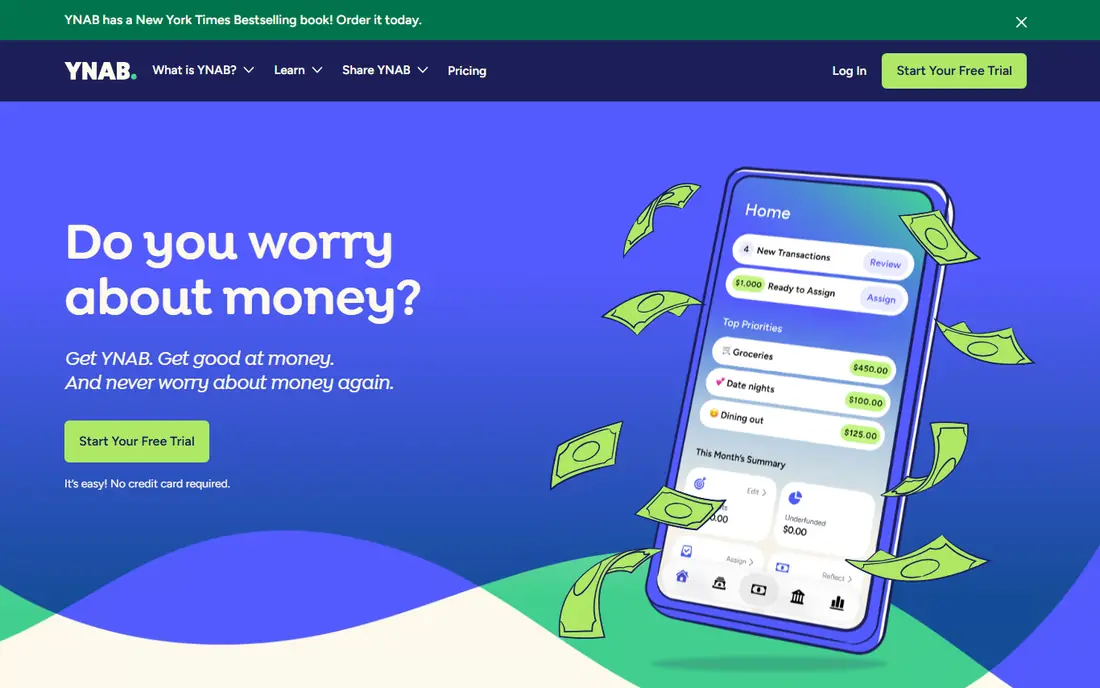
YNAB is the only app here that charges for the core product from the start. The pricing page lists $14.99 per month or $109 per year, a 34-day free trial with no credit card needed when you sign up directly, and a free 365-day trial for college students with proof of enrollment.
The App Store listing says one subscription lets you create and share unlimited plans with up to six people, with real-time updates across devices. It can import transactions from linked accounts or take manual entries, and the Loan Planner calculates payoff time and interest saved.
For a wedding, YNAB works if you want the wedding to sit inside your whole financial plan, including savings and debt. It is more than you need if you only want a vendor checklist.
- Share plans with up to six people on one subscription
- Loan Planner for debt payoff
- Transactions can import automatically
- Paid only after the trial
- Setup takes effort
How we picked these
We compared each app's official site, pricing page and App Store listing, and we did not claim hands-on testing. We looked for a budget feature that tracks planned and paid amounts, whether a partner can share the plan, how much the free version includes, and what a paid plan costs when the company states it.
We mixed wedding planners with budget apps, and we marked prices as See website where we could not verify them.
How to set up a wedding budget that holds
An app only helps if the numbers behind it are realistic.
Start from a total you can afford
Decide a total first, ideally from savings and contributions you already have. This is general information, not financial advice, and the app cannot tell you how much to spend. Avoid planning to cover the gap with credit cards.
Track deposits and due dates
Vendors usually take deposits and final payments on different dates. Pick an app that records both paid and planned amounts, as Zola, Wedsly and MyWed describe, so you see cash flow and not just the total.
Share the app with your partner
If both of you pay for things, shared access prevents duplicate entries. Bridebook, MyWed, Goodbudget, Honeydue and YNAB all describe some form of sharing. Decide who owns each category.
Frequently asked questions
What is the best wedding budget app?
For a free wedding-focused option, we would start with Zola. For a broader money plan that includes savings and debt, YNAB is a paid alternative after its free trial.
Is there a free wedding budget app?
Yes. Zola, The Knot, WeddingWire, Bridebook and Wedsly are free to start, and Honeydue is free. Goodbudget has a free version with a limited number of envelopes.
How much should I spend on a wedding?
That depends on your finances and priorities, and no app can answer it for you. Set a total you can pay without taking on debt, then divide it among categories such as venue, catering and photography.
Can my partner and I use the same budget?
Most of these apps support it. Bridebook, MyWed, Wedsly, Goodbudget, Honeydue and YNAB all mention sharing or collaboration, so check each listing for how many people can join.
Do I need a wedding app if I already use a spreadsheet?
Not necessarily. Apps add payment reminders, vendor lists and shared access, which a spreadsheet only does if you build them.
Sources
- https://apps.apple.com/us/app/id852691916
- https://www.zola.com/
- https://apps.apple.com/us/app/id457941553
- https://apps.apple.com/us/app/id316565575
- https://www.bridebook.com/
- https://apps.apple.com/us/app/id1200853011
- https://wedsly.com/
- https://apps.apple.com/us/app/id1391129545
- https://apps.apple.com/us/app/id1475606210
- https://apps.apple.com/us/app/id471112395
- https://goodbudget.com/
- https://www.honeydue.com/
- https://apps.apple.com/us/app/id1157633945
- https://www.ynab.com/pricing
- https://apps.apple.com/us/app/id1010865877