Best wedding photo sharing app in 2026: 7 Options Compared

- 1
 Pix Weddingcouples who want no app QR uploadsVisit
- 2
 Guestpixcouples who want a polished private galleryVisit
- 3
 Kululucouples who want a live slideshowVisit
- 4
 WedUploadercouples who want Drive storageVisit
- 5
 Joycouples who want a website plus albumVisit
- Pix Wedding, Guestpix and Kululu suit couples who want QR uploads with no app for guests.
- WedUploader suits couples who want uploads saved straight to their own Google Drive.
- Joy suits couples who want a wedding website plus a photo album in one place.
- WedShoots and Google Photos suit couples who want a free option and accept trade offs.
Quick comparison
| Product | Ideal for | Price from | Free version | |
|---|---|---|---|---|
| Pix Wedding | couples who want no app QR uploads | See website | Yes | Visit |
| Guestpix | couples who want a polished private gallery | See website | Yes | Visit |
| Kululu | couples who want a live slideshow | See website | Yes | Visit |
| WedUploader | couples who want Drive storage | See website | Yes | Visit |
| Joy | couples who want a website plus album | See website | Yes | Visit |
 WedShoots | couples who want a free app album | See website | Yes | Visit |
 Google Photos | couples who want a free DIY album | See website | Yes | Visit |
The best wedding photo sharing app
Guest photos capture moments the professional photographer misses, but only if guests can upload easily. We compared official app pages, pricing pages and public reviews, focusing on guest friction, photo quality, privacy, download options and price. The best app for most couples is the one guests actually use, which usually means a QR code and a browser upload with no account.
Pix Wedding
Ideal for: couples who want no app QR uploads
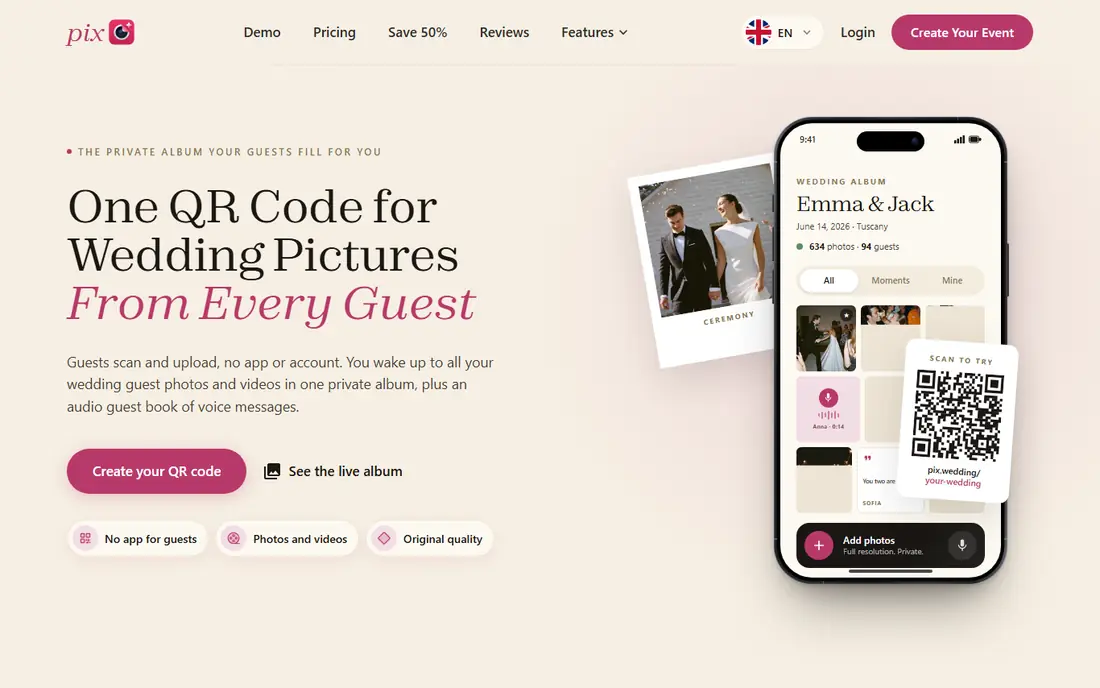
Pix Wedding is a browser based guest photo service where guests scan a QR code and upload photos and videos with no app and no account. Paid plans add a live wall for the reception and ZIP downloads for the full collection. Its free start, with a capped number of guest uploads and no card required, lets couples test the flow before paying.
Before you pay, check the limits that apply to your own use, including seats, storage, monthly usage and support hours. A plan that looks generous on the headline page can still cap the one feature you rely on most, so read the plan comparison page rather than the marketing summary. A trial or free tier is the safest way to test this, and it also shows whether support answers promptly when you need help.
The free tier caps uploads, so a large wedding needs a paid plan, and storage windows vary by plan. Check the upload limit, download window and video handling for your guest count before the day.
- No app for guests
- Live wall options
- ZIP downloads
- Free tier caps uploads
- Paid plans for full events
Guestpix
Ideal for: couples who want a polished private gallery

Guestpix is a long running wedding photo service where guests scan a QR code and upload photos, videos and guestbook messages with no app. Its dashboard is polished, with a private gallery, slideshow options and download tools for the couple. That combination suits couples who want a complete guest gallery rather than a simple upload link.
The price on the headline page is only part of the cost, so check renewal pricing, per-seat charges and any paid add-ons before you commit. Free tiers help for light use, but they often cap the features that matter once work grows, and trials end on a fixed date whether you have finished testing or not. Set a reminder before a trial ends, and confirm cancellation steps in advance so you are not locked into a plan you no longer need.
Full events need a paid package, since the demo tier is limited in photos and upload window. Compare packages by guest count, storage duration and video limits, and test the guest flow on both iPhone and Android.
- QR uploads
- Guestbook
- Polished dashboard
- Paid packages for full events
- Demo is limited
Kululu
Ideal for: couples who want a live slideshow
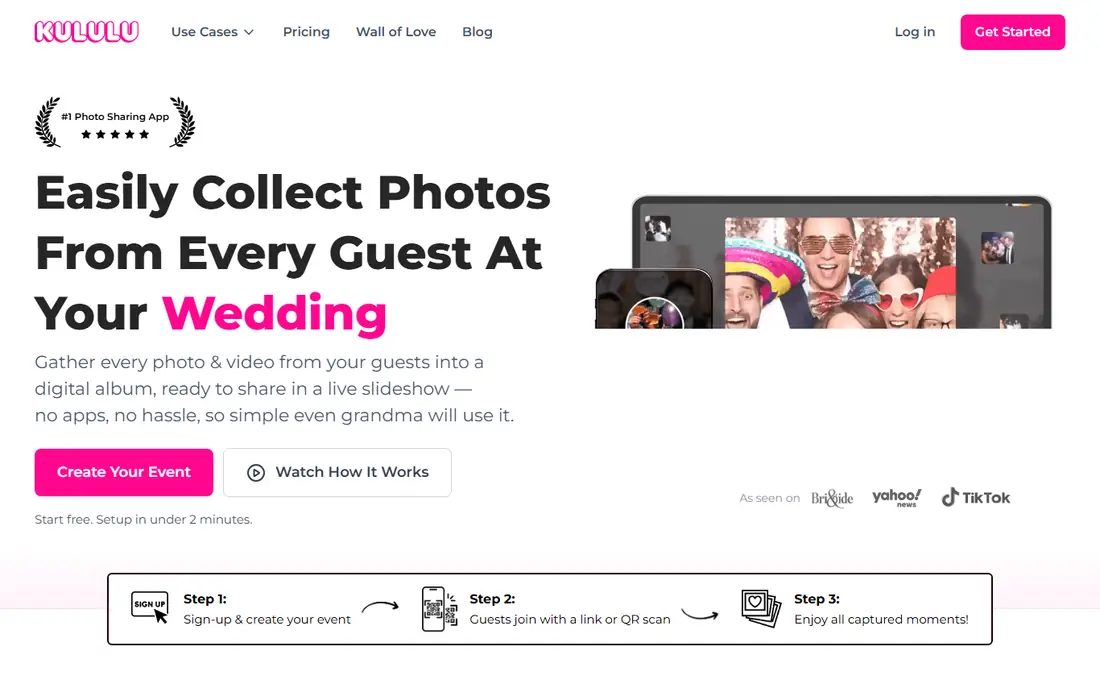
Kululu offers QR code uploads with no app for guests, plus a live slideshow that can run at the reception as photos arrive. Its setup is simple, with a free start and paid tiers for larger events. That live element suits couples who want guests to see their photos during the party, not only after it.
Pricing is where many readers get caught out, so look past the headline figure and check what the plan actually includes for your level of use. Seats, usage limits, add-ons and renewal terms can change the real monthly cost, and a cheaper plan that lacks one feature you need is not a saving. If a free tier or trial is offered, use it for real work before paying, and confirm how cancellation works while you still have time to change your mind.
Extended storage can add cost beyond the base plan, so check how long the gallery stays online. Confirm video limits and download options for your guest count before choosing a tier.
- QR uploads
- Live slideshow
- Simple setup
- Extended storage can cost extra
- Plans vary
WedUploader
Ideal for: couples who want Drive storage
WedUploader saves guest uploads straight into the couple own Google Drive, which suits couples who want to own the files in a familiar place. Its basic plan is free with no expiry, while premium plans add features such as a live wall. That Drive model avoids a separate gallery that disappears after a short window.
Before you pay, check the limits that apply to your own use, including seats, storage, monthly usage and support hours. A plan that looks generous on the headline page can still cap the one feature you rely on most, so read the plan comparison page rather than the marketing summary. A trial or free tier is the safest way to test this, and it also shows whether support answers promptly when you need help.
Setup needs a Google Drive connection, and slideshow and guestbook features are thinner than at gallery focused rivals. Check Drive storage space for a large wedding, and test uploads from a guest phone before the day.
- Saves to your Google Drive
- Free basic plan
- No expiry on basic
- Drive setup needed
- Fewer slideshow features
Joy
Ideal for: couples who want a website plus album
Joy combines a wedding website, registry and photo album in one free platform, with a guest photo feature capped at a set number of photos. Couples who already use Joy for invitations and RSVPs benefit from keeping everything in one place. Its website tools cover schedules, travel and registry in a single link for guests.
The price on the headline page is only part of the cost, so check renewal pricing, per-seat charges and any paid add-ons before you commit. Free tiers help for light use, but they often cap the features that matter once work grows, and trials end on a fixed date whether you have finished testing or not. Set a reminder before a trial ends, and confirm cancellation steps in advance so you are not locked into a plan you no longer need.
The photo cap means very large guest collections may need another tool alongside Joy, and some features are app based. Check the current photo limit against your guest count, and download the album promptly after the wedding.
- Wedding website
- Photo album
- Registry tools
- Photo cap applies
- App based elements
WedShoots
Ideal for: couples who want a free app album
WedShoots, linked to WeddingWire, offers a free shared album where guests install the app, join with an album code and upload photos. That free model suits couples on a tight budget who do not mind asking guests to install an app. The album stays accessible for guests to view after the event.
Pricing is where many readers get caught out, so look past the headline figure and check what the plan actually includes for your level of use. Seats, usage limits, add-ons and renewal terms can change the real monthly cost, and a cheaper plan that lacks one feature you need is not a saving. If a free tier or trial is offered, use it for real work before paying, and confirm how cancellation works while you still have time to change your mind.
Requiring an app install reduces participation compared with QR browser tools, since some guests will not install a new app at a wedding. Put the album code on table cards and in the invitation, and remind guests early in the evening.
- Free to use
- Shared album
- WeddingWire link
- Guests must install the app
- Fewer gallery features
Google Photos
Ideal for: couples who want a free DIY album
Google Photos lets couples create a shared album that guests with a Google account can add to, with free storage up to the account limit. It suits couples who want a no cost DIY option and who are happy to manage the album themselves. Photos stay in a familiar app that many guests already use.
Before you pay, check the limits that apply to your own use, including seats, storage, monthly usage and support hours. A plan that looks generous on the headline page can still cap the one feature you rely on most, so read the plan comparison page rather than the marketing summary. A trial or free tier is the safest way to test this, and it also shows whether support answers promptly when you need help.
Guests without a Google account cannot easily contribute, which is the main source of drop off, and the couple must manage permissions and downloads. Share the album link early, check storage space, and download originals before the album fills.
- Free within storage
- Shared albums
- Familiar app
- Guests need a Google account
- Management falls on the couple
How we picked these
We compared official feature pages, pricing pages, app store listings, privacy policies and public reviews for each option in this guide. We kept only products that exist and work in October 2026 and that fit the topic directly, and we checked that each official homepage loads and belongs to the product named. Prices and free tiers are taken from the vendor site where we could verify them, and we wrote See website where a price could not be confirmed, rather than guessing. Our pick in each guide reflects fit for ordinary readers, not a claim of hands-on testing, and we note the honest limits of each option alongside its strengths.
How to choose a wedding photo sharing app
Choose by guest friction first: a QR code that opens a browser upload page will collect far more photos than an app guests must install. Test the flow on a guest phone, including video uploads, and check whether original quality is kept. Put the QR code on table cards, the invitation and the wedding website, and announce it during the reception.
Compare total cost, upload limits, storage duration and download options for your guest count, not just the headline price. Check privacy settings, so only guests with the link can view and upload, and confirm you can download everything as a ZIP after the event. Download promptly, back up to two places, and share a highlights album with guests who contributed.
Frequently asked questions
What is the best wedding photo sharing app?
Pix Wedding, Guestpix and Kululu suit most couples who want QR uploads with no app for guests. WedUploader suits Drive storage, Joy suits a website plus album, and WedShoots and Google Photos suit free DIY options. Choose by guest friction and guest count.
Do guests need to download an app to share wedding photos?
Not with QR browser tools such as Pix Wedding, Guestpix, Kululu and WedUploader, where guests scan and upload from the phone browser. WedShoots and some album apps do require an install, which usually lowers participation. Browser tools are the safer pick for a large guest list.
How many photos will guests upload?
A typical wedding can generate hundreds to a few thousand guest photos, depending on guest count and how well the QR code is promoted. Choose a plan with an upload limit above your expected count, and announce the system during the reception to boost participation.
Are wedding photo apps private?
Most dedicated apps offer private galleries where only guests with the link or code can view and upload. Check privacy settings, avoid public links on social media, and confirm who can download the full collection. Google Photos shared albums also need careful permission settings.
How do I download all guest photos after the wedding?
Most paid wedding apps offer a ZIP download of the full gallery, while Google Photos and Drive options let you download the album directly. Download promptly before any storage window ends, back up to two places, and keep originals as well as edited highlights.