Best Writing Assistant Software in 2026: 8 Tools Compared

- Grammarly suits most writers, with a free tier and a Pro plan at $12 per member per month billed annually.
- ProWritingAid and Hemingway help authors and editors tighten long-form work.
- Jasper and Sudowrite focus on drafting and creative writing with AI.
- QuillBot, Wordtune, and LanguageTool help with paraphrasing, rewriting, and multilingual grammar.
Quick comparison
| Product | Ideal for | Price from | Free version | |
|---|---|---|---|---|
 Grammarly | Everyday writing help | $12 per member per month | Yes | Visit |
 ProWritingAid | Long-form editing | See website | Free trial | Visit |
 Hemingway | Clear, readable prose | See website | Free trial | Visit |
 Jasper | Marketing drafting | See website | Free trial | Visit |
 QuillBot | Paraphrasing | See website | Yes | Visit |
 Wordtune | Rewriting sentences | See website | Free trial | Visit |
 LanguageTool | Multilingual grammar | See website | Yes | Visit |
 Sudowrite | Fiction writing | See website | Free trial | Visit |
The best writing assistant software
We compared official feature pages, pricing pages, and app-store listings for writing assistants available in October 2026. The list covers grammar checkers, style editors, paraphrasers, and AI drafting tools, since different writers need different help.
Grammarly
Ideal for: Everyday writing help
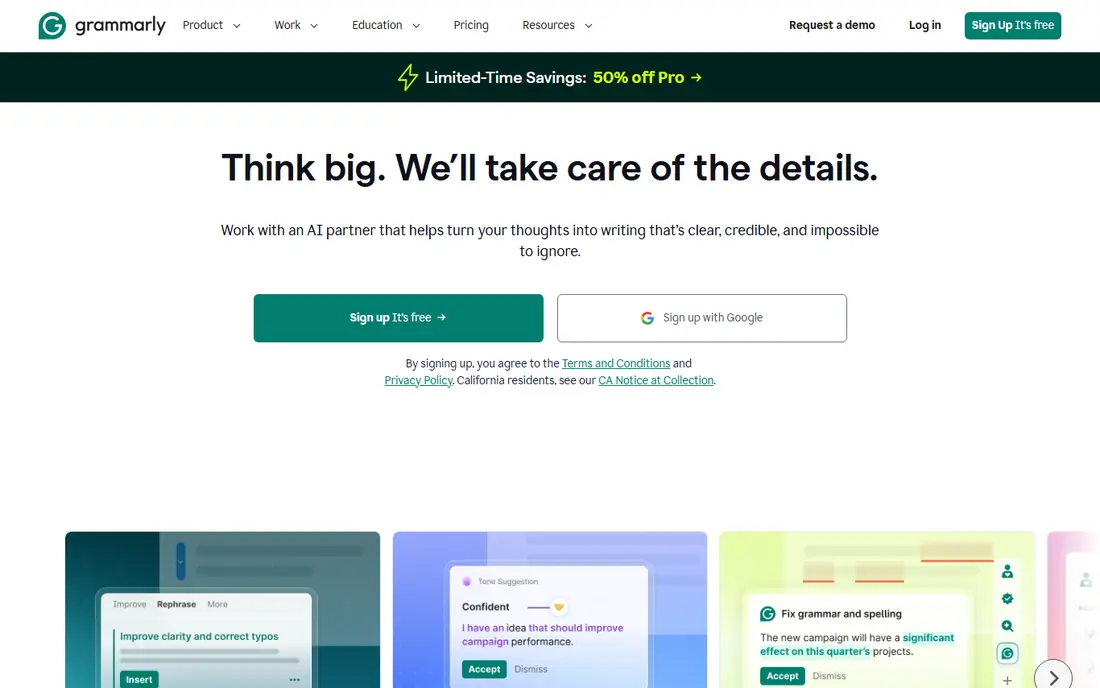
Grammarly is the most widely used writing assistant here. It checks grammar, spelling, punctuation, and clarity across browsers, Google Docs, Word, and email, with a free tier for basics and a Pro plan at $12 per member per month when billed annually, or $30 per member per month on monthly billing. Pro adds tone, clarity, and AI drafting and rewriting help.
The free tier does not include the deeper AI features, and monthly billing is notably higher than annual. For everyday writing across many apps, Grammarly's coverage and reliability make it the default pick for most people.
- Works across browsers, docs, and email
- Free tier covers basics
- Pro at $12 per member per month billed annually
- Monthly billing costs $30 per member
- AI features need a paid plan
ProWritingAid
Ideal for: Long-form editing
ProWritingAid is an editing tool built for authors and long-form writers. It goes beyond grammar to report on sentence variety, overused words, pacing, dialogue, and readability, with integrations for Word, Google Docs, Scrivener, and browsers. Writers can run a full manuscript report or check as they write.
The number of reports can overwhelm a new user, and real-time checking on a long document can feel slower than Grammarly. For a novel, report, or thesis that needs a deep edit, ProWritingAid's depth is worth the learning time.
- Deep style and structure reports
- Works in Word, Scrivener, and browsers
- Good for authors
- Interface has many reports to learn
- Real-time checking can feel slow on long docs
Hemingway
Ideal for: Clear, readable prose
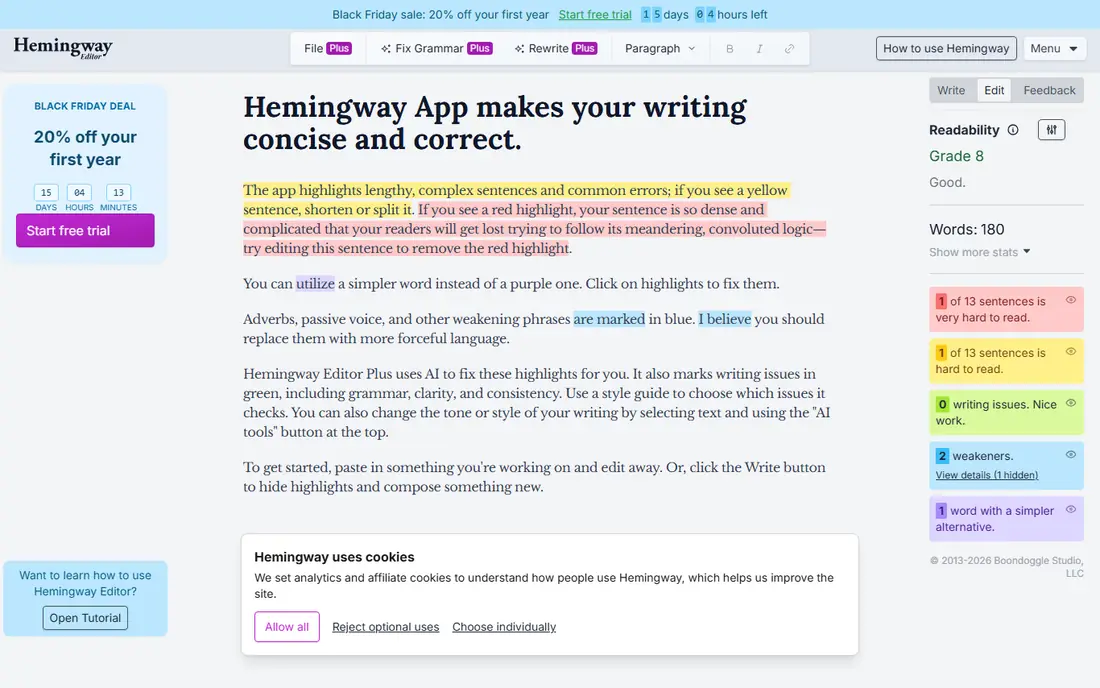
Hemingway Editor focuses on readability. It highlights long sentences, dense passages, adverbs, and passive voice, and grades a document's reading level. The interface is deliberately simple: paste text, see color-coded highlights, and rewrite. A desktop app supports offline editing.
Hemingway does not check grammar or spelling, so it works best alongside a grammar tool. For writers who want shorter, clearer sentences, it remains a fast and focused tool.
- Highlights dense sentences and passive voice
- Simple interface
- Desktop app available
- No grammar checking
- Limited AI features
Jasper
Ideal for: Marketing drafting
Jasper is an AI content platform for marketing teams. It offers templates for blog posts, ads, emails, and social copy, with brand voice controls so output matches a company's tone. Teams can collaborate on campaigns and use Jasper's AI to draft and refine marketing content at scale.
AI output still needs human editing for accuracy and tone, and Jasper costs more than a grammar checker. For a marketing team that produces a lot of copy, its templates and brand controls save real drafting time.
- Templates for marketing copy
- Brand voice controls
- Collaboration features
- Output needs editing
- Pricing is higher than simple grammar tools
QuillBot
Ideal for: Paraphrasing
QuillBot is best known for paraphrasing. It rewrites sentences in several modes, from standard to creative, and includes a grammar checker, summarizer, citation generator, and translator. The free tier covers basic paraphrasing with word limits, while premium removes limits and adds more modes.
Paraphrasing always needs a careful read to make sure meaning survived, especially for technical or academic text. For students and writers who need to rephrase sources or vary sentence structure, QuillBot is a handy tool.
- Strong paraphrasing modes
- Grammar and summarizer tools
- Free tier available
- Free tier has word limits
- Paraphrasing needs care to keep meaning
Wordtune
Ideal for: Rewriting sentences
Wordtune rewrites sentences and paragraphs in casual or formal tones, helping writers say the same thing more clearly. It works as a browser extension and inside Google Docs and other editors, with a free tier and paid plans for more rewrites. It suits non-native English writers who want natural phrasing.
The free tier limits daily rewrites, and Wordtune does not edit structure across a whole document. For sentence-level clarity, it is one of the easiest tools to use.
- Rewrites in different tones
- Works in browsers and docs
- Good for non-native writers
- Free tier is limited
- Less useful for long-form structure
LanguageTool
Ideal for: Multilingual grammar
LanguageTool checks grammar, spelling, and style in many languages, which sets it apart from English-focused rivals. It works in browsers, Word, Google Docs, and email, with a free tier and a premium plan that adds AI rewriting and more checks. Its core is open source, and a desktop app is available.
For English-only writing, Grammarly's suggestions run deeper. For multilingual writers, translators, and teams working in several languages, LanguageTool's coverage is a clear advantage.
- Supports many languages
- Browser and app integrations
- Open-source core
- English depth is thinner than Grammarly
- AI features need a paid plan
Sudowrite
Ideal for: Fiction writing
Sudowrite is an AI writing tool built for fiction authors. It helps brainstorm plot ideas, describe scenes, expand passages, and rewrite in the author's voice, with tools designed around story craft rather than marketing copy. Writers keep control of the story while the AI suggests directions.
The fiction focus means it is less useful for business or academic writing, and AI output still needs editing. For a novelist facing a blank page or a stuck scene, Sudowrite's story-first tools are a strong fit.
- Built for fiction
- Brainstorm, describe, and expand tools
- Keeps author voice
- Fiction focus limits other uses
- Output needs editing like all AI drafting
How we picked these
We compared official feature pages, pricing pages, and app-store listings for writing assistants available in October 2026. We favored tools with current apps, clear pricing, and a distinct strength, and we included grammar checkers, style editors, paraphrasers, and AI drafting tools. We also tested where each tool works, how it handles tone, and what its privacy terms say about unpublished work, since those factors decide daily usefulness. We did not include our own product in this list.
How to choose a writing assistant
Start with your main writing task. For everyday emails, essays, and reports, Grammarly or LanguageTool covers the basics. For a book or long report, ProWritingAid or Hemingway helps more. For marketing copy, Jasper fits, while fiction writers should try Sudowrite. Paraphrasing needs point to QuillBot or Wordtune.
Then test on your own writing. Run a real draft through a free tier or trial and check whether the suggestions improve your work or add noise. Also check privacy: avoid pasting sensitive or unpublished work into a tool your employer or publisher has not approved. The best assistant is the one that makes your writing clearer without changing your voice.
A writing assistant should match your workflow, not just your budget. Check where it works: a browser extension that covers email and docs helps daily writing, while a desktop app matters for long manuscripts. Also check how it handles tone and audience settings, since a tool tuned for business email may flatten a creative voice, and a tool tuned for fiction may miss business formality. Privacy deserves a close look, especially for unpublished work. Read the vendor's policy on data retention and model training, and confirm whether your employer or publisher allows the tool for confidential drafts. Test with your own writing, including a piece with technical terms or names, since generic suggestions can wrongly flag specialist language. Finally, keep a human in the loop for anything important: assistants catch errors well, but they cannot judge argument, evidence, or whether a claim is true.
Frequently asked questions
What is the best writing assistant software?
Grammarly suits most writers for everyday grammar, clarity, and tone help across many apps. ProWritingAid suits long-form authors, Jasper suits marketing teams, and Sudowrite suits fiction writers. The best pick depends on what you write most.
Is Grammarly free?
Yes, Grammarly offers a free tier for basic grammar, spelling, and punctuation checks. The Pro plan costs $12 per member per month billed annually, or $30 per member per month on monthly billing, and adds tone, clarity, and AI features.
Can AI writing assistants replace editors?
No. Assistants catch errors and suggest clearer phrasing, but human editors judge structure, argument, and voice. For important work, use an assistant for a first pass and a human editor for the final review.
Which tool is best for non-native English writers?
Wordtune helps rewrite sentences in natural English, while LanguageTool covers grammar in many languages. Grammarly also helps non-native writers with clarity and tone suggestions across apps.
Are writing assistants safe for unpublished work?
Check the vendor's privacy terms before pasting unpublished or sensitive work. Most tools state that user content is not used to train models without consent, but employer and publisher rules vary, so confirm approval for work that is confidential.
Will a writing assistant change my writing style?
It can, if you accept every suggestion. Grammar and clarity suggestions usually help, but style suggestions push toward a generic tone that may not match your voice. To keep your style, accept fixes for errors, but review tone and rewrite suggestions one by one, and skip suggestions that flatten your phrasing. Most tools let you set goals for tone, formality, and audience, which reduces unwanted changes. For creative work, use the assistant for a first pass, then do a final read aloud to restore your own rhythm.