Best Writing Software in 2026: 8 Tools Compared

- Our pick for most people is Scrivener, because it balances price, features and ease of use for the widest group of readers.
- Free plans are real here, but the limits matter: check what Ulysses and iA Writer actually include before you commit.
- Prices in this guide come from vendor pricing pages and current comparisons checked in October 2026, and they can change, so confirm the plan on the vendor site before you buy.
- The best choice depends on your budget, your experience level and how much support you want, not on which brand is most famous.
Quick comparison
| Product | Ideal for | Price from | Free version | |
|---|---|---|---|---|
 Scrivener | Book-length manuscripts and research-heavy projects | $59.99 one-time | Free trial (30 days) | Visit |
 Ulysses | Clean long-form writing on Apple devices | $5.99 per month | Free trial | Visit |
 iA Writer | Distraction-free markdown writing | $49.99 one-time | Free trial | Visit |
 Google Docs | Free collaborative writing | Free | Yes | Visit |
 Notion | Writing mixed with notes and databases | Free | Yes | Visit |
 Grammarly | Grammar, clarity and tone checks | Free | Yes | Visit |
 ProWritingAid | Deep editing reports for manuscripts | $30 per month | Free trial | Visit |
 Atticus | Formatting books for publishing | $147 one-time | No | Visit |
The best Writing Software in 2026
We compared official feature pages, pricing pages, app store listings, privacy policies and public reviews to build this list for best writing software. Every option below exists and works today, and each one earns its place for a different kind of reader.
Scrivener
Ideal for: Book-length manuscripts and research-heavy projects

Here is the short version. Scrivener is built like a binder for a whole book, with chapters, scenes, research files and notes living in one project instead of one long scrolling document. It fits readers who want book-length manuscripts and research-heavy projects, and its published feature set matches that promise rather than trying to cover every possible use case at once. When we weighed it against the rest of this list, the balance of price, scope and support stood out for that group. The price picture is $59.99 one-time, with a free plan status of free trial (30 days). The learning curve is real, and the first week can feel fiddly, but writers with long manuscripts usually find the structure pays for itself once the draft grows past fifty pages. Before you sign up, check the current plan limits on the official site, because caps on users, usage or features are where most buyers get surprised after the first month.
- Binder and corkboard for long projects
- Strong export to Word, ePub and print
- One-time purchase
- Steep learning curve
- Interface feels dated
- Sync needs care
Ulysses
Ideal for: Clean long-form writing on Apple devices

Start here if you want the safe default. Ulysses gives Apple users a calm writing space where a library of sheets becomes chapters, and the export to Word, PDF and ePub is genuinely good. It fits readers who want clean long-form writing on apple devices, and its published feature set matches that promise rather than trying to cover every possible use case at once. When we weighed it against the rest of this list, the balance of price, scope and support stood out for that group. The price picture is $5.99 per month, with a free plan status of free trial. The subscription and the Apple-only limit are the two honest objections, so Windows or Android writers should skip it and look at the cross-platform options below. Before you sign up, check the current plan limits on the official site, because caps on users, usage or features are where most buyers get surprised after the first month.
- Beautiful minimal editor
- ICloud sync across Mac, iPad and iPhone
- Strong export
- Apple only
- Subscription only
- No purchase option
iA Writer
Ideal for: Distraction-free markdown writing
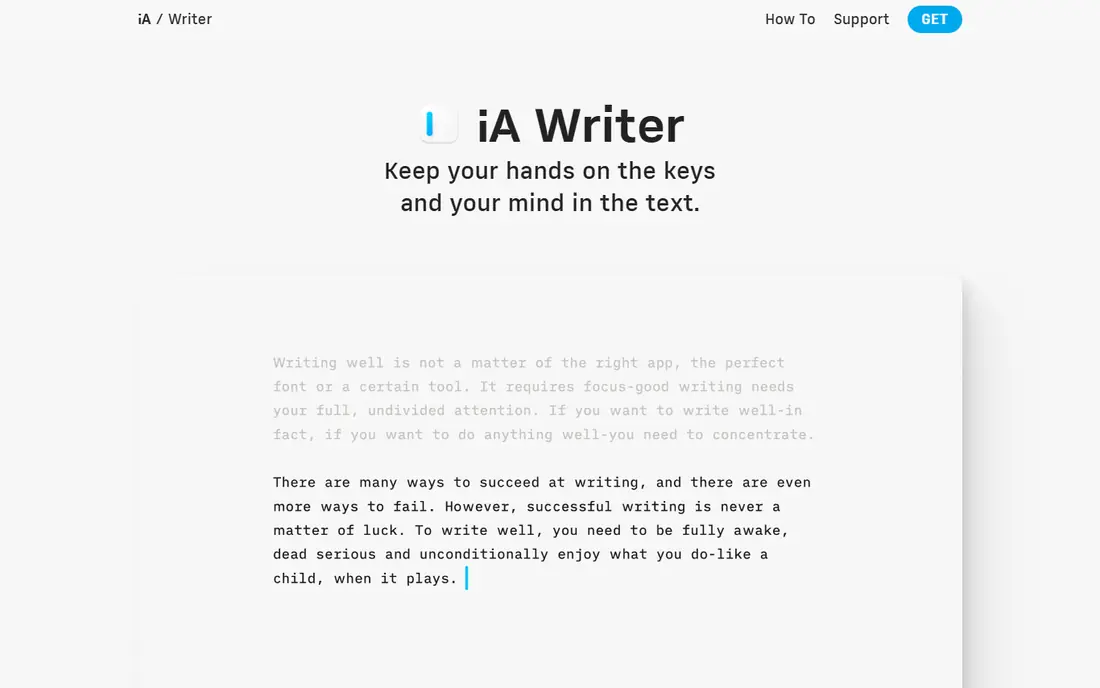
This one suits a specific kind of reader. iA Writer strips writing back to words on a page, with a focus mode that dims everything except the sentence you are working on. It fits readers who want distraction-free markdown writing, and its published feature set matches that promise rather than trying to cover every possible use case at once. When we weighed it against the rest of this list, the balance of price, scope and support stood out for that group. The price picture is $49.99 one-time, with a free plan status of free trial. It is not a project manager, and long books need more structure than it offers, but for essays, articles and short books it is hard to beat for clarity. Before you sign up, check the current plan limits on the official site, because caps on users, usage or features are where most buyers get surprised after the first month.
- Focus mode and syntax highlighting
- Clean export
- Works on Mac, Windows, iOS and Android
- Fewer project tools than Scrivener
- Markdown focus is not for everyone
Google Docs
Ideal for: Free collaborative writing
Consider this if the top picks do not fit. Google Docs remains the default for writers who share drafts, because comments, suggestions and version history work without anyone installing anything. It fits readers who want free collaborative writing, and its published feature set matches that promise rather than trying to cover every possible use case at once. When we weighed it against the rest of this list, the balance of price, scope and support stood out for that group. The price picture is free, with a free plan status of yes. For a book, the single-document model gets unwieldy, so many writers draft chapters in Docs and assemble the manuscript elsewhere. Before you sign up, check the current plan limits on the official site, because caps on users, usage or features are where most buyers get surprised after the first month.
- Free
- Real-time collaboration
- Comments and suggestions
- Works everywhere
- Needs an internet connection for full features
- Weaker for book-length structure
Notion
Ideal for: Writing mixed with notes and databases
A strong option for a narrower need. Notion suits writers who want their research, outline and draft in one workspace, with databases tracking characters, sources or deadlines. It fits readers who want writing mixed with notes and databases, and its published feature set matches that promise rather than trying to cover every possible use case at once. When we weighed it against the rest of this list, the balance of price, scope and support stood out for that group. The price picture is free, with a free plan status of yes. It is a workspace first and a writing app second, so pure prose writers may find its blocks and menus get in the way of a long drafting session. Before you sign up, check the current plan limits on the official site, because caps on users, usage or features are where most buyers get surprised after the first month.
- Flexible pages, databases and templates
- Good for research notes beside drafts
- Free tier is generous
- Can feel slow with very long documents
- Export is weaker than specialist tools
Grammarly
Ideal for: Grammar, clarity and tone checks
Worth a close look before you decide. Grammarly is best used as an editor after the draft exists, catching grammar slips and clumsy sentences across almost any app you write in. It fits readers who want grammar, clarity and tone checks, and its published feature set matches that promise rather than trying to cover every possible use case at once. When we weighed it against the rest of this list, the balance of price, scope and support stood out for that group. The price picture is free, with a free plan status of yes. It will sometimes flatten a distinctive voice if you accept every suggestion, so treat it as a second pair of eyes, not as the author. Before you sign up, check the current plan limits on the official site, because caps on users, usage or features are where most buyers get surprised after the first month.
- Strong grammar and clarity suggestions
- Works across browsers and apps
- Tone detection
- Free tier is limited
- Suggestions are not always right for fiction or voice
ProWritingAid
Ideal for: Deep editing reports for manuscripts
This belongs on the shortlist for a reason. ProWritingAid goes deeper than a grammar checker, with reports that look at pacing, repeated words and sentence variety across a whole chapter. It fits readers who want deep editing reports for manuscripts, and its published feature set matches that promise rather than trying to cover every possible use case at once. When we weighed it against the rest of this list, the balance of price, scope and support stood out for that group. The price picture is $30 per month, with a free plan status of free trial. The volume of feedback can overwhelm a first draft, so run it on a finished draft, fix the biggest issues, and ignore the rest. Before you sign up, check the current plan limits on the official site, because caps on users, usage or features are where most buyers get surprised after the first month.
- Detailed reports on pacing, repetition and dialogue
- Integrates with Word and Scrivener
- Lifetime option
- Can overwhelm new writers with reports
- Monthly price is high for casual use
Atticus
Ideal for: Formatting books for publishing
Do not overlook this one. Atticus is the tool for the last step: turning a finished manuscript into a clean ebook and print book without wrestling with a word processor. It fits readers who want formatting books for publishing, and its published feature set matches that promise rather than trying to cover every possible use case at once. When we weighed it against the rest of this list, the balance of price, scope and support stood out for that group. The price picture is $147 one-time, with a free plan status of no. It will not help you write the book, and that narrow focus is the point, so pair it with a drafting app rather than expecting it to do everything. Before you sign up, check the current plan limits on the official site, because caps on users, usage or features are where most buyers get surprised after the first month.
- One-time price
- Clean print and ebook formatting
- Chapter and theme tools
- Formatting only, not a drafting tool
- Smaller community than Scrivener
How we picked these
We started from official feature pages and pricing pages, then checked app store listings, privacy policies and public reviews to confirm each product still works and still fits the topic. Products that could not be verified, or that only partly matched the topic, were left out, even when they were well known. We favoured a mix of established leaders and strong smaller options, and we weighted price transparency, a usable free tier or trial, and honest limits more heavily than marketing claims. No product on this list paid for its place, and our pick for most people is the one we would suggest to a friend with ordinary needs and an ordinary budget.
How to pick writing software that fits your project
Match the tool to the shape of your project before you look at price. A novel or memoir needs structure, so a binder-style app or a strong outliner will save you more time than a pretty editor. An article or essay needs speed and clean export, so a minimal editor or a free collaborative tool is usually enough. A book you plan to self-publish needs formatting too, and buying a dedicated formatter is often cheaper than hours of manual fixes. Try the free tier or trial with a real chapter, not a test paragraph, because a tool that feels good for five minutes can still slow you down at chapter ten. Check export formats early: your words should leave the app as a clean Word or ePub file, because a tool that locks your manuscript in is a risk no writer needs. Also think about where you write. If you draft on a phone on the train and edit on a desktop at home, sync matters more than features. If you write in one place, a one-time purchase beats a subscription over a few years. Keep backups outside the app, in plain text or Word, so a cancelled subscription never takes your book with it.
Frequently asked questions
What is the best writing software for a book?
Scrivener is the most common answer for book-length work, because its binder, corkboard and snapshots handle chapters and research in one project. Ulysses suits Apple users who prefer a cleaner editor, while Atticus handles formatting after the draft is done.
What is the best free writing software?
Google Docs is the strongest free all-rounder, with collaboration and version history included. For offline or markdown writing, free options such as FocusWriter and the free tiers of Notion and Grammarly cover most needs without paying.
Is Scrivener worth the price?
For writers working on long manuscripts, the one-time price of 59.99 dollars is usually worth it, because the structure and export tools save real time. For short articles or occasional writing, a free tool will do the same job.
What writing app is best for writers on Apple devices?
Ulysses is the cleanest Apple-native choice, with sync across Mac, iPad and iPhone, while Scrivener and iA Writer also run well on Apple hardware. Apple-only tools are a problem only if you also write on Windows or Android.
Can I write a book in Google Docs?
Yes, many writers draft in Google Docs, especially when they share work with editors or beta readers. For very long books, split the manuscript into chapter documents or move to a binder-style app when the single document becomes slow.