Best Boardable Alternatives in 2026: 8 Options Compared

- 1
 BoardEffectBoard portals for nonprofits and public bodiesVisit
- 2
 Diligent BoardsEnterprise board governanceVisit
- 3
 OnBoardBoard meetings with strong securityVisit
- 4
 BoardProAffordable board software for smaller boardsVisit
- 5
 AprioBoard portal for nonprofits and co-opsVisit
- Our pick for most people is BoardEffect, because it balances price, features and ease of use for the widest group of readers.
- Free plans are real here, but the limits matter: check what Diligent Boards and OnBoard actually include before you commit.
- Prices in this guide come from vendor pricing pages and current comparisons checked in October 2026, and they can change, so confirm the plan on the vendor site before you buy.
- The best choice depends on your budget, your experience level and how much support you want, not on which brand is most famous.
Quick comparison
| Product | Ideal for | Price from | Free version | |
|---|---|---|---|---|
| BoardEffect | Board portals for nonprofits and public bodies | See website | No | Visit |
| Diligent Boards | Enterprise board governance | See website | No | Visit |
| OnBoard | Board meetings with strong security | See website | Free trial | Visit |
| BoardPro | Affordable board software for smaller boards | See website | Free trial | Visit |
| Aprio | Board portal for nonprofits and co-ops | See website | Free trial | Visit |
 BoardDocs | Public boards and school districts | See website | No | Visit |
 Nasdaq Boardvantage | Board portal for listed companies | See website | No | Visit |
 Govenda | Board management with committee tools | See website | Free trial | Visit |
The best Boardable Alternatives in 2026
We compared official feature pages, pricing pages, app store listings, privacy policies and public reviews to build this list for boardable alternatives. Every option below exists and works today, and each one earns its place for a different kind of reader.
BoardEffect
Ideal for: Board portals for nonprofits and public bodies

Here is the short version. BoardEffect is a well-established board portal for nonprofits, healthcare and public bodies, with board books, secure documents and meeting workflows in one place. It fits readers who want board portals for nonprofits and public bodies, and its published feature set matches that promise rather than trying to cover every possible use case at once. The price picture is see website, with a free plan status of no. Pricing is not published, so smaller boards should get a quote early and compare it with simpler tools before committing. Before you sign up, check the current plan limits on the official site, because caps on users, usage or features are where most buyers get surprised after the first month.
- Board books and meeting tools
- Secure document sharing
- Voting and surveys
- Pricing is quoted on request
- Setup needs onboarding time
Diligent Boards
Ideal for: Enterprise board governance
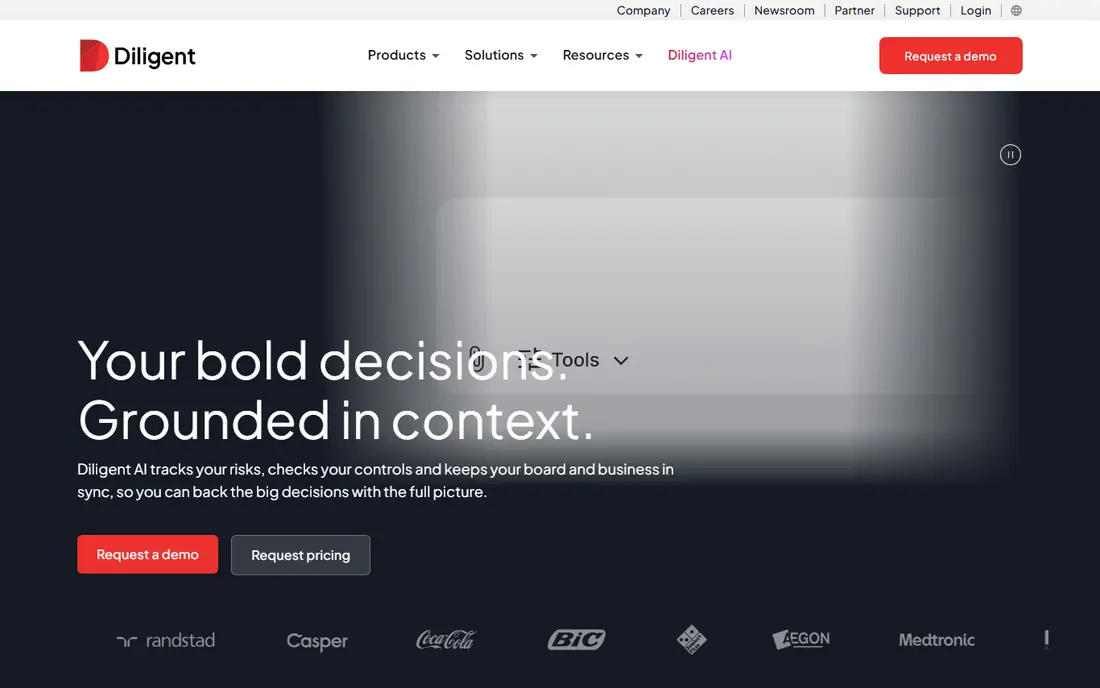
Start here if you want the safe default. Diligent Boards suits large and listed organisations that need strict security, entity data and governance workflows beside the board book. It fits readers who want enterprise board governance, and its published feature set matches that promise rather than trying to cover every possible use case at once. The price picture is see website, with a free plan status of no. Small nonprofits will find it heavy and costly, so it fits boards with compliance needs rather than simple meeting needs. Before you sign up, check the current plan limits on the official site, because caps on users, usage or features are where most buyers get surprised after the first month.
- Board books
- Secure messaging
- Entity management links
- Enterprise pricing
- Heavier than small boards need
OnBoard
Ideal for: Board meetings with strong security
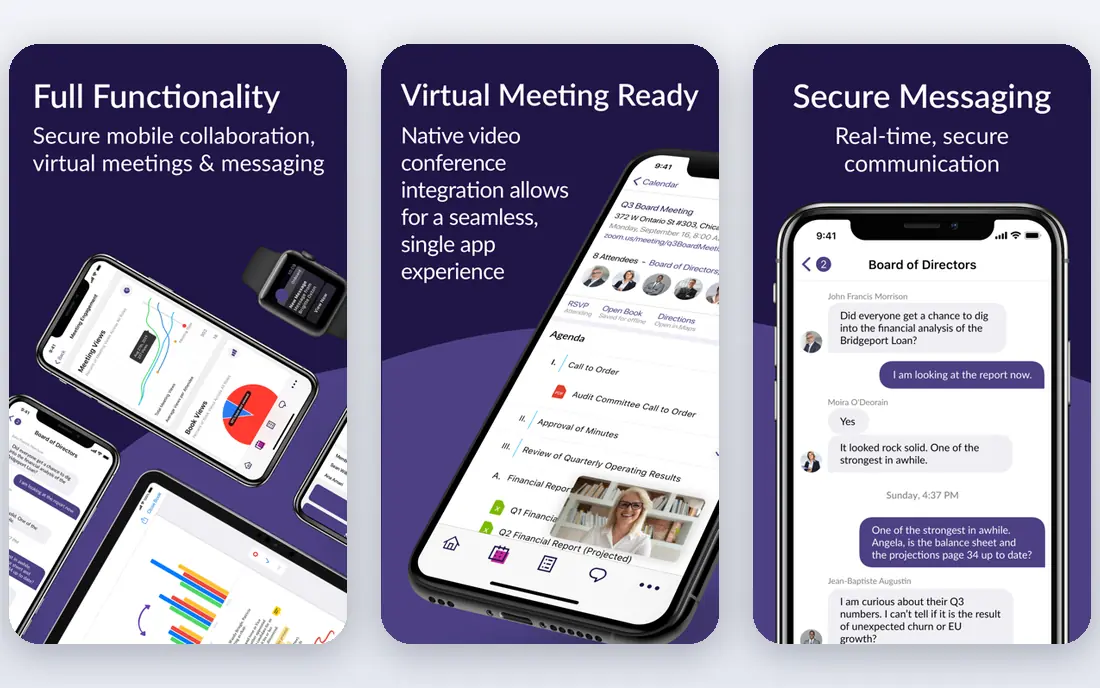
This one suits a specific kind of reader. OnBoard gives boards a secure place to prepare, annotate and vote, with a clean reading experience for directors on tablets. It fits readers who want board meetings with strong security, and its published feature set matches that promise rather than trying to cover every possible use case at once. The price picture is see website, with a free plan status of free trial. Quoted pricing means you need a sales conversation to compare costs, so get quotes from at least two rivals at the same time. Before you sign up, check the current plan limits on the official site, because caps on users, usage or features are where most buyers get surprised after the first month.
- Board books
- Annotations
- Voting and approvals
- Strong security controls
- Pricing is quoted
- Some features need higher tiers
BoardPro
Ideal for: Affordable board software for smaller boards
Consider this if the top picks do not fit. BoardPro is built for smaller boards that want proper agendas, minutes and action tracking without enterprise pricing. It fits readers who want affordable board software for smaller boards, and its published feature set matches that promise rather than trying to cover every possible use case at once. The price picture is see website, with a free plan status of free trial. Larger boards with complex committees may want deeper governance tools, but for most small boards it covers the essentials well. Before you sign up, check the current plan limits on the official site, because caps on users, usage or features are where most buyers get surprised after the first month.
- Meeting agendas and minutes
- Action tracking
- Document store
- Smaller ecosystem than enterprise portals
- Some advanced governance tools are basic
Aprio
Ideal for: Board portal for nonprofits and co-ops
A strong option for a narrower need. Aprio suits nonprofits, co-ops and credit unions that need a secure board book and meeting workflow without enterprise complexity. It fits readers who want board portal for nonprofits and co-ops, and its published feature set matches that promise rather than trying to cover every possible use case at once. The price picture is see website, with a free plan status of free trial. Check integration needs early, since some accounting or member systems may need manual workarounds. Before you sign up, check the current plan limits on the official site, because caps on users, usage or features are where most buyers get surprised after the first month.
- Board books
- Secure sharing
- Meeting and voting tools
- Pricing varies by board size
- Some integrations are limited
BoardDocs
Ideal for: Public boards and school districts
Worth a close look before you decide. BoardDocs is a strong pick for school districts and public boards that must publish agendas and minutes openly. It fits readers who want public boards and school districts, and its published feature set matches that promise rather than trying to cover every possible use case at once. The price picture is see website, with a free plan status of no. Private companies will find its public publishing focus less relevant, so judge it on your transparency requirements. Before you sign up, check the current plan limits on the official site, because caps on users, usage or features are where most buyers get surprised after the first month.
- Public meeting publishing
- Agendas and minutes
- Policy libraries
- Built for public bodies
- Less suited to private company boards
Nasdaq Boardvantage
Ideal for: Board portal for listed companies
This belongs on the shortlist for a reason. Nasdaq Boardvantage serves listed and large private companies with secure board books and collaboration tools backed by Nasdaq governance services. It fits readers who want board portal for listed companies, and its published feature set matches that promise rather than trying to cover every possible use case at once. The price picture is see website, with a free plan status of no. The enterprise price and onboarding effort suit larger boards, not small volunteer boards. Before you sign up, check the current plan limits on the official site, because caps on users, usage or features are where most buyers get surprised after the first month.
- Board books
- Secure collaboration
- Nasdaq governance links
- Enterprise pricing
- Onboarding takes time
Govenda
Ideal for: Board management with committee tools
Do not overlook this one. Govenda covers board books, committees, surveys and voting in a modern interface that directors tend to find easy to use. It fits readers who want board management with committee tools, and its published feature set matches that promise rather than trying to cover every possible use case at once. The price picture is see website, with a free plan status of free trial. Quoted pricing and a smaller brand mean you should check references from boards like yours before you commit. Before you sign up, check the current plan limits on the official site, because caps on users, usage or features are where most buyers get surprised after the first month.
- Board books
- Committee management
- Surveys and voting
- Pricing is quoted
- Smaller brand than Diligent or BoardEffect
How we picked these
We started from official feature pages and pricing pages, then checked app store listings, privacy policies and public reviews to confirm each product still works and still fits the topic. Products that could not be verified, or that only partly matched the topic, were left out, even when they were well known. We favoured a mix of established leaders and strong smaller options, and we weighted price transparency, a usable free tier or trial, and honest limits more heavily than marketing claims. No product on this list paid for its place, and our pick for most people is the one we would suggest to a friend with ordinary needs and an ordinary budget.
How to choose a board portal that directors will actually use
Start with the directors, not the feature list. A portal that directors find hard to open on a tablet will fail, however strong its governance tools look in a demo. Next, check board books, annotations, voting and minutes, since those are the weekly jobs a portal must handle well. Then check security and access controls, because board documents are sensitive and former directors must lose access cleanly. Trial the top two with a real meeting pack, not a sample, and watch how directors annotate and vote. Also check pricing at your board and committee size, since quoted pricing can hide per-user or per-committee costs. Confirm who owns onboarding and training, because a portal without director training often ends up unused. Finally, check document retention and export, so board records remain accessible if you ever switch vendors.
Frequently asked questions
What is the best Boardable alternative?
BoardEffect is the strongest established alternative for nonprofits, OnBoard suits boards that prioritise security, and BoardPro suits smaller boards on a budget. The right pick depends on board size and governance needs.
Is there a free board portal?
Most board portals are paid, though several offer free trials. Small boards on a tight budget should compare BoardPro and Aprio trial pricing against simpler meeting tools.
What does board software do?
Board software stores board books securely, manages agendas, minutes, voting and actions, and gives directors one place to prepare for meetings. It replaces email attachments and paper packs.
Is board software secure?
Reputable portals use encryption, access controls and audit trails, and they revoke access when directors leave. Check security certifications and data hosting before you store sensitive board documents.
Can directors use it on tablets?
Yes, most portals offer tablet apps or mobile-friendly web access with annotation tools. Test the reading and annotation experience on the devices your directors actually use.