Cable alternatives in 2026: 8 Options Compared

- 1
 YouTube TVhouseholds wanting the closest cable replacementVisit
- 2
 Hulu + Live TVhouseholds wanting live TV plus on-demand librariesVisit
- 3
 Sling TVbudget households that can live without every localVisit
- 4
 Fubosports-first householdsVisit
- 5
 DIRECTVhouseholds wanting a cable-style lineup by streamingVisit
- YouTube TV is the closest all-round cable replacement, with locals, sports and unlimited cloud DVR.
- Sling TV is the cheapest live option, but local channel coverage varies by market.
- Philo, Pluto TV and an antenna cover entertainment and locals for far less, if you can live without sports.
- Always check the channel lineup by ZIP code before subscribing, since locals vary by city.
Quick comparison
| Product | Ideal for | Price from | Free version | |
|---|---|---|---|---|
| YouTube TV | households wanting the closest cable replacement | $82.99 per month | Free trial | Visit |
| Hulu + Live TV | households wanting live TV plus on-demand libraries | $89.99 per month | Free trial | Visit |
| Sling TV | budget households that can live without every local | $45.99 per month | Free trial | Visit |
| Fubo | sports-first households | $88.99 per month | Free trial | Visit |
| DIRECTV | households wanting a cable-style lineup by streaming | $94.99 per month | Free trial | Visit |
 Philo | entertainment viewers who skip sports | $25 per month | Free trial | Visit |
 Pluto TV | free live channels and on-demand shows | Free | Yes | Visit |
 Mohu Antenna | free local channels over the air | See website | No | Visit |
The best cable alternatives
Here is our shortlist for cable alternatives, ordered from the most broadly useful picks to the more specialised ones. Every entry below is a real product you can sign up for or buy today, with pricing taken from the vendor site or app store listing where we could verify it.
YouTube TV
Ideal for: households wanting the closest cable replacement
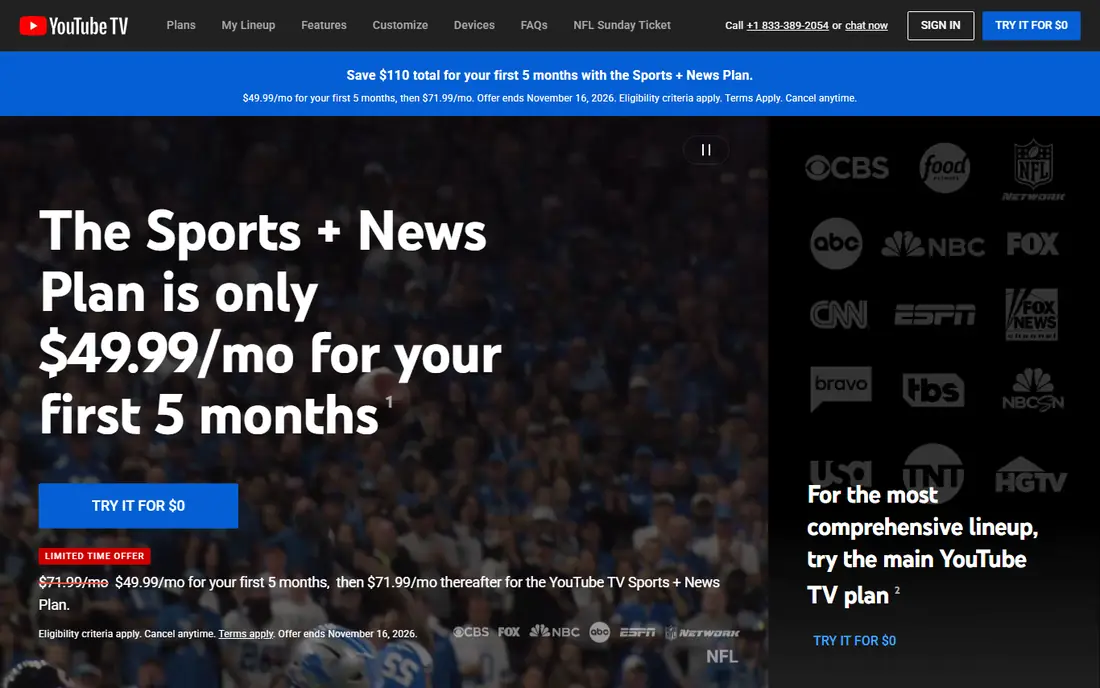
This one is aimed at households wanting the closest cable replacement. YouTube TV is the default cable replacement for a reason: it carries the main broadcast networks, ESPN and a wide cable lineup in most markets, with unlimited cloud DVR storage. The interface is familiar, and the lack of a contract means you can leave any month.
The $82.99 monthly price is the catch, and it has risen over the years, so the saving over cable shrinks if you add other subscriptions. If you want one service that replaces cable with the least compromise, this is still it.
- 100+ channels including locals
- Unlimited cloud DVR
- No contract
- Up to 6 accounts per household
- Highest price among the live options here
- Price has risen repeatedly
Hulu + Live TV
Ideal for: households wanting live TV plus on-demand libraries

Think of Hulu + Live TV as the pick for households wanting live TV plus on-demand libraries. Hulu + Live TV bundles live channels with the Hulu on-demand library, Disney+ and ESPN, which makes it good value for households that would pay for those services separately. Local channels and sports coverage are broad, and the DVR is unlimited.
At $89.99 a month it is the most expensive option here, and the bundled streaming tiers include ads unless you upgrade. It makes sense when the bundle replaces several separate subscriptions, not when you only want live TV.
- Live channels plus Hulu on-demand, Disney+ and ESPN
- Locals in most markets
- Unlimited DVR
- Priciest bundle here
- Ads on the included streaming tiers unless you pay more
Sling TV
Ideal for: budget households that can live without every local

For budget households that can live without every local, Sling TV deserves a close look. Sling TV is the budget live option, with Orange for ESPN and family channels and Blue for news and entertainment, each at $45.99 a month. The combined plan at $60.99 still undercuts the big bundles while covering most cable viewing.
The compromise is locals: coverage varies by market, and many households pair Sling with an antenna for broadcast networks. If your must-watch channels are on Sling, the saving is real; if they are not, the gap matters.
- Lowest live TV price here
- Customisable Orange and Blue plans
- 50 hours of DVR included
- Local coverage varies by market
- Combined Orange and Blue costs $60.99
Fubo
Ideal for: sports-first households
This is the option we would point sports-first households toward first. Fubo is built for sports fans, with a deep lineup of sports channels and regional sports networks that other services trim first. The channel count is high, and the DVR and multi-stream options suit households where several people watch at once.
The $88.99 starting price is steep if sports are not your priority, and the entertainment lineup is less broad than YouTube TV at a similar price. For a sports-first household, though, it is the most complete option.
- Deep sports lineup with regional sports
- 200+ channels on higher tiers
- Cloud DVR included
- High price
- Entertainment channels are thinner than rivals at the same cost
DIRECTV
Ideal for: households wanting a cable-style lineup by streaming
DIRECTV earns its place here for households wanting a cable-style lineup by streaming. DIRECTV by streaming recreates the cable experience most closely, with a traditional guide, a wide channel lineup and regional sports on higher packages. Households that miss the cable box layout tend to settle here fastest.
The $94.99 starting price is the highest on this list, and the best rates can involve term conditions, so read the offer carefully. It is the pick for viewers who want cable, just delivered over the internet.
- Wide channel lineup with locals
- Regional sports on higher tiers
- Familiar channel guide
- Highest starting price here
- Some packages need longer commitments for the best rate
Philo
Ideal for: entertainment viewers who skip sports
If your shortlist is built around entertainment viewers who skip sports, start with Philo. Philo covers HGTV, Food Network, AMC, Discovery and similar entertainment channels for $25 a month, with unlimited DVR that keeps recordings for a year. For households that watch lifestyle and reality rather than live sports, it is a large saving over the big bundles.
The gap is total on sports and locals: neither is included, so you will need an antenna or another service for news and games. Paired with an antenna, Philo plus free locals covers a surprising amount of viewing.
- 70+ lifestyle and entertainment channels
- Unlimited DVR stored for a year
- 3 streams
- No sports and no local broadcast channels
Pluto TV
Ideal for: free live channels and on-demand shows
Among the options here, Pluto TV speaks most directly to free live channels and on-demand shows. Pluto TV is free, with hundreds of live channels organised by genre plus on-demand movies and shows, and you can start watching without an account. It is the best free complement to any paid service, and for light viewers it may be enough alone.
Everything is ad-supported, and there are no local broadcast channels, live sports packages or DVR. Treat it as background and catch-up viewing rather than a cable replacement.
- Hundreds of free ad-supported channels
- No account needed to start
- On-demand movies and shows
- Ad-supported throughout
- No locals, sports packages or DVR
Mohu Antenna
Ideal for: free local channels over the air
For readers focused on free local channels over the air, Mohu Antenna is a strong match. A digital antenna is the cheapest way to keep local channels: a one-time hardware purchase, typically $20 to $80, gives you broadcast networks in HD with no monthly bill. Reception depends on your distance from transmitters and local terrain, so check a signal map first.
It only covers broadcast networks, not cable channels, and you need a TV with a tuner or a separate tuner box. Paired with Sling or Philo, an antenna closes the locals gap for a one-time cost.
- One-time purchase with no monthly fee
- Local ABC, CBS, NBC and FOX in HD where signal allows
- No contract
- Reception depends on distance and terrain
- Needs a tuner TV or tuner box
How we picked these
We compared official feature pages, pricing pages, app store listings, privacy policies and public reviews for each product on this list, and we kept only products that exist and work today and that truly fit the topic. Where a price had changed between sources or we could not verify it on the vendor site, we wrote See website rather than print a number we could not stand behind. We also weighed who each product is really for, not just how long its feature list runs. A product with a smaller set of features can be the better buy when it matches your workflow, your budget and the size of your team, and we say so plainly in each write-up. We also checked what each product costs over a full year, not just the headline monthly price, since annual billing, seat minimums and add-on fees can change the real total by a wide margin. Free plans were judged against their limits too: a free tier that caps the exact feature you need most is not really free for your use case, and we say so in the write-up when that is the case. Where prices differed between the vendor site and review listings, we trusted the vendor site, and where we could not confirm a figure on the vendor site at all, we wrote See website rather than repeat a number from a third party. That caution is deliberate, because a wrong price is worse than no price when you are building a budget.
Build your own bundle instead of buying one
Add up what you actually watch before choosing. List the ten channels your household opens most, then check which service carries them in your ZIP code; the cheapest service that covers that list wins, even if its total channel count is lower. Most households find they watch a small set of channels plus one or two on-demand libraries.
Then price the stack honestly, including your internet bill, since every streaming option needs it. A common winning stack is Sling or Philo plus an antenna for locals, with one on-demand service rotated by season. Rotating services, rather than holding them all year, is the simplest saving most cord-cutters miss.
Finally, before you commit to one of the options above, run it on a real task from your own work rather than a polished demo project. Use the free tier or trial for a full week, invite the people who will actually use it every day, and test the one workflow you cannot live without, whether that is exporting your data, inviting a teammate, sharing a result with a client or getting help when something breaks. Note how long each step takes and where you get stuck, since those friction points are what you will live with for months. The product that handles your real task with the least friction is the right one, even if another option looks stronger on a feature comparison page.
Frequently asked questions
What is the best cable alternative?
YouTube TV is the closest all-round replacement with locals, sports and unlimited DVR. Sling TV is the best budget live option, while Philo plus an antenna is the cheapest route for entertainment viewers.
Can I get local channels without cable?
Yes. YouTube TV, Hulu + Live TV, Fubo and DIRECTV carry locals in most markets, and a digital antenna gives you local broadcast networks free after a one-time hardware purchase. Check coverage by ZIP code, since it varies by city.
What is the cheapest cable alternative?
An antenna plus Pluto TV costs nothing monthly after the antenna purchase. Among paid live services, Philo at $25 a month is the cheapest entertainment bundle, and Sling TV at $45.99 is the cheapest with live sports channels.
Do cable alternatives need a contract?
Most streaming services here are month to month with no contract, so you can cancel or switch at any time. DIRECTV packages can have term conditions for the best rates, so read the offer before signing.