Best Calendly Alternatives in 2026: 8 Tools Compared

- 1
 Cal.comOpen source schedulingVisit
- 2
 Google CalendarFree Google schedulingVisit
- 3
 Microsoft BookingsMicrosoft 365 usersVisit
- 4
 Acuity SchedulingService businessesVisit
- 5
 DoodleGroup pollsVisit
- Cal.com is our pick for open source scheduling, while Google Calendar appointment schedules suit Google users for free.
- Microsoft Bookings suits Microsoft 365 organisations, and Acuity Scheduling suits service businesses with payments.
- Motion and Reclaim add AI scheduling for busy calendars, but they cost more than simple booking tools.
- Free plans cover one booking page and basic types, while team features, payments and integrations need paid plans.
- Check calendar integrations and time zone handling before switching, since those details decide daily reliability.
Quick comparison
| Product | Ideal for | Price from | Free version | |
|---|---|---|---|---|
| Cal.com | Open source scheduling | Free | Yes | Visit |
| Google Calendar | Free Google scheduling | Free | Yes | Visit |
| Microsoft Bookings | Microsoft 365 users | See website | No | Visit |
| Acuity Scheduling | Service businesses | See website | Free trial | Visit |
| Doodle | Group polls | Free | Yes | Visit |
 Motion | AI scheduling | See website | Free trial | Visit |
 Reclaim.ai | AI calendar blocking | Free | Yes | Visit |
 YouCanBookMe | Simple booking pages | Free | Yes | Visit |
The best Calendly alternatives
Calendly is the best known scheduling tool, but alternatives offer open source control, free Google integration, payments for services, or AI that finds time automatically. We compared official feature pages, pricing and public reviews to find tools that still serve individuals and teams well in October 2026.
Cal.com
Ideal for: Open source scheduling

Cal.com is the leading open source Calendly alternative, with booking pages, event types, calendar integrations and team scheduling. Individuals can use the hosted free plan, while organisations can self host for full control over data and branding. That openness appeals to privacy conscious teams and developers who want to customise scheduling.
Team features, advanced workflows and some integrations need paid plans, and self hosting requires technical setup. For individuals and small teams who want a free, flexible booking tool without Calendly pricing, Cal.com is an excellent choice, and its open source model means the tool is unlikely to disappear behind a paywall.
- Open source and self hostable
- Free plan for individuals
- Many integrations
- Team features need paid plans
- Setup more technical for self hosting
- Smaller support team
Google Calendar
Ideal for: Free Google scheduling
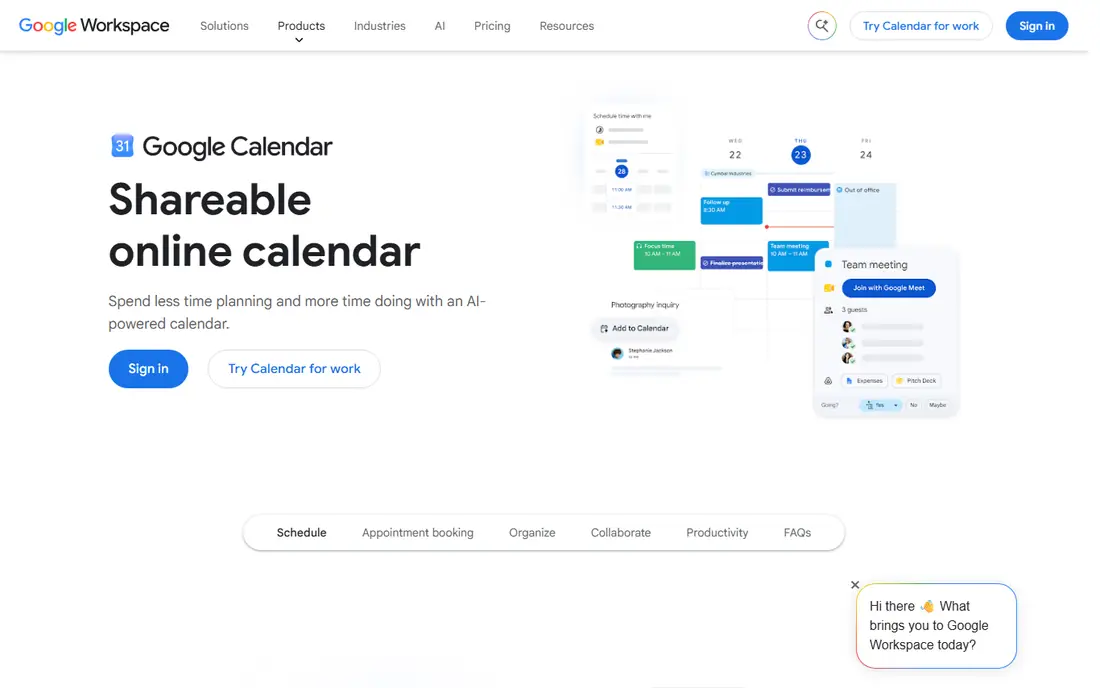
Google Calendar appointment schedules let you create a booking page that others can use to book time with you, without a separate scheduling app. It integrates with Gmail, handles time zones and sends notifications, which is enough for many individuals, teachers, coaches and small businesses. The feature is free for Google account holders, with more options on Google Workspace plans.
Event types, team routing and payment features are thinner than Calendly or Acuity, so service businesses that need payments should look elsewhere. If you already live in Google Calendar and need simple booking, appointment schedules are the easiest free alternative.
- Free appointment schedules
- Integrates with Gmail
- Easy for Google users
- Fewer event types than Calendly
- No team routing on free tier
- Google only
Microsoft Bookings
Ideal for: Microsoft 365 users
Microsoft Bookings is part of Microsoft 365 Business plans and offers booking pages, staff scheduling and customer management for service businesses. It integrates with Outlook, Teams and Microsoft calendars, which suits organisations already on Microsoft 365. Staff can manage their own availability, and customers book through a branded page.
A Microsoft 365 subscription is required, so it is not a free standalone tool, and the interface feels more business focused than Calendly's. For Microsoft organisations that already pay for 365, Bookings is a natural scheduling choice that avoids another subscription.
- Integrates with Microsoft 365 and Teams
- Staff scheduling
- Customer booking pages
- Needs a Microsoft 365 subscription
- Interface feels business focused
- Less flexible than Cal.com
Acuity Scheduling
Ideal for: Service businesses
Acuity Scheduling, now part of Squarespace, is built for service businesses that need clients to book appointments and pay upfront. It offers intake forms, payments, reminders, packages and gift certificates, which suit salons, clinics, coaches and consultants. Clients book through a branded page, and businesses manage calendars, staff and payments in one place.
There is no permanent free plan, only a trial, and pricing is per business, so solo users should compare it with Cal.com or Google Calendar. If payments and intake forms are central to your bookings, Acuity's service focused features justify its price.
- Payments and intake forms
- Client scheduling
- Integrates with Squarespace
- No permanent free plan
- Pricing per business
- Interface can feel dated
Doodle
Ideal for: Group polls
Doodle solves a different scheduling problem: finding a time that works for a group. You propose several times, participants vote, and Doodle shows the best option, which is ideal for meetings with many attendees who do not share a calendar system. The free plan covers basic polls, and participants do not need an account to vote.
Doodle is not a full booking page tool like Calendly, since it does not offer persistent event types or client booking pages. For one off group meetings, though, Doodle is faster and simpler than emailing back and forth, and its paid plans add booking pages and integrations.
- Easy group scheduling polls
- Free plan
- No account needed for participants
- Not a full booking page tool
- Team features need paid plans
- Limited automation
Motion
Ideal for: AI scheduling
Motion uses AI to auto schedule tasks, meetings and projects around your calendar, turning a to do list into a time blocked day. That suits busy professionals who juggle many tasks and meetings and want their calendar to plan itself, rather than manually blocking time. It also offers project management and meeting booking features.
Price is higher than simple booking tools, and there is no permanent free plan, only a trial. If you only need a booking page, Cal.com or Google Calendar are cheaper, but if you want AI to manage your whole day, Motion is a powerful, if expensive, option.
- AI auto schedules tasks and meetings
- Calendar and project tools
- Time blocking
- Higher price than simple booking tools
- Learning curve
- Overkill for simple bookings
Reclaim.ai
Ideal for: AI calendar blocking
Reclaim.ai automatically blocks time on your Google Calendar for habits, tasks, meetings and focus work, defending that time against new meetings. It suits knowledge workers who want to protect focus time and routine tasks without manually blocking their calendar each week. The free plan covers individuals with basic habits and tasks, while paid plans add team features and more automation.
Full features work best with Google Calendar, so Outlook users should check compatibility. AI scheduling needs some tuning at first, since it learns your preferences over time, but once set up, Reclaim.ai can save hours of manual calendar management each week.
- Free plan for individuals
- AI time blocking for habits and tasks
- Integrates with Google Calendar
- Google Calendar only for full features
- Team features need paid plans
- AI scheduling needs tuning
YouCanBookMe
Ideal for: Simple booking pages
YouCanBookMe offers simple, reliable booking pages that connect to Google and Outlook calendars, with a free plan for individuals. It is easy to set up, with event types, reminders and time zone handling, and it suits coaches, tutors, consultants and small businesses that need a straightforward booking link. Paid plans add team features, payments and more customisation.
Advanced features like round robin routing and complex workflows are thinner than Calendly's, and design options are limited. For a simple booking page that just works, YouCanBookMe is a good free alternative, especially for users who found Calendly's pricing too high for basic needs.
- Simple booking pages
- Free plan
- Integrates with Google and Outlook calendars
- Fewer advanced features than Calendly
- Design options limited
- Team features need paid plans
How we picked these
We compared official feature pages, pricing pages and public reviews, and we only included tools that still offer scheduling or booking in October 2026. We favoured tools with clear free or trial options, distinct strengths for different users, and reliable calendar integrations, since a scheduling tool that misses a calendar conflict is worse than no tool at all.
How to choose a Calendly alternative
Start with your calendar system. Google users should try Google Calendar appointment schedules or Cal.com first, while Microsoft 365 organisations should evaluate Microsoft Bookings before paying for another tool. Service businesses that take payments should shortlist Acuity, while teams that need AI scheduling should test Motion or Reclaim.ai.
Check event types, team routing, time zone handling, reminders and integrations with your CRM or video tools before switching. Test the booking experience as a guest, since a confusing booking page will cost you meetings, and confirm that cancellations and reschedules sync correctly to your calendar. Finally, compare pricing for your team size, since free plans cover individuals well but team features quickly need paid plans. If you are still unsure, start with a free plan and move to a paid plan only when you hit its limits.
Frequently asked questions
What is the best free Calendly alternative?
Cal.com offers the best free hosted plan for individuals, while Google Calendar appointment schedules are free for Google users. YouCanBookMe also offers a free plan for simple booking pages.
Is Cal.com really free?
Yes, Cal.com has a free hosted plan for individuals, and its open source code can be self hosted for free. Team features and some integrations need paid plans.
Which Calendly alternative is best for service businesses?
Acuity Scheduling is best for service businesses that need payments, intake forms and client scheduling. Microsoft Bookings also suits service businesses on Microsoft 365.
Can I use Google Calendar for scheduling without Calendly?
Yes, Google Calendar appointment schedules let others book time with you through a link, with time zone handling and notifications. It lacks some advanced event types, but it covers simple booking well.
What is the best AI scheduling tool?
Motion and Reclaim.ai both use AI to schedule tasks and protect focus time, with Motion offering broader project tools and Reclaim.ai focusing on Google Calendar time blocking. Test both with a trial before paying.