Cheapest Database Software with the Best Features in 2026: 8 Options Compared

- 1
 PostgreSQLDevelopers and teams that want a powerful free databaseVisit
- 2
 MySQLApps and websites that want a proven free databaseVisit
- 3
 SQLiteApps and devices that need a tiny embedded databaseVisit
- 4
 MariaDBTeams that want a community-led MySQL alternativeVisit
- 5
 MongoDB AtlasApps that need a flexible document databaseVisit
- PostgreSQL stands out for developers and teams that want a powerful free database, which makes it a strong starting point for that need.
- MySQL stands out for apps and websites that want a proven free database, which makes it a strong starting point for that need.
- SQLite stands out for apps and devices that need a tiny embedded database, which makes it a strong starting point for that need.
- MariaDB stands out for teams that want a community-led mysql alternative, which makes it a strong starting point for that need.
- Prices and free plans vary widely across this list, so check the vendor pricing page for your team size or usage before you commit.
Quick comparison
| Product | Ideal for | Price from | Free version | |
|---|---|---|---|---|
| PostgreSQL | Developers and teams that want a powerful free database | Free | Yes | Visit |
| MySQL | Apps and websites that want a proven free database | Free | Yes | Visit |
| SQLite | Apps and devices that need a tiny embedded database | Free | Yes | Visit |
| MariaDB | Teams that want a community-led MySQL alternative | Free | Yes | Visit |
| MongoDB Atlas | Apps that need a flexible document database | Free | Yes | Visit |
 Supabase | Developers that want a free backend with Postgres | Free | Yes | Visit |
 Airtable | Small teams that want a database that feels like a spreadsheet | Free | Yes | Visit |
 Firebase | Mobile and web apps that want Google backend tools | Free | Yes | Visit |
The best cheap database software with strong features
We compared official feature pages, pricing pages, app store listings, privacy policies, and public reviews to build this list, and we focused on tools that truly fit cheapest database software with best features rather than general tools with a passing connection. The eight options below cover different budgets, team sizes, and priorities, so start with the best-for notes and read the full write-up for any tool that matches your situation.
PostgreSQL
Ideal for: Developers and teams that want a powerful free database
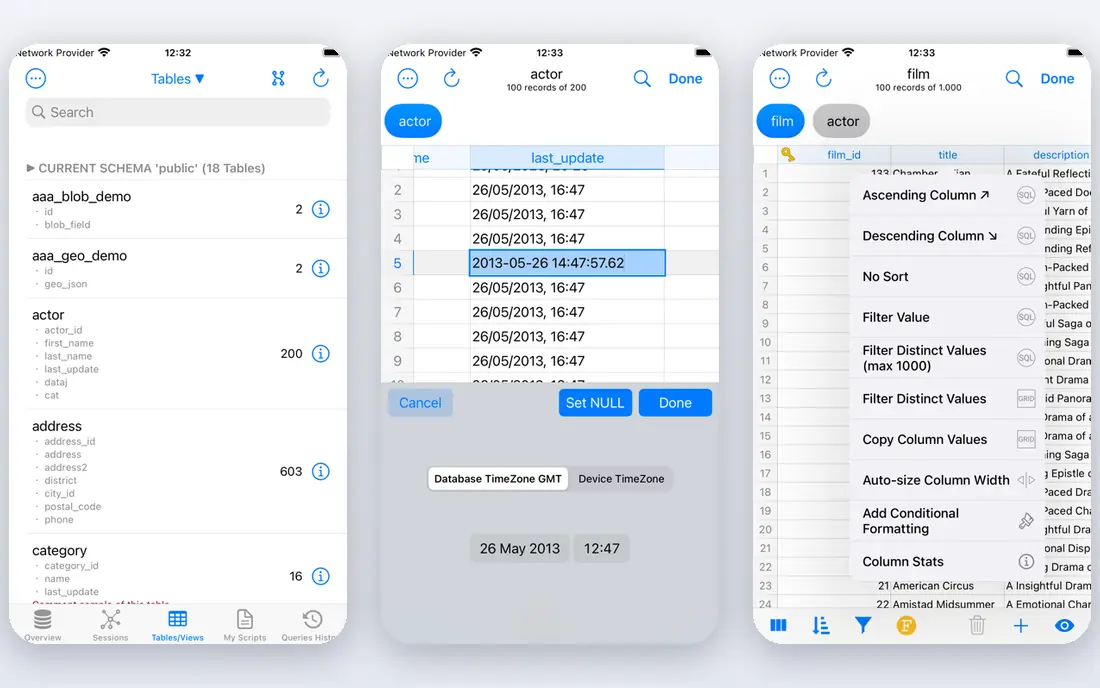
PostgreSQL is the free database many developers choose when they need real power without a license fee. It handles complex queries, JSON, full-text search, and extensions, and it runs reliably at serious scale. Teams can self-host it free or use a managed provider later.
The catch is operations. Self-hosting needs setup, backups, and updates, so non-technical teams should use a managed service. For developers and teams that want the best free relational database, PostgreSQL is our pick.
Before you commit, check the current pricing page and trial terms for your team size, since plans change and the right tier depends on how many people will actually use the tool daily.
- Free and open source
- Advanced features, reliability, and extensions
- Needs setup and hosting
- No official managed free tier
MySQL
Ideal for: Apps and websites that want a proven free database
MySQL powers a huge share of websites and apps, with a free community edition that covers most needs. Hosting support is everywhere, documentation is vast, and tools for backup and management are mature. That ubiquity makes hiring and troubleshooting easier.
Some advanced enterprise features are paid, and Oracle ownership concerns some open-source users, who often choose MariaDB instead. For standard web apps and content sites, MySQL community edition remains a safe, free choice.
Before you buy, run a short trial with your real data and your real workflow, since a demo with sample data hides the friction points that matter once the whole team is involved.
- Free community edition
- Widely supported
- Huge ecosystem
- Advanced enterprise features are paid
- Oracle ownership concerns some users
SQLite
Ideal for: Apps and devices that need a tiny embedded database
SQLite is a tiny, free database built into apps rather than run as a server. Mobile apps, desktop tools, and browsers use it to store data locally with zero setup. It is reliable, fast for reads, and needs no administration, which makes it perfect for embedded use.
It is not built for high-write, multi-user server workloads, where PostgreSQL or MySQL fit better. For local app data, testing, and small tools, SQLite is unbeatable on simplicity and cost. Many apps use SQLite locally plus a server database online.
Before you decide, confirm integration with the tools you already use and check what support hours and onboarding help are included, since those details matter more than a feature list once you are live.
- Free and embedded
- Zero setup
- Ideal for mobile and desktop apps
- Not for high-write multi-user servers
- Single-file design has limits
MariaDB
Ideal for: Teams that want a community-led MySQL alternative
MariaDB is a community-led fork of MySQL, offering a free, open-source database compatible with most MySQL tools and apps. Teams that prefer open governance choose MariaDB without giving up MySQL familiarity. Performance and storage engines suit web and app workloads well.
The commercial ecosystem is smaller than MySQL, though community support is strong. For teams that want MySQL compatibility with a community-first model, MariaDB is a principled and practical pick. Migration from MySQL is usually straightforward.
Before you commit, ask for a quote that covers every user, module, and add-on you need, and compare that total against at least one other tool on this list for the same scope.
- Free and open source
- MySQL-compatible
- Community-driven
- Smaller commercial ecosystem than MySQL
MongoDB Atlas
Ideal for: Apps that need a flexible document database
MongoDB Atlas offers a cloud document database with a free tier, so developers can start without servers or setup. Flexible documents suit apps where data shapes change often, such as catalogs, content, and user profiles. The cloud console handles backups, scaling, and monitoring.
Free tier limits apply and costs grow with data and throughput. For apps that fit a document model, Atlas free tier is a fast start. Teams with strict relational needs should prefer PostgreSQL instead.
Before you commit, check the current pricing page and trial terms for your team size, since plans change and the right tier depends on how many people will actually use the tool daily.
- Free tier available
- Flexible documents
- Cloud hosting included
- Free tier limits
- Costs grow with scale and features
Supabase
Ideal for: Developers that want a free backend with Postgres
Supabase gives developers a free tier built on Postgres, plus auth, storage, and auto-generated APIs. It suits app builders who want a backend without managing servers, and its open-source model avoids full lock-in. The dashboard makes tables, users, and files easy to manage.
Free tier limits apply and the platform is newer than standalone Postgres hosting. For developers building apps fast, Supabase free tier plus Postgres power is a compelling combination. Check limits for your expected users and storage.
Before you buy, run a short trial with your real data and your real workflow, since a demo with sample data hides the friction points that matter once the whole team is involved.
- Free tier with Postgres, auth, and storage
- Open source
- Easy APIs
- Free tier limits
- Newer platform than managed Postgres alone
Airtable
Ideal for: Small teams that want a database that feels like a spreadsheet
Airtable feels like a spreadsheet but works like a simple database, with tables, views, and templates for projects, content, and inventory. Small teams use it free to organize work without learning SQL. That accessibility is its main strength for non-technical users.
It is not a true database for large or high-traffic apps, and free tier record limits apply. For team organization and lightweight data, Airtable is the friendliest option here. Developers building apps should choose Postgres or MongoDB instead.
Before you decide, confirm integration with the tools you already use and check what support hours and onboarding help are included, since those details matter more than a feature list once you are live.
- Free tier
- Visual, spreadsheet-like interface
- Templates and views
- Not a true database for large apps
- Record limits on free tier
Firebase
Ideal for: Mobile and web apps that want Google backend tools
Firebase, from Google, offers a free tier with real-time database, Firestore, auth, and hosting for mobile and web apps. It suits apps that need real-time sync, user login, and fast setup without backend code. Google infrastructure handles scale as apps grow.
Costs can grow with usage and the NoSQL model fits some apps better than relational data. For mobile apps with real-time needs, Firebase free tier is a strong start. Teams with complex relational queries should consider Supabase or Postgres.
Before you commit, ask for a quote that covers every user, module, and add-on you need, and compare that total against at least one other tool on this list for the same scope.
- Free tier with real-time database, auth, and hosting
- Google scale
- Costs can grow with usage
- NoSQL model suits some apps better than others
How we picked these
We started from the topic itself and looked for products that genuinely serve it, not tools that mention it in passing. For each candidate we checked the vendor's own feature and pricing pages, app store listings where relevant, privacy and security pages, and public user reviews, and we dropped any product we could not verify as real and available in October 2026.
We then compared the remaining tools on fit for the stated need, pricing transparency, free or trial options, ease of adoption, and honest weaknesses. Every list below mixes well-known leaders with strong smaller options, and every write-up names a real trade-off, since no tool is best for every team.
Picking a cheap database without painting yourself into a corner
Start with your data shape. Related, structured data fits Postgres or MySQL, flexible documents fit MongoDB, and local app data fits SQLite. Choosing the wrong model creates painful rewrites later, so sketch your main entities before picking a tool.
Next, check hosting and operations honestly. Self-hosting is free but needs maintenance, while managed free tiers trade limits for convenience. A team without database skills should favor managed options like Supabase or Atlas.
Finally, test with real queries and growth. Load a realistic dataset, run your hardest queries, and check backup and export options. A cheap database that cannot export cleanly or back up reliably is not cheap when something goes wrong.
Frequently asked questions
What is the cheapest good database software?
PostgreSQL, MySQL, MariaDB, and SQLite are free and open source, while Supabase, MongoDB Atlas, and Firebase offer free cloud tiers. The cheapest good choice depends on whether you need a server database, an embedded database, or a cloud backend.
Is PostgreSQL really free?
Yes. PostgreSQL is open source and free to use, including commercially. Costs only arise if you pay for managed hosting, support, or cloud infrastructure.
Should a small team use Airtable or a real database?
Airtable suits small teams organizing work visually without code. App developers and larger data needs call for PostgreSQL, MySQL, or MongoDB, which handle scale and complex queries better.
What is the difference between SQL and NoSQL databases?
SQL databases like Postgres use tables and relations, while NoSQL databases like MongoDB use flexible documents. SQL suits structured, related data, while documents suit changing or nested data shapes.
Can free tiers handle a production app?
Small production apps often run fine on free tiers, but limits on records, storage, and throughput matter. Monitor usage and upgrade before limits affect users, and keep backups regardless of tier.