8 Best Cineby Alternatives in 2026

- Tubi is our pick for most viewers, with a large free catalog of movies and TV shows supported by ads.
- Pluto TV suits live channel viewers, with free live TV channels beside on-demand movies and shows.
- Kanopy and Hoopla suit library card holders, with ad-free films and documentaries through public libraries.
- We only list legal services here, since unofficial streaming sites carry malware, legal and quality risks that are not worth a free movie.
Quick comparison
| Product | Ideal for | Price from | Free version | |
|---|---|---|---|---|
 Tubi | Large free movie catalog | Free | Yes | Visit |
 Pluto TV | Free live TV channels | Free | Yes | Visit |
 Crackle | Free movies and originals | Free | Yes | Visit |
 Plex | Personal media plus free streaming | Free | Yes | Visit |
 Kanopy | Library films, ad-free | Free | Yes | Visit |
 Hoopla | Library movies and more | Free | Yes | Visit |
 The Roku Channel | Free movies on Roku and web | Free | Yes | Visit |
 Peacock | NBC shows and live sports | See website | No | Visit |
The best cineby alternatives
Cineby was known as an unofficial streaming site, and unofficial sites like it often disappear, change domains or expose viewers to malware and legal risk. The legal alternatives below offer free or low-cost movies, TV and live channels without those risks, though catalogs vary by country and change over time. We compared catalog style, ads, device support and cost for US viewers.
Tubi
Ideal for: Large free movie catalog
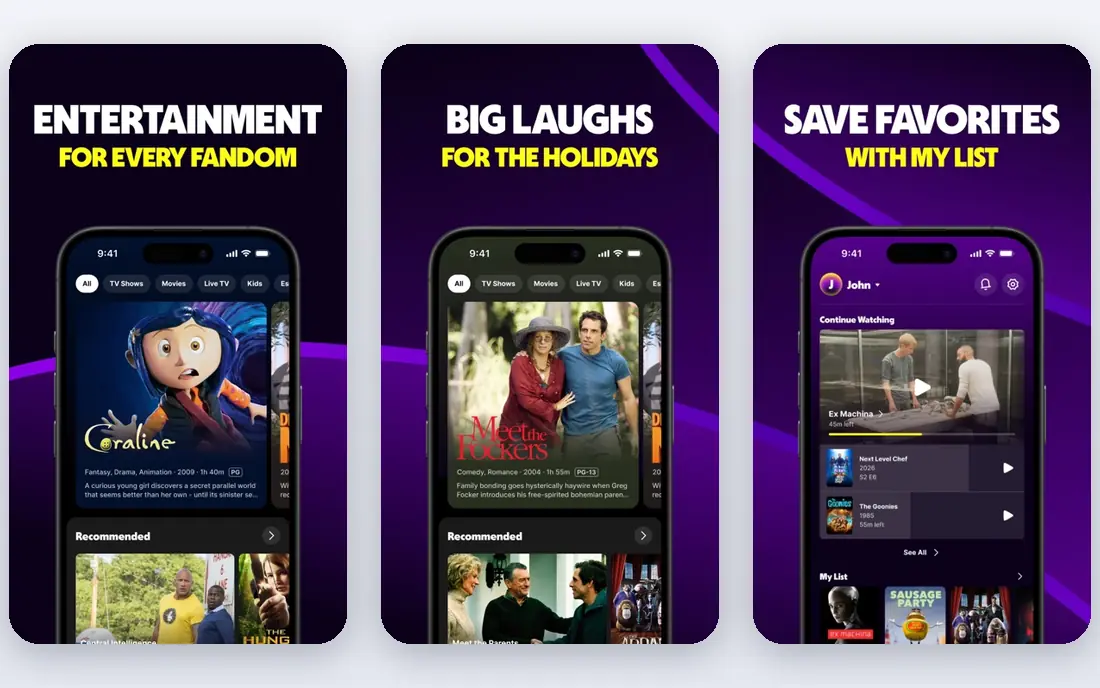
Tubi is the best free replacement for most viewers. Its catalog covers thousands of movies and TV shows across genres, from classics and cult films to recent TV series, all free with ads and no subscription. You can watch on phones, TVs, streaming devices and the web, with an optional free account for watchlists and resume features.
The trade-off is ads and recency. Movies include ad breaks, and the newest blockbusters usually sit on paid services first, so Tubi suits viewers who enjoy browsing a deep catalog rather than chasing day-one releases. For free, legal movie nights, Tubi is the first app to install.
- Large free catalog of movies and TV
- No account needed for much content
- Wide device support
- Ad-supported, so movies include ad breaks
- Newest releases are limited
Pluto TV
Ideal for: Free live TV channels
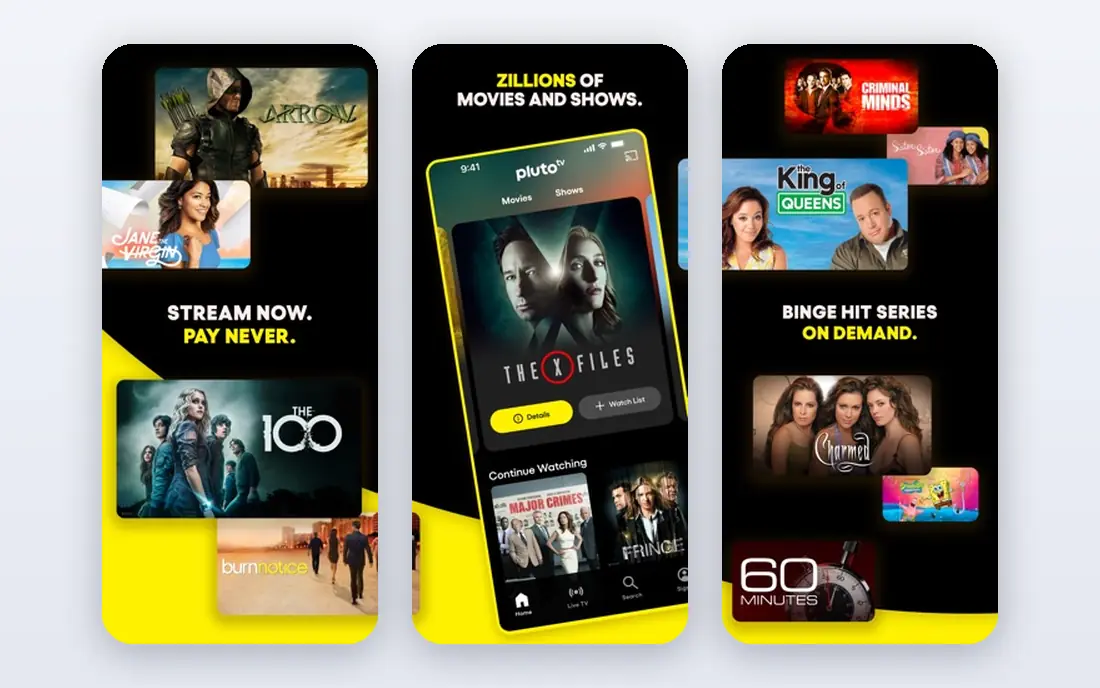
Pluto TV suits viewers who miss channel surfing. It offers free live TV channels across news, sports, movies, reality and kids programming, beside on-demand movies and shows, all without a subscription. The channel guide feels familiar to cable viewers, and the service works on most TVs, phones and streaming devices.
The limit is control. Live channels run on a schedule, so you watch what is on, not what you choose, though on-demand titles fill that gap. Pluto TV is best as a free background and discovery service, with Tubi or Kanopy beside it for chosen films.
- Free live TV channels plus on-demand titles
- Channel surfing feels like cable
- No account needed
- Ad-supported
- Live channels follow a schedule, so you cannot always pick a start time
Crackle
Ideal for: Free movies and originals
Crackle is a straightforward free streaming service with movies, TV shows and a small set of originals. It requires no subscription, works on major phones, TVs and streaming devices, and suits viewers who want a second free catalog beside Tubi and Pluto TV. Its interface is simple, which helps casual viewers find something fast.
The weakness is size. Crackle catalog is smaller than Tubi, and new releases are limited, so it works best as a supplement rather than a sole service. Keep Crackle installed for the nights when Tubi and Pluto TV do not have what you want.
- Free movies, TV and originals
- Simple sign-up
- Works on major devices
- Catalog is smaller than Tubi
- Ad-supported with breaks
Plex
Ideal for: Personal media plus free streaming
Plex does two jobs at once. It offers free ad-supported movies and live TV channels, and it also organises your own movies, music and photos into a personal streaming library you can watch anywhere. That combination suits viewers who own media files and want a free streaming catalog in the same app.
The catch is setup for personal media. The free streaming catalog needs no setup, but your own library needs a computer or server running Plex, which takes effort. For free streaming alone, Plex still earns a place beside Tubi, and for personal media owners it is the best app in this list.
- Free ad-supported movies and live TV
- Also organises your own media library
- Wide device support
- Free streaming catalog is ad-supported
- Personal media features need your own server setup
Kanopy
Ideal for: Library films, ad-free
Kanopy suits film lovers with a library card. Partner libraries offer free, ad-free access to films, documentaries and classics, including arthouse titles that rarely appear on ad-supported services. You sign in with a participating public library or university, then stream on phones, TVs and the web without ads.
The limits are access and caps. Not every library offers Kanopy, and most libraries cap monthly titles, so a heavy viewer may hit the limit mid-month. Check your library website for Kanopy access, and use Tubi or Pluto TV for extra viewing once the cap is reached.
- Ad-free films and documentaries
- Strong arthouse and classic catalog
- Free with a participating library card
- Monthly title limits apply
- Availability depends on your library system
Hoopla
Ideal for: Library movies and more
Hoopla suits library users who want more than films. Through a participating library card, you can borrow movies, TV shows, music, audiobooks and comics, all without ads on borrowed titles. The app works on phones, tablets, TVs and the web, and borrowed titles return automatically, so there are no late fees.
The catch is limits and variation. Monthly borrows are capped, and the catalog depends on your library system, so two viewers in different cities may see different titles. Hoopla pairs well with Kanopy, since each library service covers different films and formats.
- Movies, TV, music, audiobooks and comics through libraries
- No ads on borrowed titles
- Easy library sign-in
- Monthly borrow limits apply
- Catalog varies by library system
The Roku Channel
Ideal for: Free movies on Roku and web
The Roku Channel suits Roku owners and web viewers who want another free catalog. It offers free movies, TV shows and live channels, with an optional account for watchlists, and it works on Roku devices, phones and the web without needing a Roku device for web viewing. Its live channel guide adds a Pluto-style option in the same app.
The weakness is upselling. The Roku Channel promotes premium subscriptions beside free titles, so check whether a title is free or paid before clicking. For free viewing, stick to the free section and ignore the premium rows, and you will find a solid catalog.
- Free movies, TV and live channels
- Works on Roku devices and the web
- No Roku device needed for web viewing
- Ad-supported
- Catalog varies by region
- Premium subscriptions are upsold inside the app
Peacock
Ideal for: NBC shows and live sports
Peacock is the paid step up in this list, and it suits viewers who want current NBC shows, movies and live sports that free services rarely carry. It offers next-day current-season shows, a movie catalog, news and live sports coverage, with pricing on the vendor site and ads on lower tiers. That mix makes Peacock a good single paid addition beside free services.
The limit is cost. Peacock no longer offers a permanent free tier for full access, so it belongs here as the paid complement, not as a free replacement. Pair Peacock with Tubi and Pluto TV, and you cover free movies, live channels and current TV for one subscription.
- NBC shows, movies, news and live sports in one app
- Current-season TV
- Strong live event coverage
- No permanent free tier for full access
- Paid plan needed
- Ads on lower tiers
How we picked these
We compared catalog style, ads, device support, library access and cost for legal streaming services available to US viewers in October 2026. We only included services that license their content, and we left out unofficial streaming sites, since they carry malware, legal and quality risks. We did not test every title in each catalog, since catalogs change monthly.
What to check before you buy
Start with legality and safety. Unofficial streaming sites often host malware in ads and pop-ups, change domains without warning, and expose viewers to legal risk, so a free movie is not worth a compromised device or account. Legal services in this list are free or low cost, and they work on proper TV apps without risky browser workarounds.
Next, check your library access. Kanopy and Hoopla are free only through participating libraries, so visit your library website or ask a librarian whether your card qualifies and what monthly limits apply. Many viewers qualify and never realise it, which makes library services the best-kept free streaming secret in the US.
Finally, mix free and paid wisely. Tubi and Pluto TV cover free movies and live channels, Kanopy and Hoopla cover ad-free films, and one paid service such as Peacock covers current shows and sports. That mix usually costs less than a large cable bundle, and you can cancel the paid tier in months when you watch less.
Frequently asked questions
What is the best legal alternative to Cineby?
Tubi is our pick for most viewers because of its large free movie and TV catalog, with Pluto TV beside it for live channels. Kanopy and Hoopla are the best ad-free options for library card holders, while Peacock adds current shows and sports for a paid fee.
Are free streaming services really free?
Yes, services such as Tubi, Pluto TV, Crackle, Plex and The Roku Channel are free with ads and no subscription. Kanopy and Hoopla are free through participating libraries, while Peacock needs a paid plan for full access.
Do I need a library card for Kanopy and Hoopla?
Yes, both services work through participating public libraries and universities, so you need a valid card from a participating system. Check your library website for access details and monthly borrow limits before signing up.
Can I watch these services on my TV?
Yes. Tubi, Pluto TV, Crackle, Plex, Kanopy, Hoopla, The Roku Channel and Peacock all support major smart TVs, streaming devices, phones and the web, though exact device support varies by service. Check the app store on your TV for the service you want.
Why should I avoid unofficial streaming sites?
Unofficial sites carry malware risks, unstable domains, poor quality and legal exposure, and they often vanish or change addresses without warning. Legal free services offer a safer, more stable experience with proper TV apps, so there is little reason to risk an unofficial site.