Copper CRM Alternatives: 6 Tools to Consider in 2026

- 1
 InsightlyAgencies and service companiesVisit
- 2
 HubSpot CRMSmall teams that want a genuinely free CRMVisit
- 3
 Salesforce Sales CloudExpanding firms that require deep customization and the largest appVisit
- 4
 PipedriveSmall sales teams that want a visual, pipeline-first CRMVisit
- 5
 CloseOutbound sales teams that live on the phoneVisit
- Number one here is Insightly, a fit for agencies and service businesses that want CRM plus project delivery in one tool.
- A fair warning about Insightly: plus has no workflow automation at all, and there is no email sequencing on any plan, so most teams need Professional at $49.
- 2 of 6 tools offer a free plan: HubSpot CRM, Freshsales.
- Freshsales suits small teams that want built-in calling and AI at the lowest premium price.
- Starting prices begin at $9 per user per month with Close.
Direct answer
Start with Insightly if you need agencies and service firms that want CRM plus project delivery in one tool. HubSpot CRM is the stronger choice for small teams that want a genuinely free CRM with room to grow, while Salesforce Sales Cloud suits expanding companies that require deep customization and the largest app ecosystem.
Quick comparison
| Product | Ideal for | Price from | Free version | |
|---|---|---|---|---|
| Insightly | Agencies and service companies | $29 per user a month (Plus plan, billed annually) | Free trial (14 days) | Visit |
| HubSpot CRM | Small teams that want a genuinely free CRM | $0 for the free CRM (up to 2 users); Sales Hub Starter $20 per seat per month, with a new-customer promotion from $7 per seat a month on annual billing | Yes | Visit |
| Salesforce Sales Cloud | Expanding firms that require deep customization and the largest app | $25 per user a month (Starter Suite, billed per month or each year) | Free trial (30 days) | Visit |
| Pipedrive | Small sales teams that want a visual, pipeline-first CRM | $14 per seat a month (Lite, billed yearly; $24 billed monthly) | Free trial (14 days) | Visit |
| Close | Outbound sales teams that live on the phone | $9 per user a month (Solo plan, billed yearly; $19 billed per month) | Free trial (14 days) | Visit |
 Freshsales | Small teams that want built-in calling and AI | $0 for the free plan (up to 3 users); Growth $9 per user a month billed annually ($11 billed monthly) | Yes | Visit |
The 6 tools in detail
If you are comparing Copper CRM, this page covers 6 tools in one place: what each is best for, what it costs to start, whether it has a free plan, and the main limit to know about.
Insightly
Ideal for: Agencies and service companies
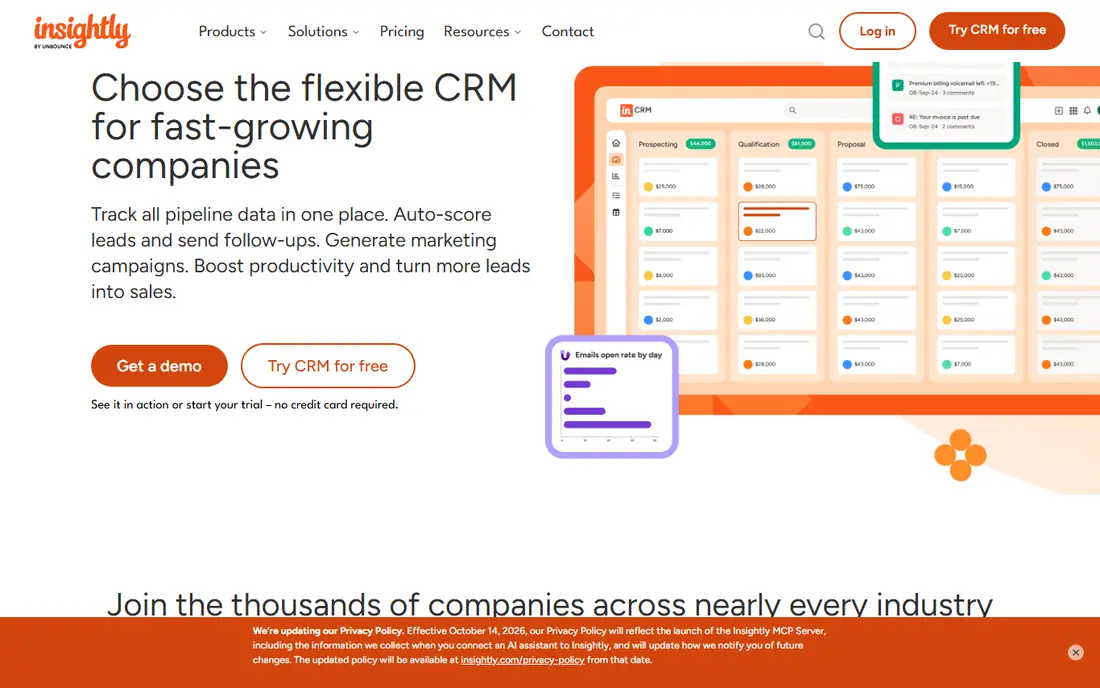
Pick Insightly if this describes you: agencies and service firms that want CRM plus project delivery in one tool. Plus at $29 handles the core CRM and projects, Professional at $49 layers on automation, custom dashboards.
The AI Copilot, and Enterprise at $99 layers on admin controls, validation rules, and a sandbox. Watch the extras: guided onboarding is labelled required at $1,500, and marketing and AppConnect are separate premium modules. The starting price for Insightly: $29 per user per month. Trial and free access: Free trial (14 days).
The main drawbacks: Plus has no workflow automation at all.
- Solid contact and pipeline management
- Built-in project management turns won deals into projects without a second tool
- There is no email sequencing on any plan, so most teams need Professional at $49
HubSpot CRM
Ideal for: Small teams that want a genuinely free CRM

Pick HubSpot CRM if this describes you: small teams that want a genuinely free CRM with room to grow. Premium Starter layers on more pipelines and entry-level workflows, whereas Professional unlocks sequences, forecasting, and custom reports.
the main limit is the pricing ladder: the free plan caps at two users and 1,000 contacts. The features most sales teams buy a CRM for sit on the $90 level. On cost, HubSpot CRM starts like this: $0 for the free CRM. Free access exists with HubSpot CRM.
- Clean interface that non-technical teams pick up quick
- Huge integration ecosystem and marketplace
- Costs jump steeply, since sequences start at Professional ($90 per seat a month) plus a required $1,500 one-time onboarding fee
Salesforce Sales Cloud
Ideal for: Expanding firms that require deep customization and the largest app
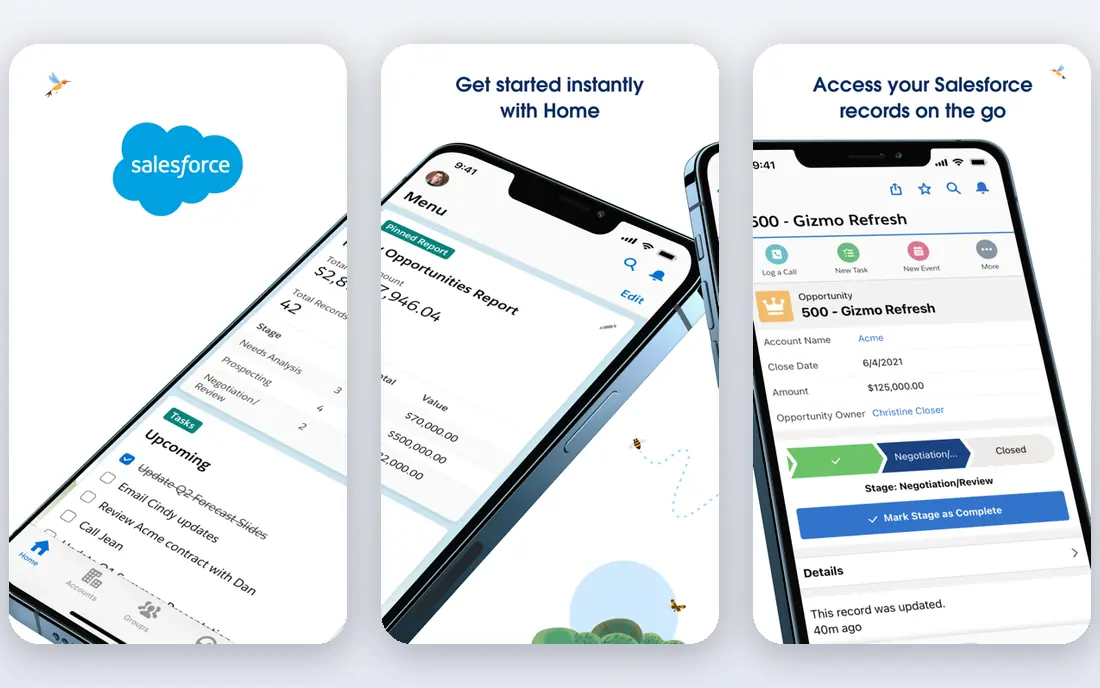
Salesforce Sales Cloud targets expanding businesses that require deep customization and the largest app ecosystem. Starter Suite includes leads, accounts, contacts, opportunities, and email sync, which is enough for a small team, whereas higher editions add quoting, forecasting, territory management, and the Agentforce AI suite.
What to check first: API access costs an additional $25 per user a month on the lower levels.
It is capable but heavy for a team that just wants a straightforward Copper replacement. The starting price for Salesforce Sales Cloud: $25 per user per month. Trial and free access: Free trial (30 days).
- Scales from a small team to a global enterprise on one system
- The deepest customization in this list
- The price ladder climbs quick
Pipedrive
Ideal for: Small sales teams that want a visual, pipeline-first CRM
Think of Pipedrive for small sales teams that want a visual, pipeline-first CRM. Lite includes leads, contacts, calendar, and entry-level reporting, whereas Growth adds full email sync, sequences, and workflow automation.
From a buyer's view, the vendor claims more than 100,000 sales teams use it. Also, premium layers on lead generation, scoring, and e-signatures. What you pay to start with Pipedrive: $14 per seat per month. Free options: Free trial (14 days).
Where it shines: CRM updates on every plan; 500 plus integrations including Zapier and Zoom.
- AI meeting intelligence with briefs, transcripts
- Clear visual pipeline that is easy to learn
- Lite has no email sync and no automation, so most teams really start at Growth at $39 per seat a month
Close
Ideal for: Outbound sales teams that live on the phone
Close is aimed squarely at outbound sales teams that live on the phone. Growth at $99 layers on automatic workflows, the Power Dialer, and bulk email, whereas Scale at $139 brings predictive dialing and live call coaching.
For everyday use, budget for usage-based calling costs above the seat price. What you pay to start with Close: $9 per user per month. Trial and free access: Free trial (14 days).
Points against: calling and SMS minutes are billed on top of the seat price.
Main advantages: Built-in calling, SMS; Chloe.
- An AI sales agent
- Is included on every plan
- Workflows need Growth at $99
Freshsales
Ideal for: Small teams that want built-in calling and AI
Freshsales works best for small teams that want built-in calling and AI at the lowest premium price. Growth at $9 per user a month undercuts every other premium CRM here and still contains kanban pipelines, built-in calling, and Freddy AI lead scoring.
What to check first: custom reports are held back until Pro at $39.
Freshsales pricing: $0 for the free plan. Freshsales offers a free plan. Reasons to shortlist it: Freddy AI lead scoring included from Growth.
- Cheapest premium entry in this list at $9
- Built-in phone, email
- More than four times the Growth price
Picking the right Copper CRM
A pipeline-first team that works deals in stages should shortlist Pipedrive or Close, since both put the deal board first and add calling and email inside the same screen. A team that needs projects after the sale should look at Insightly, which turns won deals into projects without a second tool. Then check the two costs that hide behind the headline price.
Worth adding: first, email sync and automation are commonly gated: Pipedrive Lite has no email sync, and HubSpot sequences need the $90 Professional level. From a buyer's view, second, onboarding and extras add up: Insightly labels guided onboarding as required at $1,500, and Salesforce rollouts frequently need an admin or a partner.
What Copper CRM costs
A 5-person team pays very different amounts across this list. HubSpot, Zoho, Freshsales, and Capsule cost $0 on their free plans for 2 or 3 users, so a 3-person team can start free; Freshsales Growth costs $45 a month for 5 users, Close Solo is $9 per user but capped at one user so a team begins at Essentials at $35 per user; Pipedrive Lite costs $70 a month for 5 seats, Zoho Standard costs $70 a month for 5 users, Capsule Starter costs $90 a month for 5 users, Insightly Plus costs $145 a month for 5 users, Salesforce Starter costs $125 a month for 5 users, and HubSpot Sales Hub Starter lists at $20 per seat a month, so $100 a month for 5 seats, before the new-customer promotion.
Selection criteria
Pricing pages, product documentation and feature lists were the main sources, and every entry carries at least one honest drawback. Prices and plan limits come from vendor pages and can change, so confirm them on the vendor site before you buy. Tools are placed by general fit for Copper CRM, with price clarity and free access as tie-breakers. A different team can reasonably rank them differently.
Pre-purchase checklist
- Confirm the entry price on the vendor page: Close starts at $9 per user per month, but seat counts and billing terms change the total.
- Read the fine print on the free plans from HubSpot CRM and Freshsales; seat, project and feature caps differ.
- Take the trial from Insightly, Salesforce Sales Cloud, Pipedrive and Close and push a live task through it before you pay.
- Read the limits listed for Insightly first: plus has no workflow automation at all, and there is no email sequencing on any plan, so most teams need Professional at $49.
- Look at which plan of Pipedrive unlocks the features you need; entry tiers are often cut down.
- Check the support hours and onboarding help HubSpot CRM offers; smaller vendors vary a lot here.
Frequently asked questions
Do these tools publish their prices?
Yes. Every tool from Insightly to Freshsales shows a starting price, though seats, add-ons and billing terms still change the final cost.
What is the cheapest option for Copper CRM in this list?
On published monthly entry prices, Close is the lowest here at $9 per user per month. Entry price is only part of the cost, because seats, add-ons and billing terms can change the total.
Do any Copper alternatives match its Google Workspace integration?
Pipedrive Growth and HubSpot both sync Gmail, and Zoho, Salesforce, and Freshsales all link to Google apps. But the sync is an integration instead of a native build. Teams that live in Gmail should test the sync during the free trial before committing to a switch.
Is Pipedrive better than Copper for a small sales team?
Pipedrive is better for a team that sells through a staged pipeline, since its visual deal board, email sync on Growth, and 500 plus integrations include the daily selling workflow more straight than Copper. Copper is better for a team that lives inside Gmail and Google Calendar and wants the CRM to feel like part of Google Workspace.
Which options for Copper CRM have a free plan?
On this list, HubSpot CRM and Freshsales include a free plan. Caps on seats, usage or features are common, so test the free plan against your real workload. Several others offer a trial instead.
How are the tools for Copper CRM ordered?
The order follows typical fit for Copper CRM, with Insightly first and Freshsales last, then price clarity and free access. It is editorial judgement, not a score, so another team could rank the tools differently.