5 Strong Document360 Alternatives (2026)

- Number one here is Notion, a fit for docs and projects in one workspace.
- Guru suits verified answers inside other tools.
- A free plan is available from 3 of the 5 tools: Notion, Confluence, GitBook.
- The lowest published monthly entry price here is $5.78 per user per month, from Confluence.
Direct answer
Our first pick is Notion, best for docs and projects in one workspace. If your case is different, Helpjuice suits support teams cutting tickets and Confluence suits teams already using Jira. Prices, free plans and limits for all 5 tools follow.
Quick comparison
| Product | Ideal for | Price from | Free version | |
|---|---|---|---|---|
 Notion | Docs and projects in one workspace | $10 per user per month | Yes | Visit |
 Helpjuice | Support teams cutting tickets | $249 per month | No | Visit |
 Confluence | Teams already using Jira | $5.78 per user a month | Yes | Visit |
 GitBook | Refined public product docs | $65 per site per month | Yes | Visit |
 Guru | Verified answers inside other tools | See website | No | Visit |
The full Document360 list
Ainotely compared 5 tools for Document360. The goal is a practical shortlist: published prices, free plan facts, best-fit use cases and honest limits for every entry.
Notion
Ideal for: Docs and projects in one workspace

Notion targets docs and projects in one workspace.
Points against: versioning for public content and support integrations that Document360 and Helpjuice are built on; public pages carry Notion's structure more than your brand's. AI features sit on the Business level at double the Plus price. Businesses that adopt Notion for internal docs and later need a real help center will buy one anyway, so count it as the internal answer only.
Where it shines: Notion is where plenty of teams already keep their internal knowledge, as a wiki it is genuinely decent: pages, databases; process docs.
Notion starts at: $10 per user per month. Free access exists with Notion.
- A free plan for individuals and small teams, Plus at 10 dollars per user a month billed yearly. A startup can run onboarding
- Most new hires arrive already knowing the tool. Published Notion sites exist for straightforward public pages, which spans changelogs and small guides
- Let us be plain: Notion is not a customer help center. It lacks the search analytics, article feedback
Helpjuice
Ideal for: Support teams cutting tickets

Choose Helpjuice for support teams cutting tickets.
On cost, Helpjuice starts like this: $249 per month. Helpjuice has no permanent free option.
Honest limits: There is no free plan; developer documentation features like OpenAPI import are entry-level next to the docs first systems. Pricing climbs by author count, so a company where fifty staff occasionally edit an article should model the author bill carefully rather than discover it at renewal.
Where it shines: tiered by authors and features, which undercuts a Document360 quote for plenty of mid sized teams whereas keeping a dedicated public help center. It manages internal knowledge bases too, so one tool can serve customers and the support team itself; simple authoring for support staff who do not write for a living.
- Reporting targeted at proving the help center saves tickets. Published pricing opens at about 249 dollars a month
- Helpjuice is a knowledge base made for support deflection: capable search with analytics that present what readers looked for and failed to find
- Only a trial. The design system is less refined than GitBook's
Confluence
Ideal for: Teams already using Jira
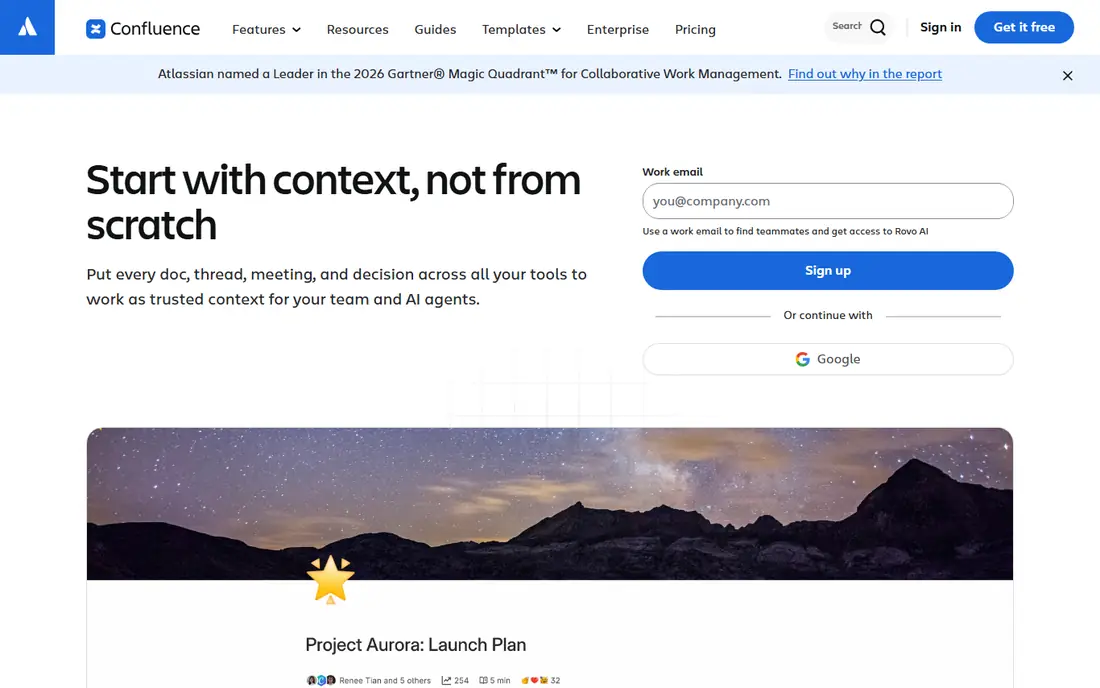
Choose Confluence for teams already using Jira.
On cost, Confluence starts like this: $5.78 per user per month. You can start on Confluence without paying.
What works well: the free plan covers up to 10 users with Standard at 5.78 dollars per user per month billed yearly on Atlassian's listed rates. For engineering led firms; templates for recurring documents and a huge marketplace of add ons include most internal documentation needs at a price Document360 cannot approach. Trade-offs to know: the AI features sit behind Atlassian's own tiers and add ons in ways that take a spreadsheet to model; As a public customer help center.
- Having the runbook
- The postmortem and the ticket in one system ends the argument about where knowledge lives. Search across spaces
- SEO controls and search analytics are weak
GitBook
Ideal for: Refined public product docs
In short, GitBook is for refined public product docs.
Starting cost for GitBook: $65 per site per month. Free access exists with GitBook.
Highlights: GitBook publishes beautiful public documentation with a visual editor for non technical writers and Git sync for teams that keep docs beside code. Premium is priced at about 65 dollars per site a month plus per user charges for editor seats; visitor insights and API documentation features include the ground Document360 spans for product docs.
- Custom domains
- The reading experience is the cleanest in this list. AI search and answer features are available on the premium levels
- The per site plus per user model needs arithmetic before you commit: multiple doc sites and a large writing team multiply the bill in ways the headline hides. Advanced AI chat features sit on the Ultimate level at a much higher per site price. Git sync is capable and will confuse writers who have never used version control, so mixed teams should test the editing flow with a real non technical writer before migrating a library
Guru
Ideal for: Verified answers inside other tools
Guru was built for verified answers inside other tools.
Limits to weigh: Comparisons put it around the mid twenties per seat with a seat minimum, which makes it an enterprise line item. The card model fights long form documentation: a 40 page integration guide does not decompose into cards without real editorial work. Small teams will find the verification machinery heavier than their knowledge problem.
Main advantages: Guru rejects the destination model entirely: knowledge lives as verified cards. Pricing for Guru is not stated here, so ask the vendor for current figures. Guru does not include a free plan.
- The browser
- Answers surface inside Slack
- Teams that require a public docs site still need GitBook or Helpjuice beside it
How we compared the tools
We compared the tools on published pricing, free plan or trial availability, feature coverage for Document360, and the limits each vendor documents. Where a price is missing, the vendor does not list one publicly or ties it to a quote. Always confirm before budgeting. We ordered the tools by general fit, then by how clearly pricing is shown, then by free access. A buyer with unusual needs may reorder them.
Pre-purchase checklist
- Ask Guru for a written quote, since no starting price is shown.
- Check what the free option really includes: Notion, Confluence and GitBook offer a free plan, and usage caps differ.
- Confirm that Confluence connects to the apps your team already uses, on the plan you would actually buy.
- Ask the daily users to test Helpjuice on a live task before you roll it out to everyone.
- Ask Notion how an export works before you move any records in; an easy exit lowers the risk.
Frequently asked questions
How much does Document360 cost compared to these tools?
The published alternatives here run from about 6 dollars per user a month for internal wikis to 65 dollars per site for GitBook and about 249 dollars per month for Helpjuice. As for the details, any Document360 quote should be compared against the alternative that matches your actual use, public or internal, instead of against the entire list.
Is Notion the right pick for everyone comparing Document360?
No single tool suits every team. Notion comes first because it fits docs and projects in one workspace, while Helpjuice suits support teams cutting tickets and Confluence suits teams already using Jira. Match the tool to your own size, budget and workflow before deciding.
What should I check before migrating a knowledge base?
Four things: export quality, since your articles must leave the old tool in a usable format. Link redirects, article by article for anything customers bookmark; search behaviour on your twenty most visited articles in the new tool; and ownership, meaning every migrated article gets a named owner and a review date during the move.
Which options for Document360 have a free plan?
On this list, Notion, Confluence and GitBook include a free plan. Caps on seats, usage or features are common, so test the free plan against your real workload.
Do these tools offer AI answers from our documentation?
Test any of them with your hardest real questions during a trial, including two whose correct answer is that the docs do not say. A system that invents an answer confidently is worse than one that finds nothing.
How are the tools for Document360 ordered?
Notion sits first and Guru last because the order follows typical fit for Document360, then price clarity and free access. It is a judgement call, so read each profile for fit and limits.