Drag Alternatives Compared: 6 Tools for 2026

- 1
 Help ScoutSupport teams that want a shared inbox plus a help centreVisit
- 2
 MissiveSmall teams that want shared email plus team chatVisit
- 3
 HiverGmail teams that want the most established shared inboxVisit
- 4
 GmeliusGmail teams that want shared inboxes plus automationVisit
- 5
 Zoho TeamInboxZoho users and teams on the tightest budgetVisit
- Top of the list is Help Scout, which targets support teams that want a shared inbox plus a help centre.
- The main caution on Missive: hard user caps force tier jumps. Starter stops at 5 users and Productive at 50, so the 6th user moves everyone from $14 to $24 per user a month.
- Zoho TeamInbox has the lowest monthly starting price in this list: $5 per user per month, billed annually.
- 2 of 6 tools offer a free plan: Help Scout, Zoho TeamInbox.
Direct answer
Help Scout leads the list, best for support teams that want a shared inbox plus a help centre. Missive is better for small teams that want shared email plus team chat, and Hiver is better for Gmail teams that want the most established shared inbox. Prices, free plans and limits for all 6 tools follow.
Quick comparison
| Product | Ideal for | Price from | Free version | |
|---|---|---|---|---|
| Help Scout | Support teams that want a shared inbox plus a help centre | $25 per user a month, billed yearly (Standard) | Yes | Visit |
| Missive | Small teams that want shared email plus team chat | $14 per user a month, billed yearly (Starter) | Free trial (30 days) | Visit |
| Hiver | Gmail teams that want the most established shared inbox | $25 per user a month, billed yearly (Growth) | Free trial (7 days) | Visit |
| Gmelius | Gmail teams that want shared inboxes plus automation | $19 per user per month, billed yearly (Meli) | Free trial (7 days) | Visit |
| Zoho TeamInbox | Zoho users and teams on the tightest budget | $5 per user a month, billed yearly (Starter) | Yes | Visit |
 Keeping | Small Gmail teams that require straightforward shared support | $14 per user a month, billed yearly (Essentials) | Free trial (14 days) | Visit |
The best Drag
Ainotely put together this guide to Drag for readers who want a clear shortlist without reading every vendor page. It compares 6 tools on starting price, free plans, who each one suits and where each one falls short.
Help Scout
Ideal for: Support teams that want a shared inbox plus a help centre
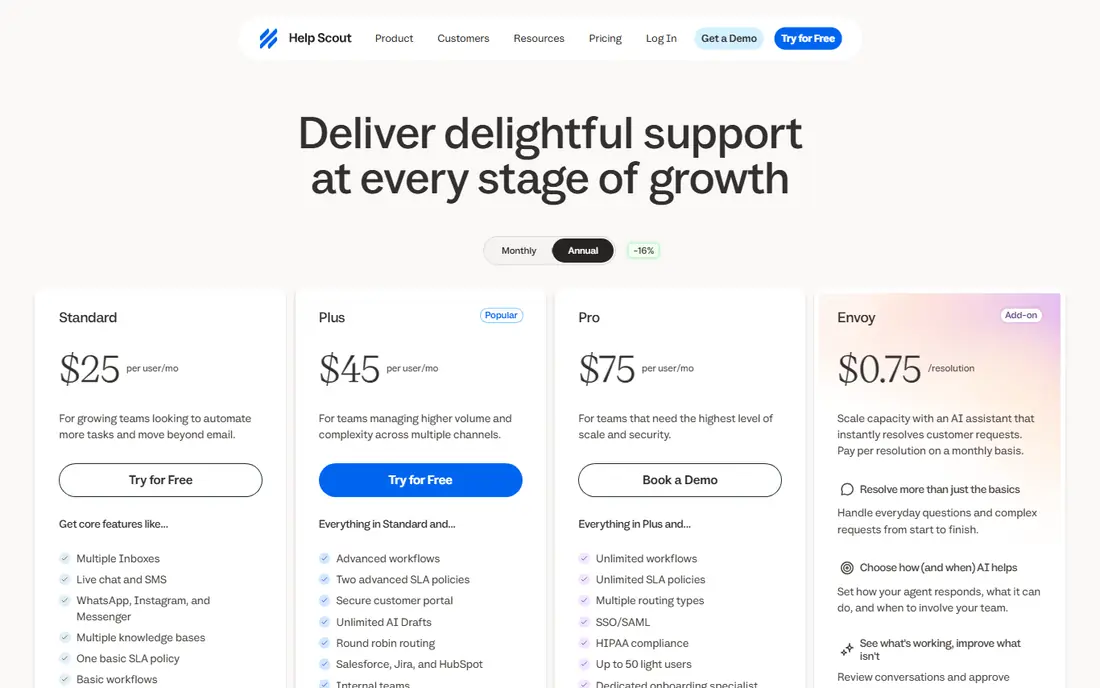
Think of Help Scout for support teams that want a shared inbox plus a help centre. Help Scout is a proper helpdesk that still feels like email. The Standard price of $25 per user a month matches Hiver Growth, but the feature set is wider.
For a team that only needs to share a Gmail inbox, it is more tool than necessary. Beyond that, support@ becomes a shared inbox with assignment, collision detection and saved replies. The Docs feature lets a team publish a help centre from the same system. For a team that is turning support into a real function with a knowledge base, Help Scout is the right step up from Drag. Help Scout starts at: $25 per user per month, billed annually. You can start on Help Scout without paying.
Limits to weigh: The free plan stops replies after 100 contacts per month.
- The reporting is better than any Gmail-native tool here
- The free plan is a real starting point for a tiny team
- The AI agent costs an additional $0.75 per resolution on top of seat prices on every premium plan
Missive
Ideal for: Small teams that want shared email plus team chat
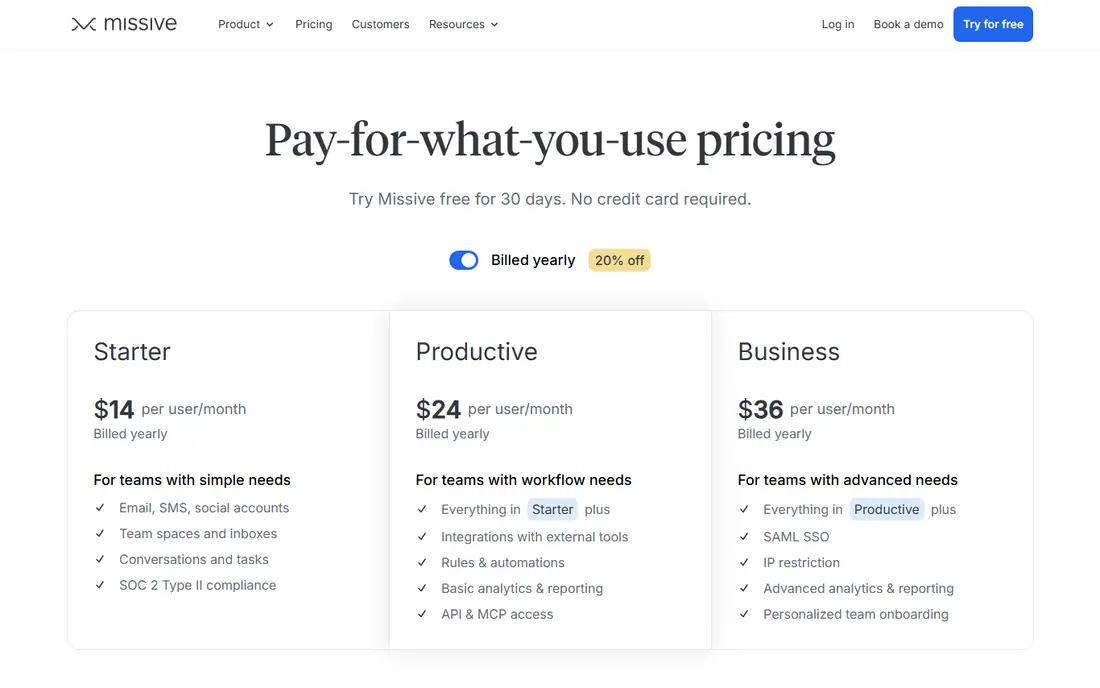
Where Missive fits: small teams that want shared email plus team chat. A team of five pays $70 per month, and hiring a sixth person moves everyone to $24.
In practice, the Starter price of $14 per user a month is close to Drag. But the user caps are the thing to plan around. On cost, Missive starts like this: $14 per user per month, billed annually. On free options: Free trial (30 days).
- Team chat and tasks sit in one app
- The interface is quick and calm
- Hard user caps force level jumps. Starter stops at 5 users and Productive at 50, so the 6th user moves everyone from $14 to $24 per user a month
Hiver
Ideal for: Gmail teams that want the most established shared inbox
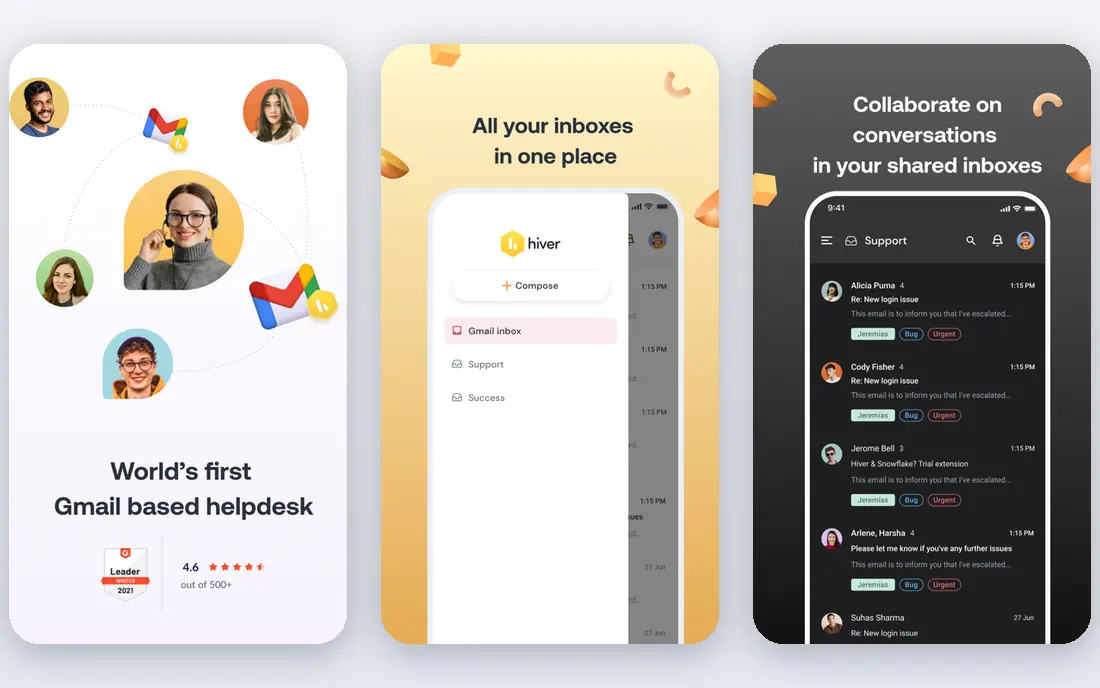
Hiver targets Gmail teams that want the most established shared inbox. For a team on a tight budget, Drag or Keeping costs less.
On cost, Hiver starts like this: $25 per user per month, billed annually. Free plan details: Free trial (7 days).
Watch-outs: Seats are sold in blocks of 5 above 5 users.
- Collision detection and shared templates
- It is the most mature Gmail shared inbox, with assignment, notes
- Growth caps at 10 users, so an 11th user forces the entire team onto the Pro level at $55 per user a month
Gmelius
Ideal for: Gmail teams that want shared inboxes plus automation
Gmelius is a good fit for Gmail teams that want shared inboxes plus automation. The real starting price for a shared inbox is Growth at $25. As for the details, for a Gmail team that wants automation along with sharing, Gmelius is a strong pick once the true level is priced.
Honest limits: Gmail only.
Conversation caps also apply below Enterprise, so a high-volume team should check its monthly volume against the limit. For everyday use, Meli at $19 per user a month sounds like the entry point. But it has no shared inbox, which is the feature most Drag buyers need. As for the details, Gmelius is the Gmail-native alternative that layers on automation to the shared inbox. The starting price for Gmelius: $19 per user per month, billed annually. Trial and free access: Free trial (7 days).
- Sequences and templates are solid for sales and support follow-up
- It works inside Gmail, so the team keeps the interface it knows
- The $19 Meli level has no shared inbox, so shared inboxes actually start at $25 per user per month on Growth, which also caps at 10,000 conversations per month
Zoho TeamInbox
Ideal for: Zoho users and teams on the tightest budget
Choose Zoho TeamInbox for Zoho users and teams on the tightest budget. Zoho TeamInbox is the budget pick. The trade-off is depth.
Teams that already use Zoho products get the most from it, since contacts and records flow across the suite. More specifically, at $5 per user a month on annual billing, it undercuts every other premium tool here by a broad margin. It includes the core job of sharing an inbox, assigning mail and tracking replies. Zoho TeamInbox starts at: $5 per user per month, billed annually. Free access exists with Zoho TeamInbox.
Where it is weaker: analytics plus personal inboxes need the Professional level at $7.50 per user a month.
- It suits the wider Zoho suite
- The interface is clean and straightforward
- Starter is capped at 3 shared incoming channels and 25 automation rules
Keeping
Ideal for: Small Gmail teams that require straightforward shared support
Keeping is designed for small Gmail teams that require straightforward shared support. Keeping is the simplest Drag replacement here. It turns Gmail labels into shared mailboxes, layers on assignment, status tracking and collision detection, and stays out of the way.
Where it falls short: Essentials is capped at 2 shared mailboxes and 10 agents.
The limits are clear. For anything larger, Missive or Help Scout suits better. Entry price for Keeping: $14 per user per month, billed annually. On free options: Free trial (14 days).
- The price is low for what it spans
- It is the simplest tool in this list to set up
- Through a Chrome or Safari extension that needs Gmail or Google Workspace
Selecting Drag: the practical checks
Drag turns Gmail into a shared workspace. Drag is Gmail only, so a team that also manages Outlook mail, chat or social messages hits a wall. The second is depth.
Drag spans the core shared inbox job well, but it has no help centre, no serious reporting and restricted automation on the Starter plan.
How these tools were picked
Ainotely used vendor pricing pages and product documentation as the base, then compared plans, free access and documented limits for 6 tools. Prices and plan limits come from vendor pages and can change, so confirm them on the vendor site before you buy. The order reflects how well each tool fits the most common buying scenario for Drag, then price clarity, then free plan access. It is a starting point, not a verdict.
Pre-purchase checklist
- Check the vendor page for the current price: Zoho TeamInbox starts at $5 per user per month, billed annually here, and seats or billing terms can move it.
- Look at free plan limits closely: Help Scout and Zoho TeamInbox have one, and the caps decide whether it is usable for real work.
- Take the trial from Missive, Hiver, Gmelius and Keeping and push a live task through it before you pay.
- Read the limits listed for Help Scout first: the free plan stops replies after 100 contacts per month, and the AI agent costs an additional $0.75 per resolution on top of seat prices on every premium plan.
- Test the integrations you rely on with Missive before committing; some connectors sit on upper tiers.
- Pick one real project and run it in Help Scout first; a small pilot shows fit faster than a checklist.
Frequently asked questions
How are the tools for Drag ordered?
The order follows typical fit for Drag, with Help Scout first and Keeping last, then price clarity and free access. It is editorial judgement, not a score, so another team could rank the tools differently.
What is the cheapest option for Drag in this list?
On published monthly entry prices, Zoho TeamInbox is the lowest here at $5 per user per month, billed annually. Entry price is only part of the cost, because seats, add-ons and billing terms can change the total.
Which options for Drag have a free plan?
On this list, Help Scout and Zoho TeamInbox include a free plan. Caps on seats, usage or features are common, so test the free plan against your real workload. Several others offer a trial instead.
Which alternative is best for a small Gmail team?
Help Scout is the pick this page puts first, mainly for support teams that want a shared inbox plus a help centre. If your situation differs, Missive suits small teams that want shared email plus team chat, and Hiver suits Gmail teams that want the most established shared inbox. Compare price and limits before you decide.
Do these tools publish their prices?
Yes. Every tool from Help Scout to Keeping shows a starting price, though seats, add-ons and billing terms still change the final cost.
Which Drag alternative is cheapest?
Zoho TeamInbox at $5 per user a month billed yearly is the cheapest premium choice. Help Scout has a free plan for up to 5 users, which is the cheapest way to start a tiny support inbox.