Best Dropbox Alternatives in 2026: 9 Cloud Storage Options Compared

- 1
 Google Driveeveryday users and teams already on GmailVisit
- 2
 Microsoft OneDriveWindows users and Microsoft Office householdsVisit
- 3
 iCloud+households that use iPhone, iPad and MacVisit
- 4
 Boxbusinesses that share files with outside clientsVisit
- 5
 pCloudpeople who hate subscriptionsVisit
- Dropbox's free Basic plan gives you only 2 GB. Google Drive (15 GB), Box (10 GB) and Proton Drive, Sync.com and iCloud (5 GB each) all start with more or the same.
- iCloud+ is the cheapest paid upgrade we found for Apple users: $0.99 per month for 50 GB and $9.99 per month for 2 TB in the US.
- For privacy, Proton Drive, Sync.com and Tresorit use end-to-end encryption, and pCloud lets you pick a European or US data region.
- pCloud is the only service here that sells lifetime storage, from $219 once for 500 GB on its pricing page at the time we checked.
- For business teams, Google Workspace starts at $7 per user per month, while Egnyte's Business plan is $22 per user per month billed annually.
Quick comparison
| Product | Ideal for | Price from | Free version | |
|---|---|---|---|---|
| Google Drive | everyday users and teams already on Gmail | Free | Yes | Visit |
| Microsoft OneDrive | Windows users and Microsoft Office households | Free | Yes | Visit |
| iCloud+ | households that use iPhone, iPad and Mac | $0.99 per month | Yes | Visit |
| Box | businesses that share files with outside clients | Free | Yes | Visit |
| pCloud | people who hate subscriptions | Free | Yes | Visit |
 Sync.com | privacy-minded people who want simple pricing | Free | Yes | Visit |
 Proton Drive | people who want encrypted storage plus private email | Free | Yes | Visit |
 Egnyte | regulated businesses and teams with very large files | $22 per user per month | Free trial | Visit |
 Tresorit | teams sharing confidential files | See website | Free trial (14 days) | Visit |
The best Dropbox alternatives
We looked for services that do what most people use Dropbox for (sync files across devices, share links, keep backups) and do at least one thing better, whether that is price, free storage, privacy or business controls. For comparison, Dropbox's own plans page lists Basic at 2 GB free and Plus at $9.99 per month.
Google Drive
Ideal for: everyday users and teams already on Gmail
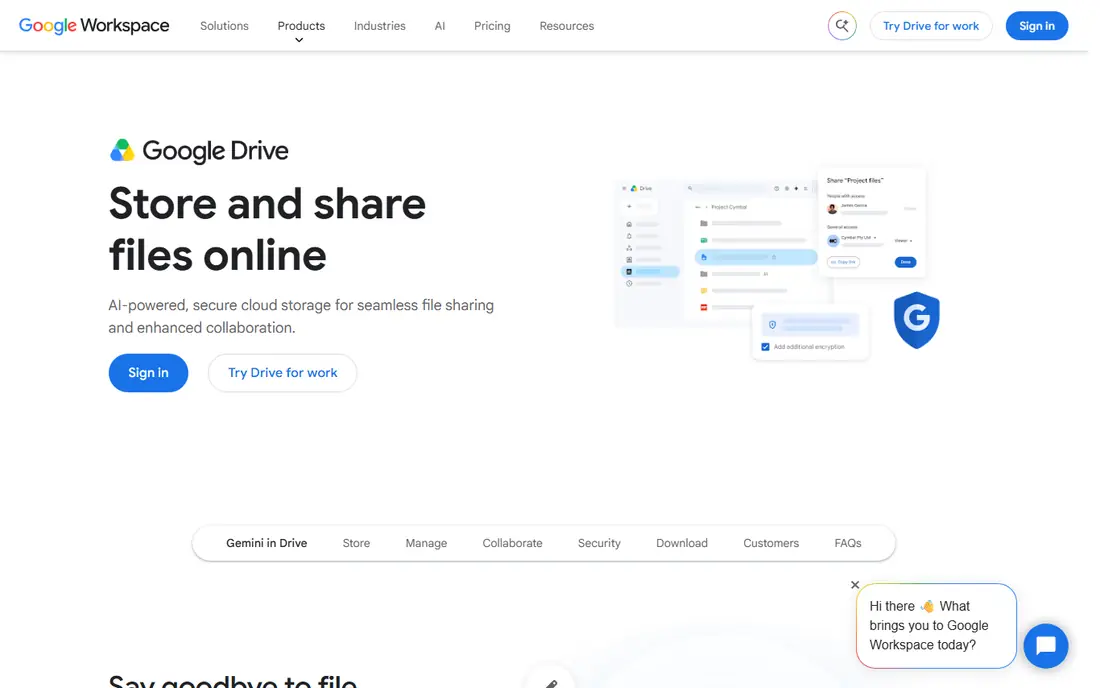
Google Drive is the obvious first stop for most people leaving Dropbox, because you probably already have it. Every Google account includes 15 GB of storage, according to Google One's plans page, which is more than seven times Dropbox's free tier.
The real strength is collaboration. Files in Docs, Sheets and Slides can be edited by several people at once, with comments and version history built in. For businesses, Google Workspace Business Starter is listed at $7 per user per month, and Business Standard at $14, on Google's pricing page.
The catch is that your 15 GB is shared across Drive, Gmail and Google Photos, so it fills up faster than you expect. Paid Google One plans add storage, but prices vary by country, so check the current US price inside the Google One app before you upgrade.
- 15 GB free with every Google account
- Real-time editing in Docs, Sheets and Slides
- Google Workspace business plans from $7 per user per month
- Free storage is shared with Gmail and Google Photos
- No end-to-end encryption on standard plans
Microsoft OneDrive
Ideal for: Windows users and Microsoft Office households

If you work on a Windows PC, OneDrive is already sitting in File Explorer. It syncs your Desktop, Documents and Pictures folders, and files can stay online until you open them, which saves space on smaller laptops.
The cheapest upgrade is Microsoft 365 Basic, which Microsoft lists at $1.99 per month or $19.99 per year for 100 GB. Larger Microsoft 365 plans bundle more storage with the Office apps, which is good value if you were going to pay for Office anyway.
The weakness is that Microsoft reshuffles its consumer plans every year or two, so the plan you sign up for may not look the same later. Mac and Linux users will also find the experience less polished than on Windows.
- Built into Windows File Explorer
- Microsoft 365 Basic adds 100 GB for $1.99 per month
- Pairs well with Word, Excel and PowerPoint
- Basic does not include the desktop Office apps
- Plan lineup changes often
iCloud+
Ideal for: households that use iPhone, iPad and Mac

For Apple households, iCloud+ is the least effort and often the lowest cost. Apple's support page lists US prices of $0.99 per month for 50 GB, $2.99 for 200 GB, $9.99 for 2 TB, $29.99 for 6 TB and $59.99 for 12 TB.
Files show up in the Files app on iPhone and in Finder on a Mac without extra setup, and photos and device backups use the same storage. Paid plans can be shared with family members through Family Sharing.
The free tier is just 5 GB, which fills quickly once phone backups start. And if anyone in your home uses Android or works mainly on Windows, iCloud becomes awkward fast.
- Very low entry price at $0.99 per month for 50 GB
- Built into every Apple device
- Plans from 50 GB to 12 TB can be shared with family
- Only 5 GB free
- Weak experience on Windows and no official Android app
Box
Ideal for: businesses that share files with outside clients

Box has always been more of a business tool than a consumer one, and that shows in its controls. Admins get detailed sharing permissions and integrations with many business apps, which makes Box a common pick for Dropbox alternatives for business.
The free Individual plan gives you 10 GB, five times Dropbox's free tier. Box's pricing page advertises business plans from $5 per user per month, with a minimum of three users on Business Starter, Business and Business Plus. The paid tiers raise the upload limit to between 2 GB and 15 GB per file depending on plan.
The 250 MB upload cap on the free plan rules it out for video or large design files. Small teams of one or two also pay for three seats.
- 10 GB free on the Individual plan
- Detailed permission and admin controls
- Integrations with many business apps
- Free plan caps uploads at 250 MB per file
- Business plans require at least three users
pCloud
Ideal for: people who hate subscriptions

pCloud's selling point is simple: pay once, keep the storage. Its pricing page listed lifetime plans at $219 for 500 GB, $499 for 2 TB and $1,499 for 10 TB when we checked, all shown as discounts from higher list prices.
The company describes itself as Swiss-based and lets you choose whether your files live in Europe or the USA. A virtual drive lets you browse your cloud files without filling your local disk. pCloud Business is listed at $9.99 per user per month (three-user minimum), with client-side encryption, file history up to 180 days and a 30-day free trial.
The honest catch with lifetime plans is that you are betting on pCloud being around for many years. Client-side encryption is highlighted on the business plan, so if you buy a personal plan, check whether it is included or sold as an extra.
- Lifetime plans paid once (from $219 for 500 GB at the time we checked)
- Choose European or US data storage
- Swiss-based company
- Check whether your personal plan includes client-side encryption
- Lifetime value depends on the company staying in business
Sync.com
Ideal for: privacy-minded people who want simple pricing

Sync.com feels like Dropbox with privacy turned on by default. Its pricing page presents end-to-end encryption as a core feature of every plan, meaning Sync.com says it cannot read the files you store.
You can start with 5 GB free. Paid individual plans are billed annually: Personal 1 TB at $12 per month ($9 for the first year with a 25% discount), Solo 5 TB at $28 per month, and Personal Unlimited at $45 per month at the regular rate.
Encryption has trade-offs. Sync.com connects with far fewer third-party apps than Dropbox, and paying for a full year up front is a bigger commitment than a monthly plan.
- End-to-end encryption on every plan
- 5 GB free
- Personal 1 TB plan at $12 per month billed annually ($9 for the first year)
- Paid plans are billed yearly
- Fewer app integrations than Dropbox or Box
Proton Drive
Ideal for: people who want encrypted storage plus private email

Proton is best known for Proton Mail, and Proton Drive brings the same privacy approach to file storage. The free plan includes 5 GB of end-to-end encrypted storage plus Proton's own Docs and Sheets.
Paid plans are clearly priced on Proton's site: Drive Plus at $4.99 per month for 200 GB, Proton Unlimited at $12.99 per month for 500 GB with VPN, Mail and Pass, and family and business plans above that. Drive Professional for teams is listed at $9.99 per user per month for 1 TB each. Drive Plus includes a 30-day money-back guarantee.
The weak spot is maturity. Proton's desktop sync apps are younger than Dropbox's, and power users may miss some of Dropbox's third-party integrations.
- End-to-end encrypted, including Docs and Sheets
- Drive Plus is $4.99 per month for 200 GB
- Bundles with Proton Mail, VPN and Pass
- Free tier is only 5 GB
- Desktop sync tools are newer than Dropbox's
Egnyte
Ideal for: regulated businesses and teams with very large files

Egnyte is not for personal use. It targets companies that need file storage with governance and compliance controls built in, the kind of oversight a law, finance or engineering firm might need over client files.
Its pricing page lists Business at $22 per user per month billed annually (up to 100 users), Enterprise Lite at $39 and Elite at $48, with a custom Ultimate tier. Free trials are offered on the main plans.
For a freelancer or a five-person office, this is more tool than you need. For a firm worried about who can see client files, it is one of the more complete Dropbox alternatives for business.
- Built around compliance and governance
- Clear per-user pricing on its site
- Enterprise plans allow unlimited users
- No free plan
- Expensive for small teams
Tresorit
Ideal for: teams sharing confidential files

Tresorit focuses on encrypted file sharing for businesses and privacy-conscious individuals. Its personal plans are Personal Lite (50 GB), Personal Essential (1 TB) and Personal Pro (4 TB), with version history, device limits and file size limits that grow with each tier.
Billing can be monthly or yearly, with yearly plans discounted by 20%, and each plan has a 14-day free trial. Tresorit asks for payment details before the trial starts, which some people will not like.
We could not confirm current US prices from the pricing page, so check the site directly. If encryption matters more than cost, it belongs on your shortlist next to Proton Drive and Sync.com.
- End-to-end encrypted storage and sharing
- Personal plans from 50 GB to 4 TB
- Monthly or yearly billing with 20% off yearly
- Prices not shown clearly on the page we checked
- Trial requires payment details up front
How we picked these
We compared each service's official pricing page, plan details and help pages in October 2026, focusing on free storage, paid plan prices, upload limits, encryption and business features. Where a vendor showed prices that varied by region or did not show a figure clearly, we wrote "See website" instead of guessing.
We did not run long-term sync speed tests. Our ranking reflects how well each service fits common reasons people leave Dropbox: cost, free space, privacy and team controls.
How to pick a Dropbox replacement
Match it to the devices you use
Apple-only homes do best with iCloud+. Windows users get the smoothest experience from OneDrive. Mixed households with Android phones and Windows or Mac computers are usually happiest with Google Drive, pCloud or Sync.com, which work on all of them.
Decide how much privacy you need
Google Drive, OneDrive and Box encrypt your data, but the provider can technically access it. Proton Drive, Sync.com and Tresorit use end-to-end encryption, so only you hold the keys. That is safer, but if you lose your password, recovery can be harder.
Count the real cost over two or three years
Annual plans are usually cheaper per month than monthly billing, and pCloud's lifetime plans can pay off after several years. Watch first-year discounts, such as Sync.com's 25% off, because renewals go back to the regular price.
For businesses, check admin and compliance features
Look for user management, audit logs, retention rules and support for the regulations you must follow. Box, Egnyte, Google Workspace and pCloud Business all offer team admin tools, with Egnyte focusing most on governance.
Plan the move
Download your Dropbox files with the desktop app, install the new service, and copy them into its sync folder. Re-share important links afterward, because Dropbox links stop working once you delete the files.
Frequently asked questions
What is the best alternative to Dropbox?
For most people, Google Drive is the best alternative to Dropbox because of its 15 GB free tier and strong collaboration tools. Apple users should look at iCloud+, and privacy-focused users should look at Proton Drive or Sync.com.
What are the best Dropbox alternatives for business?
Google Workspace (from $7 per user per month) suits most small businesses. Box is strong for sharing with outside clients, and Egnyte (from $22 per user per month billed annually) fits regulated or file-heavy companies.
Is there a free alternative to Dropbox with more storage?
Yes. Google Drive gives 15 GB free and Box gives 10 GB free, compared with Dropbox Basic's 2 GB. Proton Drive, Sync.com and iCloud each start with 5 GB.
Which Dropbox alternative is the most private?
Proton Drive, Sync.com and Tresorit all offer end-to-end encryption, which means the provider cannot read your files. pCloud offers client-side encryption on its business plan and as an option on personal plans.
Is there a Dropbox alternative without a monthly subscription?
pCloud sells lifetime plans that you pay for once, starting at $219 for 500 GB on its pricing page when we checked. Weigh the upfront cost against how long you expect to use it.
Sources
- https://www.dropbox.com/plans
- https://one.google.com/about/plans
- https://workspace.google.com/pricing
- https://www.microsoft.com/en-us/microsoft-365/basic
- https://support.apple.com/en-us/108047
- https://www.box.com/pricing
- https://www.box.com/pricing/individual
- https://www.pcloud.com
- https://www.pcloud.com/cloud-storage-pricing-plans.html
- https://www.pcloud.com/business.html
- https://www.sync.com
- https://www.sync.com/pricing-individual/
- https://proton.me/drive/pricing
- https://www.egnyte.com/pricing
- https://tresorit.com/pricing/personal