Best Flodesk Alternatives in 2026: 8 Options Compared

- 1
 Mailchimpall-round email marketingVisit
- 2
 Kitcreators and newslettersVisit
- 3
 MailerLiteaffordable email marketingVisit
- 4
 ActiveCampaigndeep marketing automationVisit
- 5
 Klaviyoecommerce email marketingVisit
- Mailchimp is the most widely used option, with broad features for small businesses and creators.
- Kit (formerly ConvertKit) and Beehiiv suit creators and newsletter writers who want simple, effective email tools.
- MailerLite and Moosend offer strong value, with generous free tiers and affordable paid plans.
- ActiveCampaign and Klaviyo suit teams that need deep automation and ecommerce integration.
Quick comparison
| Product | Ideal for | Price from | Free version | |
|---|---|---|---|---|
| Mailchimp | all-round email marketing | See website | Yes | Visit |
| Kit | creators and newsletters | See website | Yes | Visit |
| MailerLite | affordable email marketing | See website | Yes | Visit |
| ActiveCampaign | deep marketing automation | See website | Free trial | Visit |
| Klaviyo | ecommerce email marketing | See website | Yes | Visit |
 Constant Contact | small business email | See website | Free trial | Visit |
 Beehiiv | newsletter publishing | See website | Yes | Visit |
 Moosend | budget email automation | See website | Free trial | Visit |
The best Flodesk Alternatives
Here are our picks for the best flodesk alternatives, covering a mix of well-known leaders and strong smaller options. We compared official feature pages, pricing pages, app-store listings, privacy policies and public reviews to build this list.
Mailchimp
Ideal for: all-round email marketing
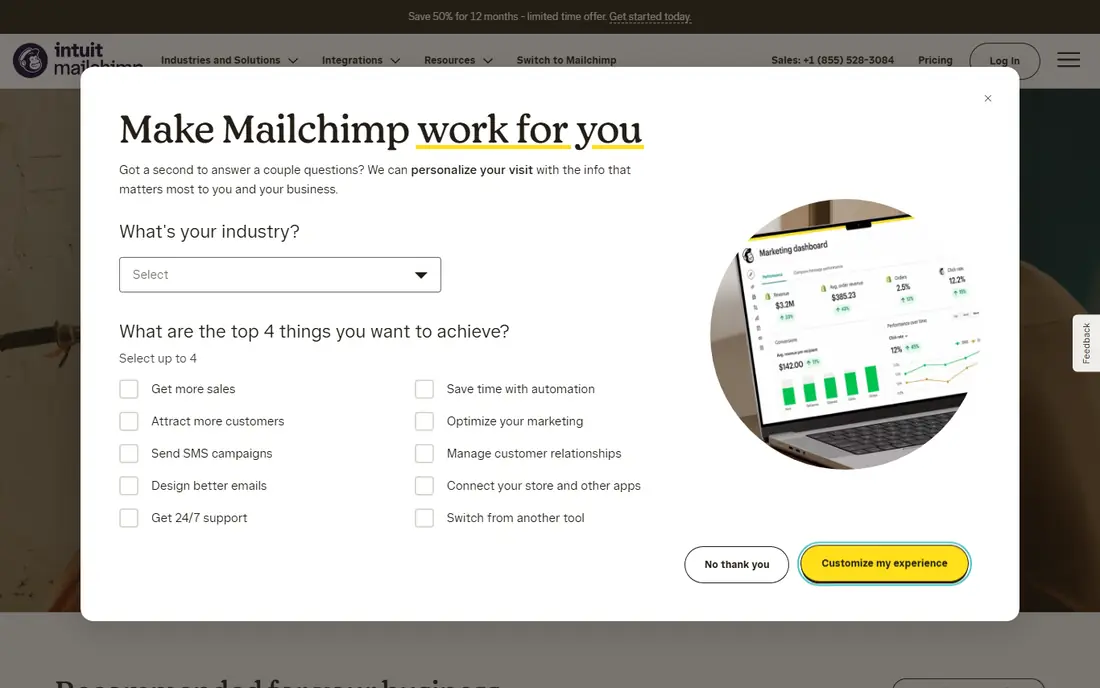
Mailchimp is the most widely used email marketing tool, with templates, automation, landing pages and analytics in one place. Small businesses get a complete toolkit, and integrations cover major ecommerce and CRM platforms. Its familiarity also means help and guides are easy to find.
Pricing rises quickly as lists grow, and the interface packs in many features that can feel busy. For a small business that wants one well-known tool, Mailchimp remains a safe choice.
Bottom line: Mailchimp suits all-round email marketing best. Its strongest point is broad features, while the main drawback to weigh is pricing rises quickly with list size. Check the current pricing page before deciding, since plans and limits change.
- Broad features
- Large template library
- Many integrations
- Pricing rises quickly with list size
- Interface can feel busy
Kit
Ideal for: creators and newsletters
Kit, formerly ConvertKit, is built for creators who sell content, courses and newsletters. It offers simple landing pages, email sequences and paid newsletter support, with a focus on growing an audience rather than complex design. Creators value its simplicity.
Design templates are simpler than Mailchimp or Flodesk, and ecommerce features are lighter than Klaviyo. For creators who want email without fuss, Kit is a strong alternative.
Bottom line: Kit suits creators and newsletters best. Its strongest point is simple creator tools, while the main drawback to weigh is fewer design templates than Mailchimp. Check the current pricing page before deciding, since plans and limits change.
- Simple creator tools
- Landing pages
- Paid newsletter support
- Fewer design templates than Mailchimp
- Ecommerce features are lighter
MailerLite
Ideal for: affordable email marketing
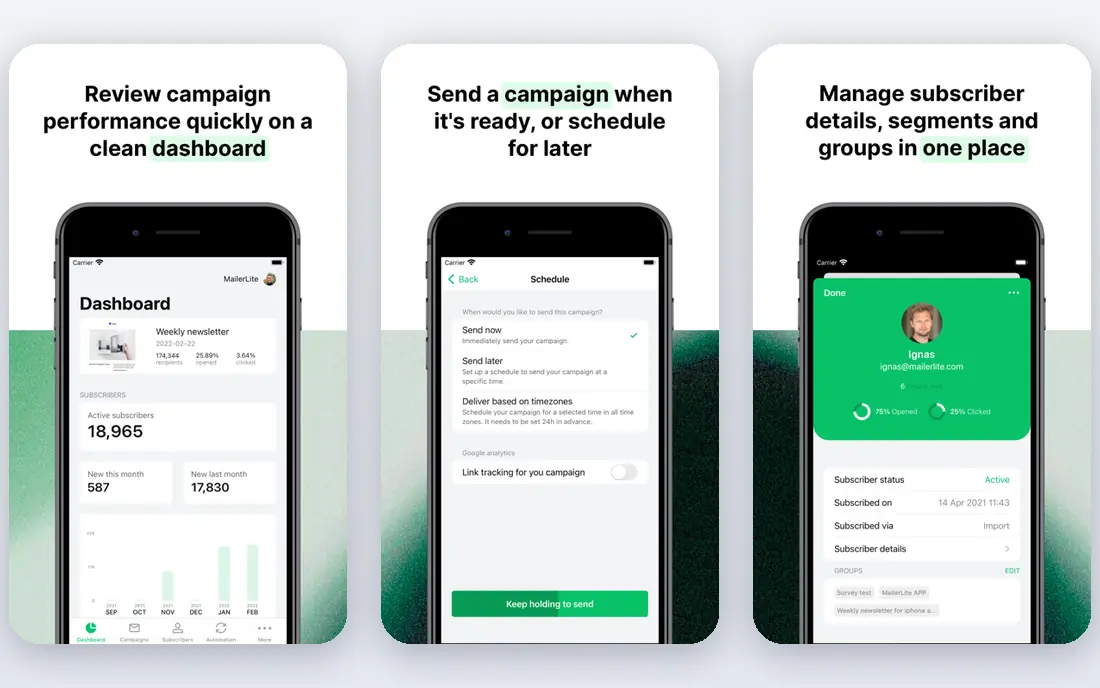
MailerLite is known for value, with a generous free tier and affordable paid plans that suit small businesses and creators. The editor is clean, automation covers common sequences, and landing pages are included. For a small list on a budget, it is hard to beat.
Advanced automation and ecommerce features are thinner than in ActiveCampaign or Klaviyo, and new accounts go through an approval process. For affordable, straightforward email marketing, MailerLite is an excellent pick.
Bottom line: MailerLite suits affordable email marketing best. Its strongest point is generous free tier, while the main drawback to weigh is fewer advanced features than ActiveCampaign. Check the current pricing page before deciding, since plans and limits change.
- Generous free tier
- Clean editor
- Good value paid plans
- Fewer advanced features than ActiveCampaign
- Approval process for new accounts
ActiveCampaign
Ideal for: deep marketing automation
ActiveCampaign offers the deepest automation on this list, with a visual builder for complex sequences, CRM features and detailed segmentation. Businesses that rely on email for sales will find its automation genuinely useful, from welcome series to behaviour-based follow-ups.
Pricing is higher than simpler tools, and the automation builder takes time to master. For teams that need serious automation, ActiveCampaign earns its price.
Bottom line: ActiveCampaign suits deep marketing automation best. Its strongest point is powerful automation, while the main drawback to weigh is higher price. Check the current pricing page before deciding, since plans and limits change.
- Powerful automation
- CRM features
- Strong segmentation
- Higher price
- Learning curve for automation builder
Klaviyo
Ideal for: ecommerce email marketing
Klaviyo is built for ecommerce, with deep integrations for Shopify and other platforms, detailed segmentation and SMS alongside email. Stores use it for abandoned cart flows, post-purchase sequences and targeted campaigns based on buying behaviour.
Pricing rises with list size and can become significant for large lists, and non-ecommerce users will not need its depth. For online stores, Klaviyo is the leading email platform.
Bottom line: Klaviyo suits ecommerce email marketing best. Its strongest point is deep ecommerce integrations, while the main drawback to weigh is pricing rises with list size. Check the current pricing page before deciding, since plans and limits change.
- Deep ecommerce integrations
- Strong segmentation
- SMS options
- Pricing rises with list size
- Best for ecommerce stores
Constant Contact
Ideal for: small business email
Constant Contact suits small businesses that want simple email marketing with good support. The editor is approachable, templates cover common business needs, and event marketing and survey tools add value for local businesses and nonprofits.
Automation is more basic than ActiveCampaign, and pricing is tiered by contact count. For a small business that values simplicity and support, Constant Contact is a reliable choice.
Bottom line: Constant Contact suits small business email best. Its strongest point is simple editor, while the main drawback to weigh is automation is basic. Check the current pricing page before deciding, since plans and limits change.
- Simple editor
- Good support
- Event and survey tools
- Automation is basic
- Pricing is per contact tier
Beehiiv
Ideal for: newsletter publishing
Beehiiv is a newsletter platform with publishing, subscriptions and growth tools built in. Writers get a website for their newsletter, referral programmes and analytics focused on readership. It suits independent writers and media brands that live by their newsletter.
It is less suited to general marketing email or ecommerce automation. For newsletter-first creators, Beehiiv is one of the best tools available.
Bottom line: Beehiiv suits newsletter publishing best. Its strongest point is built for newsletters, while the main drawback to weigh is less suited to general marketing email. Check the current pricing page before deciding, since plans and limits change.
- Built for newsletters
- Website and subscriptions
- Growth tools
- Less suited to general marketing email
- Ecommerce features limited
Moosend
Ideal for: budget email automation
Moosend offers email marketing and automation at a lower price than many rivals, with a simple editor and solid automation for common sequences. Small businesses get good value, and the platform covers landing pages and segmentation without a premium price.
The template library is smaller than Mailchimp's, and integrations are fewer. For budget-conscious email marketing with real automation, Moosend is a strong pick.
Bottom line: Moosend suits budget email automation best. Its strongest point is affordable plans, while the main drawback to weigh is smaller template library. Check the current pricing page before deciding, since plans and limits change.
- Affordable plans
- Good automation for the price
- Simple editor
- Smaller template library
- Fewer integrations than Mailchimp
How we picked these
We started from the original product and what people use it for, then compared official feature pages, pricing pages, app-store listings, privacy policies and public reviews for each candidate. We kept only products that exist, work in October 2026 and genuinely fit the topic, and we left out products that were discontinued, unrelated or too thin to recommend.
We weighed fit for the topic first, then price and free options, ease of setup and the honest downsides that show up in reviews and documentation. Prices are given as listed on the vendor's own site where we could verify them, and we wrote See website where a price was quoted, unclear or likely to change by plan.
We also left out products that no longer exist, that have been folded into a different product, or that only partly fit the topic. A longer list would have been easier to write, but a list padded with poor fits helps nobody choose, so we kept the list to products we can genuinely recommend for this use.
How to choose an email marketing tool
Start with your list size and growth plans. Free tiers often cover small lists, but costs rise sharply as subscribers grow, so check the price at double your current list size. A tool that is cheap at 500 subscribers can be expensive at 5,000.
Next, check automation needs. Simple newsletters need little automation, while ecommerce and course businesses benefit from welcome sequences, abandoned cart emails and segmentation. Pay for the automation you will actually use, not the full suite.
Finally, test the editor. You will use it weekly, so it should feel pleasant and produce emails that look good on phones. A trial with a real campaign will show whether templates and editing suit your style.
Run a real trial before you pay. Sign up for the free tier or trial, connect it to a real project, and test the exact tasks you do every week rather than the demo workflow. Check how long setup takes, how clear the reporting is and how quickly support replies, since those details decide whether a tool survives past the first month.
Plan the switch, not just the signup. Export your data from the old tool, check what imports cleanly and what must be rebuilt by hand, and keep the old system running until the new one has handled real work. A short overlap period avoids lost data and gives your team time to learn the new workflow.
Frequently asked questions
What is the best Flodesk alternative?
Mailchimp is the most complete all-round replacement, while Kit suits creators who want simplicity. MailerLite offers the best value for small lists, and Beehiiv is a strong pick for newsletter writers.
Is there a free Flodesk alternative?
MailerLite, Mailchimp and Moosend all offer free tiers with limits on subscribers or sends. Beehiiv also offers a free tier for newsletters. Check current limits, since free plans change.
Which tool is best for creators?
Kit and Beehiiv are built for creators and newsletter writers, with simple tools for landing pages, subscriptions and paid newsletters. Mailchimp suits creators who also need broader marketing features.
Do these tools handle automation?
Yes, though depth varies. ActiveCampaign and Klaviyo offer the deepest automation, while MailerLite and Kit cover the common sequences most small businesses need.
Can I migrate my list from Flodesk?
Yes. Most tools import subscribers from a CSV file, and Flodesk lets you export your list. Allow time to rebuild templates and automations, since those do not transfer directly.
Can I try these options before paying?
Yes, in most cases. Nearly every option on this list offers a free tier or a free trial, and we note that in the comparison table and in each product block. Use the trial for real work rather than a quick look, and check the renewal price before the trial ends so there are no surprises.