Best FlowMapp Alternatives in 2026: 7 Sitemap and UX Flow Tools Compared

- 1
 SlickplanVisual sitemaps for agenciesVisit
- 2
 Octopus.doFast visual sitemapsVisit
- 3
 Dyno MapperSitemaps with content planningVisit
- 4
 GlooMapsSimple sitemap builderVisit
- 5
 MiroBroad UX flowsVisit
- Slickplan and Octopus.do suit agencies that need visual sitemaps for client sites.
- Dyno Mapper and GlooMaps suit sitemap planning with content and SEO features.
- Miro and Lucidchart suit broader UX flows beside sitemaps.
- Coggle suits simple flow diagrams at low cost.
- Check export options, since sitemaps often feed into design and development work.
Quick comparison
| Product | Ideal for | Price from | Free version | |
|---|---|---|---|---|
| Slickplan | Visual sitemaps for agencies | See website | Free trial | Visit |
| Octopus.do | Fast visual sitemaps | See website | Free trial | Visit |
| Dyno Mapper | Sitemaps with content planning | See website | Free trial | Visit |
| GlooMaps | Simple sitemap builder | See website | Free trial | Visit |
| Miro | Broad UX flows | See website | Yes | Visit |
 Lucidchart | Flowcharts and diagrams | See website | Yes | Visit |
 Coggle | Simple flow diagrams | See website | Yes | Visit |
The best FlowMapp alternatives
FlowMapp helps UX teams plan websites with visual sitemaps, user flows, and content planning. The tools below cover similar ground, from dedicated sitemap builders to broad whiteboard and diagram platforms. We compared official feature pages, pricing pages, and public documentation.
Slickplan
Ideal for: Visual sitemaps for agencies

Slickplan lets agencies and UX teams build visual sitemaps by dragging pages into a hierarchy, then attaching content plans, notes, and SEO details to each page. Clients can view and comment without learning a complex tool, which suits agency presentations. That focus makes sitemap work fast and clear.
It is not a general whiteboard or flowchart platform, so broader UX work may need another tool. For an agency that plans client sites often, Slickplan is our pick for sitemap clarity. Trial it with a real client site structure first.
- Visual sitemap builder with content planning
- Drag-and-drop editing
- Client sharing and collaboration
- Sitemap focus means less general whiteboard depth
- Pricing is per project tiers
Octopus.do
Ideal for: Fast visual sitemaps

Octopus.do builds visual sitemaps quickly, with blocks for pages, content, and notes that teams can edit together in real time. Its speed suits workshops and kickoff sessions where a site structure must emerge live. Export options help hand sitemaps to designers and developers.
Content planning depth is thinner than Slickplan or Dyno Mapper, so content-heavy projects may need extra docs. For fast, collaborative sitemap sketching, Octopus.do is a strong pick. Its interface needs little training.
- Fast sitemap building with visual blocks
- Real-time collaboration
- Export and sharing options
- Fewer content planning features than Slickplan
- Smaller ecosystem
Dyno Mapper
Ideal for: Sitemaps with content planning
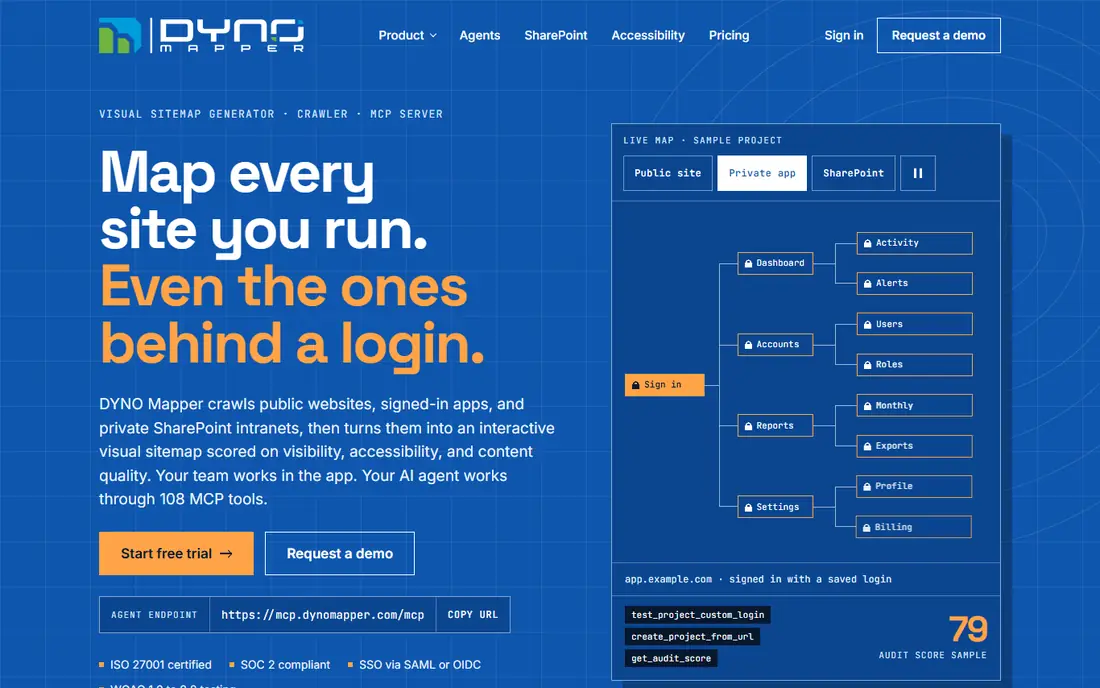
Dyno Mapper combines visual sitemaps with content inventory, letting teams crawl an existing site, map its pages, and plan content updates. Analytics integration shows which pages perform, which helps redesign decisions. That blend suits redesign projects more than brand-new site planning alone.
The interface is less modern than Octopus.do, and setup takes time for crawls. For a redesign team that needs sitemap plus content audit, Dyno Mapper is a practical pick. Test crawling on your own site during the trial.
- Visual sitemaps with content inventory and analytics integration
- Website crawling to generate sitemaps
- Collaboration features
- Interface feels dated beside newer tools
- Pricing is subscription based
GlooMaps
Ideal for: Simple sitemap builder
GlooMaps keeps sitemap building deliberately simple: add pages, arrange them, share a link. Small teams and freelancers who need a clear sitemap without extra features will appreciate its speed. Sharing links make client review easy without accounts.
Larger teams may miss collaboration, content planning, and export depth. For a quick, clean sitemap at low cost, GlooMaps is a good pick. Use it when simplicity matters more than feature depth.
- Very simple sitemap builder with clean visuals
- Easy sharing links
- Low learning curve
- Fewer features than Slickplan or Octopus.do
- Limited collaboration depth
Miro
Ideal for: Broad UX flows
Miro handles sitemaps and user flows inside a broader whiteboard, with templates for site maps, flows, and journey maps. UX teams can brainstorm, map flows, and plan screens in one board, with real-time collaboration for remote workshops. That breadth suits teams that do more than sitemaps.
Dedicated sitemap structure, such as page hierarchies and content fields, needs manual building. For a UX team that wants flows beside workshops and brainstorming, Miro is a strong pick. Its free tier covers small projects.
- Huge canvas for sitemaps, flows, and workshops
- Templates for UX work
- Strong real-time collaboration
- Sitemaps need manual setup
- Less structured than dedicated sitemap tools
Lucidchart
Ideal for: Flowcharts and diagrams
Lucidchart builds precise user flows, wireflows, and diagrams with shape libraries and alignment tools. UX teams use it for flows that must be presented clearly to stakeholders, with export to docs and presentations. Its precision suits documentation-grade diagrams.
Sitemap-specific features such as content planning are thinner than dedicated tools. For user flows and diagrams that need polish, Lucidchart is a strong pick. Use its free tier to test flow types before upgrading.
- Precise flowchart and diagram tools
- Shape libraries for UX flows
- Sharing and export controls
- Less sitemap-specific structure than Slickplan
- Paid plans for full features
Coggle
Ideal for: Simple flow diagrams
Coggle builds simple branching diagrams that work for small user flows and site outlines. Its simplicity suits quick planning sessions, student projects, and small sites where a full sitemap tool is overkill. Collaboration works in real time, and sharing links are easy.
Large sites with hundreds of pages need a dedicated sitemap tool instead. For a quick flow or small site outline, Coggle is a free, friendly pick. Upgrade only for private diagrams or larger teams.
- Simple branching diagrams for flows and maps
- Real-time collaboration
- Very low learning curve
- Not a dedicated sitemap tool
- Limited structure for large sites
How we picked these
We compared official feature pages, pricing pages, and public documentation, looking for visual sitemap, user flow, or UX planning features that match FlowMapp. We favored tools that are actively maintained and work in October 2026, and we mixed dedicated sitemap builders with broader diagram platforms. We did not claim hands-on testing, and we note that free tiers limit project counts, so check current limits.
We also weighed practical details that matter after signup. That included how easy each product is to set up, whether support answers promptly, and whether pricing stays clear as usage grows. We read user complaints as well as praise, since repeated complaints about billing, onboarding, or missing features often signal a real weakness. Where a product had a known limitation, we said so in its write-up rather than smoothing it over. Our goal was a shortlist that a reader can trust for flowmapp alternatives, not a list of every vendor in the market. Readers with unusual needs should still test their top two choices, since fit depends on budget, team size, and the features used every day.
What to check before you choose
Start with your project type: new site planning, redesign, or ongoing UX flows. Dedicated sitemap tools suit new and redesign projects, while Miro and Lucidchart suit ongoing flow work. List must-haves such as content planning, crawling, client sharing, or export formats.
Next, test sharing with a real client or stakeholder. A sitemap tool fails if clients cannot view or comment easily. Check export to PDF, image, or XML, since sitemaps feed design and development. A trial with a real site structure will show whether the tool fits your workflow.
Testing your shortlist before you commit
A short trial answers questions that no comparison table can settle. Sign up for your top two choices, run a real task from your own work, and watch how long it takes and where you get stuck. For flowmapp alternatives, that real task might be a weekly workflow you repeat, a report you need every month, or a setup step your team must repeat for new members. If a tool slows that task down, it will cost time every week, no matter how good its feature list looks.
Pay attention to support during the trial as well. Send a question through the normal support channel and note how long a useful answer takes. Check billing clarity too: confirm what the trial includes, when it ends, and what the first paid invoice will actually show. A tool that is hard to cancel, or that hides fees until checkout, deserves caution.
Finally, ask who else on your team must use the tool. A product that only one person likes will stall, while a product the whole team adopts will pay for itself. Gather quick feedback from the people who will use it daily, compare their notes with your own, and then choose. That small amount of trial discipline prevents most bad purchases, and it costs far less than switching tools again in six months.
Budgeting the full cost, not just the headline price
Headline prices rarely tell the full story. Add up per-user fees, add-on charges, implementation help, and any training your team needs, then compare that total across your shortlist. A cheaper plan that needs three paid add-ons can end up costing more than a fuller plan from a rival. Check renewal terms as well, since introductory discounts often expire after the first term and the second year price is the one you will actually live with.
Think about exit costs too. Before you commit, confirm how your data exports, whether your content or history moves cleanly, and what happens if you pause or cancel. A tool with clean exports gives you freedom later, while a tool that locks data in makes switching painful. Choosing with the full cost and the exit path in mind keeps your flowmapp alternatives decision sound for the long term, not just for the first month.
Frequently asked questions
What does FlowMapp do?
FlowMapp helps UX teams plan websites with visual sitemaps, user flows, and content planning, often used by agencies during site planning and redesigns.
Which FlowMapp alternative is best for agencies?
Slickplan and Octopus.do suit agencies best, with visual sitemaps, client sharing, and collaboration. Slickplan adds more content planning, while Octopus.do is faster for live sessions.
Can I generate a sitemap from an existing site?
Yes, Dyno Mapper can crawl an existing site to build a sitemap, and other tools offer import options. Check crawling limits on trial plans before relying on it.
Do I need a dedicated sitemap tool or a whiteboard?
Dedicated tools suit structured site planning with page hierarchies and content fields. Whiteboards suit broader UX work where sitemaps are one artifact among many.
How do I share a sitemap with a client?
Most tools offer share links, guest viewing, and PDF or image export. Confirm guest access rules, since some tools require accounts for commenting.