Best Free Alternatives To Intercom in 2026: 8 Options Compared

- Tawk.to is the only fully free option here, with live chat at no cost, though it shows branding unless you pay to remove it.
- Crisp, Tidio and Chatwoot offer generous free tiers that suit small teams starting with live chat.
- Zoho Desk and Freshdesk provide free helpdesk plans for small support teams that need tickets as well as chat.
- HubSpot and JivoChat suit teams that want chat connected to a CRM or a simple all-in-one setup.
Quick comparison
| Product | Ideal for | Price from | Free version | |
|---|---|---|---|---|
 Tawk.to | completely free live chat | Free | Yes | Visit |
 Crisp | free tier with shared inbox | See website | Yes | Visit |
 Tidio | chat with basic automation | See website | Yes | Visit |
 Zoho Desk | free helpdesk for small teams | See website | Yes | Visit |
 HubSpot Service Hub | chat connected to a CRM | See website | Yes | Visit |
 Freshdesk | free helpdesk with chat | See website | Yes | Visit |
 Chatwoot | open source customer messaging | See website | Yes | Visit |
 JivoChat | simple chat for small sites | See website | Free trial | Visit |
The best Free Alternatives To Intercom
Here are our picks for the best free alternatives to intercom, covering a mix of well-known leaders and strong smaller options. We compared official feature pages, pricing pages, app-store listings, privacy policies and public reviews to build this list.
Tawk.to
Ideal for: completely free live chat
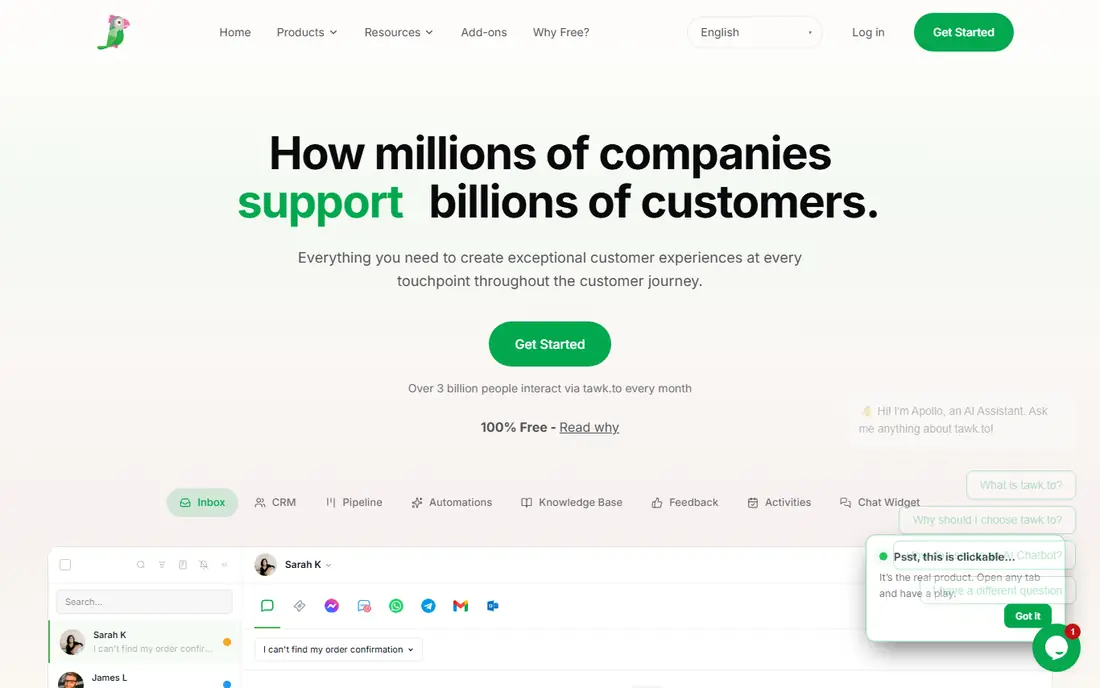
Tawk.to is the standout free option, offering live chat at no cost with no per-agent fees. Small businesses can add chat to a website, answer visitors from a mobile app, and manage basic tickets without a monthly bill. That pricing model is rare, and it makes Tawk.to the first tool to try for a tight budget.
The trade-off is branding on the chat widget unless you pay a small fee to remove it, and automation features are lighter than paid rivals. For a small business that needs live chat now at no cost, Tawk.to is hard to beat.
Bottom line: Tawk.to suits completely free live chat best. Its strongest point is free live chat with no per-agent fees, while the main drawback to weigh is branding shown unless you pay to remove it. Check the current pricing page before deciding, since plans and limits change.
- Free live chat with no per-agent fees
- Mobile apps
- Ticketing basics
- Branding shown unless you pay to remove it
- Fewer automation features
Crisp
Ideal for: free tier with shared inbox
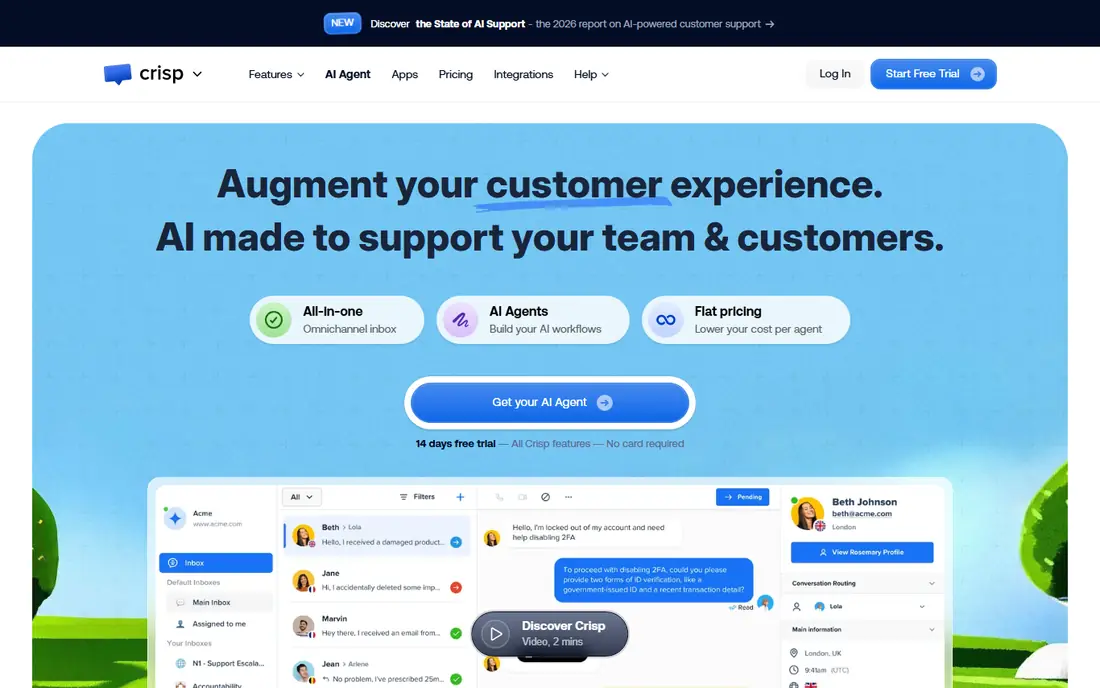
Crisp offers a free tier with live chat and a shared inbox, which suits small teams starting with customer messaging. The interface is clean, setup is quick, and the shared inbox keeps conversations organised across agents. It feels more polished than many free tools.
The free tier limits chat history and some features, and costs rise as the team grows. For a small team that wants a tidy, modern chat tool with a path to paid features, Crisp is a strong pick.
Bottom line: Crisp suits free tier with shared inbox best. Its strongest point is generous free tier, while the main drawback to weigh is free tier limits history and features. Check the current pricing page before deciding, since plans and limits change.
- Generous free tier
- Shared inbox
- Knowledge base on paid plans
- Free tier limits history and features
- Costs rise with team size
Tidio
Ideal for: chat with basic automation

Tidio combines live chat with basic chatbot automation, and its free tier suits small websites starting with chat. Setup is simple, with plugins for common platforms, and the chatbot can answer common questions before an agent steps in. That mix is useful for small shops.
The free tier limits the number of conversations, and advanced automation needs a paid plan. For a small business that wants chat plus simple automation, Tidio is a good starting point.
Bottom line: Tidio suits chat with basic automation best. Its strongest point is free tier available, while the main drawback to weigh is free tier limits conversations. Check the current pricing page before deciding, since plans and limits change.
- Free tier available
- Chatbot basics
- Easy website setup
- Free tier limits conversations
- Advanced bots need paid plans
Zoho Desk
Ideal for: free helpdesk for small teams
Zoho Desk is a helpdesk rather than a chat-only tool, and its free plan covers small teams with ticket management, a knowledge base and email support. Teams that need structured support alongside chat will find it more complete than a widget alone, and Zoho integrations help if you already use Zoho products.
Live chat sits as an add-on rather than the core product, and the interface takes time to learn. For a small support team that needs tickets first and chat second, Zoho Desk is a solid free starting point.
Bottom line: Zoho Desk suits free helpdesk for small teams best. Its strongest point is free plan for small teams, while the main drawback to weigh is chat is an add-on rather than the core. Check the current pricing page before deciding, since plans and limits change.
- Free plan for small teams
- Tickets and knowledge base
- Zoho integrations
- Chat is an add-on rather than the core
- Interface takes learning
HubSpot Service Hub
Ideal for: chat connected to a CRM
HubSpot Service Hub offers free live chat connected to a free CRM, which suits teams that want customer conversations tied to contact records. Tickets, a knowledge base and reporting come with the free tools, and the setup is guided. For a team already using HubSpot, the connection is direct and useful.
Advanced automation, routing and reporting need paid tiers, and the wider HubSpot ecosystem can feel large. For a small team that wants chat plus CRM without cost, HubSpot is a strong free option.
Bottom line: HubSpot Service Hub suits chat connected to a CRM best. Its strongest point is free CRM and chat, while the main drawback to weigh is advanced automation needs paid tiers. Check the current pricing page before deciding, since plans and limits change.
- Free CRM and chat
- Tickets and knowledge base
- Strong integrations
- Advanced automation needs paid tiers
- HubSpot ecosystem is large
Freshdesk
Ideal for: free helpdesk with chat
Freshdesk offers a free plan for small support teams, covering tickets, a knowledge base and basic chat. Setup is straightforward, and the interface is friendly for new support agents. It suits teams that need organised support rather than just a chat widget.
The free plan limits agent numbers and features, so growing teams will need a paid tier. For a small team starting with structured support at no cost, Freshdesk is a reliable choice.
Bottom line: Freshdesk suits free helpdesk with chat best. Its strongest point is free plan for small teams, while the main drawback to weigh is free plan limits agents and features. Check the current pricing page before deciding, since plans and limits change.
- Free plan for small teams
- Tickets, chat and knowledge base
- Easy setup
- Free plan limits agents and features
- Advanced tools need paid plans
Chatwoot
Ideal for: open source customer messaging
Chatwoot is an open source customer messaging platform with a shared inbox for chat, email and social messages. Teams can self-host it for free or use a hosted plan, which gives flexibility that closed tools do not offer. The inbox keeps conversations from different channels in one place.
Self-hosting needs technical skill to set up and maintain, and hosted plans beyond the free tier are paid. For a technical team that wants an open, flexible messaging platform, Chatwoot is an excellent free option.
Bottom line: Chatwoot suits open source customer messaging best. Its strongest point is open source, while the main drawback to weigh is self-hosting needs technical skill. Check the current pricing page before deciding, since plans and limits change.
- Open source
- Self-hosting option
- Shared inbox across channels
- Self-hosting needs technical skill
- Hosted plans are paid beyond free tier
JivoChat
Ideal for: simple chat for small sites
JivoChat offers live chat for small websites, with calls, email and messaging channels in one app. Setup is quick, agents can answer from mobile apps, and the interface is simple enough for a small team to learn in an afternoon.
The free offering is limited, and advanced features need a paid plan. For a small site that wants simple chat with a few extra channels, JivoChat is a practical option.
Bottom line: JivoChat suits simple chat for small sites best. Its strongest point is simple setup, while the main drawback to weigh is free tier is limited. Check the current pricing page before deciding, since plans and limits change.
- Simple setup
- Chat plus calls and email
- Mobile apps
- Free tier is limited
- Advanced features need paid plans
How we picked these
We started from the original product and what people use it for, then compared official feature pages, pricing pages, app-store listings, privacy policies and public reviews for each candidate. We kept only products that exist, work in October 2026 and genuinely fit the topic, and we left out products that were discontinued, unrelated or too thin to recommend.
We weighed fit for the topic first, then price and free options, ease of setup and the honest downsides that show up in reviews and documentation. Prices are given as listed on the vendor's own site where we could verify them, and we wrote See website where a price was quoted, unclear or likely to change by plan.
We also left out products that no longer exist, that have been folded into a different product, or that only partly fit the topic. A longer list would have been easier to write, but a list padded with poor fits helps nobody choose, so we kept the list to products we can genuinely recommend for this use.
How to choose a free chat tool
Start by checking what the free plan actually includes. Some free tiers limit the number of agents, conversations or chat history, and those limits matter more than the headline claim of free. Read the current limits on the pricing page before building your support workflow around a tool.
Next, check whether you need chat only or a full helpdesk. Chat tools handle live conversations well, while helpdesks add tickets, knowledge bases and SLAs. A team that needs both may prefer Zoho Desk or Freshdesk over a chat-only tool.
Finally, think about growth. A free plan that forces a painful migration later can cost more in time than a modest paid plan now. Pick a tool whose paid tiers fit your budget when you grow, so upgrading is simple rather than a rebuild.
Test with your own data, not sample data. A tool can look excellent on demo content and still struggle with your volume, formats or edge cases, so load a realistic slice of your own work during the trial. Pay attention to speed, error messages and how easy it is to fix a mistake.
Think about who else must use it. A tool chosen by one person often fails when the wider team finds it confusing or slow, so invite two or three colleagues to try the shortlist and note where they get stuck. Their feedback is worth more than any feature checklist.
Frequently asked questions
What is the best free Intercom alternative?
Tawk.to is fully free for live chat, while Crisp and Tidio offer strong free tiers with more features. Chatwoot is a good open source option for teams that want to self-host.
Is Tawk.to really free?
Yes, Tawk.to offers its live chat free, supported by an optional paid add-on to remove branding. There are no per-agent fees on the core product, which is unusual in this market.
Can free chat tools handle a growing business?
For a time, yes. Most free tiers suit small teams with modest chat volumes. As conversations grow, paid tiers add more agents, history and automation, and upgrading is usually straightforward.
Do free plans include chatbots?
Some do, with limits. Tidio and Crisp offer basic automation on free or low-cost plans, while advanced bots usually need a paid tier. Check the current feature list for the tool you are considering.
Will a free tool work with my website?
Yes. All of these tools provide a chat widget that can be added to a website with a code snippet, and most offer WordPress plugins or integrations for common platforms.
Can I try these options before paying?
Yes, in most cases. Nearly every option on this list offers a free tier or a free trial, and we note that in the comparison table and in each product block. Use the trial for real work rather than a quick look, and check the renewal price before the trial ends so there are no surprises.