8 Best GitKraken Alternatives for 2026

- 1
 GitHub DesktopFree Git client for GitHub usersVisit
- 2
 SourcetreeFree Git and Mercurial clientVisit
- 3
 ForkFast one time license clientVisit
- 4
 TowerMost polished subscription clientVisit
- 5
 Sublime MergeFast cross platform clientVisit
- GitHub Desktop and Sourcetree cost nothing and cover everyday branching, committing and pull requests, so start there before you buy anything.
- Fork at $59.99 once and Sublime Merge at $99 once are the best value for developers who want to own a license outright instead of renting one every year.
- Tower Basic at $69 per user per year is the most polished subscription client, with a real undo for commits, merges and stash deletions.
- SmartGit starts from $5 per user per month for commercial use and is free for non commercial use, which suits mixed teams of open source and commercial developers.
- Lazygit and Visual Studio Code cost nothing and run on Linux, which matters for teams where Tower and Fork do not run at all.
Quick comparison
| Product | Ideal for | Price from | Free version | |
|---|---|---|---|---|
| GitHub Desktop | Free Git client for GitHub users | $0 | Yes | Visit |
| Sourcetree | Free Git and Mercurial client | $0 | Yes | Visit |
| Fork | Fast one time license client | $59.99 once | No | Visit |
| Tower | Most polished subscription client | $69 per user/year | No | Visit |
| Sublime Merge | Fast cross platform client | $99 once | No | Visit |
 SmartGit | Commercial client with free non commercial use | $5 per user/month | Yes | Visit |
 lazygit | Free terminal Git interface | $0 | Yes | Visit |
 Visual Studio Code | Free editor with built in Git | $0 | Yes | Visit |
The best GitKraken alternatives
GitHub Desktop
Ideal for: Free Git client for GitHub users
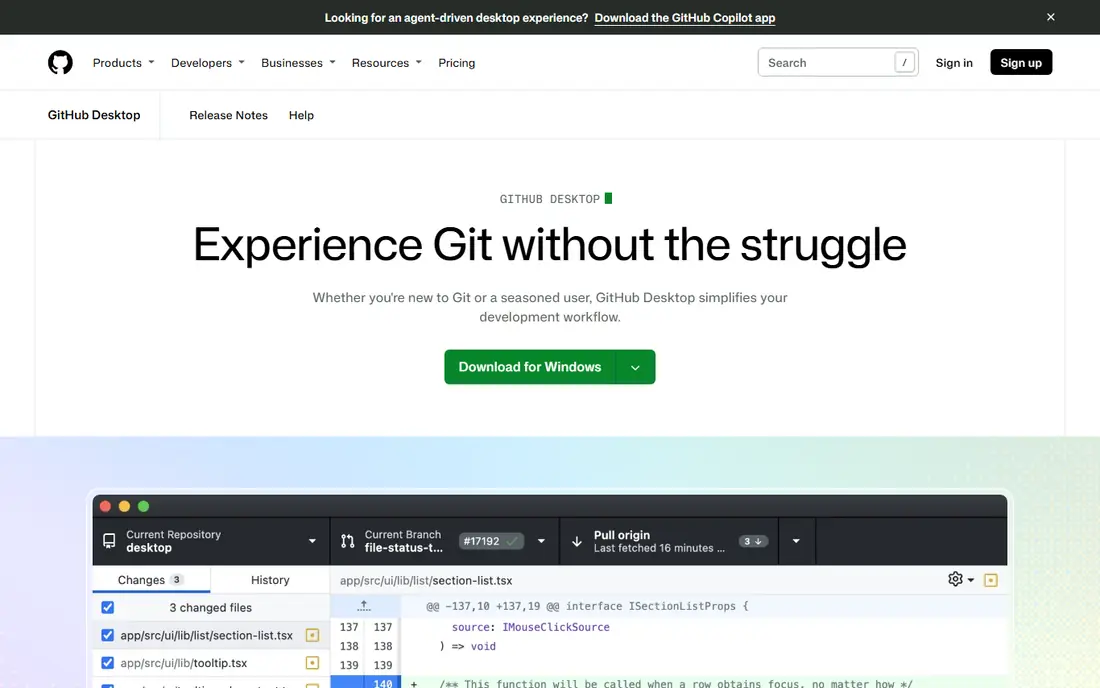
GitHub Desktop is the simplest free alternative to GitKraken, and it is the obvious first choice for anyone whose code lives on GitHub. It is free and open source under the MIT licence, runs on Windows and Mac, and covers the daily workflow: clone, branch, commit, push, pull and merge, with a visual diff and a clear history graph. Its GitHub integration is the strongest part, with pull request creation, checks and issue links built into the same window where you commit.
The limits show up outside GitHub and outside the basics. It works with other hosts, but the experience is thinner, and it has fewer advanced tools than Tower or Fork, with no interactive rebase editor of the same depth and no built in merge conflict editor as strong as GitKraken Pro. For a developer who mainly works on GitHub and wants a free client that stays out of the way, GitHub Desktop is the best no cost replacement.
- Free and open source with a clean interface
- Deep GitHub integration for pull requests and issues
- Works best with GitHub and is weaker with other hosts
- Fewer advanced features than Tower or Fork
Sourcetree
Ideal for: Free Git and Mercurial client
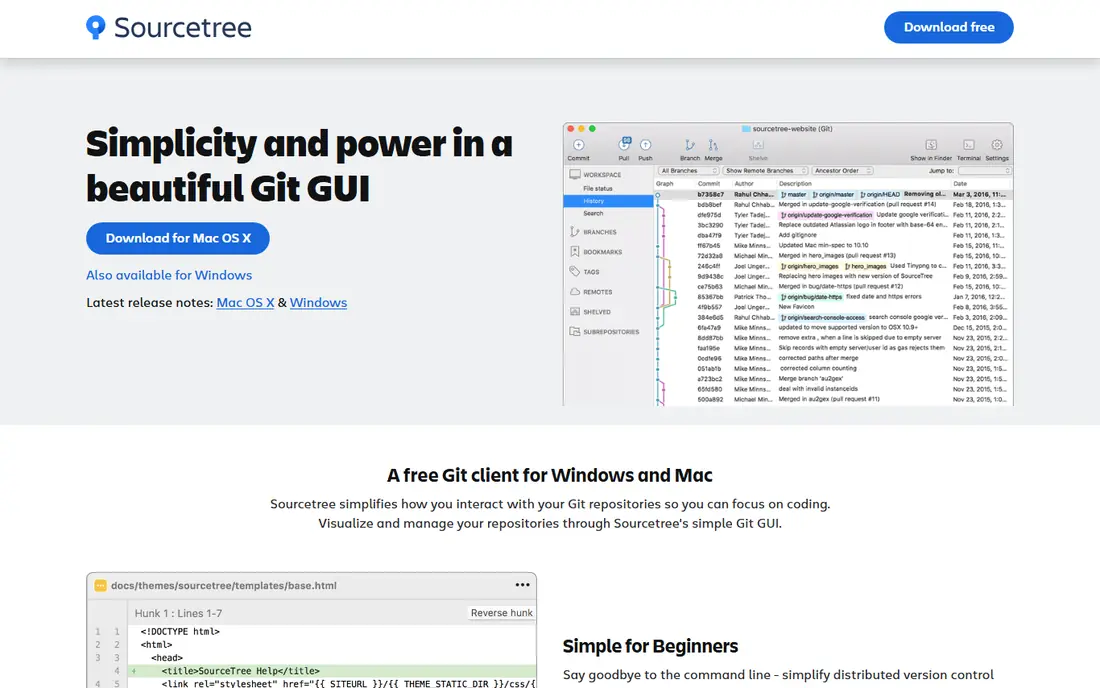
Sourcetree is Atlassian's free Git and Mercurial client for Windows and Mac, and it remains one of the most capable free desktop clients available. It shows a full visual history with branches and tags, supports interactive rebase, cherry picking, stashing and submodules, and connects to Bitbucket, GitHub and GitLab. There is no subscription tier at all, so the full client is free for commercial use, including private repositories.
The trade off is momentum. Sourcetree has fallen behind in 2026: releases are less frequent, the interface feels dated next to Tower or Fork, and some features ask for an Atlassian account. It also has no Linux version. Even so, for a developer who wants a free, full featured desktop client with Mercurial support and no account wall on the core workflow, Sourcetree is still a strong alternative to GitKraken.
- Free with no subscription tier
- Supports Git and Mercurial with a full visual history
- Development pace has slowed and the interface feels dated
- Needs an Atlassian account for some features
Fork
Ideal for: Fast one time license client
Fork is a Git client for Mac and Windows that is sold outright rather than rented. One license costs $59.99 once and covers personal and commercial use for one user on up to three machines, with a free evaluation period that carries no stated deadline. It is built natively, so it feels fast in a way Electron based clients cannot match, and it includes interactive rebase, worktrees, a strong merge conflict resolver, and a clean interface that stays out of the way.
The limits are platform and scope. Fork runs on Mac and Windows only, with no Linux version, and its pull request support covers creating and viewing rather than full review. The developer has also never published an update policy, so a future major version could carry a new charge. For a developer who wants to own a fast daily driver and never see another monthly bill, Fork is the best value alternative to GitKraken Pro.
- One time $59.99 license with no subscription
- Native and fast on Mac and Windows
- No Linux version
- Pull request support is create and view rather than full review
Tower
Ideal for: Most polished subscription client
Tower is a native Git client for Mac and Windows from fournova Software, and it is the most polished client on this list. Basic costs $69 per user per year, Pro costs $129 per user per year, and Enterprise costs $149 per user per year, with a 30 day free trial of Pro and free use for students, teachers and schools. Every plan includes unlimited updates, a pull request manager and a services manager for cloud hosts, and Pro adds team management and dedicated billing roles.
The standout feature is undo: press Cmd Z to reverse commits, merges and stash deletions, which removes much of the fear from everyday Git work. Tower also has strong conflict tooling and a pull request workflow that keeps review inside the client. The cost is the catch: at $69 per year for Basic and $129 for Pro, it is the highest recurring cost of any client here, and there is no Linux version. For a professional who wants the most finished product and will pay yearly for it, Tower is the premium alternative.
- Most polished interface of any Git client
- Real undo for commits, merges and stash deletions
- Annual subscription with no free tier
- Mac and Windows only, with no Linux version
Sublime Merge
Ideal for: Fast cross platform client
Sublime Merge is the Git client from Sublime HQ, the makers of Sublime Text, and it is built for speed. A personal license costs $99 once and includes three years of updates, with one key covering every computer you use across Mac, Windows and Linux. Business use needs a separate license at $75 per user per year. The client uses a custom Git reading library and a syntax highlighting engine, so it stays fast even in very large repositories, and its line by line staging and commit editing are among the best in this list.
The license shape is the thing to understand before you buy. After three years, your version keeps working, but newer builds need a new license purchase, so the real cost over five years is higher than the $99 sticker. There is also no enforced time limit on the free evaluation, so you can try the full client before you buy. For a developer who works across all three platforms and wants a one time license, Sublime Merge is the strongest cross platform alternative.
- One time $99 personal license that runs on Mac, Windows and Linux
- Very fast with large repositories
- Updates stop after three years unless you pay for an upgrade
- Business use needs a $75 per user per year license
SmartGit
Ideal for: Commercial client with free non commercial use
SmartGit is a commercial Git client from syntevo in Germany, and it has been in development for well over a decade. Personal, non commercial use is free with registration, as is use by open source developers and students at public institutions, and the Hobby License in SmartGit 26.1 includes the full feature set except enterprise integrations. Commercial use starts from $5 per user per month, with a perpetual license option listed at $138.80 once from a September 2026 vendor page read. One license covers up to five machines per user.
SmartGit runs on Windows, Mac and Linux with the same interface on each, and it integrates with GitHub, GitLab, Bitbucket and Azure DevOps for pull requests and review comments. Its strength is the mixed license model: a team with open source maintainers and commercial developers can use one client for both cases. The interface is functional rather than polished, and commercial users must keep a license current, but for a mixed team it is the most flexible alternative here.
- Free for non commercial, open source and student use
- Runs on Windows, Mac and Linux
- Commercial use always needs a license
- Interface is functional rather than polished
lazygit
Ideal for: Free terminal Git interface
lazygit is a free, open source terminal user interface for Git that runs on Windows, Mac and Linux anywhere Git itself runs. It shows branches, commits, stashes and files in a keyboard driven panel layout, with staging, committing, rebasing, cherry picking and conflict resolution all a keypress away. It is fast, it uses almost no resources, and it works over SSH on a remote server where no graphical client can run at all.
The trade off is the interface. lazygit is a terminal tool, so there is no graphical diff view, no drag and drop, and a learning curve for anyone used to a mouse driven client. It also has no pull request or issue integration. For a developer who lives in the terminal and wants a visual layer over Git without leaving it, lazygit is the best free alternative, and it pairs well with Visual Studio Code for the times a graphical diff is useful.
- Free and open source
- Fast keyboard driven workflow that runs anywhere Git runs
- Terminal interface with a learning curve
- No graphical diff or drag and drop workflow
Visual Studio Code
Ideal for: Free editor with built in Git
Visual Studio Code is a free code editor from Microsoft, and its built in Git support is enough that many developers never install a separate client. It covers cloning, branching, committing, staging, pushing and pulling, with a visual diff editor, a timeline view and a merge conflict editor built in. Extensions such as Git Graph, Git History and the GitHub Pull Requests extension add history visualization and review workflows, and the editor runs on Windows, Mac and Linux.
The limit is depth. Without extensions, VS Code has no interactive rebase editor, no stash manager of the same quality as Fork or Tower, and no dedicated repository dashboard. It is an editor with Git inside, not a Git client first. For a developer who already works in VS Code all day, though, its built in Git support plus one or two extensions is a genuine free alternative to GitKraken, and it costs nothing to try.
- Free with Git built in and a huge extension library
- Runs on Windows, Mac and Linux
- Git features are basic without extensions
- Not a dedicated Git client
How we chose
We compared vendor pricing pages, product pages and dated third party reads of vendor pages from August to November 2026, and we checked that every homepage loads. Tower prices come from its own pricing page, with Basic at $69 and Pro at $129 per user per year. Fork at $59.99 once and Sublime Merge at $99 once come from vendor pages read in September 2026. SmartGit pricing comes from its own site as quoted in November 2026, with commercial use from $5 per user per month and a perpetual license at $138.80 once from a September 2026 read. GitHub Desktop, Sourcetree, lazygit and Visual Studio Code are free, with Sourcetree free for commercial use including private repositories. We did not run hands on tests, so treat the fit guidance as vendor documentation and published pricing rather than lab results.
What to check before you buy
Match the client to your platform and your license model before you compare features, because platform support and the subscription question decide most of this choice. Use the table below as a starting point.
| Your situation | Best first choice | Why |
|---|---|---|
| GitHub only, want free | GitHub Desktop | Free, clean, best GitHub integration |
| Free client for any host | Sourcetree | Free for commercial use, Git and Mercurial |
| Hate subscriptions | Fork or Sublime Merge | $59.99 or $99 once, own the license |
| Want the most polish | Tower Basic | $69 per year, real undo, best interface |
| Mixed open source and commercial team | SmartGit | Free for non commercial use, from $5 per user per month |
| Linux developer | lazygit or Visual Studio Code | Free, run on Linux where Fork and Tower do not |
Check whether the client runs on your operating system: Fork and Tower have no Linux version, while Sublime Merge, SmartGit, lazygit and Visual Studio Code run on all three. Check whether the free version covers commercial use and private repositories, since GitKraken free is limited to public repositories. Check whether the license is a subscription or a one time purchase, and whether updates stop after a set period, since Sublime Merge includes three years and Fork publishes no update policy. Finally, try the client on your own largest repository before you buy, because speed on a big repo is the difference you will feel every day.
Frequently asked questions
What is the best free GitKraken alternative?
GitHub Desktop is the best free alternative for GitHub users, and Sourcetree is the best free alternative for any host, since it is free for commercial use including private repositories. Both cover everyday branching, committing and pull requests. If you need a terminal client, lazygit is free and open source and runs on every platform Git runs on.
Is Fork really a one time purchase?
Yes. Fork costs $59.99 once for a license covering personal and commercial use for one user on up to three machines, on Mac and Windows. There is a free evaluation period with no stated deadline. The developer has never published an update policy, so a future major version could carry a new charge, but the license you buy does not expire.
Why is Tower more expensive than Fork?
Tower charges $69 per user per year for Basic and $129 for Pro, while Fork charges $59.99 once, because Tower is a subscription product with unlimited updates, team management, a pull request manager and a services manager for cloud hosts. Fork is a one time license from a two person team with a narrower feature set. Over three years, Tower Basic costs about $207 against Fork at $59.99.
Does Sublime Merge work on Linux?
Yes. Sublime Merge runs on Mac, Windows and Linux, and one personal license key covers every computer you use across all three platforms. That makes it the best one time license choice for a developer who works across platforms, since Fork and Tower have no Linux version at all.
Is SmartGit free?
SmartGit is free for personal, non commercial use with registration, and for open source developers and students at public institutions. Commercial use always needs a license, starting from $5 per user per month, with a perpetual license option listed at $138.80 once. One commercial license covers up to five machines per user.
Can I use GitHub Desktop with GitLab or Bitbucket?
Yes, GitHub Desktop works with other Git hosts, but the experience is thinner than with GitHub, since pull request creation, checks and issue links are built for GitHub. If your code lives on GitLab or Bitbucket, Sourcetree or SmartGit will give you a better workflow, since both integrate with those hosts for pull requests and review comments.