Best GoDaddy Alternatives in 2026: 7 Options Compared

- 1
 NamecheapDomains with clear pricingVisit
- 2
 BluehostBeginner WordPress hostingVisit
- 3
 HostingerBudget hosting with a builderVisit
- 4
 SquarespaceAll-in-one polished websitesVisit
- 5
 SiteGroundManaged WordPress hostingVisit
- Namecheap is the best domain-first alternative, with clear pricing and free privacy protection.
- Hostinger suits budget hosting with an easy builder for beginners.
- Squarespace is the best all-in-one website option for a polished site without technical work.
- Cloudflare Registrar offers at-cost domain renewals, which appeals to domain-heavy buyers.
Quick comparison
| Product | Ideal for | Price from | Free version | |
|---|---|---|---|---|
| Namecheap | Domains with clear pricing | See website | No | Visit |
| Bluehost | Beginner WordPress hosting | See website | Free trial | Visit |
| Hostinger | Budget hosting with a builder | See website | Free trial | Visit |
| Squarespace | All-in-one polished websites | See website | Free trial | Visit |
| SiteGround | Managed WordPress hosting | See website | Free trial | Visit |
 WordPress.com | Hosted WordPress without setup | Free | Yes | Visit |
 DreamHost | Independent hosting with clear terms | See website | Free trial | Visit |
The best GoDaddy alternatives
GoDaddy is the best-known domain and hosting brand, but its renewal prices, upsells and support experiences push many buyers elsewhere. The alternatives below cover domains, shared hosting, managed hosting and website builders, so the right one depends on whether you need a domain, a site, or both. We compared them on renewal pricing honesty, ease of use and support.
Namecheap
Ideal for: Domains with clear pricing
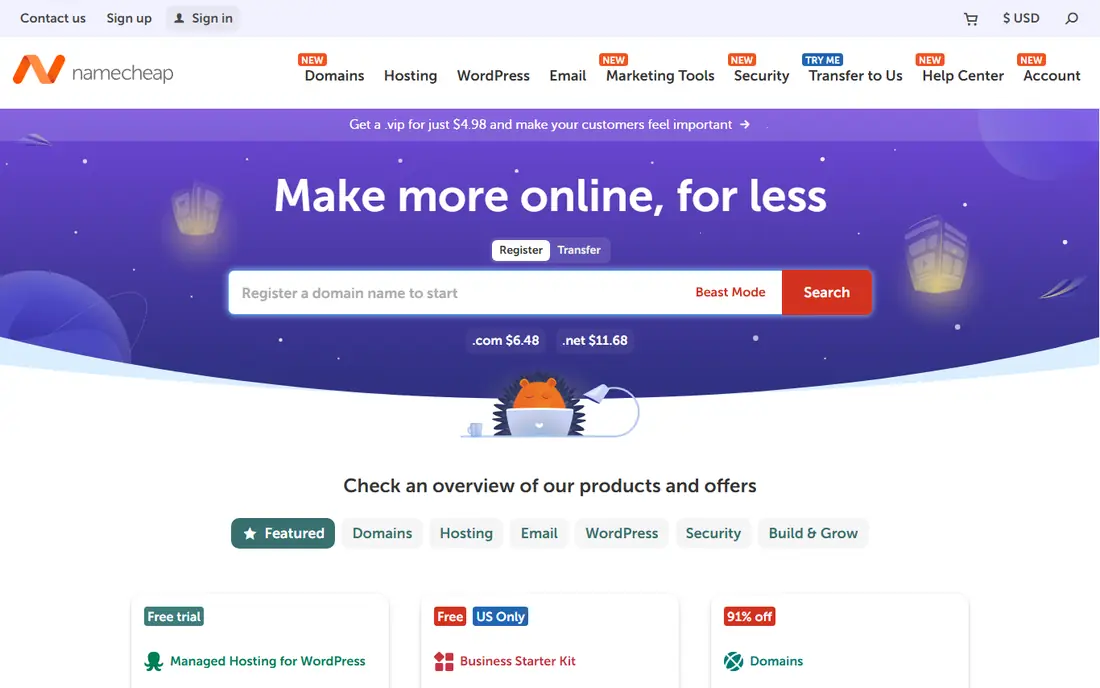
Namecheap is the most popular domain-first alternative to GoDaddy, with competitive registration and renewal pricing and free privacy protection on most domains. Its dashboard makes managing DNS, renewals and transfers straightforward, and its hosting and SSL options cover basic needs. Domain buyers trust its pricing honesty.
Its hosting is secondary to its domain business, and support is mainly chat and ticket based rather than phone-first. Buyers who want managed hosting should pair it with a host. For domains, Namecheap is the clearest alternative.
For readers focused on domains with clear pricing, Namecheap is worth a trial before deciding, since the free tier or trial shows its real feel fast. Check the current plan details on the vendor site, since prices and limits change, and confirm that the version you need works on your devices.
- Competitive domain pricing
- Free privacy protection
- Easy management
- Hosting is secondary to domains
- Support is chat and ticket based
Bluehost
Ideal for: Beginner WordPress hosting
Bluehost is a beginner-friendly WordPress host recommended by WordPress itself, with easy setup, a free domain for the first year and one-click installs. Its dashboard suits first-time site owners, and its support covers common WordPress questions. Small business sites and blogs start here often.
Renewal prices rise after the introductory term, and checkout includes upsells to decline. Performance is fine for small sites but not for high traffic. For a first WordPress site, Bluehost remains an easy choice.
We would shortlist Bluehost for beginner WordPress hosting, and compare it directly with the two options nearest it in price before paying. Check the current plan details on the vendor site, since prices and limits change, and confirm that the version you need works on your devices.
- WordPress-recommended hosting
- Free domain first year
- Easy setup
- Renewal prices rise
- Upsells during checkout
Hostinger
Ideal for: Budget hosting with a builder

Hostinger offers low-cost shared and cloud hosting with an easy website builder, global data centers and a clean control panel. Its prices suit beginners and small businesses on a budget, and its builder lets non-technical users launch a site fast. Performance for the price is strong.
Renewal prices rise after introductory terms, and advanced features such as daily backups and priority support need higher tiers. Larger sites may outgrow shared plans. For budget hosting that still feels modern, Hostinger is a leading pick.
If budget hosting with a builder is your main need, Hostinger deserves a place on a shortlist, provided you test the catch described above first. Check the current plan details on the vendor site, since prices and limits change, and confirm that the version you need works on your devices.
- Low-cost hosting
- Easy website builder
- Global data centers
- Renewal prices rise
- Advanced features need higher tiers
Squarespace
Ideal for: All-in-one polished websites
Squarespace bundles domains, hosting, templates and commerce in one polished platform, so a small business can launch a professional site without technical work. Its templates look strong out of the box, and its editor handles pages, blogs and stores. Support is included in the subscription.
The monthly cost applies even for a simple site, and it is less flexible than WordPress for complex or custom sites. Developers and plugin-heavy sites should look elsewhere. For a polished site without technical hassle, Squarespace is excellent.
Our view is that Squarespace earns its place here for all-in-one polished websites, even with the limits noted above. Check the current plan details on the vendor site, since prices and limits change, and confirm that the version you need works on your devices.
- Beautiful templates
- Domains, hosting and design in one place
- No code
- Monthly cost
- Less flexible than WordPress for complex sites
SiteGround
Ideal for: Managed WordPress hosting
SiteGround is a managed WordPress host known for strong support, speed tools and security features. Its dashboard simplifies staging, backups and caching, and its support team handles WordPress issues well. Growing sites that have outgrown budget hosts often move here.
Renewal prices rise after introductory terms, and storage limits on lower tiers can constrain larger sites. It costs more than budget hosts. For managed WordPress hosting with reliable support, SiteGround is a trusted upgrade.
For readers focused on managed WordPress hosting, SiteGround is worth a trial before deciding, since the free tier or trial shows its real feel fast. Check the current plan details on the vendor site, since prices and limits change, and confirm that the version you need works on your devices.
- Managed WordPress hosting
- Strong support
- Speed tools
- Renewal prices rise
- Storage limits on lower tiers
WordPress.com
Ideal for: Hosted WordPress without setup
WordPress.com hosts WordPress without server setup, with a free tier for simple sites and paid plans that add themes, plugins and domains. Its community and documentation are huge, and its platform handles security and updates. Bloggers and small sites start here easily.
The free tier includes WordPress.com branding and limits, and full plugin flexibility needs higher paid plans. Self-hosted WordPress on another host gives more control. For hosted WordPress without server work, it is a simple choice.
We would shortlist WordPress.com for hosted WordPress without setup, and compare it directly with the two options nearest it in price before paying. Check the current plan details on the vendor site, since prices and limits change, and confirm that the version you need works on your devices.
- Hosted WordPress with free tier
- Themes and plugins on higher plans
- Strong community
- Free tier limits and branding
- Full flexibility needs paid plans
DreamHost
Ideal for: Independent hosting with clear terms
DreamHost is an independent host with WordPress hosting, a 97-day money-back guarantee and clear terms that appeal to buyers tired of upsells. Its plans cover shared, managed WordPress and VPS hosting, and its control panel handles domains and sites together.
Its interface is less modern than rivals, and support can be slower at peak times. Performance is solid rather than leading. For an independent host with honest terms, DreamHost is a dependable alternative.
If independent hosting with clear terms is your main need, DreamHost deserves a place on a shortlist, provided you test the catch described above first. Check the current plan details on the vendor site, since prices and limits change, and confirm that the version you need works on your devices.
- Independent host
- WordPress hosting
- 97-day money-back guarantee
- Interface is less modern
- Support can be slower at peak times
How we picked these
We compared official feature pages, pricing pages, app store listings, privacy policies and public reviews for each option below. We checked that each product is still available and that its stated plans match what the vendor publishes. We did not run hands-on tests, so our picks rest on documented features, pricing and the fit for the reader described in each section, not on lab results. Where a price could not be confirmed on the vendor site at the time of writing, we wrote See website rather than guessing. We also looked at how each option handles the everyday details that decide whether a tool gets used: setup time, device support, what happens when you cancel or downgrade, and whether help is available when something breaks. A product that looks strong on a feature list but is hard to set up, hard to leave, or poorly supported will cost more in time than it saves, so we weighed those practical points alongside price and features. Where reviewers or users reported a recurring problem, we noted it in the honest catch for that product, rather than leaving it out because the vendor page did not mention it.
How to choose a domain and hosting alternative
Separate the domain from the hosting in your head, even if you buy both from one company. A domain should have clear renewal pricing and free privacy protection, while hosting should match your traffic and technical skill. Check renewal prices, not just first-year deals, since cheap introductions often double later. Confirm support hours and channels, because a site outage at night is when support quality shows. Finally, keep domain and hosting transfer options open, so a price rise does not trap you.
A final check before you commit
Run a short trial on a real task before you pay for a year or move a whole team. Use the free plan or trial to complete one full job, from setup to export or delivery, and note where you got stuck. Check the cancellation path too: can you leave and keep your data, or does leaving mean starting over? Read the pricing page for renewal rates, not just the first-year offer, and confirm what support you get on the plan you will actually buy. Finally, ask one current user about the worst part of the product, since that answer tells you more than any feature list. If the trial feels good on a real task and the exit path is clear, the choice is much safer.
Frequently asked questions
What is the best GoDaddy alternative?
Namecheap is the best domain alternative, with clear pricing and free privacy. Hostinger leads for budget hosting, Squarespace for all-in-one websites, and Cloudflare Registrar for at-cost domain renewals.
Is Namecheap better than GoDaddy?
For domains, many buyers prefer Namecheap for clearer renewal pricing and free privacy protection. GoDaddy offers a wider range of services in one account, so the better choice depends on whether you need domains alone or a bundle.
What is the cheapest domain registrar?
Cloudflare Registrar sells domains at cost with no markup on renewals, which is hard to beat for renewals. Namecheap is also competitive, especially with free privacy protection included.
Should I buy hosting and domains together?
It is convenient, but not required. Many owners register domains with a registrar such as Namecheap and host elsewhere, which makes switching hosting easier without moving the domain.
Can I transfer my domain from GoDaddy?
Yes. Release the domain, get the authorization code, and start a transfer at the new registrar. Transfers usually take a few days, and domains cannot transfer within 60 days of registration or a previous transfer.