Best Google calendar alternatives in 2026: 8 Options Compared

- 1
 Microsoft Outlook CalendarMicrosoft 365 households and teamsVisit
- 2
 Apple CalendarPeople who live on Apple devicesVisit
- 3
 Proton CalendarPrivacy focused users who want encrypted eventsVisit
- 4
 FantasticalApple users who want a polished calendarVisit
- 5
 Notion CalendarNotion users who time block in docsVisit
- Microsoft Outlook Calendar is our pick for most people looking for google calendar alternatives, because it balances features, price and ease of use better than most rivals on this list.
- Free options exist, including Microsoft Outlook Calendar and Apple Calendar, but paid plans usually add the features that heavy users need most.
- Prices and free tiers change often, so confirm the current plan on the official site before you pay, and compare the total cost rather than the headline price.
- The right choice depends on your main use case, not the longest feature list, so shortlist two options and trial them with a real task before committing.
Quick comparison
| Product | Ideal for | Price from | Free version | |
|---|---|---|---|---|
| Microsoft Outlook Calendar | Microsoft 365 households and teams | Free | Yes | Visit |
| Apple Calendar | People who live on Apple devices | Free | Yes | Visit |
| Proton Calendar | Privacy focused users who want encrypted events | Free | Yes | Visit |
| Fantastical | Apple users who want a polished calendar | Free | Yes | Visit |
| Notion Calendar | Notion users who time block in docs | Free | Yes | Visit |
 Calendly | People who mainly need booking links | Free | Yes | Visit |
 Morgen | Cross platform users who time block | See website | No | Visit |
 Zoho Calendar | Zoho users who want a free calendar | Free | Yes | Visit |
The best Google Calendar alternatives
We compared official feature pages, pricing pages, app store listings and public reviews to build this list of google calendar alternatives. The options below cover well known leaders and smaller choices that fit specific needs, so you can find a match without trying every product yourself.
Microsoft Outlook Calendar
Ideal for: Microsoft 365 households and teams
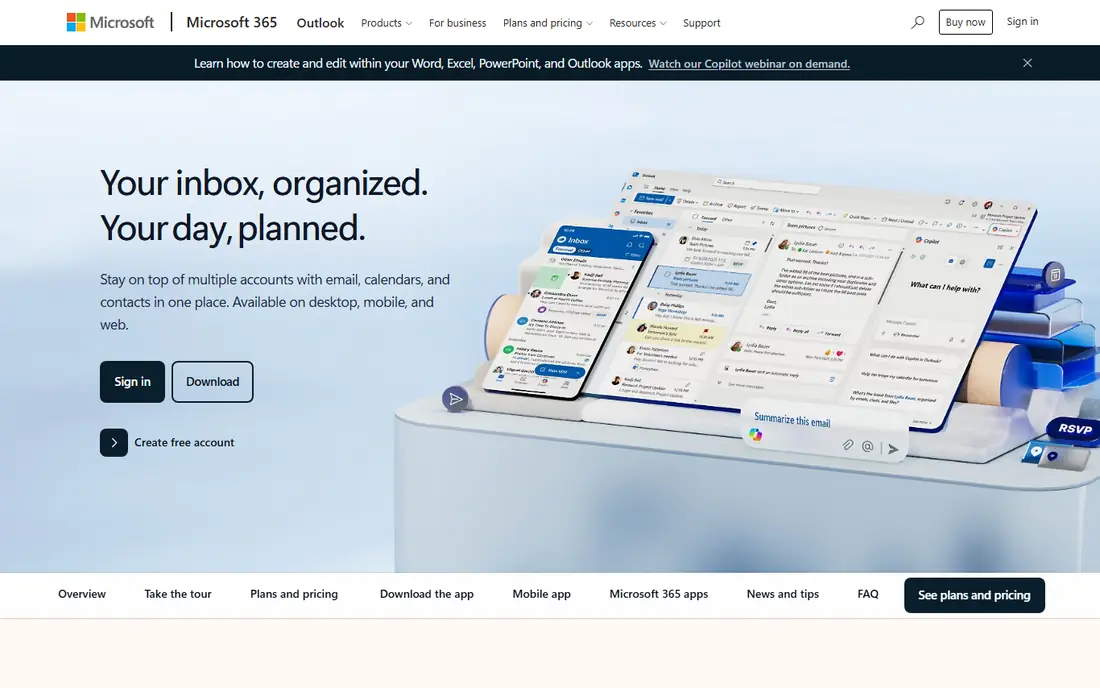
A good starting point is Outlook Calendar is the natural switch for Microsoft households. It is free on the web, bundled with Microsoft 365, and works smoothly with Teams and Exchange. Google users should expect subscribed calendars to refresh slowly, so plan for a transition period rather than an instant swap. On pricing, this option lists a starting price of Free, with a free plan status of Yes. That matters because the cheapest headline price is not always the cheapest total, especially when add ons, per user fees or shipping change the final bill. Check the official pricing page for the plan that matches how you will actually use it, and look for limits on users, storage, exports or monthly volume before you commit.
- Free on Outlook.com
- Strong Teams and Exchange integration
- Apps on all platforms
- Google calendars refresh slowly when subscribed
- Booking pages need a business licence
Apple Calendar
Ideal for: People who live on Apple devices
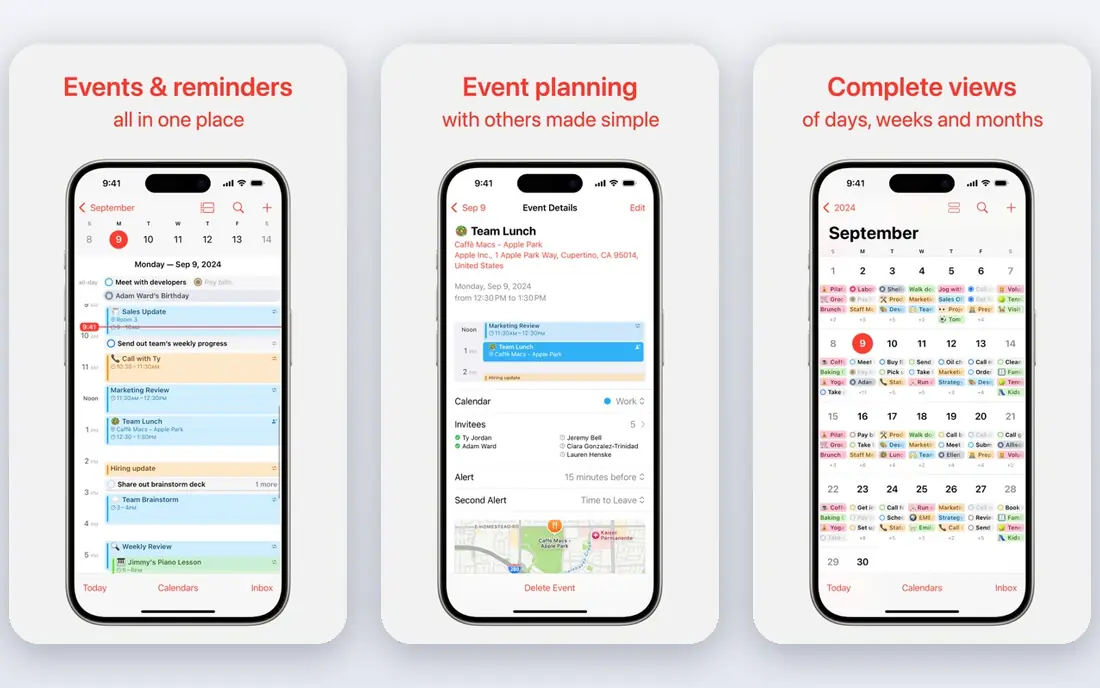
For readers who want a clear fit, Apple Calendar is the simplest switch for Apple users, because it is already on every iPhone, iPad and Mac. It syncs through iCloud and can still show Google and Exchange calendars. Android and Windows users are left out, and teams that need booking pages will need another tool. On pricing, this option lists a starting price of Free, with a free plan status of Yes. That matters because the cheapest headline price is not always the cheapest total, especially when add ons, per user fees or shipping change the final bill. Check the official pricing page for the plan that matches how you will actually use it, and look for limits on users, storage, exports or monthly volume before you commit.
- Free and preinstalled
- ICloud sync
- Adds Google and Exchange accounts
- No Android or Windows app
- No booking pages
Proton Calendar
Ideal for: Privacy focused users who want encrypted events
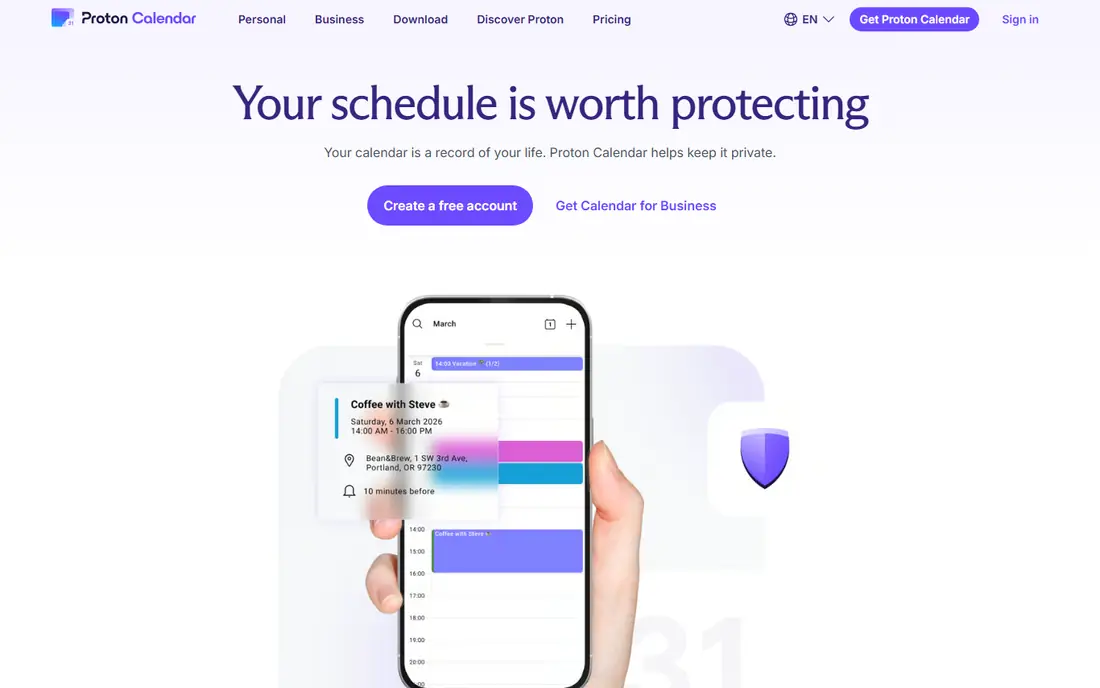
What stands out here is Proton Calendar suits users who want event details encrypted. The free tier covers personal use, and Proton Mail integration keeps mail and calendar together. Google Calendar users should import once and accept that live two way sync is not available. On pricing, this option lists a starting price of Free, with a free plan status of Yes. That matters because the cheapest headline price is not always the cheapest total, especially when add ons, per user fees or shipping change the final bill. Check the official pricing page for the plan that matches how you will actually use it, and look for limits on users, storage, exports or monthly volume before you commit.
- End to end encrypted event details
- Free tier
- Proton Mail integration
- Google events import once with no live sync
- Booking pages need a paid plan
Fantastical
Ideal for: Apple users who want a polished calendar
In practice, Fantastical is the polished upgrade for Apple users who find Apple Calendar plain. Natural language input turns typed phrases into events, and templates speed up recurring entries. The premium subscription is the catch, so use the free tier first to judge whether the extras earn their price. On pricing, this option lists a starting price of Free, with a free plan status of Yes. That matters because the cheapest headline price is not always the cheapest total, especially when add ons, per user fees or shipping change the final bill. Check the official pricing page for the plan that matches how you will actually use it, and look for limits on users, storage, exports or monthly volume before you commit.
- Natural language event creation
- Interesting calendars
- Templates and weather
- Apple only for full features
- Premium features need a subscription
Notion Calendar
Ideal for: Notion users who time block in docs
The main reason to consider this option is Notion Calendar fits people who already plan in Notion. Events and docs sit together, and booking links cover simple scheduling. Dedicated calendar users may miss advanced recurrence and sharing controls, so treat it as a Notion companion rather than a full replacement. On pricing, this option lists a starting price of Free, with a free plan status of Yes. That matters because the cheapest headline price is not always the cheapest total, especially when add ons, per user fees or shipping change the final bill. Check the official pricing page for the plan that matches how you will actually use it, and look for limits on users, storage, exports or monthly volume before you commit.
- Free calendar with booking links
- Connects to Notion docs and databases
- Calendar features are simpler than dedicated apps
- Google sync setup takes care
Calendly
Ideal for: People who mainly need booking links
Compared with the rest of this list, Calendly is not a full calendar replacement, but it solves the booking link problem well. Share a link, let guests pick a time, and the event lands on your calendar. The free plan covers one event type, so heavy schedulers should look at the paid tiers. On pricing, this option lists a starting price of Free, with a free plan status of Yes. That matters because the cheapest headline price is not always the cheapest total, especially when add ons, per user fees or shipping change the final bill. Check the official pricing page for the plan that matches how you will actually use it, and look for limits on users, storage, exports or monthly volume before you commit.
- Simple booking pages
- Availability controls
- Automations on paid plans
- Free plan limits event types
- It is a scheduler, not a full calendar
Morgen
Ideal for: Cross platform users who time block
For this use case, Morgen suits people who juggle several calendars and want them in one view. Time blocking turns a task list into a day plan, and Linux support is rare among polished calendar apps. The price is the main barrier, so trial it with your real calendars before paying. On pricing, this option lists a starting price of See website, with a free plan status of No. That matters because the cheapest headline price is not always the cheapest total, especially when add ons, per user fees or shipping change the final bill. Check the official pricing page for the plan that matches how you will actually use it, and look for limits on users, storage, exports or monthly volume before you commit.
- Unifies many calendars in one view
- Time blocking
- Works on Linux too
- Paid plans are pricey
- No permanent free plan on some tiers
Zoho Calendar
Ideal for: Zoho users who want a free calendar
A practical way to judge this option is Zoho Calendar is a solid free choice, especially for Zoho Mail users. Group calendars and sharing cover team basics, and Google sync helps during a switch. Booking pages are limited, so pair it with a scheduler if external booking matters. On pricing, this option lists a starting price of Free, with a free plan status of Yes. That matters because the cheapest headline price is not always the cheapest total, especially when add ons, per user fees or shipping change the final bill. Check the official pricing page for the plan that matches how you will actually use it, and look for limits on users, storage, exports or monthly volume before you commit.
- Free calendar
- Two way Google sync claims
- Group calendars
- Booking features are limited on free tier
- Best inside Zoho Mail
How we picked these
We started with the topic itself, google calendar alternatives, and kept only products that truly fit it and work today. We checked official feature pages and pricing pages, app store listings where relevant, privacy policies for sensitive topics, and public reviews for signs of common problems. Products that could not be verified, or that only partly matched the topic, were left out rather than added to pad the list. We also weighed fit over fame. A well known product that misses the core need scored lower than a smaller option that handles that need well. That is why this list mixes leaders with niche choices, and why the best pick for most people may not be the best pick for you.
How to choose the right option for you
Start with your main job
Write down the one job you need google calendar alternatives to do most often. If a product handles that job well and the rest is a bonus, it will serve you better than a product with a long feature list that misses your core need. Trial the shortlist with that exact job, not with a demo task.
Check the total cost and the exit route
Compare the total cost for a year, including per user fees, add ons and shipping where relevant. Also check how easy it is to export your data or cancel. A low starting price that locks your data in can cost more later than a slightly higher price with a clean export.
Test support and reliability before you commit
Read recent public reviews for support response times and reliability, and test the free plan or trial with a real workload. A product that works well in a trial but slows under real use is a common disappointment, so give the trial a genuine task.
Frequently asked questions
Alternatives to google calendar?
For google calendar alternatives, start with the top options in this list and match them to your main need. Microsoft Outlook Calendar suits most people, while a specialist further down the list may fit a narrower need better. Trial two options before paying, and confirm current pricing on the official site.
Calendar alternatives?
For google calendar alternatives, start with the top options in this list and match them to your main need. Microsoft Outlook Calendar suits most people, while a specialist further down the list may fit a narrower need better. Trial two options before paying, and confirm current pricing on the official site.
Best alternatives to google calendar?
For google calendar alternatives, start with the top options in this list and match them to your main need. Microsoft Outlook Calendar suits most people, while a specialist further down the list may fit a narrower need better. Trial two options before paying, and confirm current pricing on the official site.
Is there a free option for google calendar alternatives?
Yes, several options on this list offer a free plan or a free tier, including Microsoft Outlook Calendar. Free plans usually limit features, users or volume, so check those limits against how you will use the product. A free plan is a good trial, even if you later upgrade.
How much should I expect to pay for google calendar alternatives?
Costs vary widely by product and plan, and many vendors list prices as See website when plans are custom or change often. Compare the total for a year, not just the monthly headline, and include per user fees or shipping where they apply.