HubSpot Alternatives in 2026: 8 Options Compared

- 1
 Zoho CRMBudget teams and Zoho usersVisit
- 2
 PipedriveSales-led pipeline teamsVisit
- 3
 Salesforce StarterTeams planning to scaleVisit
- 4
 FreshsalesSimple setup and built-in phoneVisit
- 5
 monday Sales CRMTeams that like boardsVisit
- Zoho CRM and Freshsales offer the most generous free starting points for small teams.
- Pipedrive suits sales-led teams that live in their pipeline and want a clear next step.
- Salesforce fits larger teams that expect deep customization, but it needs more setup.
- Price per user, not just the headline plan, since a low seat price still grows with every hire.
Quick comparison
| Product | Ideal for | Price from | Free version | |
|---|---|---|---|---|
| Zoho CRM | Budget teams and Zoho users | Free | Yes | Visit |
| Pipedrive | Sales-led pipeline teams | $14 per user per month | Free trial | Visit |
| Salesforce Starter | Teams planning to scale | $25 per user per month | Free trial | Visit |
| Freshsales | Simple setup and built-in phone | Free | Yes | Visit |
| monday Sales CRM | Teams that like boards | See website | Free trial | Visit |
 Close | Outbound and high-volume sales | $49 per user per month | Free trial | Visit |
 Copper | Google Workspace teams | $23 per user per month | Free trial | Visit |
 Insightly | CRM plus project delivery | See website | Free trial | Visit |
The best hubspot alternatives
HubSpot is a strong all-in-one platform, but its price rises quickly and its depth can be more than a small team needs. We compared CRMs that cover contacts, pipelines, email, automation and reporting, with attention to free plans, per-user pricing and how easy each tool is to run day to day.
In this guide, we list eight hubspot alternatives options and explain who each one suits best, what it costs to start, and where it falls short. We kept the list focused on products that are widely available in the United States and that a reader can actually sign up for today, rather than filling the list with niche tools that are hard to buy or that have stopped updating their product. Prices and free tiers are shown as we found them in October 2026, and we note where a price needs a check on the vendor site because it varies by plan, team size or region.
Zoho CRM
Ideal for: Budget teams and Zoho users

Zoho CRM gives small teams a real free plan for up to three users, with contacts, deals, tasks and automation that many paid tools charge for. It connects to the wider Zoho suite for email, invoicing and support, which keeps costs down when a business already uses Zoho apps.
The trade-off is polish. The interface varies between modules, and setting up workflows takes more patience than Pipedrive or HubSpot. For a budget team that wants power over simplicity, Zoho CRM is hard to beat, and paid plans stay low as the team grows.
- Free plan for up to 3 users
- Automation at low cost
- Wide Zoho suite
- Interface can feel uneven
- Setup takes care
Pipedrive
Ideal for: Sales-led pipeline teams

Pipedrive is built around one idea: every deal should have a clear next activity. Its visual pipeline makes it easy to see stalled deals, overdue follow-ups and upcoming calls, and salespeople tend to adopt it quickly because the daily workflow is obvious.
Pipedrive is our pick for teams that sell by phone and email and want a CRM that stays out of the way. It has less built-in marketing depth than HubSpot, and automation sits on higher plans, so marketing-heavy teams should compare it with Zoho CRM or Freshsales.
- Clear visual pipeline
- Activity reminders
- Easy deal tracking
- No free plan
- Automation needs higher plans
Salesforce Starter
Ideal for: Teams planning to scale
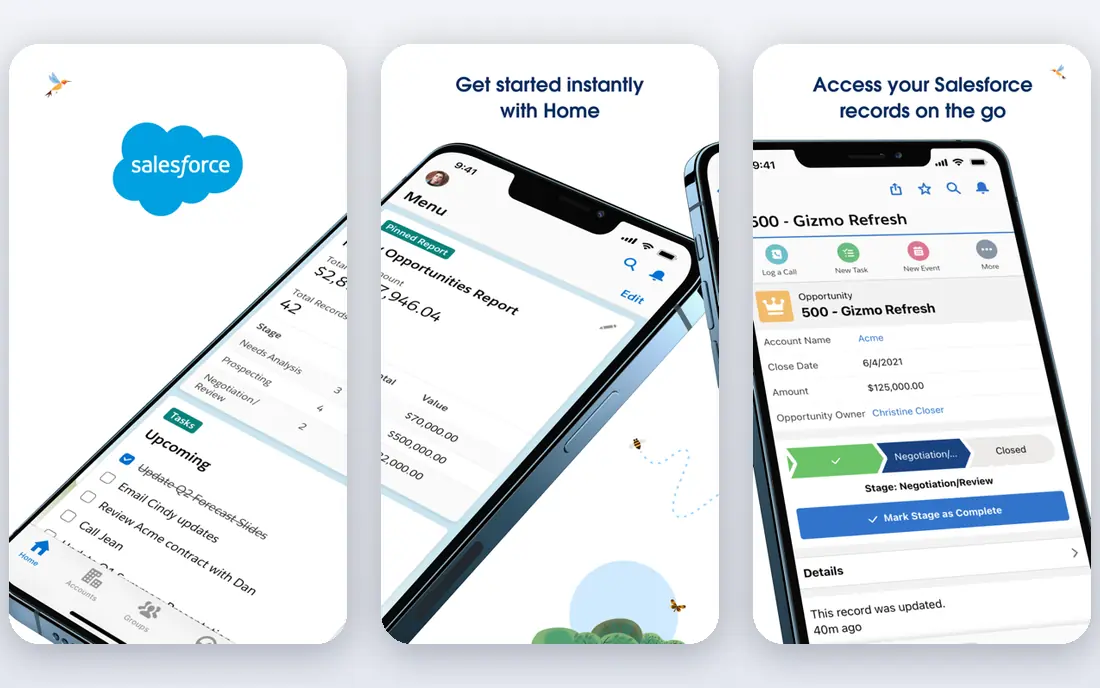
Salesforce Starter gives small teams a simpler entry into the Salesforce platform, with contacts, accounts, leads and basic automation. The wider ecosystem of apps and integrations is unmatched, which matters when a business expects to add complex workflows later.
The catch is complexity and cost creep. Even Starter needs thoughtful setup, and higher tiers, add-ons and admin time add up. Choose Salesforce when scale and customization matter more than the lowest price or the fastest setup.
- Huge ecosystem
- Strong customization
- Trusted at scale
- Setup and learning curve
- Costs rise with add-ons
Freshsales
Ideal for: Simple setup and built-in phone
Freshsales, from Freshworks, combines CRM, email, phone and chat in a clean interface that small teams can learn in days. Its free plan covers basic CRM needs, and AI insights help prioritize leads without extra tools.
Freshsales suits teams that want one workspace for calls, emails and deals. It is less customizable than Zoho CRM or Salesforce, so teams with unusual workflows should test the paid tiers during a trial before migrating data.
- Free plan
- Built-in phone and email
- AI lead insights
- Less customization than Zoho or Salesforce
- Some features need paid plans
monday Sales CRM
Ideal for: Teams that like boards
monday Sales CRM turns pipelines into boards that teams can shape around their own process, with automations, dashboards and project tracking alongside deals. It fits teams that already use monday.com or that think in boards rather than record lists.
The weakness is depth. Native sales features like advanced lead scoring and quoting are thinner than in Pipedrive or Zoho CRM. It is a good pick when project delivery and sales live together, but pure sales teams may want a more focused CRM.
- Visual boards
- Flexible workflows
- Project tracking in one place
- Minimum seats on some plans
- Sales features are thinner than pure CRMs
Close
Ideal for: Outbound and high-volume sales
Close is built for outbound teams that call and email all day. Native calling, SMS and email sit inside the CRM, so reps do not switch tools to log activity, and the interface keeps the next call or follow-up front and center.
Close costs more than budget CRMs, and it is not a marketing platform like HubSpot. For inside sales teams where call volume drives revenue, that focus is a strength. For teams that need landing pages and email campaigns, pair it with a separate marketing tool.
- Native calling and SMS
- Strong activity tracking
- Fast workflows
- Higher starting price
- Less marketing automation than HubSpot
Copper
Ideal for: Google Workspace teams
Copper lives inside Google Workspace, pulling contacts, emails and calendar activity into the CRM with little manual entry. For teams that run on Gmail and Google Drive, that integration removes a lot of data entry and keeps records current.
Copper is less compelling outside Google Workspace, and automation is limited on the entry plan. If your team lives in Gmail, Copper is a comfortable HubSpot alternative. If it does not, Zoho CRM or Pipedrive will feel more natural.
- Deep Gmail and Google integration
- Simple pipeline
- Quick setup
- Automation only on higher plans
- Less suited outside Google Workspace
Insightly
Ideal for: CRM plus project delivery
Insightly pairs CRM with project management, which suits service businesses that sell a project and then deliver it. Contacts, deals, tasks and project milestones stay linked, so handoffs between sales and delivery are less likely to drop details.
The interface is less modern than Pipedrive or Freshsales, and pricing should be confirmed on the vendor site before budgeting. For small service firms that need CRM and delivery in one tool, Insightly remains a practical, if less flashy, HubSpot alternative.
- CRM plus project management
- Solid reporting
- Good integrations
- Interface feels dated in places
- Pricing needs a check
How we picked these
We compared official feature pages, pricing pages, app store listings, privacy policies and public reviews for each option, and we checked that each product is still available and working in October 2026. We favored products that fit the topic directly, publish clear pricing or a clear free tier, and explain how they handle data and support. We left out products that looked discontinued, that did not match the topic, or whose official homepage we could not verify. Prices change often, so check the vendor page linked in each block before you pay.
We also paid attention to the details that decide daily satisfaction, not just headline features. That meant checking how a free plan actually limits use, whether a paid plan is priced per user, per device or per account, and what happens when you add team members or exceed a limit. Where a vendor only publishes quote-based pricing, we say so rather than guessing a number, and where a first-year discount differs from a renewal price, we flag that difference in the product write-up so the second year does not come as a surprise.
How to switch without losing your pipeline
List what HubSpot actually does for you today, including forms, email, deals, reports and integrations. Many teams pay for a bundle but use only CRM and email, in which case a cheaper CRM plus a simple email tool can save a lot. Keep only the features your team touches weekly.
Test with real data, not a demo. Import a sample of contacts and deals, build one pipeline, send a test sequence, and check reporting. Pay attention to import quality, duplicate handling and mobile access, since those daily details decide whether a team adopts the new tool.
Plan the migration in stages. Run both tools for a short overlap, train the team on the new pipeline, and confirm that forms, calendars and accounting integrations still work. A clean cutover with a backup export is safer than a rushed switch before a busy sales period.
Before you commit, run a short trial with the work you actually do, not with demo data. Set up one real project, booking, routine or workflow, invite the people who will use the tool every day, and check support response time when you hit a question. A product that feels good in a sales demo can still fail on a busy day, so a trial that mirrors real use is the most reliable test. If two options feel close after that trial, choose the one with clearer pricing, simpler cancellation and better support, since those factors matter long after the novelty of a new tool fades. Keep a note of the trial end date, the renewal price and the cancellation steps, so a decision made in a hurry does not turn into a subscription you forgot to review. That small record, kept in the same place as your other subscription dates, makes the yearly renewal check a five-minute job rather than a surprise bill.
Frequently asked questions
What is the best free HubSpot alternative?
Zoho CRM and Freshsales are the strongest free starting points, with Zoho CRM free for up to three users and Freshsales offering a free tier for basic CRM work. Both cover contacts, deals and tasks without a card.
Which HubSpot alternative is best for small business?
Pipedrive suits sales-led small teams, Zoho CRM suits budget teams, and Freshsales suits teams that want built-in calling. Pick by daily workflow, not by feature count, and test the free plan or trial first.
Is there a cheaper alternative to HubSpot?
Yes. Most tools in this list cost less per user than HubSpot paid plans, especially at small team sizes. Watch for add-ons, automation limits and seat minimums, since those can narrow the gap as you grow.
Can I migrate from HubSpot to another CRM?
Yes, most CRMs offer import tools for contacts, companies and deals, and HubSpot lets you export your data. Test the import with a sample first, check for duplicates, and keep a backup export before you cancel.
Do HubSpot alternatives include marketing tools?
Some do, but most focus on CRM and sales. Zoho CRM connects to Zoho marketing apps, while Pipedrive and Close are more sales-focused. If email campaigns and landing pages matter, compare the marketing add-ons before you choose.