Best Incapusla Alternatives in 2026: 8 Platforms Compared

- Cloudflare is the best all-round pick, with a free tier, a large network, and simple setup.
- Akamai suits large enterprises that need global scale and deep performance controls.
- AWS WAF and Google Cloud Armor fit teams already running on those clouds.
- Fastly appeals to developers who want programmable edge delivery.
- Sucuri is the simplest option for small sites that need a firewall and cleanup help.
Quick comparison
| Product | Ideal for | Price from | Free version | |
|---|---|---|---|---|
 Cloudflare | All-round site protection | See website | Yes | Visit |
 Akamai | Enterprise scale | See website | Free trial | Visit |
 AWS WAF | AWS-hosted sites | See website | Free trial | Visit |
 Fastly | Developer edge delivery | See website | Free trial | Visit |
 Sucuri | Small site security | See website | Free trial | Visit |
 Microsoft Azure Front Door | Azure-hosted sites | See website | Free trial | Visit |
 Google Cloud Armor | Google Cloud sites | See website | Free trial | Visit |
 Radware | Enterprise app protection | See website | Free trial | Visit |
The best Incapusla alternatives
Incapsula, now part of Imperva, made its name as a cloud service that sits in front of a website, blocks attacks, and speeds up delivery. The platforms below do the same job, and they differ in network size, ease of setup, cloud ties, and price. We did not list Imperva itself, since the point is to find a different provider.
Cloudflare
Ideal for: All-round site protection
Cloudflare is the most popular pick in this category for good reason. Pointing your DNS at Cloudflare puts your site behind a large network that blocks common attacks, absorbs traffic spikes, and caches content close to visitors. Setup takes minutes for a basic site, and the free plan is genuinely useful, not just a short trial.
Paid plans add a managed firewall rule set, deeper analytics, and faster support. Large or high-risk sites will want those extras. For most small and mid-size sites, Cloudflare is our pick for its mix of price, ease, and protection.
- Free plan covers many small sites
- Very large global network
- Simple DNS-based setup
- Advanced security rules sit on paid plans
- Support response times vary by plan
Akamai
Ideal for: Enterprise scale
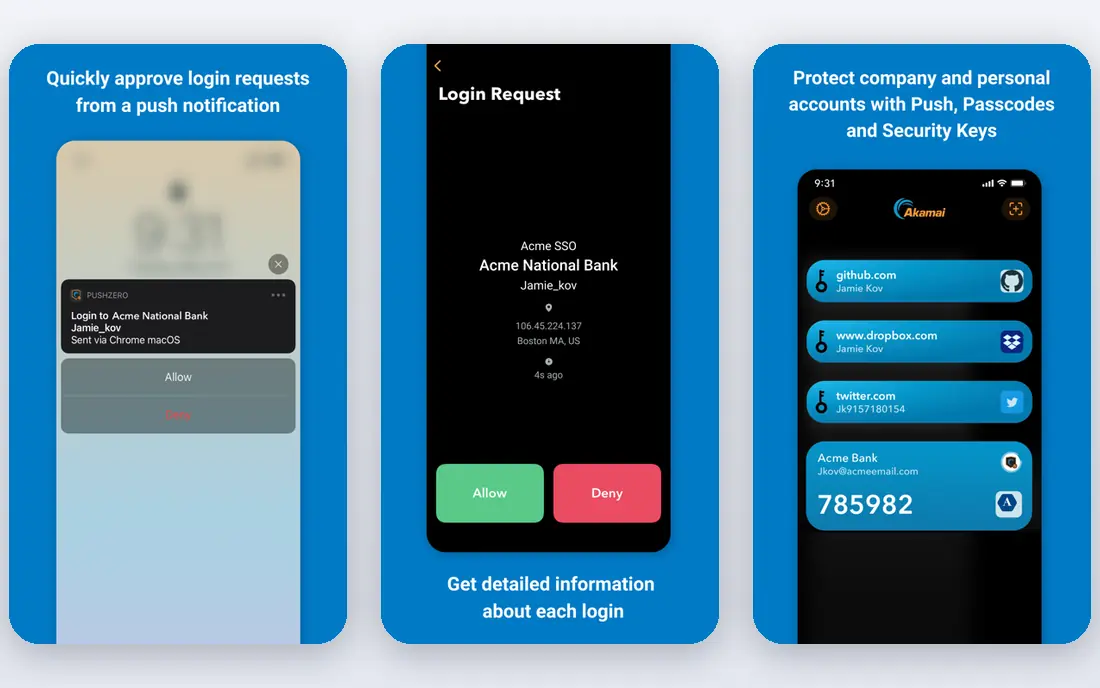
Akamai runs one of the largest edge networks in the world, and it shows under heavy traffic. Its security products cover web application firewalls, bot management, and DDoS defense, while its delivery tools tune caching and routing for global audiences. Major media and commerce sites rely on it for big events and launches.
The trade-off is that Akamai is built for enterprise teams. Pricing is quote-based, and getting the most from the platform takes experienced staff. If your site serves a global audience at scale, Akamai is a top-tier choice.
- Huge global edge network
- Strong DDoS and bot protection
- Deep performance tuning
- Pricing and setup suit larger budgets
- Configuration takes expertise
AWS WAF
Ideal for: AWS-hosted sites
AWS WAF is the natural pick for sites already hosted on Amazon Web Services. It filters traffic in front of CloudFront, load balancers, and API Gateway, and it offers managed rule groups for common threats such as SQL injection and cross-site scripting. Pricing follows usage, so small sites pay little.
It is less attractive if your site lives elsewhere, since the integration benefits fade outside AWS. Teams that already run AWS will find WAF the simplest way to add a firewall without a new vendor.
- Tight integration with AWS services
- Pay-as-you-go pricing
- Managed rule groups available
- Needs AWS knowledge to configure well
- Less useful outside AWS
Fastly
Ideal for: Developer edge delivery
Fastly appeals to engineering teams because the edge is programmable. You can write logic that runs close to visitors, change caching rules in seconds, and watch traffic in real time. Its content delivery is fast, and its API fits teams that manage infrastructure as code.
Fastly is less of a plug-and-play security product than Cloudflare or Sucuri. Teams without developer time may find setup slower, and some security features are separate products. For developer-led teams, Fastly offers control that few rivals match.
- Programmable edge with fast configuration updates
- Strong caching and real-time logs
- Good API
- Needs developer skill to use well
- Security add-ons cost extra
Sucuri
Ideal for: Small site security
Sucuri is built for website owners rather than platform engineers. Its firewall blocks attacks and its plans include malware scanning and cleanup, which matters when a small site gets infected and the owner needs help fast. Pricing is straightforward, and setup does not require deep technical skill.
The network is smaller than the giants here, and very large sites may want more scale. For small businesses, bloggers, and agencies managing client sites, Sucuri is a practical, easy choice.
- Simple firewall setup for small sites
- Malware cleanup included on many plans
- Clear pricing
- Network is smaller than Cloudflare or Akamai
- Fewer advanced enterprise features
Microsoft Azure Front Door
Ideal for: Azure-hosted sites
Azure Front Door gives Azure-hosted applications a single global entry point with routing, caching, and a web application firewall. Traffic is directed to the nearest healthy backend, which improves speed and uptime for global users. Integration with other Azure services keeps management in one place.
Like AWS WAF, it makes most sense inside its own cloud. Teams that already run on Azure will find Front Door the simplest path to edge security and delivery, while teams elsewhere should look at a cloud-neutral option.
- Global entry point for Azure apps
- Built-in firewall and routing
- Integrates with Azure services
- Best value inside Azure
- Configuration needs Azure knowledge
Google Cloud Armor
Ideal for: Google Cloud sites
Google Cloud Armor protects applications behind Google Cloud Load Balancing, using the same infrastructure that shields Google's own services. It offers preconfigured rules for common attacks, custom rule options, and adaptive protection that responds to changing traffic patterns.
It is a Google Cloud product first, so teams hosted elsewhere gain little from it. For organizations already on Google Cloud, Cloud Armor is a strong, well-integrated security layer.
- Strong DDoS defense on Google's network
- Integrates with Cloud Load Balancing
- Flexible rules
- Needs Google Cloud knowledge
- Less useful for sites hosted elsewhere
Radware
Ideal for: Enterprise app protection
Radware covers the enterprise end of this list, with products for DDoS defense, web application firewalls, bot management, and API protection. Its attack detection uses behavioral analysis, which helps catch new attack patterns rather than only known signatures. Support and managed options suit organizations that want help running the service.
Smaller sites will find Radware more complex and costly than Cloudflare or Sucuri. For enterprises that need layered protection with vendor support, Radware is a capable alternative.
- Strong DDoS and application protection
- Bot management
- Enterprise support options
- Pricing and setup suit larger teams
- Less suited to simple small sites
How we picked these
We compared official feature pages, pricing pages, documentation, and public reviews for each platform, and we checked that each product is actively offered in October 2026. We favored services that provide a web application firewall, DDoS protection, and content delivery or routing, and we kept a mix of free, cloud-specific, developer-focused, and enterprise options. We left out Imperva itself and tools that only monitor without blocking.
What to check before you switch
Moving your site behind a new edge provider changes how traffic reaches you, so test before cutting over.
Setup and DNS
Test the setup on a staging site first, and confirm that SSL, redirects, and caching behave as expected. Plan the DNS change for a quiet period, and keep the old setup ready to restore until the new one proves stable.
Rules and false positives
Start with monitoring mode where available, and watch for blocked legitimate traffic before turning on blocking rules. Forms, APIs, and admin pages are the usual false-positive spots, so test those paths directly.
Cost at your traffic level
Model the cost on your real traffic, including requests, bandwidth, and rule usage, since pricing models differ. A cheap plan can become costly under a traffic spike, and a quote-based enterprise plan may beat usage pricing at high volume.
WAF tuning takes time, so expect a learning period where rules run in monitoring mode before blocking, which lets you catch false positives before they block real visitors. Review how the service handles your origin servers, including whether real visitor IP addresses pass through correctly and whether caching rules respect dynamic pages such as carts and account areas. Bot controls help, but aggressive settings can block legitimate tools and search crawlers, so test with your normal traffic mix. Also confirm incident support and status communication, since a security service outage affects every visitor, and clear updates matter during an attack.
When you compare protection options, start with the traffic you actually serve. A small marketing site and a login-heavy app face different risks, and the right rule set depends on which one you run. Test new firewall rules in a mode that logs but does not block, then review the matches for a few days before you turn blocking on. Ask how each vendor counts requests and what happens when you pass a plan limit, since an unexpected bill hurts as much as an outage. Confirm support hours and response times before a traffic spike, not during one, and keep a short rollback plan so a bad rule change can be undone in minutes.
Frequently asked questions
What does Incapsula do?
Incapsula, now part of Imperva, is a cloud service that sits in front of a website to block attacks such as DDoS and web exploits, and to speed up delivery through caching. The tools here provide the same combination of protection and delivery.
Which Incapsula alternative is free?
Cloudflare offers a free plan that covers basic protection and caching for many small sites. The other services here offer trials or usage-based pricing, but no lasting free tier as broad as Cloudflare.
Do I need a CDN and a firewall, or just one?
Most sites benefit from both, and these platforms bundle them. The firewall blocks attacks, while the CDN caches content near visitors for speed. Buying them together also means one vendor to manage when something goes wrong.
Which alternative is best for AWS, Azure, or Google Cloud?
Use AWS WAF for AWS, Azure Front Door for Azure, and Google Cloud Armor for Google Cloud. Each integrates best with its own cloud. If your site spans clouds or sits elsewhere, pick a cloud-neutral option such as Cloudflare or Akamai.
Will switching providers slow down my site?
A good edge provider usually speeds up a site through caching, but a bad configuration can hurt. Test page load times from your main visitor regions before and after the switch, and check caching rules for dynamic pages.