Best Intercom Cheaper Alternatives in 2026: 8 Options Compared

- Our pick for most people is Crisp, because it balances price, features and ease of use for the widest group of readers.
- Free plans are real here, but the limits matter: check what Tawk.to and Tidio actually include before you commit.
- Prices in this guide come from vendor pricing pages and current comparisons checked in October 2026, and they can change, so confirm the plan on the vendor site before you buy.
- The best choice depends on your budget, your experience level and how much support you want, not on which brand is most famous.
Quick comparison
| Product | Ideal for | Price from | Free version | |
|---|---|---|---|---|
 Crisp | Affordable live chat for small teams | See website | Yes | Visit |
 Tawk.to | Free live chat for any website | Free | Yes | Visit |
 Tidio | Chat and chatbots for small stores | See website | Yes | Visit |
 Freshchat | Chat inside the Freshworks support suite | See website | Yes | Visit |
 LiveChat | Dedicated live chat for sales and support | See website | Free trial | Visit |
 Help Scout | Shared inbox plus chat and docs | See website | Free trial | Visit |
 Zoho Desk | Support suite on a small budget | See website | Yes | Visit |
 HubSpot Service Hub | Free chat and tickets for HubSpot users | See website | Yes | Visit |
The best Intercom Cheaper Alternatives in 2026
We compared official feature pages, pricing pages, app store listings, privacy policies and public reviews to build this list for intercom cheaper alternatives. Every option below exists and works today, and each one earns its place for a different kind of reader.
Crisp
Ideal for: Affordable live chat for small teams
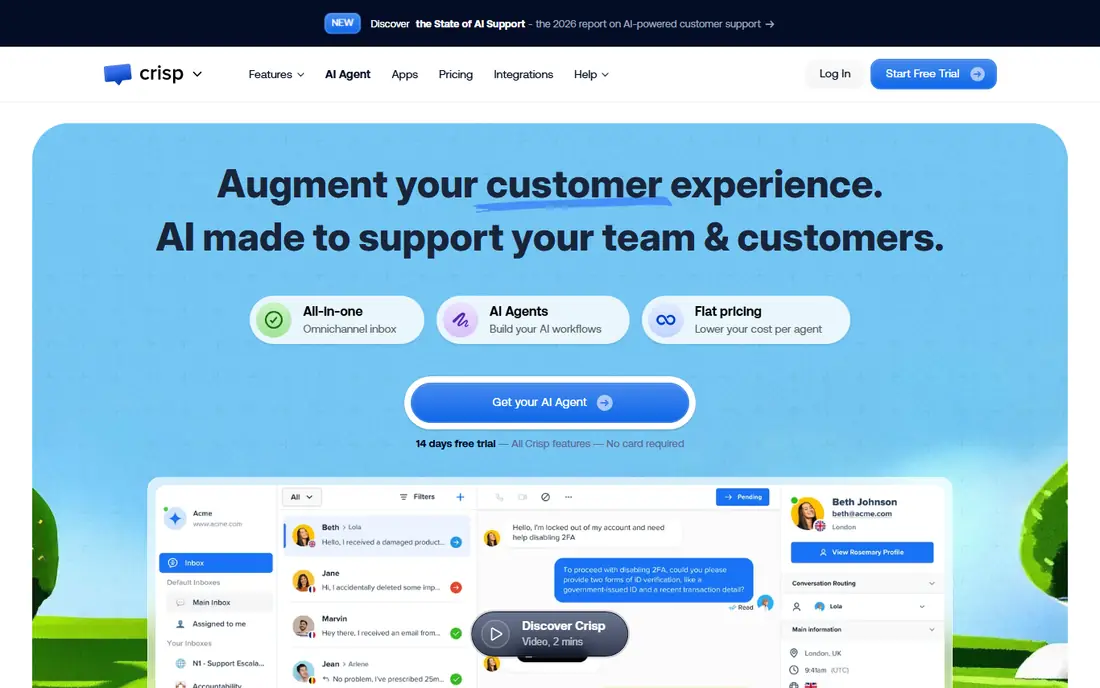
Here is the short version. Crisp gives small teams a shared inbox, live chat and a knowledge base at a price well below Intercom, without losing the core support workflow. It fits readers who want affordable live chat for small teams, and its published feature set matches that promise rather than trying to cover every possible use case at once. The price picture is see website, with a free plan status of yes. Teams that need deep Intercom-style automation or a large app marketplace may find its limits sooner. Before you sign up, check the current plan limits on the official site, because caps on users, usage or features are where most buyers get surprised after the first month.
- Free tier
- Shared inbox
- Chatbots and knowledge base in one tool
- Advanced automation needs paid plans
- Smaller app ecosystem than Intercom
Tawk.to
Ideal for: Free live chat for any website
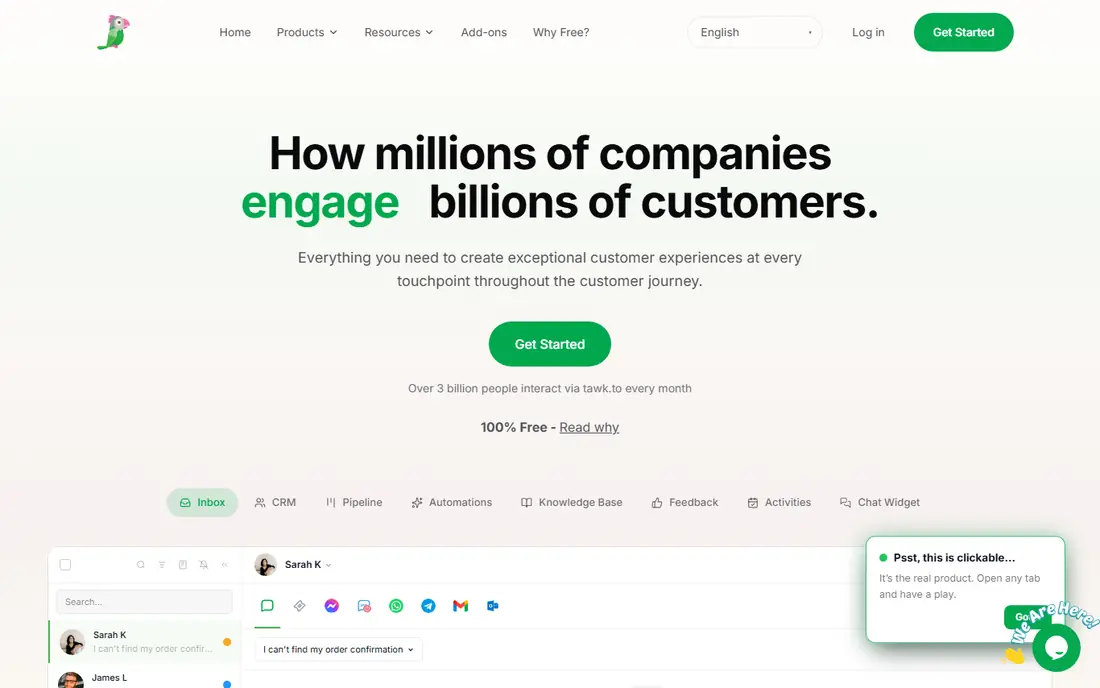
Start here if you want the safe default. Tawk.to is genuinely free for live chat, with unlimited agents, which makes it the cheapest way to add chat to a website. It fits readers who want free live chat for any website, and its published feature set matches that promise rather than trying to cover every possible use case at once. The price picture is free, with a free plan status of yes. The free experience includes some branding and optional paid extras, so check what your visitors will see before you rely on it. Before you sign up, check the current plan limits on the official site, because caps on users, usage or features are where most buyers get surprised after the first month.
- Free live chat
- Unlimited agents on the free plan
- Mobile apps
- Free plan is ad-supported in places
- Advanced features cost extra
Tidio
Ideal for: Chat and chatbots for small stores

This one suits a specific kind of reader. Tidio suits small online stores that want live chat plus a simple chatbot to answer common questions outside office hours. It fits readers who want chat and chatbots for small stores, and its published feature set matches that promise rather than trying to cover every possible use case at once. The price picture is see website, with a free plan status of yes. High-volume stores will hit conversation limits, so compare the cost at your real chat volume. Before you sign up, check the current plan limits on the official site, because caps on users, usage or features are where most buyers get surprised after the first month.
- Free tier
- Chatbot builder
- Integrations with Shopify and WordPress
- Free tier limits conversations
- Chatbot depth is simpler than Intercom
Freshchat
Ideal for: Chat inside the Freshworks support suite
Consider this if the top picks do not fit. Freshchat fits teams already using Freshworks, because chat, tickets and customer data sit together in one suite. It fits readers who want chat inside the freshworks support suite, and its published feature set matches that promise rather than trying to cover every possible use case at once. The price picture is see website, with a free plan status of yes. Standalone chat buyers may find its depth thinner than Intercom, so judge it as part of a suite, not alone. Before you sign up, check the current plan limits on the official site, because caps on users, usage or features are where most buyers get surprised after the first month.
- Free tier
- Team inbox
- Bot builder
- Freshdesk integration
- Pricing grows with features
- Standalone chat is less deep than Intercom
LiveChat
Ideal for: Dedicated live chat for sales and support
A strong option for a narrower need. LiveChat focuses on chat done well, with routing, canned responses and reports that help sales and support teams alike. It fits readers who want dedicated live chat for sales and support, and its published feature set matches that promise rather than trying to cover every possible use case at once. The price picture is see website, with a free plan status of free trial. Per-agent pricing means a large team pays noticeably more than a small one, so count agents before you compare. Before you sign up, check the current plan limits on the official site, because caps on users, usage or features are where most buyers get surprised after the first month.
- Strong chat tools
- Ticketing and AI features
- Wide integrations
- Per-agent pricing adds up
- No permanent free tier
Help Scout
Ideal for: Shared inbox plus chat and docs
Worth a close look before you decide. Help Scout suits teams that want email, chat and docs in one calm inbox, rather than a chat-first tool with tickets bolted on. It fits readers who want shared inbox plus chat and docs, and its published feature set matches that promise rather than trying to cover every possible use case at once. The price picture is see website, with a free plan status of free trial. If chat is your main channel, check the add-on pricing and limits, since the core product is built around the shared inbox. Before you sign up, check the current plan limits on the official site, because caps on users, usage or features are where most buyers get surprised after the first month.
- Shared inbox
- Live chat add-on
- Docs and customer profiles
- Chat is an add-on rather than the core
- Pricing is per user
Zoho Desk
Ideal for: Support suite on a small budget
This belongs on the shortlist for a reason. Zoho Desk gives budget-conscious teams a full support suite, with tickets, chat and a knowledge base at a low entry price. It fits readers who want support suite on a small budget, and its published feature set matches that promise rather than trying to cover every possible use case at once. The price picture is see website, with a free plan status of yes. The interface packs in a lot, so teams used to Intercom polish should trial it on real tickets first. Before you sign up, check the current plan limits on the official site, because caps on users, usage or features are where most buyers get surprised after the first month.
- Free tier for small teams
- Tickets, chat and knowledge base
- Zoho integrations
- Interface is busier than Intercom
- Setup takes time
HubSpot Service Hub
Ideal for: Free chat and tickets for HubSpot users
Do not overlook this one. HubSpot Service Hub is a strong free start for teams already using HubSpot CRM, because chat and tickets link directly to customer records. It fits readers who want free chat and tickets for hubspot users, and its published feature set matches that promise rather than trying to cover every possible use case at once. The price picture is see website, with a free plan status of yes. Paid tiers climb quickly for advanced automation, so map the features you need before you assume the free tier will last. Before you sign up, check the current plan limits on the official site, because caps on users, usage or features are where most buyers get surprised after the first month.
- Free tools for chat, tickets and knowledge base
- Strong CRM link
- Advanced automation needs paid tiers
- Free tier has limits
How we picked these
We started from official feature pages and pricing pages, then checked app store listings, privacy policies and public reviews to confirm each product still works and still fits the topic. Products that could not be verified, or that only partly matched the topic, were left out, even when they were well known. We favoured a mix of established leaders and strong smaller options, and we weighted price transparency, a usable free tier or trial, and honest limits more heavily than marketing claims. No product on this list paid for its place, and our pick for most people is the one we would suggest to a friend with ordinary needs and an ordinary budget.
How to get Intercom-style support for less money
Start by separating live chat from the rest of Intercom, because many cheaper tools cover chat well but not product tours, outbound messages or deep automation. List the Intercom features you actually use each week, then check which cheaper tool covers that exact list. Next, count agents and conversations, since per-agent and per-conversation pricing change the bill far more than the headline plan price. A tool that looks cheap for three agents can cost more than Intercom for thirty. Also check the knowledge base, chatbot and reporting needs, because a cheap chat tool that cannot deflect common questions will cost you agent time instead. Trial the top two on your real website for a week, and watch response time and customer satisfaction, not just the dashboard. If you only need chat, Tawk.to or Crisp may be enough; if you need a full suite, Freshchat, Zoho Desk or HubSpot may save more overall.
Frequently asked questions
What is the cheapest Intercom alternative?
Tawk.to is free for live chat with unlimited agents, while Crisp and Tidio offer useful free tiers. The cheapest option depends on whether you need chat alone or a full support suite.
Is Crisp cheaper than Intercom?
Yes, Crisp generally costs less than Intercom for small teams, especially when you need a shared inbox, chat and a knowledge base together. Compare the cost at your agent count, since both tools price by seats or usage.
Can I keep my Intercom chat history?
Most tools offer import tools or CSV import for contacts and conversations, but chat transcripts and automation rules rarely move cleanly. Export your data before you cancel, and plan a cutover week.
Do cheaper tools offer chatbots?
Yes, Crisp, Tidio, Freshchat and HubSpot all offer chatbot builders, though depth varies. Intercom automation is deeper, so test your most common bot flows during a trial.
What if I only need live chat?
Tawk.to and LiveChat are the most focused chat options, with Tawk.to free and LiveChat paid per agent. Skip suite tools if chat is your only channel, since you will pay for features you never open.