Replacing InVideo AI: 6 Alternatives Compared

- Top of the list is Lumen5, which targets blog posts to social video quick.
- For script to video with AI voices, Fliki is worth a look.
- Lumen5, Synthesia, VEED, Runway, Fliki: these are the 5 tools out of 6 that offer a free plan.
- VEED has the lowest monthly starting price in this list: $12 per user per month billed annually.
Direct answer
Our first pick is Lumen5, best for blog posts to social video quick. For a different need, Synthesia covers AI presenter training videos and VEED covers text to video plus a full editor. The remaining 3 options are covered below with prices and limits.
Quick comparison
| Product | Ideal for | Price from | Free version | |
|---|---|---|---|---|
 Lumen5 | Blog posts to social video quick | $19 per month billed yearly | Yes | Visit |
 Synthesia | AI presenter training videos | $18 per user a month billed annually | Yes | Visit |
 VEED | Text to video plus a full editor | $12 per user a month billed annually | Yes | Visit |
 Pictory | Articles and scripts to faceless video | $25 per month billed yearly | No | Visit |
 Runway | Original generative footage | $15 a month | Yes | Visit |
 Fliki | Script to video with AI voices | $21 a month billed annually | Yes | Visit |
Every option for InVideo AI explained
This Ainotely guide covers 6 options for InVideo AI. Each profile lists a starting price, free plan details, strengths and drawbacks, so you can drop poor fits quickly.
Lumen5
Ideal for: Blog posts to social video quick

Lumen5 is aimed squarely at blog posts to social video quick. The free Community plan (five videos per month, branded) is enough to learn whether repurposing works for your audience. Also, if your team later wants real editing, VEED below is the graduation.
Limits to weigh: Creative control is restricted; free videos carry Lumen5 branding.
More specifically, Lumen5 is the marketing department's appliance. Its party trick, turning a published article into a social video in minutes, is the use case it was born for, and content teams running blogs get steady value from feeding it their archive. It asks the least of its user of any tool here. Price to start with Lumen5: $19 per month billed annually. Free access exists with Lumen5.
- Aimed at marketers
- A genuinely usable free Community plan handles five videos per month
- The automation decides more than you do
Synthesia
Ideal for: AI presenter training videos

Synthesia makes the most sense for AI presenter training videos. If your videos explain processes to employees or customers, Synthesia is the upgrade. Also, starter at 18 dollars per user a month billed yearly removes the branding and opens the full avatar library.
What to check first: per user pricing grows with team size; It will not make marketing content feel cinematic.
Also, for training, onboarding and internal communications, that format outperforms faceless video, and Synthesia layers on the governance features firms need. Its free Basic plan is unusually testable: 10 minutes per month with a set of avatars, watermarked, enough to put a real module in front of real staff. Worth adding: if they exist to entertain a feed, an avatar's steady gaze is the wrong tool. Entry price for Synthesia: $18 per user per month billed annually. Free access exists with Synthesia.
- Free Basic plan contains 10 minutes per month and multiple avatars, so the format can be tested properly
- Onboarding and explainers
- Free videos carry Synthesia branding
VEED
Ideal for: Text to video plus a full editor
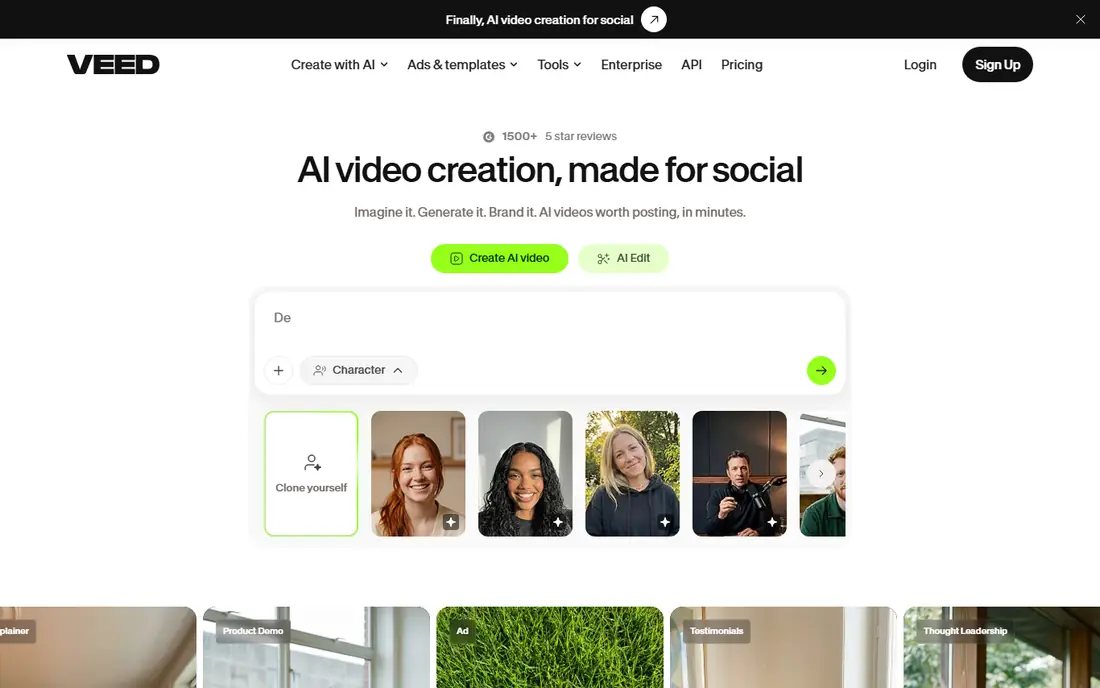
Pick VEED if this describes you: text to video plus a full editor. VEED answers the complaint that InVideo's output is a finished, unchangeable thing. From a buyer's view, text to video is one way in, not the walls of the product.
Points against: Jack of all trades depth: dedicated tools beat it at avatars (HeyGen) and repurposing (Pictory), free plan watermarks.
Where VEED stands out: free plan exists for testing, with watermarked 720p exports; A complete browser video editor with text to video, avatars. As for the details, specialist depth is the sacrifice; if avatars or repurposing are the entire job, the specialists above do them better. In daily use, in VEED, generated or uploaded footage lands in a real editor: trim it, caption it, brand it, fix it. Entry price for VEED: $12 per user per month billed annually. You can start on VEED without paying.
- Not the entire product
- Automatic subtitles are among the best regarded here
- Per user pricing for teams
Pictory
Ideal for: Articles and scripts to faceless video
Pictory is aimed squarely at articles and scripts to faceless video. Where InVideo opens from a prompt, Pictory opens from content you already have: the blog post, the whitepaper, the webinar recording. Its scene matching and captions are practised at exactly that conversion, and content teams use it to turn one article into a week of social video.
Its pricing move is the caution. Choose Pictory when your source material is written content with an audience already. Choose Fliki when you start from scripts and care most about the voice. From a buyer's view, Pictory dropped its free plan for a 14 day trial, so the evaluation clock runs from day one. Pictory pricing: $25 per month billed annually. Pictory has no free plan.
Where it falls short: stock based visuals share InVideo's ceiling; 25 dollars per month billed yearly (29 monthly) is not the cheapest here.
- Starter contains 200 video minutes per month per current plan details
- Purpose aimed at repurposing: paste an article or script and get a captioned video with matched stock footage and music
- No free plan anymore: a 14 day trial replaced it, which comparisons call out as the main reason people search for its own alternatives
Runway
Ideal for: Original generative footage
Runway is designed for original generative footage. Its footage does not exist until you describe it.
Drawbacks to consider: not a long video tool; no script to finished video automation like InVideo's.
What Runway does well: Produces original moving footage from prompts with its Gen 4.5 model; style and scene control no stock library can imitate. Its Gen 4.5 model manages cinematic movement and style with a control set geared toward creators who think in shots. That freedom costs assembly. Runway starts at: $15 per month. Free access exists with Runway.
- A real editing suite extends
- Standard at 15 dollars per month (12 billed annually)
- Output quality varies by prompt and takes iteration
Fliki
Ideal for: Script to video with AI voices
Fliki serves script to video with AI voices. Its narration quality and voice library are why faceless YouTube and training channels standardise on it: paste a script, choose a voice that does not sound like a robot reading weather, and the video assembles around it. Standard at 21 dollars per month billed yearly is the working level, and current pricing presents it as an annual credit bundle, so check what your publishing volume consumes before the year is priced in.
On top of that, if your complaint about InVideo was its voices, Fliki is the answer; if it was the stock look, keep reading down the list. Its free plan is a test drive: watermarked, 720p, a handful of minutes per month. The starting price for Fliki: $21 per month billed annually. Fliki offers a free plan.
Downsides: visuals are stock based like InVideo's, so the look is familiar instead of fresh; Free exports are short (one to five minutes depending on the source consulted) and watermarked at 720p.
Upsides: blog posts and presentations into narrated video rapidly.
- Standard at 21 dollars per month billed annually undercuts InVideo's Plus
- Turns scripts
- Monthly billing is notably higher at 28 dollars
How the list was put together
For each of the 6 tools we noted price, free plan or trial, fit for InVideo AI and the main limit, using vendor pages and documentation. Figures are shown as the vendors publish them. Billing terms, seat minimums and add-ons can change the real cost. Position on the page reflects fit for a typical buyer first, with price clarity and free access breaking ties. Treat it as a guide, not a ruling.
Things to verify first
- Check the vendor page for the current price: VEED starts at $12 per user per month billed annually here, and seats or billing terms can move it.
- Check what the free option really includes: Lumen5, Synthesia, VEED and others offer a free plan, and usage caps differ.
- Read the limits listed for Lumen5 first: creative control is restricted.
- Read the plan comparison for Lumen5 carefully; key features often start on a higher tier.
- The entry price of Runway is only the starting point; model the full cost with seats and extras.
Frequently asked questions
Which options for InVideo AI have a free plan?
Lumen5, Synthesia, VEED, Runway and Fliki offer a free plan in this list. Free plans usually cap users, projects or features, so check the limits on the vendor page.
What is the closest alternative to InVideo AI?
It runs the same script to captioned video workflow, with a more solid voice library, a free test level and Standard at 21 dollars per month billed yearly against InVideo's Plus at 20. Pictory is the closer match if your starting point is existing articles.
Do these tools publish their prices?
Yes. Every tool from Lumen5 to Fliki shows a starting price, though seats, add-ons and billing terms still change the final cost.
Can I try these tools before paying?
Often, yes. Lumen5, Synthesia, VEED and others have a free plan. Use your own data and a real task during the test, and check what the free tier or trial limits before you rely on it.
Is Lumen5 the right pick for everyone comparing InVideo AI?
No single tool suits every team. Lumen5 comes first because it fits blog posts to social video fast, while Synthesia suits AI presenter training videos and VEED suits text to video plus a full editor. Match the tool to your own size, budget and workflow before deciding.
InVideo or Synthesia for company training videos?
Synthesia. A presenter format fits training, its language coverage and governance features are made for businesses. Its free plan comes with 10 minutes per month for a genuine pilot. InVideo remains the better general marketing tool of the two.