Jetpack Workflow Alternatives Compared: 6 Tools for 2026

- 1
 CanopyTax resolution specialistsVisit
- 2
 Financial CentsBudget small businessesVisit
- 3
 TaxDomePortal-first tax businessesVisit
- 4
 Aero WorkflowProcedure-based workflowVisit
- 5
 KarbonCollaboration-first businessesVisit
- This list starts with Canopy, which is built for tax resolution specialists.
- The cheapest monthly starting price in the list is $19 per month, offered by Financial Cents.
- What to know about Aero Workflow first: 108 dollars flat entry.
- A permanent free plan is missing from all 6 tools, Canopy and Xero Practice Manager included; plan for a trial or a premium start.
Direct answer
This list puts Canopy first for tax resolution specialists. Financial Cents fits budget small businesses; TaxDome fits portal-first tax businesses. The remaining 3 options are covered below with prices and limits.
Quick comparison
| Product | Ideal for | Price from | Free version | |
|---|---|---|---|---|
| Canopy | Tax resolution specialists | $74 per user/month | Free trial | Visit |
| Financial Cents | Budget small businesses | $19 per month | Free trial | Visit |
| TaxDome | Portal-first tax businesses | $800 per seat/year | No | Visit |
| Aero Workflow | Procedure-based workflow | $108 per month | No | Visit |
| Karbon | Collaboration-first businesses | $59 per user/month | Free trial | Visit |
 Xero Practice Manager | Xero-committed businesses | Free for Silver+ partners | Free trial | Visit |
The 6 tools in detail
If you are comparing Jetpack Workflow, this page covers 6 tools in one place: what each is best for, what it costs to start, whether it has a free plan, and the main limit to know about.
Canopy
Ideal for: Tax resolution specialists

Canopy targets tax resolution specialists. In daily use, pricing complexity is the central drawback, with metered extras and billing modules sold separately.
What Canopy does well: Capable workflow automation.
Where it falls short: Billing modules are extras.
One guide warns against it for businesses wanting straightforward all-in-one pricing. As for the details, Canopy fits businesses with significant tax resolution work that accept modular pricing for depth in that area. Canopy pricing: $74 per user/month. Trial and free access: Free trial.
- Built-in CRM
- Tax resolution depth
- Complicated pricing with metered extras
Financial Cents
Ideal for: Budget small businesses
Financial Cents makes the most sense for budget small businesses. Built-in billing is entry-level, needing integrations for deeper billing.
Best features of Financial Cents: Client portal included.
Honest limits: Built-in billing is entry-level.
Financial Cents suits small US businesses that want to be running in a week at the lowest price. Starting cost for Financial Cents: $19 per month. As for free access: Free trial.
- 4.8 ratings
- Solid document collection
- Restricted scalability for bigger businesses
TaxDome
Ideal for: Portal-first tax businesses
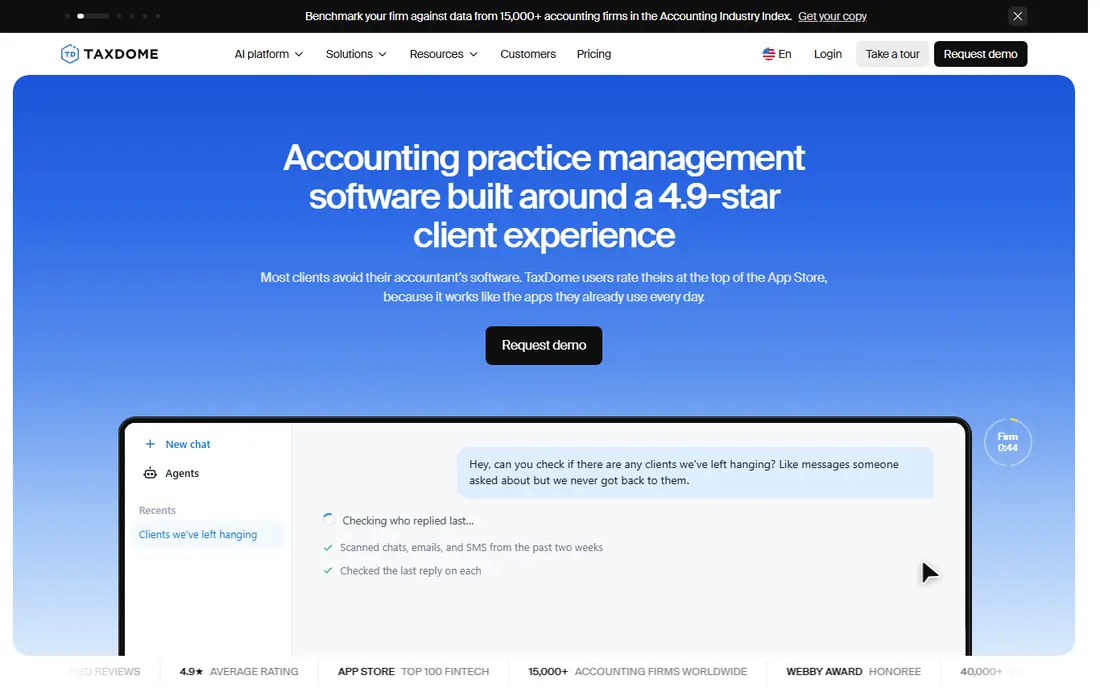
TaxDome is built with portal-first tax businesses in mind. Pricing is annual only, with guides citing 800 dollars per seat a year for Essentials and 1,000 dollars for Pro, whereas another guide lists from 700 dollars a year, so confirm the current level.
Beyond that, TaxDome is the all-in-one accounting practice management system for businesses of all sizes, with advanced workflow automations, a built-in CRM with unlimited contacts, a completely branded client portal, and firm plus client mobile apps. Built-in invoicing, payments, and recurring billing close the billing gap that Jetpack leaves open. What you pay to start with TaxDome: $800 per seat/year. There is no free plan with TaxDome.
Limits to weigh: Ramp-up time from wide features.
- Built-in invoicing and payments
- Firm and client mobile apps
- Guides cite 700 to 800 dollars entry
Aero Workflow
Ideal for: Procedure-based workflow
Aero Workflow was built for procedure-based workflow. Aero Workflow gives you procedure-based workflow for accounting businesses, with structured processes that standardize how work gets done.
On top of that, Aero Workflow suits businesses that want procedure discipline above all, and that manage billing and client communication in separate tools. Pricing runs 108 dollars a month in one May 2026 comparison, a flat figure that fits businesses that prefer straightforward pricing over per-user math. Aero Workflow cost at the entry level: $108 per month. There is no free plan with Aero Workflow.
Drawbacks to consider: 108 dollars flat entry.
- Structured processes
- Accounting-firm focus
- Smaller ecosystem
Karbon
Ideal for: Collaboration-first businesses
Pick Karbon if this describes you: collaboration-first businesses. Karbon complexity and cost make it a stretch for very small businesses, and there is no client mobile app.
Upsides: Billing and client portal included.
Downsides: Complicated for small teams; No client mobile app.
On top of that, Karbon is the collaboration-first practice management product for teams of 10 to 100 where client work runs through email. Starting cost for Karbon: $59 per user/month. Trial and free access: Free trial.
- Best email-centric collaboration
- Advanced automations
- 59 dollars entry is expensive for small businesses
Xero Practice Manager
Ideal for: Xero-committed businesses
In short, Xero Practice Manager is for Xero-committed firms. It is free for Silver partner status and above, and costs 149 dollars a month for up to 10 users for new and Bronze partners in one guide, with a 14-day trial.
Practice management depth alone is weak compared to Karbon or TaxDome, and Xero-only focus limits businesses on QuickBooks. Xero Practice Manager pricing: Free for Silver+ partners. Free access: Free trial.
Where it falls short: Xero-only.
- Free for Silver and above partners
- Capable Xero billing integration
- Weak practice depth alone
What went into this list
We compared the tools on published pricing, free plan or trial availability, feature coverage for Jetpack Workflow, and the limits each vendor documents. Where a vendor does not publish a price, the entry says quote. Where a price depends on seats or billing term, the entry says so. Position on the page reflects fit for a typical buyer first, with price clarity and free access breaking ties. Treat it as a guide, not a ruling.
A buyer's checklist
- Prices are a starting point; Financial Cents shows $19 per month to start, so verify what your seat count would cost.
- Take the trial from Canopy, Financial Cents, Karbon and Xero Practice Manager and push a live task through it before you pay.
- Before choosing Canopy, weigh its main limit: complicated pricing with metered extras.
- Confirm you can export your data from Aero Workflow, so leaving later does not mean losing records.
- Price TaxDome for your actual team size; headline prices rarely include add-ons or overage.
Frequently asked questions
Do these tools publish their prices?
Yes. Every tool from Canopy to Xero Practice Manager shows a starting price, though seats, add-ons and billing terms still change the final cost.
Does any tool for Jetpack Workflow here have a free plan?
A permanent free plan is not offered by Canopy, Xero Practice Manager or the other tools here. Canopy, Financial Cents, Karbon, Xero Practice Manager offer a trial. Plan a short evaluation period instead.
Can I try these tools before paying?
Often, yes. Canopy, Financial Cents, Karbon and Xero Practice Manager offer a free trial. Use your own data and a real task during the test, and check what the free tier or trial limits before you rely on it.
What is the cheapest option for Jetpack Workflow in this list?
On published monthly entry prices, Financial Cents is the lowest here at $19 per month. Entry price is only part of the cost, because seats, add-ons and billing terms can change the total.
Which alternative is a good match for tax businesses?
Start with Canopy if you need tax resolution specialists. Financial Cents is the better match for budget small businesses, and TaxDome for portal-first tax businesses. The best choice depends on budget, team size and workflow.
Do I need a client portal?
Jetpack lack of a portal means client communication, document collection, and approvals happen over email, leaving information scattered across inboxes. Worth adding: a portal centralizes uploads, approvals, and updates, which matters more as client count grows.