LambdaTest Alternatives in 2026: 8 Tools Compared

- 1
 BrowserStackCloud device testingVisit
- 2
 Sauce LabsCloud test automationVisit
- 3
 CrossBrowserTestingLive and automated testsVisit
- 4
 TestingBotCloud browser testingVisit
- 5
 KatalonLow-code test automationVisit
- BrowserStack and Sauce Labs are the leading cloud testing platforms, with large device and browser coverage.
- CrossBrowserTesting and TestingBot suit teams that need live and automated testing at lower cost.
- Katalon suits teams that want low-code test automation plus cloud execution.
- Playwright, Selenium, and Applitools cover open-source automation and visual testing needs.
Quick comparison
| Product | Ideal for | Price from | Free version | |
|---|---|---|---|---|
| BrowserStack | Cloud device testing | See website | Free trial | Visit |
| Sauce Labs | Cloud test automation | See website | Free trial | Visit |
| CrossBrowserTesting | Live and automated tests | See website | Free trial | Visit |
| TestingBot | Cloud browser testing | See website | Free trial | Visit |
| Katalon | Low-code test automation | See website | Yes | Visit |
 Playwright | Open-source automation | Free | Yes | Visit |
 Selenium | Open-source browser automation | Free | Yes | Visit |
 Applitools | Visual testing | See website | Free trial | Visit |
The best LambdaTest alternatives
We compared official feature pages, pricing pages, and app-store listings for cross-browser and device testing tools available in October 2026. LambdaTest covers live, automated, and real device testing, so the list below covers cloud platforms, low-code tools, and open-source frameworks.
BrowserStack
Ideal for: Cloud device testing
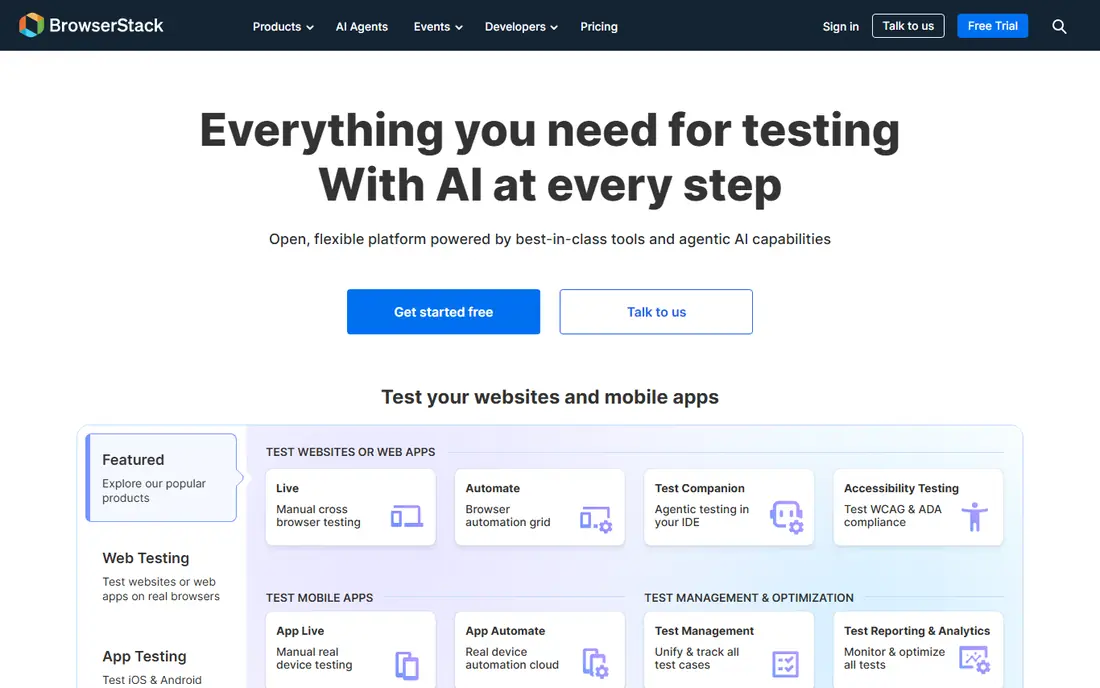
BrowserStack is a cloud testing platform with real devices and browsers for live, automated, and visual testing. It covers thousands of device and browser combinations, with integrations for Selenium, Playwright, Cypress, and CI tools. Teams can test responsive layouts, native apps, and web apps without maintaining a device lab.
Pricing is quote-based for larger teams, and costs grow with parallel tests. For a team that needs the largest device coverage and reliable cloud execution, BrowserStack is the leading LambdaTest alternative.
- Largest real device cloud
- Live and automated testing
- Strong integrations
- Pricing is quote-based for larger teams
- Costs grow with parallel tests
Sauce Labs
Ideal for: Cloud test automation
Sauce Labs is a cloud testing platform for web and mobile apps, covering live testing, automated testing, and real devices, plus visual testing and error monitoring. It integrates with CI tools and test frameworks, and its analytics help teams find flaky tests and failures.
Pricing is quote-based and the interface can feel enterprise-heavy. For a team that wants a full cloud testing platform with monitoring, Sauce Labs is a strong choice.
- Large cloud for web and mobile
- Visual and error monitoring
- Strong CI integrations
- Pricing is quote-based
- Interface can feel enterprise-heavy
CrossBrowserTesting
Ideal for: Live and automated tests
CrossBrowserTesting, part of SmartBear, offers live testing, automated Selenium testing, visual comparisons, and real device testing in one platform. It covers common browsers and devices, with integrations for CI and test frameworks. Its pricing suits small to midsize teams.
Device coverage is smaller than BrowserStack's, and the brand now sits within SmartBear's testing portfolio. For a small team that wants live and automated testing at good value, CrossBrowserTesting is a practical pick.
- Live, automated, and visual testing
- Real devices
- Good value for small teams
- Device coverage is smaller than BrowserStack
- Brand is now part of SmartBear
TestingBot
Ideal for: Cloud browser testing
TestingBot is a cloud testing platform with browsers and real devices for Selenium and Appium tests, plus live testing and screenshots. It offers a free trial and competitive pricing, with integrations for CI tools and test frameworks. Its dashboard shows test videos and logs for debugging.
TestingBot is a smaller brand than BrowserStack, with fewer enterprise features. For a team that wants cloud testing at a lower price, TestingBot is a good value alternative.
- Cloud browsers and real devices
- Good value
- Selenium and Appium support
- Smaller brand than BrowserStack
- Fewer enterprise features
Katalon
Ideal for: Low-code test automation
Katalon is a test automation platform with low-code tools for web, mobile, API, and desktop testing, plus cloud execution through TestCloud. Its Studio lets testers record and build tests without deep coding, while its platform adds reporting, scheduling, and integrations. A free tier covers basic use.
The free tier limits cloud runs, and enterprise features need paid plans. For a QA team that wants low-code automation plus cloud execution, Katalon is a strong choice.
- Low-code test creation
- Web, mobile, API, and desktop testing
- Cloud execution
- Free tier limits cloud runs
- Enterprise features need paid plans
Playwright
Ideal for: Open-source automation
Playwright, from Microsoft, is an open-source automation framework for Chromium, Firefox, and WebKit, with fast, reliable tests and built-in waiting, tracing, and debugging tools. It supports JavaScript, Python, .NET, and Java, and it runs tests in parallel across browsers. Cloud platforms such as BrowserStack and Sauce Labs can run Playwright tests on real devices.
Playwright needs coding skill and has no hosted device cloud of its own. For a development team that wants free, modern browser automation, Playwright is the top open-source choice.
- Free and open source
- Fast and reliable
- Supports Chromium, Firefox, and WebKit
- Needs coding skill
- No hosted device cloud of its own
Selenium
Ideal for: Open-source browser automation
Selenium is the long-standing open-source standard for browser automation, with WebDriver support across browsers and languages including Java, Python, C#, and JavaScript. Its grid runs tests in parallel, and cloud platforms can execute Selenium tests on real devices and browsers. A huge community and docs back its use.
Setup and maintenance need skill, and Selenium can be slower than Playwright for some tests. For a team with existing Selenium tests or a need for broad language support, Selenium remains a reliable standard.
- Free and open source
- Industry standard
- Huge community and language support
- Setup and maintenance need skill
- Slower than Playwright for some tests
Applitools
Ideal for: Visual testing
Applitools is a visual testing platform that uses AI to compare screenshots across browsers, devices, and screen sizes, catching layout and design regressions that functional tests miss. It integrates with Selenium, Playwright, Cypress, and other frameworks, with dashboards for reviewing visual diffs.
Pricing is quote-based and the focus is visual testing, so functional testing needs another tool. For a team that cares about visual quality across browsers, Applitools is a strong addition to a cloud testing setup.
- AI-powered visual testing
- Cross-browser visual checks
- Integrates with major frameworks
- Pricing is quote-based
- Focused on visual testing, not full functional testing
How we picked these
We compared official feature pages, pricing pages, and app-store listings for testing tools available in October 2026. We favored tools with current products, cross-browser or device coverage, and a clear audience, from QA teams to developers. We also compared parallel pricing, debugging tools, and real device coverage, since those factors decide daily cost and test reliability. We did not include our own product in this list.
How to choose a LambdaTest alternative
Start with your testing type. Live and real device testing points to BrowserStack or Sauce Labs, while automated testing points to those platforms plus Playwright or Selenium. Low-code teams should try Katalon, while visual testing needs Applitools alongside a functional tool.
Then run a real test suite on a trial. Check device coverage for your target browsers, parallel test speed, and CI integration, since those decide daily cost and speed. The best alternative is the one that runs your suite reliably without a large device lab.
Testing platforms cost real money at scale, so model your usage before buying. Count parallel tests, test minutes, and device types at your real CI volume, and compare how each vendor charges for idle time, retries, and flaky tests. Also check debugging tools: videos, logs, and screenshots for failed tests save hours compared with rerunning a suite blind. For mobile testing, confirm real device availability for your target models and OS versions, since emulator-only coverage misses device-specific bugs. CI integration matters too: a platform that plugs into your pipeline with clear failure reporting will get used, while one that needs manual steps will be skipped under deadline pressure. Finally, run your actual suite on a trial, measure total run time and flake rate, and compare those numbers across vendors. A faster, more reliable run is worth more than a lower headline price.
Flaky tests deserve attention when choosing a testing platform, since they waste more time than slow tests. Check how each platform reports flakes, retries, and historical pass rates, and whether it helps identify the cause, such as timing issues or environment differences. Also confirm how the platform handles test sharding and parallelization for your framework, since a platform that shards poorly will leave some workers idle while others run long. For visual testing, check how diffs are reviewed and approved, since a noisy visual tool that flags every minor pixel change will be ignored. Finally, compare support quality during the trial by asking a real question, since testing problems often appear under deadline pressure, when fast help matters most.
Frequently asked questions
What is the best LambdaTest alternative?
BrowserStack suits most teams with the largest real device cloud, while Sauce Labs suits teams that want monitoring plus testing. CrossBrowserTesting and TestingBot suit smaller budgets, and Playwright suits developers who want free automation.
Is BrowserStack free?
BrowserStack offers free trials and a free tier for open-source projects, but most teams need a paid plan. Pricing is quote-based for larger teams, so ask for a quote based on parallel tests and device needs.
Can I test on real devices without a lab?
Yes. BrowserStack, Sauce Labs, CrossBrowserTesting, and TestingBot offer real device clouds, so teams can test on physical phones and tablets without buying and maintaining them.
What is the difference between Playwright and Selenium?
Playwright is a newer, faster framework with built-in waiting and debugging, supporting Chromium, Firefox, and WebKit. Selenium is the older standard with broader language support and a larger community, but it needs more setup for reliable tests.
Do I need visual testing?
Visual testing catches layout, font, and design regressions that functional tests miss, especially across browsers and screen sizes. Teams with design-sensitive products benefit from Applitools or visual features in cloud platforms.
How many parallel tests do I need?
It depends on suite size and how fast you need results. A small team with a short suite may manage with two to five parallels, while a large team running thousands of tests per deploy may need twenty or more. Start by measuring your current suite time and your target feedback time, then divide to estimate parallels. Watch for flaky tests as you scale, since parallelism exposes timing issues that sequential runs hide. Most vendors let you adjust parallels, so start modestly and scale up based on real CI data.