8 Best LiquidPlanner Alternatives for 2026

- 1
 Monday.comVisual boards and timelinesVisit
- 2
 AsanaSimple team task trackingVisit
- 3
 ClickUpAll-in-one workspaceVisit
- 4
 SmartsheetSpreadsheet-style projectsVisit
- 5
 WrikeStructured team projectsVisit
- LiquidPlanner was acquired and its standalone product was wound down, so teams still using it should plan a move.
- Monday.com and Asana are the closest general replacements for visual scheduling, timelines, and shared project boards.
- Zoho Projects at $4 per user per month and ClickUp Core at $9 per user per month are the lowest entry prices in this list.
- Smartsheet suits spreadsheet-style planning, while Jira suits software teams that work in sprints.
- Check seat minimums and billing bands before you budget, because the headline rate is rarely the full bill.
Quick comparison
| Product | Ideal for | Price from | Free version | |
|---|---|---|---|---|
| Monday.com | Visual boards and timelines | $9 per user/month (billed annually) | Yes | Visit |
| Asana | Simple team task tracking | $10.99 per user/month (billed annually) | Yes | Visit |
| ClickUp | All-in-one workspace | $9 per user/month (billed annually) | Yes | Visit |
| Smartsheet | Spreadsheet-style projects | $9 per user/month (billed annually) | Free trial (30 days) | Visit |
| Wrike | Structured team projects | $10 per user/month (billed annually) | Yes | Visit |
 Teamwork.com | Client work and time tracking | $9.99 per user/month (billed annually) | Yes | Visit |
 Zoho Projects | Low-cost project tracking | $4 per user/month (billed annually) | Yes | Visit |
 Jira | Agile software delivery | $7.92 per user/month (billed annually) | Yes | Visit |
The best LiquidPlanner alternatives
LiquidPlanner built its name on scheduling that adjusted when dates moved, with ranges instead of single fixed dates. None of the tools below copies that exact model, but each one covers the core job: plan work, assign owners, track dates, and see where a project stands.
Monday.com
Ideal for: Visual boards and timelines

Monday.com is the most visual replacement on this list, and it works well for teams that planned in LiquidPlanner with boards and dates. Boards hold tasks, owners, dates, and status in one place, and timeline and Gantt views show how work overlaps. Basic costs $9 per user per month on annual billing, with Standard at $12 and Pro at $19, and the free plan covers up to 2 seats. This price was last read on the vendor pricing page in October 2026.
The catch is the seat rule. Subscription plans start at 3 seats, so a solo user still pays for 3. Basic leaves out automations and integrations, so most teams will need Standard at $12 per user per month for timelines and 250 automation actions a month.
- Clear visual boards and timelines
- Wide range of templates and views
- Basic plan has no automation or integration actions
- Subscription plans start at 3 seats
Asana
Ideal for: Simple team task tracking

Asana is the easiest tool here for a team to adopt during a migration. Starter costs $10.99 per user per month on annual billing, or $13.49 billed monthly, and it adds timeline and Gantt views, dashboards, forms, and unlimited automations. Advanced costs $24.99 per user per month on annual billing and adds portfolios, goals, and resource management. The free Personal plan covers only 2 users.
Asana suits teams that want clear ownership, with one assignee per task. The limit is the seat structure. Above 5 users, Asana sells seats in bundles, so a team of 6 can end up paying for 10.
- Clean interface that new teams learn fast
- Timeline and Gantt views on Starter
- Free Personal plan is capped at 2 users
- Seat bands apply above 5 users
ClickUp
Ideal for: All-in-one workspace
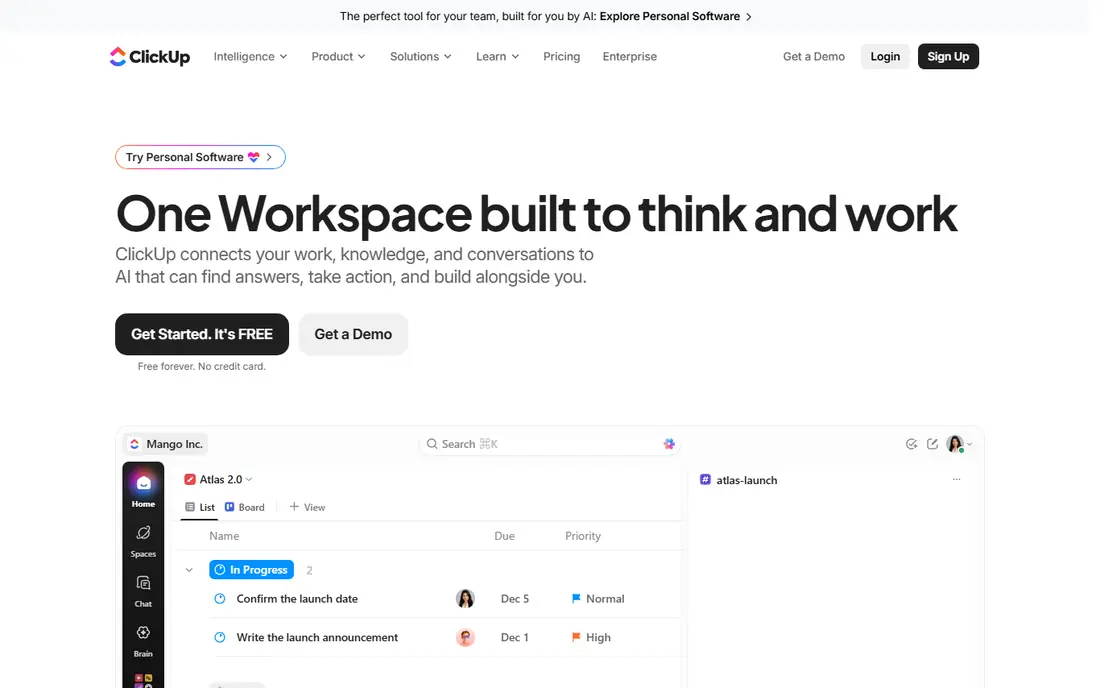
ClickUp packs more into one subscription than most tools on this list. The Free Forever plan includes unlimited tasks and members, docs, Kanban boards, calendar view, and sprint management, with 60 MB of storage. Core costs $9 per user per month on annual billing and adds custom fields, unlimited storage, unlimited Gantt charts, goals, and 1,000 automations a month. Prices were read on the vendor pricing page on 13 November 2026.
ClickUp fits teams that want docs, chat, goals, and tasks in one place. The trade-off is complexity, and the plan lineup has changed more than once. Start on the free plan and check that the views your team needs sit on Core before you upgrade.
- Free Forever plan has unlimited members and tasks
- Core adds Gantt charts and goals
- Core is shown at a promotional $9 against a regular $12 rate
- Plan names change often
Smartsheet
Ideal for: Spreadsheet-style projects
Smartsheet is the closest match for teams that planned in LiquidPlanner with rows, columns, and dates, and that think in spreadsheets. Pro costs $9 per member per month on annual billing, or $12 billed monthly, and it covers 1 to 10 members with unlimited contributors. Business costs $19 per member per month on annual billing and needs at least 3 members. Pro includes Gantt, board, and calendar views, unlimited sheets, and 250 automations a month. Prices were read on the vendor pricing page on 13 November 2026.
The hard limit is the 10-member cap on Pro. A team that grows past 10 members must move to Business at $19 per member per month. There is no free plan for new signups, only a 30-day trial.
- Familiar grid layout for spreadsheet users
- Gantt, board, and calendar views included
- Pro plan is capped at 10 members and is for new customers only
- No free plan for new signups
Wrike
Ideal for: Structured team projects
Wrike suits teams that want structure: defined workflows, request forms, approvals, and reports. The free plan covers basic task management with board and table views. Team costs $10 per user per month on annual billing for 2 to 15 users, and it adds shareable dashboards, interactive Gantt charts, and custom fields. Business costs $25 per user per month on annual billing for 5 to 200 users and adds resource management, time tracking, request forms, and approvals. This price was last read on the vendor pricing page on 11 November 2026.
Team stops at 15 users, so a growing team moves to Business at $25, and Business and higher plans are annual subscriptions only. Wrike also sells seats in groups, so a team of 6 can pay for 10.
- Interactive Gantt charts and shareable dashboards on Team
- Clear plan structure
- Team plan caps at 15 users
- Business and higher plans are annual only
Teamwork.com
Ideal for: Client work and time tracking
Teamwork.com is built for teams that deliver work for clients, which matches many former LiquidPlanner users in agencies and professional services. The free plan covers up to 5 users and 5 projects. Basics costs $9.99 per user per month on annual billing and covers up to 300 projects, with unlimited templates, billable time tracking, and 5,000 automations. Accelerate costs $24.99 per user per month on annual billing and adds workload planning, capacity views, and invoicing from logged time. Prices were read on the vendor pricing page on 13 November 2026.
The gap between Basics and Accelerate is the main thing to check. If you need capacity planning or retainer management, the price rises fast, and the free plan covers only 5 projects.
- Built-in time tracking and billable time reports
- Free plan covers 5 users and 5 projects
- Free plan is limited to 5 projects
- Accelerate jumps to $24.99 per user per month
Zoho Projects
Ideal for: Low-cost project tracking
Zoho Projects is the cheapest entry point in this list, and it covers tasks, subtasks, Gantt charts, milestones, time logs, and project budgets. Premium costs $4 per user per month on annual billing, or $5 billed monthly. Enterprise costs $9 and adds a portfolio dashboard, cross-project dependencies, and baselines. Ultimate costs $14 per user per month on annual billing. The free plan covers up to 5 users, 3 projects, and 5 GB of storage. This price was last read on the vendor pricing page in October 2026.
Zoho Projects fits firms that already use other Zoho apps, since it connects with Zoho CRM, Zoho Desk, Zoho Books, and Zoho Meeting. Premium allows 5,000 workflow executions a month. If your budget is tight, test the free plan against one real project first.
- Lowest entry price in this list
- Free plan covers up to 5 users and 3 projects
- Free plan is limited to 3 projects and 5 GB of storage
- Automation limits apply on Premium
Jira
Ideal for: Agile software delivery
Jira is the pick for software teams that plan in sprints, backlogs, and releases. The free plan covers up to 10 users. Standard costs $9.70 per user per month on monthly billing for 1 to 100 users, and annual plans are priced by user tier: $950 a year for up to 10 users, which works out to $7.92 per user per month at a full 10-user tier, and $2,450 a year for 16 to 25 users. Prices were read on the vendor pricing tables on 13 November 2026.
A team of 6 on an annual plan pays the 10-user tier price of $950 a year, not 6 times a per-user rate. Jira is heavier to set up than the general tools here, and single sign-on needs a separate Atlassian Guard subscription on Standard.
- Strong sprint, backlog, and release planning
- Free plan covers up to 10 users
- Annual billing uses user tiers, not a flat per-user rate
- Single sign-on needs a separate subscription on Standard
Pick by team size and budget
| Team size | Budget per user per month | Best pick | Why it fits | | 1 to 5 users | $0 to $4 | Zoho Projects | Free plan covers 5 users; Premium is $240 a year for 5 users | | 6 to 15 users | $9 to $10 | ClickUp or Wrike | ClickUp Core is $9; Wrike Team is $10 and caps at 15 users | | 16 to 50 users | $10 to $13 | Asana or Monday.com | Asana Starter is $10.99; Monday.com Standard is $12 and adds timelines and automations | | 50 or more users | Tier pricing | Jira or Smartsheet Business | Jira annual tiers fall per user as headcount rises; Smartsheet Business is $19 per member per month |
How we chose
We compared vendor pricing pages, plan pages, and feature lists for each tool, and we checked free plan limits, seat minimums, and scheduling features such as Gantt charts and timelines. Prices for Asana, ClickUp, Smartsheet, Teamwork.com, and Jira were read on the vendor pricing pages on 13 November 2026. Monday.com, Wrike, and Zoho Projects prices were last read on the vendor pricing pages in October and November 2026, as noted in their sections above. Vendor prices change, so confirm the current price on the vendor pricing page before you buy.
What to check before you buy
First, export your LiquidPlanner data and check what each new tool can import, including tasks, dates, owners, and custom fields. Second, count your real users, including guests and clients, and apply the seat minimums and billing bands in this guide. Third, run one real project through a trial and check that the Gantt view and timeline show what your team needs. Fourth, confirm who owns billing and admin rights, and check whether single sign-on, audit logs, and data residency sit on the plan you intend to buy or on a higher tier.
Frequently asked questions
Why do teams need a LiquidPlanner alternative now?
LiquidPlanner was acquired and its standalone product was wound down, so teams still using it face a future with no new features and shrinking support. A move now lets you pick a replacement on your own schedule and test it with a real project, instead of rushing a switch later.
Which LiquidPlanner alternative is closest in scheduling style?
Smartsheet is closest for spreadsheet-style planning with rows, dates, and Gantt views, while Monday.com is closest for visual boards and timelines. Jira is closest for software teams that plan in sprints and releases. The right match depends on how your team planned before, so trial the one that mirrors your current layout first.
What is the cheapest LiquidPlanner alternative?
Zoho Projects is the cheapest in this list, with Premium at $4 per user per month on annual billing and a free plan for up to 5 users and 3 projects. ClickUp Core at $9 and Smartsheet Pro at $9 are the next lowest entry prices. Check the free plan limits first, because a free plan that fits your team costs less than any subscription tier.
Can I move LiquidPlanner projects to a new tool?
Most tools here offer import from files or from other project tools, but the details vary by tool and by plan. Export tasks, dates, owners, and custom fields first, then test the import with one small project before you move everything. Check that dependencies and recurring tasks arrive intact.
Which alternative is best for client work?
Teamwork.com is the best fit for client work in this list, because it ties time tracking, billable time, budgets, retainers, and invoicing to projects. Wrike is a second option for teams that need request forms and approvals. If you bill clients by the hour, trial Teamwork.com with one real client project and check the time reports before you commit.
Sources
- https://monday.com/pricing
- https://asana.com/pricing
- https://clickup.com/pricing
- https://www.smartsheet.com/pricing
- https://www.wrike.com/pricing
- https://www.teamwork.com/pricing/
- https://www.zoho.com/projects/zohoprojects-pricing.html
- https://www.atlassian.com/licensing/future-pricing/cloud/list/pricing-tables